Very High Cpu Usage

sederynick

New member
Local time
11:40 PM
Messages
4
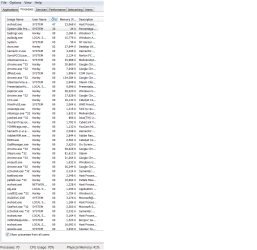
So I have been having a problem lately that is rather annoying. My cpu usage has been unsually high the past few days and I cant seem to find anything wrong. I checked the processes tab of the windows task manager and the numbers dont add up. When all of the cpu usage is added up, its comes to about 30 percent, but I look in the performance tab and it the cpu usage reaches about 60 percent to 80 percent, sometimes even hitting 100 percent.
I have a intel dual core 2.4 ghz processor. I'm not extremely tech savvy but I know a little about everything. Some help would be greatly appreciated :D
 

My Computer

OS
Win 7 Home, 64 bit
Please see Pic.

Ensure this is checked and then have a look at what is using this, Also Download Hugh Jack this and Run and leave a report here.
 

Attachments

  • show all.JPG
    show all.JPG
    9.1 KB · Views: 648

My Computer

Computer Manufacturer/Model Number
Home Build.
OS
Windows 7 Home Pre
CPU
Q8200 Intell 2.333
Motherboard
Asus P5Q3 Delux
Memory
DDR3 1333 4gig
Graphics Card(s)
Ati HD4870
Sound Card
Onboard Soundmax. 7.1
Monitor(s) Displays
1, 20" Samsung
Screen Resolution
1600/900
PSU
Good enough
Case
Le Shark
Cooling
FAN FAN FAN FAN, Thermaltake Minitype 90 with speed fan 4.
Keyboard
Standard, Gaming Wolfking
Mouse
Cm-storm-inferno-wired-gaming-mouse
Internet Speed
Sky Crappy upto 20meg I get a whapping 5.8mbs.
Wasnt exactly sure what you mean about the hugh jack thing, but i checked the show all processes and this is what comes up
 

Attachments

  • Cpu.png
    Cpu.png
    39.4 KB · Views: 81

My Computer

OS
Win 7 Home, 64 bit
Oh I see it now, downloading it asap
 

My Computer

OS
Win 7 Home, 64 bit
Back
Top