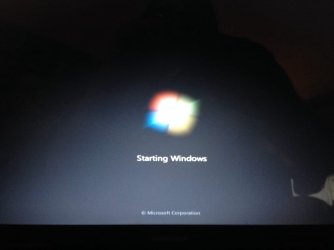
Solved Vista to 7 Upgrade failing right before 1st reboot

My Computer My Computer

At a glance

Windows 10/Windows 7 (My Idea- Virtual PC)Intel(R) Core(TM) i5-3470 CPU @ 3.20GHz16 GBnVidia GeForce GTX 750 Ti (2GB)
Computer type
PC/Desktop
Computer Manufacturer/Model Number
Lenovo Thinkcenter M92p
OS
Windows 10/Windows 7 (My Idea- Virtual PC)
CPU
Intel(R) Core(TM) i5-3470 CPU @ 3.20GHz
Motherboard
Lenovo MahoBay
Memory
16 GB
Graphics Card(s)
nVidia GeForce GTX 750 Ti (2GB)
Sound Card
nVidia HD Audio
Monitor(s) Displays
RCA 4KTV 50"
Screen Resolution
3840p x 2160p
Hard Drives
Onboard:
Seagate ST500DM009-2F110A 500GB
WDC WD4000FYYZ-01UL1B1 (WD-WCC131910831) [3726 GB]

USB 3.0
My Book 1140 (WCAZAD122454) [1862 GB]
Apple MDT MD10EAVS-00D7B0 (0000AB123473) [931 GB]

External:
WD Blue Innostar/Matsunichi (465 GB)
WD
PSU
Stock Thinkcenter M92p
Case
Stock Thinkcenter M92p
Cooling
Active
Keyboard
BYTEC BY-GA-KT-100-AC
Mouse
BYTEC
Internet Speed
1 GHz Down, 40 Mbps Up
Antivirus
Windows Defender
Browser
EDGE
Other Info
Old Other Info:
I finally have an Intel machine that has more than 8GB of Ram.
My ASUS M2N-SE AMD Windows 7 machine is back to Windows 7. Replaced the AMD 4400+ CPU and maxed out the RAM (4GB).
My Core Duo machine is only 2GB of Ram and it is locked to Windows XP in order to run Pro Tools 6.4, which I have been using since 2004.
I have one other Dell OptiPlex 980 tower, Identical to this one,
Well there it is... Thanks for all the help guys, I did most of what you suggested.
 

Attachments

  • ImageUploadedBySeven Forums1406353940.720824.jpg
    ImageUploadedBySeven Forums1406353940.720824.jpg
    25.8 KB · Views: 1
  • ImageUploadedBySeven Forums1406353962.129135.jpg
    ImageUploadedBySeven Forums1406353962.129135.jpg
    53 KB · Views: 1

My Computer My Computer

At a glance

Windows 10/Windows 7 (My Idea- Virtual PC)Intel(R) Core(TM) i5-3470 CPU @ 3.20GHz16 GBnVidia GeForce GTX 750 Ti (2GB)
Computer type
PC/Desktop
Computer Manufacturer/Model Number
Lenovo Thinkcenter M92p
OS
Windows 10/Windows 7 (My Idea- Virtual PC)
CPU
Intel(R) Core(TM) i5-3470 CPU @ 3.20GHz
Motherboard
Lenovo MahoBay
Memory
16 GB
Graphics Card(s)
nVidia GeForce GTX 750 Ti (2GB)
Sound Card
nVidia HD Audio
Monitor(s) Displays
RCA 4KTV 50"
Screen Resolution
3840p x 2160p
Hard Drives
Onboard:
Seagate ST500DM009-2F110A 500GB
WDC WD4000FYYZ-01UL1B1 (WD-WCC131910831) [3726 GB]

USB 3.0
My Book 1140 (WCAZAD122454) [1862 GB]
Apple MDT MD10EAVS-00D7B0 (0000AB123473) [931 GB]

External:
WD Blue Innostar/Matsunichi (465 GB)
WD
PSU
Stock Thinkcenter M92p
Case
Stock Thinkcenter M92p
Cooling
Active
Keyboard
BYTEC BY-GA-KT-100-AC
Mouse
BYTEC
Internet Speed
1 GHz Down, 40 Mbps Up
Antivirus
Windows Defender
Browser
EDGE
Other Info
Old Other Info:
I finally have an Intel machine that has more than 8GB of Ram.
My ASUS M2N-SE AMD Windows 7 machine is back to Windows 7. Replaced the AMD 4400+ CPU and maxed out the RAM (4GB).
My Core Duo machine is only 2GB of Ram and it is locked to Windows XP in order to run Pro Tools 6.4, which I have been using since 2004.
I have one other Dell OptiPlex 980 tower, Identical to this one,
Let us know about performance.

If there is any less than instantaneous performance which never hangs then look over these same steps for Clean Reinstall - Factory OEM Windows 7 which compile everything that's worked best in tens of thousands of installs we've helped with here directly.
 
Well as far is instantaneous performance, we're looking at laptop with a 1.6 gig Athlon processor with two gigs of DDR2 RAM, 256 MB of which are being used for the video.

With a 160 GB hard drive that's about one third full it actually responds fairly well for being an upgrade from Vista. Compared to Vista this thing is lightning fast, it boots up in about three minutes compared to waiting 5 to 10 minutes with Vista for everything to load.

Actually because I was using the USB stick and I wasn't monitoring what I was doing, the update I was showing last night failed- because I wasn't paying attention during a critical reboot and I had to restart it and that messed up the install. But I just plopped another DVD that I burned into the Disk Drive, by the time I got up in the morning it was installing Dot.net framework 4, so it's all good.

So Windows 7 went and it's got the original 30 day grace period going so the owner can just buy his own license, or whatever he wants to do. Sometimes when I get these things back, if they need service again, they might have all kinds of loaders, extenders, KMS activators, OEM Activators, and all manner of bizarre activation things installed. I usually end up doing another in place install and hand them back another 30 day grace period, heh.
 

My Computer My Computer

At a glance

Windows 10/Windows 7 (My Idea- Virtual PC)Intel(R) Core(TM) i5-3470 CPU @ 3.20GHz16 GBnVidia GeForce GTX 750 Ti (2GB)
Computer type
PC/Desktop
Computer Manufacturer/Model Number
Lenovo Thinkcenter M92p
OS
Windows 10/Windows 7 (My Idea- Virtual PC)
CPU
Intel(R) Core(TM) i5-3470 CPU @ 3.20GHz
Motherboard
Lenovo MahoBay
Memory
16 GB
Graphics Card(s)
nVidia GeForce GTX 750 Ti (2GB)
Sound Card
nVidia HD Audio
Monitor(s) Displays
RCA 4KTV 50"
Screen Resolution
3840p x 2160p
Hard Drives
Onboard:
Seagate ST500DM009-2F110A 500GB
WDC WD4000FYYZ-01UL1B1 (WD-WCC131910831) [3726 GB]

USB 3.0
My Book 1140 (WCAZAD122454) [1862 GB]
Apple MDT MD10EAVS-00D7B0 (0000AB123473) [931 GB]

External:
WD Blue Innostar/Matsunichi (465 GB)
WD
PSU
Stock Thinkcenter M92p
Case
Stock Thinkcenter M92p
Cooling
Active
Keyboard
BYTEC BY-GA-KT-100-AC
Mouse
BYTEC
Internet Speed
1 GHz Down, 40 Mbps Up
Antivirus
Windows Defender
Browser
EDGE
Other Info
Old Other Info:
I finally have an Intel machine that has more than 8GB of Ram.
My ASUS M2N-SE AMD Windows 7 machine is back to Windows 7. Replaced the AMD 4400+ CPU and maxed out the RAM (4GB).
My Core Duo machine is only 2GB of Ram and it is locked to Windows XP in order to run Pro Tools 6.4, which I have been using since 2004.
I have one other Dell OptiPlex 980 tower, Identical to this one,
Back
Top