W7 will not boot - sorry for another thread

trane251

New member
Local time
3:59 PM
Messages
32
Hello All,

{Edit - I just noticed there is a similar thread as mine. I'll go through that thread and try some options in there and report back}

Thanks for taking the time to read my first post. I've done some searching on the internet but have become a little overwhelmed Here are my system specs, which is a computer that I built. I haven't had any problems since it was built it about 1 year ago.

W7 64 bit Home Premium - I have the disk
MB: Asus P8Z77-VPro
EVGA GTX680
i7-3770K
SSD (I can't remember which one) 256gb

Last night I shut down the computer/monitors and walked away. I came back a couple of hours later and notices the desktop was still running. I didn't pay much attention and shut it down by holding the power button (the monitors were already turned off)

When I turn on the computer I'll see the page for my MB and then it will go to "Windows Startup" for about 3 seconds. It will then cycle back to the MB page and eventually get to the menus to check for repairs. It says that it cannot find anything wrong.

Here's what I have done so far:

1. Unplugged everything from the desktop
2. Launched Startup Repair
3. System Restore: Did not work and tried 2 different restore points
4. Boot to Safe Mode: This worked and I ran malwarebytes (nothing found).

I haven't dowloaded anything unsual since this happened except for the following about 1 week ago:
CCcleaner
Acronias System Restore (Before this happened I created an image of my SSD to an external HDD).

I'm "okay" with computers but don't really know how to diagnose. I would appreciate any help and I'm hoping I don't have a bad ssd. I use my computer for flightsim and have a pile of programs related to it on the ssd.

Thanks so much.
 
Last edited:

My Computer

Computer type
PC/Desktop
Computer Manufacturer/Model Number
Custome Build
OS
W7 Home Premium 64
CPU
i7-3770K
Motherboard
ASUS - P8Z77-V Pro
Memory
Corsair Vengence 8GB (2 x 4GB) DDR3 SDRAM DDR3 1600
Graphics Card(s)
EVGA GTX680 - superclocked - 02G-P4-2682-KR
Monitor(s) Displays
Viewsonic
Hard Drives
Crucial M4SSD256GB
PSU
CORSAIR HX750 750W ATX12V 2.3 / EPS12V 2.91
Cooling
Corsair H100

My Computer

Computer type
PC/Desktop
Computer Manufacturer/Model Number
Custome Build
OS
W7 Home Premium 64
CPU
i7-3770K
Motherboard
ASUS - P8Z77-V Pro
Memory
Corsair Vengence 8GB (2 x 4GB) DDR3 SDRAM DDR3 1600
Graphics Card(s)
EVGA GTX680 - superclocked - 02G-P4-2682-KR
Monitor(s) Displays
Viewsonic
Hard Drives
Crucial M4SSD256GB
PSU
CORSAIR HX750 750W ATX12V 2.3 / EPS12V 2.91
Cooling
Corsair H100

My Computer

Computer type
PC/Desktop
Computer Manufacturer/Model Number
Dell optiplex 740
OS
Win 7 Home Premium SP1 32 bit
CPU
AMD Athlon 64 X2 5000B
Motherboard
Dell Inc. 0YP696 (Socket M2 )
Memory
4.00 GB Dual-Channel DDR2 @ 370MHz (6-6-6-18)
Graphics Card(s)
Acer E181H (1366x768@60Hz) 64MB GeForce 6150 LE (Dell)
Sound Card
SigmaTel High Definition Audio CODEC
Monitor(s) Displays
Acer E181H (1366x768@60Hz) 64MB GeForce 6150 LE (Dell)
Hard Drives
699GB Seagate ST375064 0NS SCSI Disk Device (ATA)
Case
Mini tower
Internet Speed
Ping 36 ms, Download 57.71 mbps , Upload 11.79mbps
Antivirus
Free Avast. Pro paid Mbam , Free Sas
Browser
Palemoon .

My Computer

Computer type
PC/Desktop
Computer Manufacturer/Model Number
Custome Build
OS
W7 Home Premium 64
CPU
i7-3770K
Motherboard
ASUS - P8Z77-V Pro
Memory
Corsair Vengence 8GB (2 x 4GB) DDR3 SDRAM DDR3 1600
Graphics Card(s)
EVGA GTX680 - superclocked - 02G-P4-2682-KR
Monitor(s) Displays
Viewsonic
Hard Drives
Crucial M4SSD256GB
PSU
CORSAIR HX750 750W ATX12V 2.3 / EPS12V 2.91
Cooling
Corsair H100
Well. if you look at bottom at steps 18 and 19.. of my link.. you will see that you would want to try repair install first. .then if not.. go to a clean reinstall .
 

My Computer

Computer type
PC/Desktop
Computer Manufacturer/Model Number
Dell optiplex 740
OS
Win 7 Home Premium SP1 32 bit
CPU
AMD Athlon 64 X2 5000B
Motherboard
Dell Inc. 0YP696 (Socket M2 )
Memory
4.00 GB Dual-Channel DDR2 @ 370MHz (6-6-6-18)
Graphics Card(s)
Acer E181H (1366x768@60Hz) 64MB GeForce 6150 LE (Dell)
Sound Card
SigmaTel High Definition Audio CODEC
Monitor(s) Displays
Acer E181H (1366x768@60Hz) 64MB GeForce 6150 LE (Dell)
Hard Drives
699GB Seagate ST375064 0NS SCSI Disk Device (ATA)
Case
Mini tower
Internet Speed
Ping 36 ms, Download 57.71 mbps , Upload 11.79mbps
Antivirus
Free Avast. Pro paid Mbam , Free Sas
Browser
Palemoon .
Sorry about that. I'll dive into the link you provided and report back.
 

My Computer

Computer type
PC/Desktop
Computer Manufacturer/Model Number
Custome Build
OS
W7 Home Premium 64
CPU
i7-3770K
Motherboard
ASUS - P8Z77-V Pro
Memory
Corsair Vengence 8GB (2 x 4GB) DDR3 SDRAM DDR3 1600
Graphics Card(s)
EVGA GTX680 - superclocked - 02G-P4-2682-KR
Monitor(s) Displays
Viewsonic
Hard Drives
Crucial M4SSD256GB
PSU
CORSAIR HX750 750W ATX12V 2.3 / EPS12V 2.91
Cooling
Corsair H100
The tutorial .. is a guide.. you may not be able to do anything except go right to 18 or 19.. Good luck and holler if you get stuck !!
 

My Computer

Computer type
PC/Desktop
Computer Manufacturer/Model Number
Dell optiplex 740
OS
Win 7 Home Premium SP1 32 bit
CPU
AMD Athlon 64 X2 5000B
Motherboard
Dell Inc. 0YP696 (Socket M2 )
Memory
4.00 GB Dual-Channel DDR2 @ 370MHz (6-6-6-18)
Graphics Card(s)
Acer E181H (1366x768@60Hz) 64MB GeForce 6150 LE (Dell)
Sound Card
SigmaTel High Definition Audio CODEC
Monitor(s) Displays
Acer E181H (1366x768@60Hz) 64MB GeForce 6150 LE (Dell)
Hard Drives
699GB Seagate ST375064 0NS SCSI Disk Device (ATA)
Case
Mini tower
Internet Speed
Ping 36 ms, Download 57.71 mbps , Upload 11.79mbps
Antivirus
Free Avast. Pro paid Mbam , Free Sas
Browser
Palemoon .
I can see why checking the HD is the 1st step. I'm on to step 2 (checking RAM) until I try to figure out checking my SSD. I've been googling and there isn't a HD diagnostic tool for my SSD (Crucial M4-CT256M4SSD2-firmware 000F). I haven't had much look searching the Crucial forums on a way to check to see if a SSD is bad.

How the heck do you check to see if a SSD has gone bad? I booted into safemode and did ChKDsk but didn't see anything noticeable (although I'm not exactly sure what to look for). If the SSD is bad it would seem a reinstall is moot. Is that correct?

GregRocker - Just saw your post after writing the above. I'll provide the info once the RAM test is finished. The desktop is on wireless but not able to find a network in Safe mode. I can move it to an ethernet to see if that works (my wife will love having computer parts all over the living room :)

Thanks again!
 

My Computer

Computer type
PC/Desktop
Computer Manufacturer/Model Number
Custome Build
OS
W7 Home Premium 64
CPU
i7-3770K
Motherboard
ASUS - P8Z77-V Pro
Memory
Corsair Vengence 8GB (2 x 4GB) DDR3 SDRAM DDR3 1600
Graphics Card(s)
EVGA GTX680 - superclocked - 02G-P4-2682-KR
Monitor(s) Displays
Viewsonic
Hard Drives
Crucial M4SSD256GB
PSU
CORSAIR HX750 750W ATX12V 2.3 / EPS12V 2.91
Cooling
Corsair H100
Hi Yard Dog and Gregrocker,

Okay...here's some of my results from yesterday. I was able to boot into safe mode and access the internet; not sure why it wasn't working before.

1. RAM Test - nothing (did 7 passes...wow that takes awhile)\
2. SDD Check - used windows disk check and it didn't find anything
3. Checked SSD cables and they seemed to be attached
4. CPU temps: no problems
5. Scanned using Malwarebytes - found about 15 threats. See attached txt file.
6. Did a clean boot (I think). I followed the guide
7. Typed "solutions" - nothing of note
8.System Restore - didn't work
9.Enable hardware auto-updating - I tried doing this but I couldn't find how to do it in safe mode. It seems like you can't do this. Admittedly I'm not very good about updating W7; I don't use automatic updates.
10. SFC - didn't show anything
11. Event Viewer: I'm not exactly sure what to look for but posting a screen shot of when the problems started.
12. Performance Log (WEI): I did not see this in Computer-Properties. Perhaps I can't access it in safe mode.

I think that is most of it. ThView attachment MBAM.txt

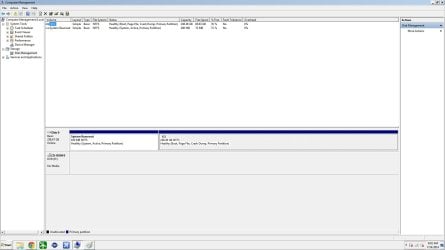
Disk Mangement.jpg

Event Viewer.jpganks for taking a look. I'm off to work and won't be able to do anything until this evening.

Cheers!
 

My Computer

Computer type
PC/Desktop
Computer Manufacturer/Model Number
Custome Build
OS
W7 Home Premium 64
CPU
i7-3770K
Motherboard
ASUS - P8Z77-V Pro
Memory
Corsair Vengence 8GB (2 x 4GB) DDR3 SDRAM DDR3 1600
Graphics Card(s)
EVGA GTX680 - superclocked - 02G-P4-2682-KR
Monitor(s) Displays
Viewsonic
Hard Drives
Crucial M4SSD256GB
PSU
CORSAIR HX750 750W ATX12V 2.3 / EPS12V 2.91
Cooling
Corsair H100
Do you have SP1? Without all important and Optional Updates you may lack critical patches or the drivers Win7
Wants

Run 3 Startup Repairs with reboots from disk only. If this fails try System Restore from disk Options.
 
Hi Gregrocker,

I assume you would like me to do the updates before running the 3 startup repairs? I did try to do updates but I don't think it is possible in safe mode (I'm probably wrong). I'll double check if I have SP1 when I get home this evening. I bought the copy about 1 1/2 yrs ago.
 

My Computer

Computer type
PC/Desktop
Computer Manufacturer/Model Number
Custome Build
OS
W7 Home Premium 64
CPU
i7-3770K
Motherboard
ASUS - P8Z77-V Pro
Memory
Corsair Vengence 8GB (2 x 4GB) DDR3 SDRAM DDR3 1600
Graphics Card(s)
EVGA GTX680 - superclocked - 02G-P4-2682-KR
Monitor(s) Displays
Viewsonic
Hard Drives
Crucial M4SSD256GB
PSU
CORSAIR HX750 750W ATX12V 2.3 / EPS12V 2.91
Cooling
Corsair H100
I have SP1. I did the 3 startup repairs from the desk and nothing happened. There was an option to "load drivers" and I DID NOT select that; I may have been too cautious

I tried system restore; I only went back a few days. I received the following error message about 1 minute into the process:
"System Restore did not complete successfully. Your computer's system files and setting were not changed
Details:
An unspecified error occurred during System Restore (Ox800700b7)"

When I booted back into Safe Mode I got a message that my system was restored to the date I selected. I tried to boot normally and nothing happened.

On a side note, I've lost internet again when I booted into Safe Mode with Network.
 

My Computer

Computer type
PC/Desktop
Computer Manufacturer/Model Number
Custome Build
OS
W7 Home Premium 64
CPU
i7-3770K
Motherboard
ASUS - P8Z77-V Pro
Memory
Corsair Vengence 8GB (2 x 4GB) DDR3 SDRAM DDR3 1600
Graphics Card(s)
EVGA GTX680 - superclocked - 02G-P4-2682-KR
Monitor(s) Displays
Viewsonic
Hard Drives
Crucial M4SSD256GB
PSU
CORSAIR HX750 750W ATX12V 2.3 / EPS12V 2.91
Cooling
Corsair H100
Did the Startup Repairs complete and you rebooted after each?

Did it prompt for drivers or you just noticed the link?

Try working through the rest of the steps for Troubleshooting Windows 7 Failure to Start starting with confirming positively that it is no longer infected with at least one of the bootable methods and repeated MBAM scans in Safe Mode until it comes up clean. It may not repair if not.

Then test System files to see if the malware damaged any: SFC /SCANNOW Command

You can then continue with the steps to try everything to start Win7, or cut your losses to rescue any files to quarantine on stick or disk then delete all partitions to create and format new during a booted Clean Install Windows 7.
 
The Start Up repairs did complete. The 2nd and 3rd were very short saying it could not find any problems. I did reboot after each one. The "load drivers" is a option in the windows and it didn't prompt me. I just gave it a go and it asked me for device drivers.

I'll go back to the guide and make sure I'm thorough. I may have some questions, just to confirm I'm doing the steps correctly. There were a couple of times I was second guessing the procedures.
 

My Computer

Computer type
PC/Desktop
Computer Manufacturer/Model Number
Custome Build
OS
W7 Home Premium 64
CPU
i7-3770K
Motherboard
ASUS - P8Z77-V Pro
Memory
Corsair Vengence 8GB (2 x 4GB) DDR3 SDRAM DDR3 1600
Graphics Card(s)
EVGA GTX680 - superclocked - 02G-P4-2682-KR
Monitor(s) Displays
Viewsonic
Hard Drives
Crucial M4SSD256GB
PSU
CORSAIR HX750 750W ATX12V 2.3 / EPS12V 2.91
Cooling
Corsair H100
One question. Do you think it's malware causing the problems?
 

My Computer

Computer type
PC/Desktop
Computer Manufacturer/Model Number
Custome Build
OS
W7 Home Premium 64
CPU
i7-3770K
Motherboard
ASUS - P8Z77-V Pro
Memory
Corsair Vengence 8GB (2 x 4GB) DDR3 SDRAM DDR3 1600
Graphics Card(s)
EVGA GTX680 - superclocked - 02G-P4-2682-KR
Monitor(s) Displays
Viewsonic
Hard Drives
Crucial M4SSD256GB
PSU
CORSAIR HX750 750W ATX12V 2.3 / EPS12V 2.91
Cooling
Corsair H100
I re-read your 12 steps results and saw the 15 infections without it being certain they were cleaned up. That's not something you can ever overlook in a case like this. They must be confirmed gone, and other scans run to double check.

Plus if infected it may not repair until cleaned up, so it's first priority.
 
I'm working through the steps of Troubleshooting Windows 7 Failure to Start but have a question:

Steps
1. It detects the HD in the correct order
2. Booted into safe mode again, ran MBAM, it did not detect anything
3. Safe mode works so skipped this
4. Ran SFC Scannow as admin and nothing
5. I can boot into this and did it 3 times
6. Question Should I do this? My thought is I don't because of Step 5
7. bootrec.exe. Will work on this step tomorrow
 

My Computer

Computer type
PC/Desktop
Computer Manufacturer/Model Number
Custome Build
OS
W7 Home Premium 64
CPU
i7-3770K
Motherboard
ASUS - P8Z77-V Pro
Memory
Corsair Vengence 8GB (2 x 4GB) DDR3 SDRAM DDR3 1600
Graphics Card(s)
EVGA GTX680 - superclocked - 02G-P4-2682-KR
Monitor(s) Displays
Viewsonic
Hard Drives
Crucial M4SSD256GB
PSU
CORSAIR HX750 750W ATX12V 2.3 / EPS12V 2.91
Cooling
Corsair H100
I would want the installation disk (or stick) or Repair CD to access System Recovery Options
and in case it stops booting at all.

You may also decide you need to reinstall when you get to that step after you've tried everything else. This is actually the best outcome because it gives you a chance with our help to do a perfect install for best performance of Win7, and then save a backup image you can use in place of reinstall.
 
Back
Top