WD passport not recognized

CandySucker

New member
Local time
2:05 PM
Messages
1
Guys I have the same problem, but I think its much worse in my case.

Please take a look!

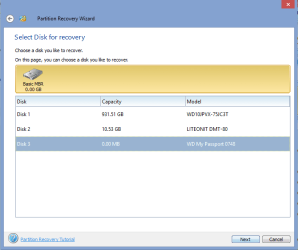
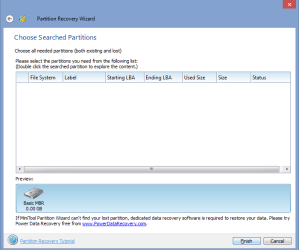
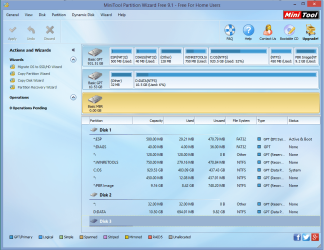
So my WD passport is 2TB, but the Partition Recovery Wizard wasn't even able to recognize that.

What should I do to get my data back?
 

Attachments
  • 1.png
    1.png
    191 KB · Views: 2
  • 2.png
    2.png
    10.3 KB · Views: 1
  • 3.png
    3.png
    12.4 KB · Views: 25

My Computer

Computer type
PC/Desktop
OS
New York
Have you tried the usual troubleshooting steps? First use a very short USB cable, like 1.5 ft or less. Then try plugging it into a different XP machine/UBCD machine.

Failing that, here is something you can do as a last resort, but may void your warranty and cause data loss: take the internal drive out of the enclosure and connect it via SATA, assuming that's how it's set up.
 

My Computer

Computer type
PC/Desktop
OS
Windows 7 Pro 64 bit
Hello CandySucker!

I'm sorry for your problem! :/

You are giving the example with Partition Wizard software, but do you actually have a problem when plugging in the external?

Try changing the cable, what happens when you plug in the external? Try a USB 2.0 port as well as USB 3.0, also try another system. Do you get an error? How does the drive physically behave (buzzing, beeping etc.), what does Disk Management show? Please post a screenshot. :)

What is the cause for the problem, what happened prior to it? Which model of the WD My Passport is this?

Please do not remove the drive from its enclosure as it will void the warranty and the interior hardware most probably works only within its original enclosure!

CK_WD
 

My Computer

Computer type
PC/Desktop
OS
Windows 7 Home Premium x64
Back
Top