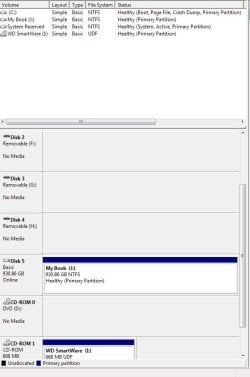
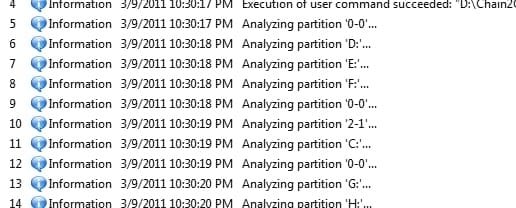
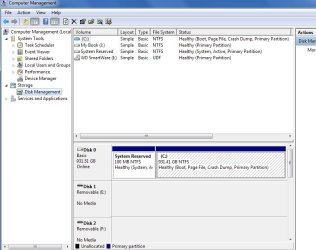
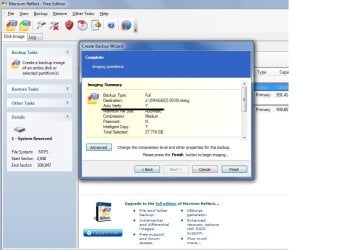
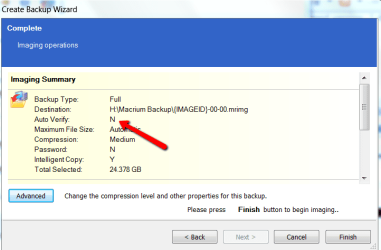
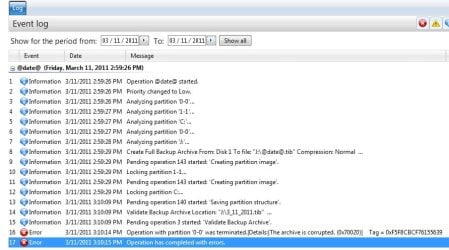
What is this "0-0" I keep getting when I try to run Acronis TI. Is this some hidden partition within Windows?? I don't have a "0-0" partition; one that shows up anyway. if anyone knows where it is, or how to find it, I want to remove it.
Can anybody look at this image and tell me what it means "archive is corrupt"?
The J drive can't be corrupt there isn't anything on it, I deleted all of the failed backup files. I took out the 2 sticks of RAM I added thinking that was causing a problem, still get this same result.
Yes, Anti-Virus is shut off, along with anything else.
Can anybody look at this image and tell me what it means "archive is corrupt"?
The J drive can't be corrupt there isn't anything on it, I deleted all of the failed backup files. I took out the 2 sticks of RAM I added thinking that was causing a problem, still get this same result.
Yes, Anti-Virus is shut off, along with anything else.
Attachments
My Computer
- Computer type
- PC/Desktop
- Computer Manufacturer/Model Number
- Acer Aspire E700 dsktop
- OS
- Windows 7 Pro
- CPU
- Intel 2 quad Q6600
- Motherboard
- Acer fg965M
- Memory
- 4 GB
- Graphics Card(s)
- Nvidia GeForce GTS 450 1TB
- Sound Card
- RealTek
- Monitor(s) Displays
- Acer 22" X223w
- Hard Drives
- 1TB WD Caviar Black (internal)
1TB WD My Book Essential
- PSU
- 500W coolmaster Extreme Power Plus
- Case
- Acer
- Cooling
- case fan
- Keyboard
- acer
- Mouse
- acer
- Internet Speed
- 56k
- Antivirus
- Microsoft Security Essentials
- Browser
- IE 8
- Other Info
- I hate IE 9 10 & 11