What's so great about the snipping tool?

Bryce

New member
Local time
3:42 AM
Messages
168
Location
Raleigh, NC
What's so great about the snipping tool. Just press PrtScrn or Alt+PrtScr and CtrlV in paint and you've got your screenshot. Is it really that much of a hassle?
 

My Computer My Computer

OS
Vista Ultimate x64, Windows 7 RC 7100
CPU
Intel C2D E8400 @ 3.8ghz
Motherboard
ASUS P5Q SE PLUS
Memory
4x 2gb G.Skill DDR2 1600
Graphics Card(s)
nVidia GTX260 896mb
Sound Card
Onboard 5.1 Surround Sound
Monitor(s) Displays
22" Acer LCD and 19" Westinghouse LCD
Screen Resolution
1680x1050 and 1280x1024
Hard Drives
Seagate Barracuda 7200rpm 750gb
Western Digital 500gb
PSU
Corsair H520X 520w
Case
Antec 300
Keyboard
Old G15
Mouse
Logitech G5
Internet Speed
15mbps down .34mbps up
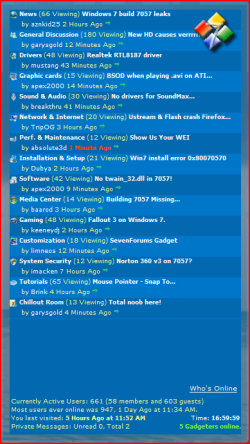
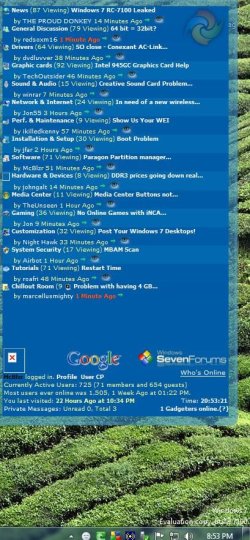
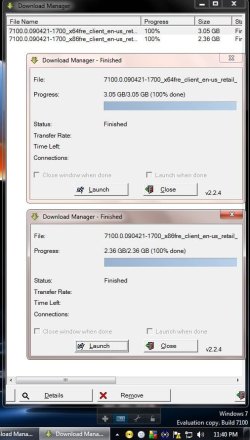
I have found you can choose exactly what you want small or large section of the screen you want to capture!
 

Attachments

  • Capture.PNG
    Capture.PNG
    30.4 KB · Views: 36
  • win7_B_7100.PNG
    win7_B_7100.PNG
    2.7 KB · Views: 1,114
  • SevenForums_Gadget.JPG
    SevenForums_Gadget.JPG
    107.2 KB · Views: 33
  • x64_done_11_40pm.JPG
    x64_done_11_40pm.JPG
    65.7 KB · Views: 36

My Computer My Computer

Computer type
PC/Desktop
Computer Manufacturer/Model Number
Built them myself, Science Experiments !
OS
Win7 Enterprise, Win7 x86 (Ult 7600), Win7 x64 Ult 7600, TechNet RTM on AMD x64 (2.8Ghz)
CPU
AMD fx8350 4ghz, AMD-32 2400mhz, AMD-64 3200mhz, AMDx64 2.8G
Motherboard
SIS 755, ECS-K8M890M-M (Ult 7600), GigaByte & others
Memory
2gb, 4gb on the Ult 7600, 4gb on Technet RTM, 32gb on FX8350
Graphics Card(s)
Draw my own Graphics, several nVidia cards
Sound Card
on motherboard
Monitor(s) Displays
19" flat scr, 28" I-Inc widescr,22" Emprex Widescr, 23" Acer
Screen Resolution
1280 x 1024, 1440 x 900, 1920 x 1080
Hard Drives
6 pata Ide HD's & 2 Sata HD's
added 80gb external on Ult 7600 computer,
numerous extra 1tb, 2TB, 3Tb SATA HD's
A collection of ext HD Docks w/ HDs
PSU
430w, 550w, 600w, 700, 800, etc
Case
All Generic Full Towers
Cooling
Open Air & a few fans, some w/ colored LEDs
Keyboard
Compaq & Dell recycled from GoodWill
Mouse
Made in China Optical Wired Mouse
Internet Speed
Fast Cable InterNet
Antivirus
AVG Free on 24 different Desktops, NO Problems!
Browser
IE 8 is preferred, but use FireFox sometimes
Other Info
Linksys Routers, switches, & Hubs
Too Many USB Flash Drives to count, Biggest is 64GB !
Eight computers in my home network.
Sixteen computers at my business network.
Linked via TeamViewer !
Lots of old used spare computer parts everywhere!
One program solution for screen caps. I really like the marquee function.
 

My Computer My Computer

OS
7264x64/7260x86
the snipping tool isn't terrible, but there are much better 3rd party screen capture apps out there (as is the case with most built-in windows components).

i use Window Clippings, which runs a massive $18, but can capture aero perfectly with full transparency and shadows. it makes for some sexy screenshots! it can do fullscreen, region, menu, time-delay, even object captures, and it has no GUI to get in the way - everything happens through a right-click menu that is enabled when you hit Print Screen.

tr2q539k5zmvtpu9m4rw.png


Window Clippings
 

My Computer My Computer

OS
7600 x86
CPU
Core 2 Duo e7200, 2.53 ghz
Motherboard
Micro-Star MS-7529
Memory
2x DDR2 PC5300 1gb, 667 mhz
Graphics Card(s)
GeForce 9500gt, 512mb
Monitor(s) Displays
22" LG Flatron w2234s
Screen Resolution
1680x1050
Hard Drives
Excelstor SATA-II 250gb 7200rpm, 8mb cache
PSU
CoolerMaster M520
Internet Speed
30/20 mbits
What's so great about the snipping tool. Just press PrtScrn or Alt+PrtScr and CtrlV in paint and you've got your screenshot. Is it really that much of a hassle?

The 'snipping' too is a great little too that allows you to create snippets of your screen without having to resort to an entire 'Print Screen'.

A very handy & welcome addition in my eyes :p
 

My Computer My Computer

Computer Manufacturer/Model Number
Compaq Desktop
OS
Windows 7 Ultimate x64
CPU
AMD Sempron Dual Core
Memory
3GB
Graphics Card(s)
NVIDIA GeForce 6150SE nForce 430
Screen Resolution
1024x768
Hard Drives
150GB Sata
One problem with the snip tool is that it doesn't capture Menus .
For example if you are in IE explorer ===>Tools and then you want to capture the screen with the snip tool the menu selection disappears when you select snip tool from the ORB.

You can get round this by using PRTSCN button and saving the screen into an application like Wordpad. Then you can use the snip tool to select the image from within Wordpad.

Some 3rd party screen grabbers are better in this regard as they use dedicated keys so the menu item list doesn't disappear.

I like grabber2k, there are others like snag-it etc.

However for most types of screen grabs the snip tool is fine -- pity there isn't a way this can also be set to be activated by a key press (or maybe there is --if you find a method please post it).

Cheers
jimbo
 

My Computer My Computer

Computer type
PC/Desktop
Computer Manufacturer/Model Number
Custom built, several laptops HP/ASUS
OS
Linux CENTOS 7 / various Windows OS'es and servers
CPU
Intel i7 Intel i5
Memory
8GB, 16GB
Graphics Card(s)
On Motherboard
Sound Card
Realtek HD audio
Monitor(s) Displays
Apple Cinema display, Samsung LCD
Screen Resolution
1920 X 1080
Hard Drives
4 X 1TB SATA
Mouse
Toshiba wireless laser
Internet Speed
> 20MB up
jimbo45 said:
pity there isn't a way this can also be set to be activated by a key press (or maybe there is --if you find a method please post it)

can't you just assign a hotkey to the snipping tool's shortcut in the start menu, just like you can for any other app?
 

My Computer My Computer

OS
7600 x86
CPU
Core 2 Duo e7200, 2.53 ghz
Motherboard
Micro-Star MS-7529
Memory
2x DDR2 PC5300 1gb, 667 mhz
Graphics Card(s)
GeForce 9500gt, 512mb
Monitor(s) Displays
22" LG Flatron w2234s
Screen Resolution
1680x1050
Hard Drives
Excelstor SATA-II 250gb 7200rpm, 8mb cache
PSU
CoolerMaster M520
Internet Speed
30/20 mbits
I use the snipping tool all the time, that in conjunction with the forum's paperclip function makes it very quick to add screenshots.
 

My Computer My Computer

Computer Manufacturer/Model Number
self built
OS
Windows 7 Professional 64-bit
CPU
Intel E8400 3GHz
Motherboard
Intel DX48BT2
Memory
Kingston PC3-10700H 4Gb
Graphics Card(s)
XFX Radeon HD 5850 BlackEd.
Sound Card
Asus Xonar DG
Monitor(s) Displays
2x Samsung SM-T220HD 22"
Screen Resolution
1680x1050 on two monitors
Hard Drives
OCZ Vertex 2 120gb 3.5" (OS)
Seagate Momentus XT 500gb
Samsung F3 1Tb (games)
2x Samsung F1 1Tb
PSU
Thermaltake ToughPower 850w
Case
Thermaltake Armor
Cooling
Scythe Mugen II
Keyboard
Microsoft Comfort Curve USB
Mouse
Razer Diamondback 3G
Internet Speed
8128/443
Back
Top