What's the Best Anti-virus?

SUA (Standard user account for win 7). I would recommend adding Sandboxie to your computer. Its like the old american express commercials " dont leave home without it " Now with sandboxie its " dont open your browser without it "
 

My Computer My Computer

At a glance

win 7 64
OS
win 7 64
I've used Sandboxie and it certainly has a place in my toolkit, but it's not something that I use whenever I use my browser. For example, I'm not using it now.
 

My Computer My Computer

At a glance

Windows 7 Ultimate x64Intel Q9550 2.83Ghz OC'd to 3.40Ghz8GB G.Skill PI DDR2-800, 4-4-4-12 timingsEVGA 1280MB Nvidia GeForce GTX570
Computer Manufacturer/Model Number
Self-Built in July 2009
OS
Windows 7 Ultimate x64
CPU
Intel Q9550 2.83Ghz OC'd to 3.40Ghz
Motherboard
Gigabyte GA-EP45-UD3R rev. 1.1, F12 BIOS
Memory
8GB G.Skill PI DDR2-800, 4-4-4-12 timings
Graphics Card(s)
EVGA 1280MB Nvidia GeForce GTX570
Sound Card
Realtek ALC899A 8 channel onboard audio
Monitor(s) Displays
23" Acer x233H
Screen Resolution
1920x1080
Hard Drives
Intel X25-M 80GB Gen 2 SSD
Western Digital 1TB Caviar Black, 32MB cache. WD1001FALS
PSU
Corsair 620HX modular
Case
Antec P182
Cooling
stock
Keyboard
ABS M1 Mechanical
Mouse
Logitech G9 Laser Mouse
Internet Speed
15/2 cable modem
Other Info
Windows and Linux enthusiast. Logitech G35 Headset.
I can only lead them to water. I cant make them drink.:confused:
 

My Computer My Computer

At a glance

win 7 64
OS
win 7 64
New Computer...

New to site. New to windows 7. Thanks for the great information.

I am going to set up new computer this weekend. I haven't had a new computer in 8 years so I want to really take care of this one.

Dell XPS 8300- I7-2600,3.4,8MB, 12gb Ram and 2 500gb Drives. 1gb AMD Graphics card. This is just a home PC with Windows 7 home premium.

Questions:

1. It comes with 15 months free of McAfee, from reading about it, I should just uninstall it right?

2. From reading here and other places, I have decided to go with free protection software. (Free Right choice?) Which ones? I think I have narrowed it down to either Avast or MSE. I don't think I have to worry too much about any software slowing down my PC based on the specs correct?

3. Just use Windows Firewall correct?

4. Malwarebytes for occasional scans correct?

5. If I choose avast free, it says it has its own "sandboxie". No need to have sandboxie also if I go with avast correct?

6. Mozilla or Google safer than the other?


I am open to any other suggestions and ideas. I really just want to be able to use the PC. Would really prefer not to get a pop up warning me about everything, but want the pop ups for protection.

Bottom line: Need something simple to use that will not slow my PC down.

Thanks in advance for advice.

MC

 

My Computer My Computer

At a glance

Windows 7 Home Premium
OS
Windows 7 Home Premium
1. If you want to use Mc Affee go ahead. If not any of the free ones will work fine.
2. Malwarebytes free for on demand scans
3. Windows firewall is fine for hassle free in bound protection.
4. Sandboxie is a must have on my list. Its strong enough to use alone if one would choose so.
5.Avasts " sandbox " feature is not the same or as strong as Sandboxie, so i would still have both.
6. You need to browse the internet from your SUA account and not the admin account.
7. UAC should be turned up to max.
8. Chrome is the best browser for usability and safety as far as im concerned.
 

My Computer My Computer

At a glance

win 7 64
OS
win 7 64
I can only lead them to water. I cant make them drink.:confused:
Well, as a systems admin for a living, that works with desktops and servers, Windows and Linux, day in and day out, I just don't find that I encounter enough problems to warrant constant sandboxing.

Now, people who I support and work with, yep...they seem to have constant non-stop problems. My techie friends, who are also systems admins, don't have problems. Thus, I attribute most common users problems to 1). What they are willing to click on while on the Internet. I think many here refer to that as "common sense". In addition, many of the people who have problems also seem to be using the default browser, IE, while many of my friends who don't have problems are using alternative browsers.

Based on the experiences that I see above, with differences between people, I attribute more problems on the Internet due to behavior than just something that's going to bite everyone. So, these other people are probably better off to fire up Sandboxie everytime they surf. But considering that they don't seem to be able to stop clicking on things and infecting themselves, leads me to believe that they aren't going to remember to start Sandboxie every time.
 

My Computer My Computer

At a glance

Windows 7 Ultimate x64Intel Q9550 2.83Ghz OC'd to 3.40Ghz8GB G.Skill PI DDR2-800, 4-4-4-12 timingsEVGA 1280MB Nvidia GeForce GTX570
Computer Manufacturer/Model Number
Self-Built in July 2009
OS
Windows 7 Ultimate x64
CPU
Intel Q9550 2.83Ghz OC'd to 3.40Ghz
Motherboard
Gigabyte GA-EP45-UD3R rev. 1.1, F12 BIOS
Memory
8GB G.Skill PI DDR2-800, 4-4-4-12 timings
Graphics Card(s)
EVGA 1280MB Nvidia GeForce GTX570
Sound Card
Realtek ALC899A 8 channel onboard audio
Monitor(s) Displays
23" Acer x233H
Screen Resolution
1920x1080
Hard Drives
Intel X25-M 80GB Gen 2 SSD
Western Digital 1TB Caviar Black, 32MB cache. WD1001FALS
PSU
Corsair 620HX modular
Case
Antec P182
Cooling
stock
Keyboard
ABS M1 Mechanical
Mouse
Logitech G9 Laser Mouse
Internet Speed
15/2 cable modem
Other Info
Windows and Linux enthusiast. Logitech G35 Headset.
1. If you want to use Mc Affee go ahead. If not any of the free ones will work fine.
2. Malwarebytes free for on demand scans
3. Windows firewall is fine for hassle free in bound protection.
4. Sandboxie is a must have on my list. Its strong enough to use alone if one would choose so.
5.Avasts " sandbox " feature is not the same or as strong as Sandboxie, so i would still have both.
6. You need to browse the internet from your SUA account and not the admin account.
7. UAC should be turned up to max.
8. Chrome is the best browser for usability and safety as far as im concerned.

Thank You!

From reading about sandboxie, it says not easy for beginners. I think I am in that category, but it doesn't seem hard to use. Is it?

Free version of Sandboxie or paid version? The way I think I would use it is to simply have Chrome run in sandboxie all the time correct?

You say any free version of Anti-virus. Any advantages one way or the other with MSE or Avast?
 

My Computer My Computer

At a glance

Windows 7 Home Premium
OS
Windows 7 Home Premium
1. If you want to use Mc Affee go ahead. If not any of the free ones will work fine.
2. Malwarebytes free for on demand scans
3. Windows firewall is fine for hassle free in bound protection.
4. Sandboxie is a must have on my list. Its strong enough to use alone if one would choose so.
5.Avasts " sandbox " feature is not the same or as strong as Sandboxie, so i would still have both.
6. You need to browse the internet from your SUA account and not the admin account.
7. UAC should be turned up to max.
8. Chrome is the best browser for usability and safety as far as im concerned.

Thank You!

From reading about sandboxie, it says not easy for beginners. I think I am in that category, but it doesn't seem hard to use. Is it?

Free version of Sandboxie or paid version? The way I think I would use it is to simply have Chrome run in sandboxie all the time correct?

You say any free version of Anti-virus. Any advantages one way or the other with MSE or Avast?

If i can use sandboxie free so can you. You can learn how from their web site or from you tube.
I am running chrome in sandboxie as my main browser, but you can run what ever you want.
As far as A/Vs go, they are so close together performance wise, unless theres a conflict issue with other apps on your computer, i just dont think it matters much since most of the security is from using sandboxie when surfing.
 

My Computer My Computer

At a glance

win 7 64
OS
win 7 64
Sandboxie is a piece of cake to use. It automatically grabs your default browser and creates a new icon to run it sandboxed. And you can right click on any other application and choose to run it sandboxed, if you want it also in your sandbox.

I've only used the "free" version myself. I have to wait 5 seconds to launch it the first time, but that's no big deal.
 

My Computer My Computer

At a glance

Windows 7 Ultimate x64Intel Q9550 2.83Ghz OC'd to 3.40Ghz8GB G.Skill PI DDR2-800, 4-4-4-12 timingsEVGA 1280MB Nvidia GeForce GTX570
Computer Manufacturer/Model Number
Self-Built in July 2009
OS
Windows 7 Ultimate x64
CPU
Intel Q9550 2.83Ghz OC'd to 3.40Ghz
Motherboard
Gigabyte GA-EP45-UD3R rev. 1.1, F12 BIOS
Memory
8GB G.Skill PI DDR2-800, 4-4-4-12 timings
Graphics Card(s)
EVGA 1280MB Nvidia GeForce GTX570
Sound Card
Realtek ALC899A 8 channel onboard audio
Monitor(s) Displays
23" Acer x233H
Screen Resolution
1920x1080
Hard Drives
Intel X25-M 80GB Gen 2 SSD
Western Digital 1TB Caviar Black, 32MB cache. WD1001FALS
PSU
Corsair 620HX modular
Case
Antec P182
Cooling
stock
Keyboard
ABS M1 Mechanical
Mouse
Logitech G9 Laser Mouse
Internet Speed
15/2 cable modem
Other Info
Windows and Linux enthusiast. Logitech G35 Headset.
New to site. New to windows 7. Thanks for the great information.

I am going to set up new computer this weekend. I haven't had a new computer in 8 years so I want to really take care of this one.

Dell XPS 8300- I7-2600,3.4,8MB, 12gb Ram and 2 500gb Drives. 1gb AMD Graphics card. This is just a home PC with Windows 7 home premium.

Questions:

1. It comes with 15 months free of McAfee, from reading about it, I should just uninstall it right?

More precisely, never activate McAfee. Uninstall it.

2. From reading here and other places, I have decided to go with free protection software. (Free Right choice?) Which ones? I think I have narrowed it down to either Avast or MSE. I don't think I have to worry too much about any software slowing down my PC based on the specs correct?

My experience is with Avast. Never a problem. I can recommend it. I can't say it is better then MSE.

3. Just use Windows Firewall correct?

The Windows firewall is usually sufficient. I personally use Comodo firewall with Defense + on.

4. Malwarebytes for occasional scans correct?

Malwarebytes and Superantispyware for (weekly) scans is always a good choice.

5. If I choose avast free, it says it has its own "sandboxie". No need to have sandboxie also if I go with avast correct?

I turned Avast sandbox off. If you want a sandbox, choose Sandboxie.

6. Mozilla or Google safer than the other?

Google is thought of as a safe browser. Some will tell you IE is perhaps safer.

I am open to any other suggestions and ideas. I really just want to be able to use the PC. Would really prefer not to get a pop up warning me about everything, but want the pop ups for protection.

Bottom line: Need something simple to use that will not slow my PC down.

Thanks in advance for advice.

MC

A Guy
 

My Computer My Computer

At a glance

Windows 10 Home x64INTEL Core i5-750 Quad-Core 3.37GHzHyperX Fury Black Series 8GB (2 x 4GB) 1866MhzEVGA GeForce GTX 750 Superclocked 1GB 128-Bit...
Computer type
PC/Desktop
OS
Windows 10 Home x64
CPU
INTEL Core i5-750 Quad-Core 3.37GHz
Motherboard
ASUS P7P55D
Memory
HyperX Fury Black Series 8GB (2 x 4GB) 1866Mhz
Graphics Card(s)
EVGA GeForce GTX 750 Superclocked 1GB 128-Bit GDDR5
Monitor(s) Displays
LG 32MA68HY 32" IPS
Screen Resolution
1920 x 1080
Hard Drives
Samsung 840 Evo 120GB, SEAGATE 500GB Barracuda® 7200.12, SATA 3 Gb/s, 7200 RPM, 16MB cache
PSU
ANTEC TruePower New TP-550, 80 PLUS, 550W
Case
ANTEC Three Hundred Illusion
Cooling
COOLER MASTER Hyper 212 Plus, 4 x 120mm 1 x 140mm Noctua's
Internet Speed
85 + Mbps
Antivirus
Avast
Browser
Vivaldi
I m use now Comodo firewall, Avira-anti virus, and Spybot - Search & Destroy.

It works for me ;)

I think you can get rid of spybot at this point. Wont add to comodo or avira and increases the chances of a conflict in the future.

Haven't used Spybot in ages. Substitute Malwarebytes, and now you're talking ;)

A Guy
I only use spybot to immunize my browsers in my system i rarely have it scan my system unless malwarebytes and super anti spyware and mse fail to detect/remove the virus. :geek: Usually do at least 2 scans a week like at the end of the week or when ever I feel like I want to do a quick scan
 

My Computer My Computer

At a glance

Windows 10 64bitAMD Phenom II X4 925 (Deneb)(2.8GHz) OC 3.4GHzCorsair Vengeance DDR3 4GBX2 (8192MB)XFX HD 6870 1GB (OC)- 940MHz core, mem 1150MHz
Computer type
PC/Desktop
Computer Manufacturer/Model Number
custom build
OS
Windows 10 64bit
CPU
AMD Phenom II X4 925 (Deneb)(2.8GHz) OC 3.4GHz
Motherboard
M5A78L-MLX Plus
Memory
Corsair Vengeance DDR3 4GBX2 (8192MB)
Graphics Card(s)
XFX HD 6870 1GB (OC)- 940MHz core, mem 1150MHz
Monitor(s) Displays
Vizio 26' 1920x1080 / Acer 1336x768
Screen Resolution
1920x1080 60Hz /1336x768
Hard Drives
Kingston Digital 60GB SSDNow V300/500gb HDD Western Digital 7200rpm (/WD 160GB HDD 7200rpm
PSU
CORSAIR CX600 600w
Case
AZZA Orion 202 EVO
Cooling
cooler master hyper TX3 cpu cooler
Keyboard
Razer DeathStalker
Mouse
Logitech Optical Gaming Mouse G400
Antivirus
Defualt on win 10
Browser
Firefox
Other Info
cpu is overclocked in bios
Hi,

I have used many anti viruses. I have a desktop and a laptop. My desktop is a Dual core, 2 GB RAM and my laptop is Core2Duo, 3 GB RAM both running Windows 7.

Like i said earlier I used many anti viruses and after using a lot of anti viruses for years now, I have came to conclusion that Avira Antivir Free with Malware Bytes Antimalware is best combination to protect your PC etc.

Like many are suggesting here MSE..i feel it does'nt protects you well enough. When I try a new antivirus I goto: Download ° EICAR - European Expert Group for IT-Security and I test the antivirus capability there. By clicking on those links you're downloading a dummy virus which is just to test whether your antivirus is detecting viruses or not.

The Avira Antivir Free works great. It detects viruses download from all types of protocols that are listed there and I also noted the MSE fails on some.

Also I noticed some antiviruses don't even detect this dummy virus. So next time you install a antivirus be sure that it detects all the download links here Download ° EICAR - European Expert Group for IT-Security so that you know that your antivirus is really working and you're safe and sound.

Just my 2 cents.

Thanks.
 

My Computer My Computer

At a glance

Windows 7 UltimateIntel Centrino Duo3 GBnVidia
Computer Manufacturer/Model Number
HP
OS
Windows 7 Ultimate
CPU
Intel Centrino Duo
Motherboard
IDK
Memory
3 GB
Graphics Card(s)
nVidia
Sound Card
IDK
Monitor(s) Displays
LCD
Hard Drives
80 GB
PSU
IDK
Case
IDK
Cooling
IDK
I would not trust EICAR as a test. Firefox does not save text to the HDD, as IE does, so it may not be detected. Also, the site even states that users have issues with the 2nd, .txt file

"In order to facilitate various scenarios, we provide 4 files for download. The first, eicar.com, contains the ASCII string as described above. The second file, eicar.com.txt, is a copy of this file with a different filename. Some readers reported problems when downloading the first file, which can be circumvented when using the second version. Just download and rename the file to "eicar.com". That will do the trick."

Some AV companies have purposely added the EICAR string to their detections due to complaints it wasn't detected. Your choices of Avira and Malwarebytes are good though ;)

A Guy
 

My Computer My Computer

At a glance

Windows 10 Home x64INTEL Core i5-750 Quad-Core 3.37GHzHyperX Fury Black Series 8GB (2 x 4GB) 1866MhzEVGA GeForce GTX 750 Superclocked 1GB 128-Bit...
Computer type
PC/Desktop
OS
Windows 10 Home x64
CPU
INTEL Core i5-750 Quad-Core 3.37GHz
Motherboard
ASUS P7P55D
Memory
HyperX Fury Black Series 8GB (2 x 4GB) 1866Mhz
Graphics Card(s)
EVGA GeForce GTX 750 Superclocked 1GB 128-Bit GDDR5
Monitor(s) Displays
LG 32MA68HY 32" IPS
Screen Resolution
1920 x 1080
Hard Drives
Samsung 840 Evo 120GB, SEAGATE 500GB Barracuda® 7200.12, SATA 3 Gb/s, 7200 RPM, 16MB cache
PSU
ANTEC TruePower New TP-550, 80 PLUS, 550W
Case
ANTEC Three Hundred Illusion
Cooling
COOLER MASTER Hyper 212 Plus, 4 x 120mm 1 x 140mm Noctua's
Internet Speed
85 + Mbps
Antivirus
Avast
Browser
Vivaldi
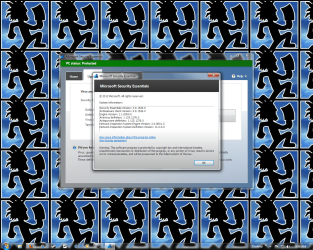
Does anyone here using MSE upgraded it to version 4 already? Any reviews?
 

My Computer My Computer

At a glance

Windows 7 Ultimate Edition, 64 Bit Build 7600Intel Pentium Dual Core2.00 GB Dual-Channel DDR2 @ 332MHz (5-5-5-15)Mobile Intel(R) 4 Series Express Chipset Family
Computer Manufacturer/Model Number
Acer 4730Z
OS
Windows 7 Ultimate Edition, 64 Bit Build 7600
CPU
Intel Pentium Dual Core
Motherboard
Aspire 4730Z (uPGA-478)
Memory
2.00 GB Dual-Channel DDR2 @ 332MHz (5-5-5-15)
Graphics Card(s)
Mobile Intel(R) 4 Series Express Chipset Family
Sound Card
High Definition Audio Device
Monitor(s) Displays
Generic PnP Monitor (1280x800@60Hz)
Screen Resolution
1280x800 @60 Hz
Hard Drives
156GB Hitachi Hitachi HTS542516K9SA00 ATA Device (SATA)
Does anyone here using MSE upgraded it to version 4 already? Any reviews?

I have, but its running along side On Line Armor and Sandboxie, with no conflicts at the moment :D
 

My Computer My Computer

At a glance

win 7 64
OS
win 7 64

My Computer My Computer

At a glance

Windows 7 Ultimate Edition, 64 Bit Build 7600Intel Pentium Dual Core2.00 GB Dual-Channel DDR2 @ 332MHz (5-5-5-15)Mobile Intel(R) 4 Series Express Chipset Family
Computer Manufacturer/Model Number
Acer 4730Z
OS
Windows 7 Ultimate Edition, 64 Bit Build 7600
CPU
Intel Pentium Dual Core
Motherboard
Aspire 4730Z (uPGA-478)
Memory
2.00 GB Dual-Channel DDR2 @ 332MHz (5-5-5-15)
Graphics Card(s)
Mobile Intel(R) 4 Series Express Chipset Family
Sound Card
High Definition Audio Device
Monitor(s) Displays
Generic PnP Monitor (1280x800@60Hz)
Screen Resolution
1280x800 @60 Hz
Hard Drives
156GB Hitachi Hitachi HTS542516K9SA00 ATA Device (SATA)

Attachments

  • mse4.png
    mse4.png
    210.3 KB · Views: 35

My Computer My Computer

At a glance

Windows 10 64bitAMD Phenom II X4 925 (Deneb)(2.8GHz) OC 3.4GHzCorsair Vengeance DDR3 4GBX2 (8192MB)XFX HD 6870 1GB (OC)- 940MHz core, mem 1150MHz
Computer type
PC/Desktop
Computer Manufacturer/Model Number
custom build
OS
Windows 10 64bit
CPU
AMD Phenom II X4 925 (Deneb)(2.8GHz) OC 3.4GHz
Motherboard
M5A78L-MLX Plus
Memory
Corsair Vengeance DDR3 4GBX2 (8192MB)
Graphics Card(s)
XFX HD 6870 1GB (OC)- 940MHz core, mem 1150MHz
Monitor(s) Displays
Vizio 26' 1920x1080 / Acer 1336x768
Screen Resolution
1920x1080 60Hz /1336x768
Hard Drives
Kingston Digital 60GB SSDNow V300/500gb HDD Western Digital 7200rpm (/WD 160GB HDD 7200rpm
PSU
CORSAIR CX600 600w
Case
AZZA Orion 202 EVO
Cooling
cooler master hyper TX3 cpu cooler
Keyboard
Razer DeathStalker
Mouse
Logitech Optical Gaming Mouse G400
Antivirus
Defualt on win 10
Browser
Firefox
Other Info
cpu is overclocked in bios
well, ive decided comodos A/V with D+ is going to be a better bet:shock:. Im still using 7s firewall instead of comodos for better system stability.:D
 

My Computer My Computer

At a glance

win 7 64
OS
win 7 64
i guess avira is one of the bext antivirus n spyware software...
 

My Computer My Computer

At a glance

Windows 7 Ultimate 64bit & Windows Consumers ...8 GB7.5 Gb
Computer Manufacturer/Model Number
Fujistu
OS
Windows 7 Ultimate 64bit & Windows Consumers Preview
Motherboard
Intel
Memory
8 GB
Graphics Card(s)
7.5 Gb
Sound Card
Realtek Hd Audio Card
Monitor(s) Displays
Nividia
Screen Resolution
1366 x 768 Pixels
Cooling
Lg Interior Cooling System For Laptops
Keyboard
Microsoft
Mouse
Microsoft
Internet Speed
42 mbps

My Computer My Computer

At a glance

W7 Ultimate SP1, LM19.2 MATE, W10 Home 1703, ...AMD Phenom II x6 1100T, 3.3 GHz12GB DDR3 1333 G-Skill (4GB x 2), G-Skill (2G...NVIDIA GeForce GTX 660
Computer type
PC/Desktop
Computer Manufacturer/Model Number
n/a
OS
W7 Ultimate SP1, LM19.2 MATE, W10 Home 1703, W10 Pro 1703 VM, #All 64 bit
CPU
AMD Phenom II x6 1100T, 3.3 GHz
Motherboard
ASUS M4A88T-M/USB3 (AM3)
Memory
12GB DDR3 1333 G-Skill (4GB x 2), G-Skill (2GB x 2)
Graphics Card(s)
NVIDIA GeForce GTX 660
Sound Card
Realtek?
Monitor(s) Displays
Samsung S23B350
Screen Resolution
1920x1080
Hard Drives
WD Green 2TB (SATA), WD Green 3TB (SATA), WD Blue 4TB (SATA), WD Blue 6TB (SATA)
PSU
Cooler Master
Case
Antec GX300 Tower
Cooling
3x Antec TRICOOL 120mm Fans
Mouse
Wired Optical
Internet Speed
DSL
Antivirus
Avast
Browser
Pale Moon (64 bit)
Other Info
2018-12-27 Upgraded HDDs
2015-12-10 Upgraded case, graphics card, storage
2015-08-15 Upgraded motherboard & RAM
2015-07-15 Upgraded LM17.1 to LM17.2
Back
Top