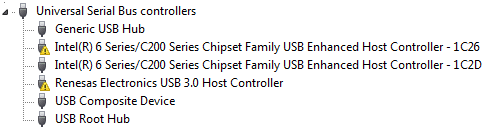
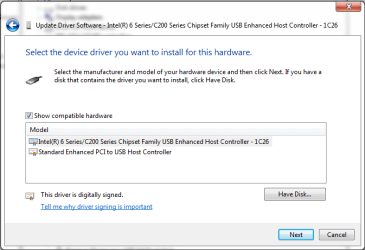
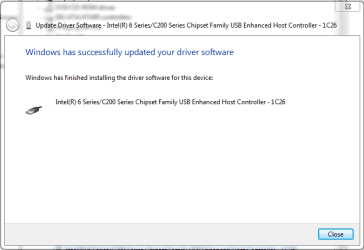
Please Pay attention to image, I got this pic from Device Manager.
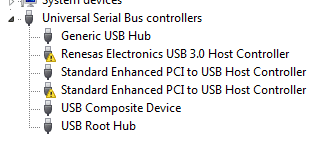
Two driver is signed with yellow color and every time I install them ,after restart the problem is there and USB ports don’t work .
i have dell n5110 , I don’t remember when this is happened.
I follow 2 solutions but problem does not solve.
1-The Windows 7 SP1 USB Driver Bug (what it is and how to fix it)
2-http://www.sevenforums.com/windows-updates-activation/151740-windows-7-sp1-usb2-bug.html
I tested this tool (7601usbfix.exe) but response was
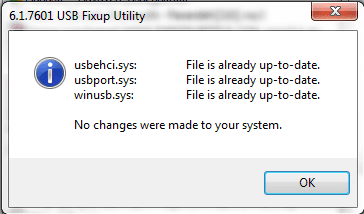
and also downloaded update Windows6.1-KB2529073-x64.msu but response was
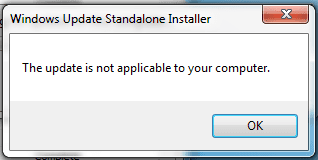
and downloaded this driver USB3.0_allOS_2.1.28.1_PV and install it but again after restart does not work .
Anybody can help me?
Two driver is signed with yellow color and every time I install them ,after restart the problem is there and USB ports don’t work .
i have dell n5110 , I don’t remember when this is happened.
I follow 2 solutions but problem does not solve.
1-The Windows 7 SP1 USB Driver Bug (what it is and how to fix it)
2-http://www.sevenforums.com/windows-updates-activation/151740-windows-7-sp1-usb2-bug.html
I tested this tool (7601usbfix.exe) but response was
and also downloaded update Windows6.1-KB2529073-x64.msu but response was
and downloaded this driver USB3.0_allOS_2.1.28.1_PV and install it but again after restart does not work .
Anybody can help me?
Last edited:
My Computer
At a glance
Windows 7 Ultimate x64Core i5 2.50 GHZ6G
- Computer type
- Laptop
- Computer Manufacturer/Model Number
- Dell n5110
- OS
- Windows 7 Ultimate x64
- CPU
- Core i5 2.50 GHZ
- Memory
- 6G
- Screen Resolution
- 1366x768
- Antivirus
- Eset Smart Security 7
- Browser
- google chrome