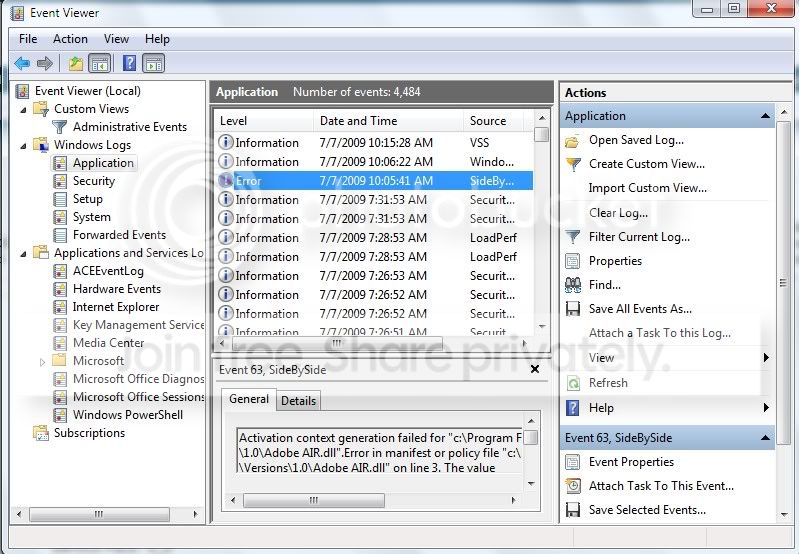
Hey everyone.....I'm hoping you can help me figure out what to do with this problem.
I've been having a problem with Win 7 crashing on me ever since I got my wireless card to work. It's a Linksys WMP54G V4 card. The drivers that came with the card didn't work right with 7, IE it would connect to the network, but wouldn't have any internet access. I read a couple forums where I could just use Ralink drivers, by manually choosing them in the Update Driver section on Device Manager. So, I get it working using the Ralink 802.11g PCI Wireless Adapter driver that Win 7 came with. Now, whenever I let the system idle for 30 minutes or more, it crashes.
The error it's reporting is as follows:
Problem signature:
Problem Event Name: BlueScreen
OS Version: 6.1.7100.2.0.0.256.1
Locale ID: 1033
Additional information about the problem:
BCCode: d1
BCP1: FFFFF880016B9660
BCP2: 0000000000000002
BCP3: 0000000000000008
BCP4: FFFFF880016B9660
OS Version: 6_1_7100
Service Pack: 0_0
Product: 256_1
Files that help describe the problem:
C:\Windows\Minidump\070709-25974-01.dmp
C:\Users\Brett\AppData\Local\Temp\WER-36285-0.sysdata.xml
Read our privacy statement online:
http://go.microsoft.com/fwlink/?linkid=104288&clcid=0x0409
If the online privacy statement is not available, please read our privacy statement offline:
C:\Windows\system32\en-US\erofflps.txt
I've attached the dump file and the XML file.
I need wireless on this computer, but I don't know if I can correct this problem or if I'll be stuck with it crashing all the time.
Any suggestions??
Thank
Brett
I've been having a problem with Win 7 crashing on me ever since I got my wireless card to work. It's a Linksys WMP54G V4 card. The drivers that came with the card didn't work right with 7, IE it would connect to the network, but wouldn't have any internet access. I read a couple forums where I could just use Ralink drivers, by manually choosing them in the Update Driver section on Device Manager. So, I get it working using the Ralink 802.11g PCI Wireless Adapter driver that Win 7 came with. Now, whenever I let the system idle for 30 minutes or more, it crashes.
The error it's reporting is as follows:
Problem signature:
Problem Event Name: BlueScreen
OS Version: 6.1.7100.2.0.0.256.1
Locale ID: 1033
Additional information about the problem:
BCCode: d1
BCP1: FFFFF880016B9660
BCP2: 0000000000000002
BCP3: 0000000000000008
BCP4: FFFFF880016B9660
OS Version: 6_1_7100
Service Pack: 0_0
Product: 256_1
Files that help describe the problem:
C:\Windows\Minidump\070709-25974-01.dmp
C:\Users\Brett\AppData\Local\Temp\WER-36285-0.sysdata.xml
Read our privacy statement online:
http://go.microsoft.com/fwlink/?linkid=104288&clcid=0x0409
If the online privacy statement is not available, please read our privacy statement offline:
C:\Windows\system32\en-US\erofflps.txt
I've attached the dump file and the XML file.
I need wireless on this computer, but I don't know if I can correct this problem or if I'll be stuck with it crashing all the time.
Any suggestions??
Thank
Brett
Last edited:
My Computer
- Computer Manufacturer/Model Number
- Home built
- OS
- Windows 7 Build 7100
- CPU
- Athlon Phenom X4 9600 Black Edition
- Motherboard
- Gigabyte MA780G-UD3H
- Memory
- 4 Gig Kingston
- Graphics Card(s)
- ATI Raedeon HD 3200 on board
- Sound Card
- Realtek HD On board
- Monitor(s) Displays
- LG Flatron L226WT
- Screen Resolution
- 1680x1050
- Hard Drives
- 2 x Seagate 500 GB SATA
1 x Seagate 320 GB SATA
- PSU
- Asus 500W
- Case
- Asus generic
- Cooling
- 2 x 120mm plus AMD CPU fan