Win 7 Ultimate second monitor no video

MusicUCanSee

New member
Local time
3:44 PM
Messages
38
Heres the link to a video of my machine explaining exactly the problem:
http://www.sendspace.com/pro/dl/s0sdqo


Hi everybody, after an exhaustive effort on everyones part yesterday I finally found someone who had the answer to my problem (see below). I want to thank everyone who took the time to help out with this and especially Rik55 who came up with the answer (see post #60 in this thread to view the solution) as it turns out this IS a Windows 7 issue and cannot be solved with firmware, drivers or any other quick fix remedies but requires a completely different graphics card for reasons too complicated to explain by me. NLE has agreed that this solution will work and have offered to set me up with a brand new ATi graphics card free of charge with their sincere apologies for the continued delay in finding a work around for this WINDOWS 7 OS issue.
Again, I want to thank you all for the help and especially Zephyr who stuck around and helped tremendously with suggestions and comparisons to some other systems and configurations. Thanks again everybody.
Casey [MusicUCanSee] http://www.youtube.com/musicucansee


My apologies if this issue has been hashed out in earlier posts but after hours of searching for an answer I hope to bring new attention to this problem with hopes of this time finding a solution.
I'm running Windows 7 Ultimate 64bit on my video editing workstation and can not get video on my second monitor. I've heard from lots of people who are experiencing the exact same problem but so far I haven't found one with a fix.
I have eliminated every firmware, driver and update issue and have been told by experts that this is a Windows issue, my graphics card checks out drivers check out everything checks out, cables, ports. I'm using Adobe premier premium creative suite 4 and the system worked fine with XP, Only after upgrading to Windows 7 did the secondary monitor refuse to display moving video.
ANY help will be greatly appreciated.
Casey [MusicUCanSee]
 
Last edited:

My Computer My Computer

At a glance

windos 7 ultimate2.67 GHTZ Intel Core 2 Quad Q94008192mb X 4NVIDIA Ge Force 9600 GT
Computer Manufacturer/Model Number
Kanai workstation
OS
windos 7 ultimate
CPU
2.67 GHTZ Intel Core 2 Quad Q9400
Motherboard
ASUSTeK Computer Inc P5E3 Deluxe Rev 1.xx
Memory
8192mb X 4
Graphics Card(s)
NVIDIA Ge Force 9600 GT
Sound Card
SoundMAX integrated digital hd audio
Monitor(s) Displays
LG W2042 X 2
Hard Drives
WDC WD1500BLFS-01YBUO ATA Device 150,04 gb
Promise 3+1 disc RAID 5 SCSI 1499.99GB
Promise 3+1 disc RAID 5 SCSI 1499.0GB
Case
Kanai workstation
Hello MusicUCanSee, welcome to Seven Forums!


What make monitor and what connection method, ie VGA/HDMI/DVI ...
 

My Computer My Computer

At a glance

W 7 64-bit UltimateIntel Q9550 Yorkfield8GB Dominator 8500C5DATI : XFX 5870
Computer Manufacturer/Model Number
* BFK Customs *
OS
W 7 64-bit Ultimate
CPU
Intel Q9550 Yorkfield
Motherboard
ASUS P5Q Pro
Memory
8GB Dominator 8500C5D
Graphics Card(s)
ATI : XFX 5870
Sound Card
Realtek HD Audio 7-1
Monitor(s) Displays
1x 47" LCD HDMI & 3x 26" LCD HDMI
Screen Resolution
1920x1080P & 1920x1200
Hard Drives
1x 80GB Intel X25-M G2 SSD : 1x 500GB & 1x 640GB WD Caviar Black(s)
PSU
Corsair 620HX
Case
Cooler Master RC-690
Cooling
Tuniq Tower 120, 2x 140mm and 3x 120mm case fans
Keyboard
Microsoft 500
Mouse
Razer Diamondback 3G
Internet Speed
14 Mb/s
Other Info
1x Koutech 3Gb/s SATA HDD Hot Swap Rack
lg w2042 x2 vga connect
 

My Computer My Computer

At a glance

windos 7 ultimate2.67 GHTZ Intel Core 2 Quad Q94008192mb X 4NVIDIA Ge Force 9600 GT
Computer Manufacturer/Model Number
Kanai workstation
OS
windos 7 ultimate
CPU
2.67 GHTZ Intel Core 2 Quad Q9400
Motherboard
ASUSTeK Computer Inc P5E3 Deluxe Rev 1.xx
Memory
8192mb X 4
Graphics Card(s)
NVIDIA Ge Force 9600 GT
Sound Card
SoundMAX integrated digital hd audio
Monitor(s) Displays
LG W2042 X 2
Hard Drives
WDC WD1500BLFS-01YBUO ATA Device 150,04 gb
Promise 3+1 disc RAID 5 SCSI 1499.99GB
Promise 3+1 disc RAID 5 SCSI 1499.0GB
Case
Kanai workstation
Hi Casey and welcome!

I just ran some random video on my second monitor and I certainly see no problem with it.

So, could you provide us with a little bit more information on your set-up?

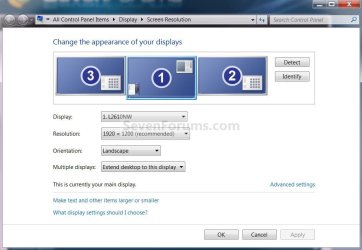
1. Click on the Desktop, choose Screen Resolution and let us know how your screens are being detected and which mode you are using for multiple displays.

2. Do you experience this issue only with Adobe Premier or with any arbitrary media player as well - such as WMP, VLC, Nero Showtime, etc.?

3. If you move your browser to your second monitor and go to YouTube, will you be able to watch clips there?
 

My Computer My Computer

At a glance

Windows 7 Ultimate (x64)Q66008 GBATI Radeon HD 2600 XT
Computer Manufacturer/Model Number
Dell Inspiron 530
OS
Windows 7 Ultimate (x64)
CPU
Q6600
Memory
8 GB
Graphics Card(s)
ATI Radeon HD 2600 XT
Monitor(s) Displays
Samsung Syncmaster P2450
Screen Resolution
1920x1080
Hard Drives
Samsung HD103UJ
Samsung HD501LJ
Internet Speed
25 Mb/s
I just re-read your OP and you said you did an in-place upgrade from XP to Windows 7?
 

My Computer My Computer

At a glance

W 7 64-bit UltimateIntel Q9550 Yorkfield8GB Dominator 8500C5DATI : XFX 5870
Computer Manufacturer/Model Number
* BFK Customs *
OS
W 7 64-bit Ultimate
CPU
Intel Q9550 Yorkfield
Motherboard
ASUS P5Q Pro
Memory
8GB Dominator 8500C5D
Graphics Card(s)
ATI : XFX 5870
Sound Card
Realtek HD Audio 7-1
Monitor(s) Displays
1x 47" LCD HDMI & 3x 26" LCD HDMI
Screen Resolution
1920x1080P & 1920x1200
Hard Drives
1x 80GB Intel X25-M G2 SSD : 1x 500GB & 1x 640GB WD Caviar Black(s)
PSU
Corsair 620HX
Case
Cooler Master RC-690
Cooling
Tuniq Tower 120, 2x 140mm and 3x 120mm case fans
Keyboard
Microsoft 500
Mouse
Razer Diamondback 3G
Internet Speed
14 Mb/s
Other Info
1x Koutech 3Gb/s SATA HDD Hot Swap Rack
choose Screen Resolution and let us know how your screens are being detected and which mode you are using for multiple displays.
1680x1050 resolution
orientation landscape
extend these monitors

Do you experience this issue only with Adobe Premier or with any arbitrary media player as well - such as WMP, VLC, Nero Showtime, etc.?
All programs, I can use either as primary and get video on either, not both
 

My Computer My Computer

At a glance

windos 7 ultimate2.67 GHTZ Intel Core 2 Quad Q94008192mb X 4NVIDIA Ge Force 9600 GT
Computer Manufacturer/Model Number
Kanai workstation
OS
windos 7 ultimate
CPU
2.67 GHTZ Intel Core 2 Quad Q9400
Motherboard
ASUSTeK Computer Inc P5E3 Deluxe Rev 1.xx
Memory
8192mb X 4
Graphics Card(s)
NVIDIA Ge Force 9600 GT
Sound Card
SoundMAX integrated digital hd audio
Monitor(s) Displays
LG W2042 X 2
Hard Drives
WDC WD1500BLFS-01YBUO ATA Device 150,04 gb
Promise 3+1 disc RAID 5 SCSI 1499.99GB
Promise 3+1 disc RAID 5 SCSI 1499.0GB
Case
Kanai workstation
Heres a little background that might save some time. This machine was purchased from NLE Systems, they're the Non Linear Editing GURUs and my normal means of Tech Support. They are the ones who upgraded the os on my workstation and told me when they did that this is a Windows issue, not premier pro 4, graphics card or driver issue. They simply are waiting for Microsoft to get on the stick and find a fix for this problem and so far it hasn't happened. Thats why I'm here, to find out the latest on this issue and to bring it to the attention of people who are thinking about 'upgrading'
 

My Computer My Computer

At a glance

windos 7 ultimate2.67 GHTZ Intel Core 2 Quad Q94008192mb X 4NVIDIA Ge Force 9600 GT
Computer Manufacturer/Model Number
Kanai workstation
OS
windos 7 ultimate
CPU
2.67 GHTZ Intel Core 2 Quad Q9400
Motherboard
ASUSTeK Computer Inc P5E3 Deluxe Rev 1.xx
Memory
8192mb X 4
Graphics Card(s)
NVIDIA Ge Force 9600 GT
Sound Card
SoundMAX integrated digital hd audio
Monitor(s) Displays
LG W2042 X 2
Hard Drives
WDC WD1500BLFS-01YBUO ATA Device 150,04 gb
Promise 3+1 disc RAID 5 SCSI 1499.99GB
Promise 3+1 disc RAID 5 SCSI 1499.0GB
Case
Kanai workstation
From "XP to 7" has never been a really good idea. :shock:
 

My Computer My Computer

At a glance

W 7 64-bit UltimateIntel Q9550 Yorkfield8GB Dominator 8500C5DATI : XFX 5870
Computer Manufacturer/Model Number
* BFK Customs *
OS
W 7 64-bit Ultimate
CPU
Intel Q9550 Yorkfield
Motherboard
ASUS P5Q Pro
Memory
8GB Dominator 8500C5D
Graphics Card(s)
ATI : XFX 5870
Sound Card
Realtek HD Audio 7-1
Monitor(s) Displays
1x 47" LCD HDMI & 3x 26" LCD HDMI
Screen Resolution
1920x1080P & 1920x1200
Hard Drives
1x 80GB Intel X25-M G2 SSD : 1x 500GB & 1x 640GB WD Caviar Black(s)
PSU
Corsair 620HX
Case
Cooler Master RC-690
Cooling
Tuniq Tower 120, 2x 140mm and 3x 120mm case fans
Keyboard
Microsoft 500
Mouse
Razer Diamondback 3G
Internet Speed
14 Mb/s
Other Info
1x Koutech 3Gb/s SATA HDD Hot Swap Rack
I can use either as primary and get video on either, not both

Let me clarify, if you choose one of your monitors as primary, then the second will show some wallpaper, you can move your WMP there, but in that case it won't play any video? But if you call that second one primary it will?

What happens if you place your WMP in between, i.e. part of it on the primary and part on the secondary monitor? Will it play something, or nothing, or you will see part of your video (presumably on the primary monitor)?

I mean, I have two monitors, Windows 7 Ultimate x64 and I can play videos on either of them, or both at the same time for that matter. I can move a WMP window between monitors while a video is playing. In other words - I've never heard of such problem, thus I assume it's not a Windows 7 bug per se. That's why I'm asking all these questions, don't get me wrong.
 

My Computer My Computer

At a glance

Windows 7 Ultimate (x64)Q66008 GBATI Radeon HD 2600 XT
Computer Manufacturer/Model Number
Dell Inspiron 530
OS
Windows 7 Ultimate (x64)
CPU
Q6600
Memory
8 GB
Graphics Card(s)
ATI Radeon HD 2600 XT
Monitor(s) Displays
Samsung Syncmaster P2450
Screen Resolution
1920x1080
Hard Drives
Samsung HD103UJ
Samsung HD501LJ
Internet Speed
25 Mb/s
the upgrade was recommended and performed by a company who has been building computers for the film industry for years. I was hoping for responses of a more technical nature when I opened this thread but i appreciate the advice.
 

My Computer My Computer

At a glance

windos 7 ultimate2.67 GHTZ Intel Core 2 Quad Q94008192mb X 4NVIDIA Ge Force 9600 GT
Computer Manufacturer/Model Number
Kanai workstation
OS
windos 7 ultimate
CPU
2.67 GHTZ Intel Core 2 Quad Q9400
Motherboard
ASUSTeK Computer Inc P5E3 Deluxe Rev 1.xx
Memory
8192mb X 4
Graphics Card(s)
NVIDIA Ge Force 9600 GT
Sound Card
SoundMAX integrated digital hd audio
Monitor(s) Displays
LG W2042 X 2
Hard Drives
WDC WD1500BLFS-01YBUO ATA Device 150,04 gb
Promise 3+1 disc RAID 5 SCSI 1499.99GB
Promise 3+1 disc RAID 5 SCSI 1499.0GB
Case
Kanai workstation
exactly
I can use either as primary and get video on either, not both

Let me clarify, if you choose one of your monitors as primary, then the second will show some wallpaper, you can move your WMP there, but in that case it won't play any video? But if you call that second one primary it will?

What happens if you place your WMP in between, i.e. part of it on the primary and part on the secondary monitor? Will it play something, or nothing, or you will see part of your video (presumably on the primary monitor)?

I mean, I have two monitors, Windows 7 Ultimate x64 and I can play videos on either of them, or both at the same time for that matter. I can move a WMP window between monitors while a video is playing. In other words - I've never heard of such problem, thus I assume it's not a Windows 7 bug per se. That's why I'm asking all these questions, don't get me wrong.
 

My Computer My Computer

At a glance

windos 7 ultimate2.67 GHTZ Intel Core 2 Quad Q94008192mb X 4NVIDIA Ge Force 9600 GT
Computer Manufacturer/Model Number
Kanai workstation
OS
windos 7 ultimate
CPU
2.67 GHTZ Intel Core 2 Quad Q9400
Motherboard
ASUSTeK Computer Inc P5E3 Deluxe Rev 1.xx
Memory
8192mb X 4
Graphics Card(s)
NVIDIA Ge Force 9600 GT
Sound Card
SoundMAX integrated digital hd audio
Monitor(s) Displays
LG W2042 X 2
Hard Drives
WDC WD1500BLFS-01YBUO ATA Device 150,04 gb
Promise 3+1 disc RAID 5 SCSI 1499.99GB
Promise 3+1 disc RAID 5 SCSI 1499.0GB
Case
Kanai workstation
if i drag the vid to my secondary monitor it stops moving and displays a still image from the vid
exactly
I can use either as primary and get video on either, not both

Let me clarify, if you choose one of your monitors as primary, then the second will show some wallpaper, you can move your WMP there, but in that case it won't play any video? But if you call that second one primary it will?

What happens if you place your WMP in between, i.e. part of it on the primary and part on the secondary monitor? Will it play something, or nothing, or you will see part of your video (presumably on the primary monitor)?

I mean, I have two monitors, Windows 7 Ultimate x64 and I can play videos on either of them, or both at the same time for that matter. I can move a WMP window between monitors while a video is playing. In other words - I've never heard of such problem, thus I assume it's not a Windows 7 bug per se. That's why I'm asking all these questions, don't get me wrong.
 

My Computer My Computer

At a glance

windos 7 ultimate2.67 GHTZ Intel Core 2 Quad Q94008192mb X 4NVIDIA Ge Force 9600 GT
Computer Manufacturer/Model Number
Kanai workstation
OS
windos 7 ultimate
CPU
2.67 GHTZ Intel Core 2 Quad Q9400
Motherboard
ASUSTeK Computer Inc P5E3 Deluxe Rev 1.xx
Memory
8192mb X 4
Graphics Card(s)
NVIDIA Ge Force 9600 GT
Sound Card
SoundMAX integrated digital hd audio
Monitor(s) Displays
LG W2042 X 2
Hard Drives
WDC WD1500BLFS-01YBUO ATA Device 150,04 gb
Promise 3+1 disc RAID 5 SCSI 1499.99GB
Promise 3+1 disc RAID 5 SCSI 1499.0GB
Case
Kanai workstation
lg w2042 x2 vga connect

Your specs show NVIDIA GeForce 9600 GT. Is that the card you are using? It's listed as having two DVI connectors. How exactly do you connect it through vga?
 

My Computer My Computer

At a glance

Windows 7 Ultimate (x64)Q66008 GBATI Radeon HD 2600 XT
Computer Manufacturer/Model Number
Dell Inspiron 530
OS
Windows 7 Ultimate (x64)
CPU
Q6600
Memory
8 GB
Graphics Card(s)
ATI Radeon HD 2600 XT
Monitor(s) Displays
Samsung Syncmaster P2450
Screen Resolution
1920x1080
Hard Drives
Samsung HD103UJ
Samsung HD501LJ
Internet Speed
25 Mb/s
are you sure you can do both at the same time? if i open a browser in my secondary monitor i can watch streaming vid (youtube) but when i open adobe and use full screen mode, whatever vid is displayed on the secondary monitor doesnt move
if i drag the vid to my secondary monitor it stops moving and displays a still image from the vid
exactly
Let me clarify, if you choose one of your monitors as primary, then the second will show some wallpaper, you can move your WMP there, but in that case it won't play any video? But if you call that second one primary it will?

What happens if you place your WMP in between, i.e. part of it on the primary and part on the secondary monitor? Will it play something, or nothing, or you will see part of your video (presumably on the primary monitor)?

I mean, I have two monitors, Windows 7 Ultimate x64 and I can play videos on either of them, or both at the same time for that matter. I can move a WMP window between monitors while a video is playing. In other words - I've never heard of such problem, thus I assume it's not a Windows 7 bug per se. That's why I'm asking all these questions, don't get me wrong.
 

My Computer My Computer

At a glance

windos 7 ultimate2.67 GHTZ Intel Core 2 Quad Q94008192mb X 4NVIDIA Ge Force 9600 GT
Computer Manufacturer/Model Number
Kanai workstation
OS
windos 7 ultimate
CPU
2.67 GHTZ Intel Core 2 Quad Q9400
Motherboard
ASUSTeK Computer Inc P5E3 Deluxe Rev 1.xx
Memory
8192mb X 4
Graphics Card(s)
NVIDIA Ge Force 9600 GT
Sound Card
SoundMAX integrated digital hd audio
Monitor(s) Displays
LG W2042 X 2
Hard Drives
WDC WD1500BLFS-01YBUO ATA Device 150,04 gb
Promise 3+1 disc RAID 5 SCSI 1499.99GB
Promise 3+1 disc RAID 5 SCSI 1499.0GB
Case
Kanai workstation
Check your 2nd monitors refresh rate. I had the same problem when I first hooked up my second monitor. I changed the refresh rate on secnond and all is working.

To change the refresh rate open up control panel, then hardware and sound, then display, in display screen select display 2, then look in the left pane for "change display settings" click that and then click advance settings. In the advance settings click on monitor, then in monitors settings change the refresh rate from one of the options listed, then apply and then ok.
 

My Computer My Computer

At a glance

Windows 7 Ultimate 64 bitAMD Phenom II X4 965 Black EditionGSkill 4 X 2 GB PC 8500XFX Radeon HD 6790 D
Computer Manufacturer/Model Number
Custom built
OS
Windows 7 Ultimate 64 bit
CPU
AMD Phenom II X4 965 Black Edition
Motherboard
Gigabyte GA-MA790X-DS4
Memory
GSkill 4 X 2 GB PC 8500
Graphics Card(s)
XFX Radeon HD 6790 D
Sound Card
On board RealTek HD
Monitor(s) Displays
Dual monitors:Samsung SyncMaster S20B300
Screen Resolution
1600 X 900
Hard Drives
Seagate Barracuda 1TB (primary)
Seagate Barracuda 2 X 320 GB
PSU
Ultra X4 750 watt fully modular
Case
Thermaltake Overseer RX 1 full tower
Cooling
Core-Contact 92 mm CPU Cooler
Keyboard
Logitech G510
Mouse
Razor DeathAdder
Internet Speed
50/5 Mbps UL/DL
Other Info
Optical: Super Muliti DVD burner w/lightscribe, Hauppauge WinTV HVR-1800

My Computer My Computer

At a glance

windos 7 ultimate2.67 GHTZ Intel Core 2 Quad Q94008192mb X 4NVIDIA Ge Force 9600 GT
Computer Manufacturer/Model Number
Kanai workstation
OS
windos 7 ultimate
CPU
2.67 GHTZ Intel Core 2 Quad Q9400
Motherboard
ASUSTeK Computer Inc P5E3 Deluxe Rev 1.xx
Memory
8192mb X 4
Graphics Card(s)
NVIDIA Ge Force 9600 GT
Sound Card
SoundMAX integrated digital hd audio
Monitor(s) Displays
LG W2042 X 2
Hard Drives
WDC WD1500BLFS-01YBUO ATA Device 150,04 gb
Promise 3+1 disc RAID 5 SCSI 1499.99GB
Promise 3+1 disc RAID 5 SCSI 1499.0GB
Case
Kanai workstation
OK, I think I found an answer for you, look for it on this thread on the NVIDIA site, something specific to the video card settings.
 

My Computer My Computer

At a glance

Windows 7 Ultimate (x64)Q66008 GBATI Radeon HD 2600 XT
Computer Manufacturer/Model Number
Dell Inspiron 530
OS
Windows 7 Ultimate (x64)
CPU
Q6600
Memory
8 GB
Graphics Card(s)
ATI Radeon HD 2600 XT
Monitor(s) Displays
Samsung Syncmaster P2450
Screen Resolution
1920x1080
Hard Drives
Samsung HD103UJ
Samsung HD501LJ
Internet Speed
25 Mb/s
I have 3 monitors running and I can play on any or all three. 2 26"s and a 47"

Screen1.jpg
 

My Computer My Computer

At a glance

W 7 64-bit UltimateIntel Q9550 Yorkfield8GB Dominator 8500C5DATI : XFX 5870
Computer Manufacturer/Model Number
* BFK Customs *
OS
W 7 64-bit Ultimate
CPU
Intel Q9550 Yorkfield
Motherboard
ASUS P5Q Pro
Memory
8GB Dominator 8500C5D
Graphics Card(s)
ATI : XFX 5870
Sound Card
Realtek HD Audio 7-1
Monitor(s) Displays
1x 47" LCD HDMI & 3x 26" LCD HDMI
Screen Resolution
1920x1080P & 1920x1200
Hard Drives
1x 80GB Intel X25-M G2 SSD : 1x 500GB & 1x 640GB WD Caviar Black(s)
PSU
Corsair 620HX
Case
Cooler Master RC-690
Cooling
Tuniq Tower 120, 2x 140mm and 3x 120mm case fans
Keyboard
Microsoft 500
Mouse
Razer Diamondback 3G
Internet Speed
14 Mb/s
Other Info
1x Koutech 3Gb/s SATA HDD Hot Swap Rack
when i drop down refresh rate the only option is 60hz
Check your 2nd monitors refresh rate. I had the same problem when I first hooked up my second monitor. I changed the refresh rate on secnond and all is working.

To change the refresh rate open up control panel, then hardware and sound, then display, in display screen select display 2, then look in the left pane for "change display settings" click that and then click advance settings. In the advance settings click on monitor, then in monitors settings change the refresh rate from one of the options listed, then apply and then ok.
 

My Computer My Computer

At a glance

windos 7 ultimate2.67 GHTZ Intel Core 2 Quad Q94008192mb X 4NVIDIA Ge Force 9600 GT
Computer Manufacturer/Model Number
Kanai workstation
OS
windos 7 ultimate
CPU
2.67 GHTZ Intel Core 2 Quad Q9400
Motherboard
ASUSTeK Computer Inc P5E3 Deluxe Rev 1.xx
Memory
8192mb X 4
Graphics Card(s)
NVIDIA Ge Force 9600 GT
Sound Card
SoundMAX integrated digital hd audio
Monitor(s) Displays
LG W2042 X 2
Hard Drives
WDC WD1500BLFS-01YBUO ATA Device 150,04 gb
Promise 3+1 disc RAID 5 SCSI 1499.99GB
Promise 3+1 disc RAID 5 SCSI 1499.0GB
Case
Kanai workstation
OK, I think I found an answer for you, look for it on this thread on the NVIDIA site, something specific to the video card settings.


That looks like an article about XP and it's 2 years old.
 

My Computer My Computer

At a glance

W 7 64-bit UltimateIntel Q9550 Yorkfield8GB Dominator 8500C5DATI : XFX 5870
Computer Manufacturer/Model Number
* BFK Customs *
OS
W 7 64-bit Ultimate
CPU
Intel Q9550 Yorkfield
Motherboard
ASUS P5Q Pro
Memory
8GB Dominator 8500C5D
Graphics Card(s)
ATI : XFX 5870
Sound Card
Realtek HD Audio 7-1
Monitor(s) Displays
1x 47" LCD HDMI & 3x 26" LCD HDMI
Screen Resolution
1920x1080P & 1920x1200
Hard Drives
1x 80GB Intel X25-M G2 SSD : 1x 500GB & 1x 640GB WD Caviar Black(s)
PSU
Corsair 620HX
Case
Cooler Master RC-690
Cooling
Tuniq Tower 120, 2x 140mm and 3x 120mm case fans
Keyboard
Microsoft 500
Mouse
Razer Diamondback 3G
Internet Speed
14 Mb/s
Other Info
1x Koutech 3Gb/s SATA HDD Hot Swap Rack
Back
Top