Win7 system image backup advanced format compatibility

If you have not ticked the box to create a system image "All files in known system folders (folders that contain files that Windows needs to run), and known program files (files that define themselves as part of a program in the registry when the program is installed) will not be backed up even if they are in a selected folder."

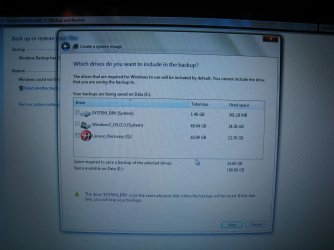
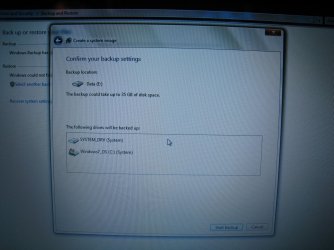
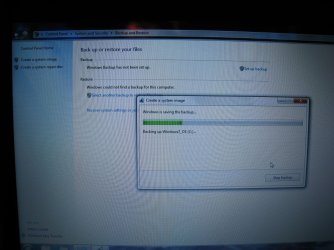
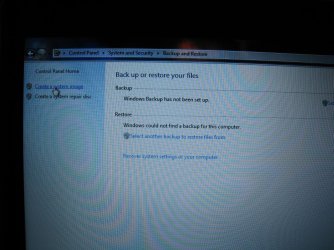
Where would this tick box be located? See attached screen pix.
 

Attachments
  • IMG_2713_2.jpg
    IMG_2713_2.jpg
    203 KB · Views: 2
  • IMG_2714_2.jpg
    IMG_2714_2.jpg
    235.6 KB · Views: 2
  • IMG_2715_2.jpg
    IMG_2715_2.jpg
    189.7 KB · Views: 2
  • IMG_2716_2.jpg
    IMG_2716_2.jpg
    191.5 KB · Views: 2
  • IMG_2717_2.jpg
    IMG_2717_2.jpg
    156.1 KB · Views: 2

My Computer My Computer

Computer type
PC/Desktop
OS
XP
those screens are for creating a system image not a backup.....
 

My Computer My Computer

Computer type
PC/Desktop
OS
windows 7 ultimate x64
those screens are for creating a system image not a backup.....

A system image is a form of backup. Or I should say, Microsoft uses the word "backup" to describe the process of creating an image of the system partitions.

Note in the last pic it says "Windows is saving the backup..."

.
 
Last edited:

My Computer My Computer

Computer type
PC/Desktop
OS
XP

My Computer My Computer

Computer type
PC/Desktop
Computer Manufacturer/Model Number
Home made Desktop
OS
Windows 10 Pro. 64/ version 1709 Windows 7 Pro/64
CPU
Intel i7-6800K @ 4.3
Motherboard
ASUS X-99 Deluxe II
Memory
Corsair Platinum 16 gig @2400
Graphics Card(s)
EVGA GTX 1070 OC
Monitor(s) Displays
Asus 27" LED LCD/VE278Q
Screen Resolution
1920-1080 or 1280-720 HDMI
Hard Drives
INTEL SSD 730-240 Gb Sata 3.0/
PSU
EVGA Platium 1200W
Case
Phanteks Luxe Tempered Glass 8 fans/ one radiator
Cooling
XSPC/ Water Cooled CPU
Keyboard
Das 4 Professional
Mouse
Logitech M705/MX Anywhere 2-S
Internet Speed
100 mbits
Antivirus
Microsoft Security Essentials/ Malwarebytes Premium 3.0/ SAS
Browser
I.E. 11 default/Firefox/ ISP Time Warner Cable/Spectrum
Other Info
LG BluRay Burner/
Sound system-KLipsch-THX/
Icy Dock ssd Hot Swap bays.

My Computer My Computer

Computer type
PC/Desktop
OS
XP
Bohr, if you plan to use Windows Backup for a backup and restore solution for your current system I strongly suggest you familiarize yourself with the options as well as the limitations of the software. Whether Microsoft has misnamed things or not is going to be very cold comfort if you need to restore your computer and realize that your backup contains all the Windows and installed programs but not your user files (Or viceversa: your personal files are there but windows and all programs need to be reinstalled.)
 

My Computer My Computer

Computer type
PC/Desktop
OS
windows 7 ultimate x64
Bohr, if you plan to use Windows Backup for a backup and restore solution for your current system I strongly suggest you familiarize yourself with the options as well as the limitations of the software. Whether Microsoft has misnamed things or not is going to be very cold comfort if you need to restore your computer and realize that your backup contains all the Windows and installed programs but not your user files (Or viceversa: your personal files are there but windows and all programs need to be reinstalled.)

Thanks for your concern but I am fully aware of this. The drive has been partitioned into separate OS and Data drives. The user data will be backed up independently and far more often.

The system image backup (Microsoft is correct: it is a backup... of the system) is for recovery from OS corruption. It's a whole lot easier to restore the system from a system image than to re-install Windows from scratch or to restore from the factory image and then have to remove all the foistware again and reload all the programs. Been there, done that.

As for the limitations of the software, nobody seems to be 100% confident about that. I can't get an authoritative answer about compatibility of system image backups with 512e disks. So I've also made system image backups using Clonezilla and Macrium.

.
 

My Computer My Computer

Computer type
PC/Desktop
OS
XP
Back
Top