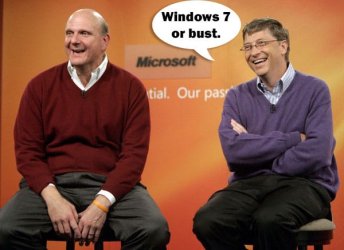
Windows 7, another step backwards

Johnston7

New member
Local time
10:29 PM
Messages
50
I have no formal training in IT, but reularly use my laptop for email, report writing in word, bit of internet browsing.

Previously I had XP, then bought a new machine with Vista installed and found it too complicated and stress inducing. So when Win 7 came out, went out a bought an upgrade, instlled and have more problems.

For me both Vista and Win 7 are a step backwards. Too complicated and I'm almost sure to reload XP when I get hold of the software.

My advice to anyone who is not an expert is stick with XP.
 

My Computer

OS
Windows 7
You're on a Forum where all the W7 Fanboys hang out ..
I think you've just poked a Hornet's nest.
:roflmao:


But W7 looks kinda Buggy (handicapped) to me too
Bugt.gif
 

My Computer

Computer Manufacturer/Model Number
HP d4996t (upgraded)
OS
XP MCE .... XP Pro 64 .... W7 U x64
CPU
E6750, 2.67GHz C2D
Memory
4GB, PC2 6400
Graphics Card(s)
GeForce 9400GT
Monitor(s) Displays
Twin Samsung 2443BWT
Screen Resolution
1920x1200
Hard Drives
Many .. 3 Installed
PSU
460W
Internet Speed
Cable
^ Yup he definitely did! lol

I said the same thing as the OP in the beginning when Vista came out. Just wait until there will be no updates/support for XP (i don't know when that will happen tho lol)

My parents are not experts (barely know how to check their email) and they notice the performance upgrades on their laptops from XP.

Everyone has their own opinions/reviews about Windows 7. I say try it out and see how you like it. :)
 

My Computer

Computer Manufacturer/Model Number
Custom
OS
Windows 7 Professional x64
CPU
AMD Phenom™ II X4
Motherboard
Biostar TA790GXE 128M
Memory
4GB Corsair Dominator Series DDR2 1066 (8500)
Graphics Card(s)
2GB MSi Radeon HD 6950 PE/OC
Monitor(s) Displays
24" Samsung T240 Monitor 1920x1600
Screen Resolution
1920x1200
Hard Drives
250GB Western Digital SATA
PSU
OCZ 700W Modular
Case
Antec Nine Hundred
Keyboard
Basic Dell
Mouse
Logitech MX518
Internet Speed
Cable
Oh well. There's actually no reason to use Win7 or Vista if you're happy with XP. There's a learning curb to any new OS, just like XP when it came out. :rolleyes:
 

My Computer

Computer Manufacturer/Model Number
Dell XPS m1530
OS
Win 7 Home Premium 64
CPU
Merom 2.2gHz
Memory
8 gb
Graphics Card(s)
nVidia m8600gt
Hard Drives
WD Scorpio 500gb 5400rpm
Did you install XP yourself or did your pc come with it?


You must remember XP has Service pack 3 now,so it was not without its complications.

In my opinion xp was very simple to use,and it worked at the time as there wasnt much use on the internet etc.

As time went on they decided to make Vista which was a polished version of XP with all those service packs intergrated and a new layout,which for XP users, was actually hard to get used to and in some cases made it harder (i think)

Win7 builds on Vista and corrects most of these buuut if you really really really didnt like vista,dont go Win7.

If you just thought it was too hard to use,keep at it,you'll adapt in no time.I for one really hated vista when in came out for silly reasons which seemed important at the time,then i got used to it and liked it,then the move to 7 i found it excellent.

I believe when xp users say its more complicated,some times its just done a different way,you have to remember it is a NEW operating system in relation to XP vs Vista/7.


I think when eventually service packs start getting released most if not all issues would be sorted.
Dan
 

My Computer

Computer Manufacturer/Model Number
Blue Shards 1.0
OS
Windows 7 Ultimate 64bit
CPU
AMD Phenom II 555 Black Edition Quad Core OC'd to 4.0GHz
Motherboard
ASUS M4A88T-M
Memory
G Skill RipJaw 1333MHz 4GB
Graphics Card(s)
ATI raideon 4250 HD/XFX ATI Radeon 1GB HD4650
Sound Card
Realteck HD Audio
Monitor(s) Displays
2x 22" Widescreen HD Monitors
Hard Drives
500GB Sata 7500RPM
80GB IDE
PSU
850W OCUK Modular
Case
Antec Dark Fleet DF-30
Cooling
Titan Fenrir Pro (CPU)
Keyboard
Logitech Wireless
Mouse
Logitech Wireless
Internet Speed
24Meg
Other Info
Getting soon-
2TB 7200RPM HDD
+8GB RAM
30GB SSD
HD6950/70
Oi Vey!! He surely doesn't want to try linux... :p
 

My Computer

Computer type
PC/Desktop
Computer Manufacturer/Model Number
LENOVO K450 @3.0GHZ
OS
64-bit Windows 8.1 Pro
CPU
Core(TM) i5 CPU 4330 Haswell @ 3.20GHz
Motherboard
LENOVO
Memory
12.00 GB
Graphics Card(s)
Intel(R) HD Graphics
Sound Card
Intel HD integtrated
Monitor(s) Displays
HP 25' ISP Monitor
Screen Resolution
1900/1020
Hard Drives
(1) ST1000DM003-1CH162 (2) Generic STORAGE DEVICE USB Device (3) Generic STORAGE DEVICE USB Device
Internet Speed
100mb down/10mb up
My advice to anyone who is not an expert is stick with XP.

Seems to me you have to be an expert to work with XP anymore. Windows 7 is so much easier to work with....The problem for most people is going to be getting it on a machine and running. Once it's installed, there is no comparison between XP and 7
 

My Computer

Computer Manufacturer/Model Number
Keeps changing - (Custom)
OS
Windows 7 Professional x64
CPU
Intel Core i7 860
Motherboard
Gigabyte GA-P55-UD4P
Memory
4GB DDR3 Mushkin 1600Mhz @ 7-8-7-20
Graphics Card(s)
MSI GTS250 1GB DDR3 Twin Frozr
Sound Card
Onboard realtek
Monitor(s) Displays
Samsung SyncMaster 24" P2450 + Samsung 20" 2033
Screen Resolution
1920 X 1080 and 1600 X 900 (#2 system 1440 X 900)
Hard Drives
Patriot Inferno 120GB SSD + 3 WD Blue 640GB drives
PSU
Corsair 750 HX Modular
Case
Lancool PC-K62
Cooling
Cooler Master TX3 CPU cooler and 4-140mm and 1-120mm case
Keyboard
Gigabyte USB keyboard
Mouse
Microsoft wireless laser mouse 5000
Internet Speed
7 Mb down 1.5 up
Other Info
System #2: AMD Phenom II X6 1055T (Freezer 7 Pro cooler) - Gigabyte 880GMA-UD2H - WD 500GB Black - 9500GT (1GB) 500W OCZ modular PSU - Antec 200 case. System #3 (LapTop) Core 2 Duo T6670 - 320GB 7200RPM HD - 4GB DDR3 RAM.
My advice to anyone who is not an expert is stick with XP.

Seems to me you have to be an expert to work with XP anymore. Windows 7 is so much easier to work with....The problem for most people is going to be getting it on a machine and running. Once it's installed, there is no comparison between XP and 7
How about 7 < XP

The "<" sign was inteneded lol
 

My Computer

Computer Manufacturer/Model Number
Blue Shards 1.0
OS
Windows 7 Ultimate 64bit
CPU
AMD Phenom II 555 Black Edition Quad Core OC'd to 4.0GHz
Motherboard
ASUS M4A88T-M
Memory
G Skill RipJaw 1333MHz 4GB
Graphics Card(s)
ATI raideon 4250 HD/XFX ATI Radeon 1GB HD4650
Sound Card
Realteck HD Audio
Monitor(s) Displays
2x 22" Widescreen HD Monitors
Hard Drives
500GB Sata 7500RPM
80GB IDE
PSU
850W OCUK Modular
Case
Antec Dark Fleet DF-30
Cooling
Titan Fenrir Pro (CPU)
Keyboard
Logitech Wireless
Mouse
Logitech Wireless
Internet Speed
24Meg
Other Info
Getting soon-
2TB 7200RPM HDD
+8GB RAM
30GB SSD
HD6950/70
So when Win 7 came out, went out a bought an upgrade, installed and have more problems.

I don't understand this statement.

You had more problems with Windows 7 than you did with Vista?? :shock: I don't know how that's possible.

What problems did you have? Problems installing the Operating System?

We need a little more details please.
 

My Computer

Computer Manufacturer/Model Number
Custom
OS
Windows 7 Professional x64
CPU
AMD Phenom™ II X4
Motherboard
Biostar TA790GXE 128M
Memory
4GB Corsair Dominator Series DDR2 1066 (8500)
Graphics Card(s)
2GB MSi Radeon HD 6950 PE/OC
Monitor(s) Displays
24" Samsung T240 Monitor 1920x1600
Screen Resolution
1920x1200
Hard Drives
250GB Western Digital SATA
PSU
OCZ 700W Modular
Case
Antec Nine Hundred
Keyboard
Basic Dell
Mouse
Logitech MX518
Internet Speed
Cable
I think this entire thread is just troll baiting... The OP wasn't interested in resolving a problem, only saying how difficult windows 7 was, and hasn't returned or posted a reply...Nothing more to see here...

Im 10-7
 

My Computer

Computer type
PC/Desktop
Computer Manufacturer/Model Number
LENOVO K450 @3.0GHZ
OS
64-bit Windows 8.1 Pro
CPU
Core(TM) i5 CPU 4330 Haswell @ 3.20GHz
Motherboard
LENOVO
Memory
12.00 GB
Graphics Card(s)
Intel(R) HD Graphics
Sound Card
Intel HD integtrated
Monitor(s) Displays
HP 25' ISP Monitor
Screen Resolution
1900/1020
Hard Drives
(1) ST1000DM003-1CH162 (2) Generic STORAGE DEVICE USB Device (3) Generic STORAGE DEVICE USB Device
Internet Speed
100mb down/10mb up
Hi there
please explain "Whats too complicated".

OK if you are new to computers there's a possible caveat when using W7 - there's no email client so you need to install one of those -- so I'll buy that problem.

For the rest whats the difference in starting an application on W7 compared with XP (other than the W7 app is more likely to work correctly :D).

Just click on the menu and double click on the applicatiion.

Drag / copy the icon to the desktop if looking in a menu is too bothersome.

Cheers
jimbo
 

My Computer

Computer type
PC/Desktop
Computer Manufacturer/Model Number
Custom built, several laptops HP/ASUS
OS
Linux CENTOS 7 / various Windows OS'es and servers
CPU
Intel i7 Intel i5
Memory
8GB, 16GB
Graphics Card(s)
On Motherboard
Sound Card
Realtek HD audio
Monitor(s) Displays
Apple Cinema display, Samsung LCD
Screen Resolution
1920 X 1080
Hard Drives
4 X 1TB SATA
Mouse
Toshiba wireless laser
Internet Speed
> 20MB up
I have no formal training in IT, but reularly use my laptop for email, report writing in word, bit of internet browsing.
Previously I had XP, then bought a new machine with Vista installed and found it too complicated and stress inducing. So when Win 7 came out, went out a bought an upgrade, instlled and have more problems.

For me both Vista and Win 7 are a step backwards. Too complicated and I'm almost sure to reload XP when I get hold of the software.

My advice to anyone who is not an expert is stick with XP.


I would listen to this geek in glasses, if i was you.

(time time anyway :p)
 

Attachments

  • windows-7-or-bust.jpg
    windows-7-or-bust.jpg
    33.9 KB · Views: 7

My Computer

Computer Manufacturer/Model Number
Lenovo ThinkPad T60
OS
Windows 7 Ultimate 64Bit
CPU
GenuineIntel Intel(R) Core(TM) DuoCore T2400 @ 1.83GHz
Motherboard
Intel(R) 82801G (ICH7 Family)
Memory
2.00 GB
Graphics Card(s)
Mobile Intel(R) 945 Express Chipset
Sound Card
SoundMAX Integrated Digital HD Audio
Monitor(s) Displays
ThinkPad Display
Screen Resolution
1400x1050
Hard Drives
100Gb SATA
Keyboard
Standard Keyboard
Mouse
HID-compliant Mouse
Internet Speed
Cable Broadband - 54Mbps
Other Info
Intel(R) PRO/1000 PL Network Connection
11a/b/g Wireless LAN Mini PCI Express Adapter
I'm 10-7-2.
 

My Computer

Computer Manufacturer/Model Number
Self Build 64bit
OS
Vista Ult64, Win7600
CPU
Intel Core 2 Quad Q6600 @ 2400 MHz 64bit OS
Motherboard
Asus P5E3 Deluxe WiFi @p 64 bit OS
Memory
4096 MB DDR3-SDRAM
Graphics Card(s)
ATI Radeon HD 3870 Series x2 Crossfired
Sound Card
Realtek on board
Monitor(s) Displays
Samsung SyncMaster - 23 inches
Screen Resolution
1680x1050 pixels at 60 Hz in True Colors
Hard Drives
Hitachi (250 GB)/Samsung 750 GB. /Barracuda 160 GB.
My Book 1 TB external..
PSU
Cooler Master 1000w
Case
Cooler Master Cosmos 1000.
Cooling
Fans and fresh air,
Keyboard
Wireless
Mouse
Wireless
Internet Speed
Never fast enough
Other Info
I use a Magnum.
Tews, I'll ignore that.

Basically I am no expert. Don't profess to be. But after installing win 7, on start up I get the explorer window appearing, and I can't find a 'hide at start up' option. Also livemail is just too complicated to use.

And 7 retains those annoying feature Vista had, i.e setting up accounts as administrator/standard user etc. Constantly asking to allow access.

To you guys who work in IT I am sure it's a great tool, but to the layman it's too complicated.
 

My Computer

OS
Windows 7
Tews, I'll ignore that.

Basically I am no expert. Don't profess to be. But after installing win 7, on start up I get the explorer window appearing, and I can't find a 'hide at start up' option. Also livemail is just too complicated to use.

And 7 retains those annoying feature Vista had, i.e setting up accounts as administrator/standard user etc. Constantly asking to allow access.

To you guys who work in IT I am sure it's a great tool, but to the layman it's too complicated.
In fairness just click the "x" button.
It can be cahnged im sure,and it may be complicated buuuut this is like one of those annoying but not important things,you fix it to your liking and get by it.

As for the accounts..set all to admin.

The UAC feature of allowing programs access,allowing program to run is becasue bask in XP the internet wasn't as main stream and virus were alot simpler back then,this option alerts you when an application wants access to your pc ,if you dont know it,it could be a virus,hence the implementation of it.
 

My Computer

Computer Manufacturer/Model Number
Blue Shards 1.0
OS
Windows 7 Ultimate 64bit
CPU
AMD Phenom II 555 Black Edition Quad Core OC'd to 4.0GHz
Motherboard
ASUS M4A88T-M
Memory
G Skill RipJaw 1333MHz 4GB
Graphics Card(s)
ATI raideon 4250 HD/XFX ATI Radeon 1GB HD4650
Sound Card
Realteck HD Audio
Monitor(s) Displays
2x 22" Widescreen HD Monitors
Hard Drives
500GB Sata 7500RPM
80GB IDE
PSU
850W OCUK Modular
Case
Antec Dark Fleet DF-30
Cooling
Titan Fenrir Pro (CPU)
Keyboard
Logitech Wireless
Mouse
Logitech Wireless
Internet Speed
24Meg
Other Info
Getting soon-
2TB 7200RPM HDD
+8GB RAM
30GB SSD
HD6950/70
Jimbo, can you advise how to install email client. I was using outlook xpress in XP the mail in Vista. But this livemail is doing my head in.

If any of you guys can help it would be much appreciated. I aint blessed with much patience and can se my laptop taking atrip out the window.:(
 

My Computer

OS
Windows 7
Mozilla thunderbird is an excellent email client and relatively easy to setup..
 

My Computer

Computer type
PC/Desktop
Computer Manufacturer/Model Number
LENOVO K450 @3.0GHZ
OS
64-bit Windows 8.1 Pro
CPU
Core(TM) i5 CPU 4330 Haswell @ 3.20GHz
Motherboard
LENOVO
Memory
12.00 GB
Graphics Card(s)
Intel(R) HD Graphics
Sound Card
Intel HD integtrated
Monitor(s) Displays
HP 25' ISP Monitor
Screen Resolution
1900/1020
Hard Drives
(1) ST1000DM003-1CH162 (2) Generic STORAGE DEVICE USB Device (3) Generic STORAGE DEVICE USB Device
Internet Speed
100mb down/10mb up

My Computer

Computer Manufacturer/Model Number
HP d4996t (upgraded)
OS
XP MCE .... XP Pro 64 .... W7 U x64
CPU
E6750, 2.67GHz C2D
Memory
4GB, PC2 6400
Graphics Card(s)
GeForce 9400GT
Monitor(s) Displays
Twin Samsung 2443BWT
Screen Resolution
1920x1200
Hard Drives
Many .. 3 Installed
PSU
460W
Internet Speed
Cable
If any of you guys can help it would be much appreciated. I aint blessed with much patience and can se my laptop taking atrip out the window.:(
A day reading here and you'll realise even with all your years of XP you can do more things with 7 than you ever could with XP.

This is thee best forum for windows 7,if you have a problem we/they fix it with detailed instructions and fast.

I understand your frustration,but give it a bit of reading and do whatever you need to to grasp some patience,you'll get there eventually;)
 

My Computer

Computer Manufacturer/Model Number
Blue Shards 1.0
OS
Windows 7 Ultimate 64bit
CPU
AMD Phenom II 555 Black Edition Quad Core OC'd to 4.0GHz
Motherboard
ASUS M4A88T-M
Memory
G Skill RipJaw 1333MHz 4GB
Graphics Card(s)
ATI raideon 4250 HD/XFX ATI Radeon 1GB HD4650
Sound Card
Realteck HD Audio
Monitor(s) Displays
2x 22" Widescreen HD Monitors
Hard Drives
500GB Sata 7500RPM
80GB IDE
PSU
850W OCUK Modular
Case
Antec Dark Fleet DF-30
Cooling
Titan Fenrir Pro (CPU)
Keyboard
Logitech Wireless
Mouse
Logitech Wireless
Internet Speed
24Meg
Other Info
Getting soon-
2TB 7200RPM HDD
+8GB RAM
30GB SSD
HD6950/70
Johnston: Why don't you post on here and ask for help before talking bad about Windows 7?
 

My Computer

Computer Manufacturer/Model Number
Custom
OS
Windows 7 Professional x64
CPU
AMD Phenom™ II X4
Motherboard
Biostar TA790GXE 128M
Memory
4GB Corsair Dominator Series DDR2 1066 (8500)
Graphics Card(s)
2GB MSi Radeon HD 6950 PE/OC
Monitor(s) Displays
24" Samsung T240 Monitor 1920x1600
Screen Resolution
1920x1200
Hard Drives
250GB Western Digital SATA
PSU
OCZ 700W Modular
Case
Antec Nine Hundred
Keyboard
Basic Dell
Mouse
Logitech MX518
Internet Speed
Cable
Back
Top