
Windows 7 automatically changing display color

My Computer My Computer

Computer type
PC/Desktop
Computer Manufacturer/Model Number
Home Built Desktop By DataTech
OS
Windows 7 Ultimate X64 SP1
CPU
Intel i5-2550K, Differing ~4.4-4.8GHz No built in GPU
Motherboard
ASUS P8Z68-V PRO/GEN3
Memory
16GB G.Skill Sniper 1866MHz @ 2133MHz 2x8GB
Graphics Card(s)
ASUS GTX650TIB-DC2OC-2GD5, (650TI Boost)
Sound Card
Onboard Realtek 5-1
Monitor(s) Displays
Samsung P2570HD
Screen Resolution
1920x1080
Hard Drives
Samsung 840 Pro 256GB SSD for OS, 500GB Seagate Constellation (Enterprise drive) for Data
PSU
Corsair HX650W
Case
Inwin Dragon Rider
Cooling
Hyper 212 EVO w/two Noctua fans, push-pull, @1300 RPM
Keyboard
E-Z Eyes, bright yellow keys with large characters
Mouse
steelseries SENSEI Laser Pro Gaming
Internet Speed
48-51Mbs Mbs down, 11 Mbs up Xfinity Cable
Antivirus
Norton Internet Security 2013
Browser
IE 10, Opera, Pale Moon if needed
Other Info
4 case fans, LG BluRay-RE, ASUS DVD-RW, Mr. Fusion power supply, 1.21 gigawatts.
My Computer My Computer

Computer type
Laptop
Computer Manufacturer/Model Number
HP dv6
OS
Windows 7 Professional 64 bit
CPU
Intel Core i7-3610QM CPU @ 2.3GHz
Memory
8 GB RAM
Graphics Card(s)
Nvidia GeFroce GT 650M
Sound Card
Beats Audio
Screen Resolution
1920x1080
Cooling
Cooler Master Cooling Pad, Internal Fans
Keyboard
Razer Blackwidow
Mouse
Razer Naga
Antivirus
Norton 360
Browser
Google Chrome
You won't lose your files or drivers with a repair install. I have had to do two of them, just had the windows Updates to plow through.
 

My Computer My Computer

Computer type
PC/Desktop
Computer Manufacturer/Model Number
Home Built Desktop By DataTech
OS
Windows 7 Ultimate X64 SP1
CPU
Intel i5-2550K, Differing ~4.4-4.8GHz No built in GPU
Motherboard
ASUS P8Z68-V PRO/GEN3
Memory
16GB G.Skill Sniper 1866MHz @ 2133MHz 2x8GB
Graphics Card(s)
ASUS GTX650TIB-DC2OC-2GD5, (650TI Boost)
Sound Card
Onboard Realtek 5-1
Monitor(s) Displays
Samsung P2570HD
Screen Resolution
1920x1080
Hard Drives
Samsung 840 Pro 256GB SSD for OS, 500GB Seagate Constellation (Enterprise drive) for Data
PSU
Corsair HX650W
Case
Inwin Dragon Rider
Cooling
Hyper 212 EVO w/two Noctua fans, push-pull, @1300 RPM
Keyboard
E-Z Eyes, bright yellow keys with large characters
Mouse
steelseries SENSEI Laser Pro Gaming
Internet Speed
48-51Mbs Mbs down, 11 Mbs up Xfinity Cable
Antivirus
Norton Internet Security 2013
Browser
IE 10, Opera, Pale Moon if needed
Other Info
4 case fans, LG BluRay-RE, ASUS DVD-RW, Mr. Fusion power supply, 1.21 gigawatts.
You won't lose your files or drivers with a repair install. I have had to do two of them, just had the windows Updates to plow through.

ok, ill give that a shot and report back after.
 

My Computer My Computer

Computer type
Laptop
Computer Manufacturer/Model Number
HP dv6
OS
Windows 7 Professional 64 bit
CPU
Intel Core i7-3610QM CPU @ 2.3GHz
Memory
8 GB RAM
Graphics Card(s)
Nvidia GeFroce GT 650M
Sound Card
Beats Audio
Screen Resolution
1920x1080
Cooling
Cooler Master Cooling Pad, Internal Fans
Keyboard
Razer Blackwidow
Mouse
Razer Naga
Antivirus
Norton 360
Browser
Google Chrome
Rather late to the party here, but ...

I have a similar issue when my computer comes out of sleep. My monitor is the correct color for a second or two but then changes to have a blue cast to it. I have the monitor calibrated using a Spyder colorimeter and the custom profile loads at startup. When the computer goes to sleep the custom profile is lost from memory so when the computer becomes active, rather than loading the custom profile some other profile gets loaded into the video card (Intel HD Graphics 3000 in my case). You can read a little bit about this here: After waking up the computer the monitor profile doesn't work fine. What's wrong? - Powered By Kayako SupportSuite

I suspect what is happening is that when the computer starts a proper color profile gets loaded into the video card (I can see when that happens on my computer). Once the computer goes to sleep that profile is lost and gets replaced by something else when the computer awakens. What that something else is and how to fix/change it, I don't know. Maybe this is a default profile built into the card that has become corrupt somehow. Then when you start the process of calibrating your monitor a proper profile starts to get loaded and the problem goes away.

I don't now exactly what's going on but maybe an email to nVidia support asking them about how and when profiles are loaded, etc. might be helpful.

Sorry no real solution to offer but maybe some insights into what is happening.

Good luck.
 

My Computer My Computer

Computer Manufacturer/Model Number
Asus P8H67-M EVO
OS
Windows 7 Professional 64 bit
CPU
Intel Core i5-2500K
Motherboard
Asus
Memory
8 GB
Graphics Card(s)
Intel HD Graphics 3000
Sound Card
Realtek
Monitor(s) Displays
17" Dell (x2)
Screen Resolution
1280 x 1024
Hard Drives
Intel 510 SSD 120 GB
Western Digital 1 TB
repair install is no good. my version of windows is "more updated" than the repair. Should i try uninstalling and reinstalling my graphics driver?

Try an external monitor - see if the same issue occurs.

Ill try this too.
 

My Computer My Computer

Computer type
Laptop
Computer Manufacturer/Model Number
HP dv6
OS
Windows 7 Professional 64 bit
CPU
Intel Core i7-3610QM CPU @ 2.3GHz
Memory
8 GB RAM
Graphics Card(s)
Nvidia GeFroce GT 650M
Sound Card
Beats Audio
Screen Resolution
1920x1080
Cooling
Cooler Master Cooling Pad, Internal Fans
Keyboard
Razer Blackwidow
Mouse
Razer Naga
Antivirus
Norton 360
Browser
Google Chrome
Yes try reinstalling your GFX driver. Use Revo Uninstall, there's a link below my sig.
 

My Computer My Computer

Computer type
PC/Desktop
Computer Manufacturer/Model Number
Home Built Desktop By DataTech
OS
Windows 7 Ultimate X64 SP1
CPU
Intel i5-2550K, Differing ~4.4-4.8GHz No built in GPU
Motherboard
ASUS P8Z68-V PRO/GEN3
Memory
16GB G.Skill Sniper 1866MHz @ 2133MHz 2x8GB
Graphics Card(s)
ASUS GTX650TIB-DC2OC-2GD5, (650TI Boost)
Sound Card
Onboard Realtek 5-1
Monitor(s) Displays
Samsung P2570HD
Screen Resolution
1920x1080
Hard Drives
Samsung 840 Pro 256GB SSD for OS, 500GB Seagate Constellation (Enterprise drive) for Data
PSU
Corsair HX650W
Case
Inwin Dragon Rider
Cooling
Hyper 212 EVO w/two Noctua fans, push-pull, @1300 RPM
Keyboard
E-Z Eyes, bright yellow keys with large characters
Mouse
steelseries SENSEI Laser Pro Gaming
Internet Speed
48-51Mbs Mbs down, 11 Mbs up Xfinity Cable
Antivirus
Norton Internet Security 2013
Browser
IE 10, Opera, Pale Moon if needed
Other Info
4 case fans, LG BluRay-RE, ASUS DVD-RW, Mr. Fusion power supply, 1.21 gigawatts.
Yes try reinstalling your GFX driver. Use Revo Uninstall, there's a link below my sig.

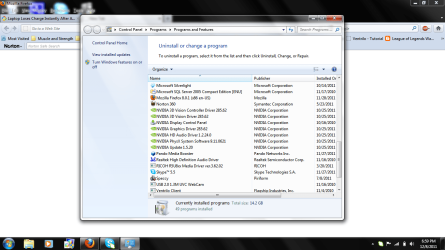
ok before i try to uninstall something, which one am i supposed to uninstall?
 

Attachments

  • nvidiauninstallwhichone.png
    nvidiauninstallwhichone.png
    83.1 KB · Views: 24

My Computer My Computer

Computer type
Laptop
Computer Manufacturer/Model Number
HP dv6
OS
Windows 7 Professional 64 bit
CPU
Intel Core i7-3610QM CPU @ 2.3GHz
Memory
8 GB RAM
Graphics Card(s)
Nvidia GeFroce GT 650M
Sound Card
Beats Audio
Screen Resolution
1920x1080
Cooling
Cooler Master Cooling Pad, Internal Fans
Keyboard
Razer Blackwidow
Mouse
Razer Naga
Antivirus
Norton 360
Browser
Google Chrome
All of the nVIDIA items, but use REVO and it will do all of them at once. :)
 

My Computer My Computer

Computer type
PC/Desktop
Computer Manufacturer/Model Number
Home Built Desktop By DataTech
OS
Windows 7 Ultimate X64 SP1
CPU
Intel i5-2550K, Differing ~4.4-4.8GHz No built in GPU
Motherboard
ASUS P8Z68-V PRO/GEN3
Memory
16GB G.Skill Sniper 1866MHz @ 2133MHz 2x8GB
Graphics Card(s)
ASUS GTX650TIB-DC2OC-2GD5, (650TI Boost)
Sound Card
Onboard Realtek 5-1
Monitor(s) Displays
Samsung P2570HD
Screen Resolution
1920x1080
Hard Drives
Samsung 840 Pro 256GB SSD for OS, 500GB Seagate Constellation (Enterprise drive) for Data
PSU
Corsair HX650W
Case
Inwin Dragon Rider
Cooling
Hyper 212 EVO w/two Noctua fans, push-pull, @1300 RPM
Keyboard
E-Z Eyes, bright yellow keys with large characters
Mouse
steelseries SENSEI Laser Pro Gaming
Internet Speed
48-51Mbs Mbs down, 11 Mbs up Xfinity Cable
Antivirus
Norton Internet Security 2013
Browser
IE 10, Opera, Pale Moon if needed
Other Info
4 case fans, LG BluRay-RE, ASUS DVD-RW, Mr. Fusion power supply, 1.21 gigawatts.
wow.......no luck even with uninstalling my GFx driver. Idk what the heck to do. my guess is it is a win7 issue, but ill try with an external monitor and report back.
 

My Computer My Computer

Computer type
Laptop
Computer Manufacturer/Model Number
HP dv6
OS
Windows 7 Professional 64 bit
CPU
Intel Core i7-3610QM CPU @ 2.3GHz
Memory
8 GB RAM
Graphics Card(s)
Nvidia GeFroce GT 650M
Sound Card
Beats Audio
Screen Resolution
1920x1080
Cooling
Cooler Master Cooling Pad, Internal Fans
Keyboard
Razer Blackwidow
Mouse
Razer Naga
Antivirus
Norton 360
Browser
Google Chrome
Okie dokie, let us know.
 

My Computer My Computer

Computer type
PC/Desktop
Computer Manufacturer/Model Number
Home Built Desktop By DataTech
OS
Windows 7 Ultimate X64 SP1
CPU
Intel i5-2550K, Differing ~4.4-4.8GHz No built in GPU
Motherboard
ASUS P8Z68-V PRO/GEN3
Memory
16GB G.Skill Sniper 1866MHz @ 2133MHz 2x8GB
Graphics Card(s)
ASUS GTX650TIB-DC2OC-2GD5, (650TI Boost)
Sound Card
Onboard Realtek 5-1
Monitor(s) Displays
Samsung P2570HD
Screen Resolution
1920x1080
Hard Drives
Samsung 840 Pro 256GB SSD for OS, 500GB Seagate Constellation (Enterprise drive) for Data
PSU
Corsair HX650W
Case
Inwin Dragon Rider
Cooling
Hyper 212 EVO w/two Noctua fans, push-pull, @1300 RPM
Keyboard
E-Z Eyes, bright yellow keys with large characters
Mouse
steelseries SENSEI Laser Pro Gaming
Internet Speed
48-51Mbs Mbs down, 11 Mbs up Xfinity Cable
Antivirus
Norton Internet Security 2013
Browser
IE 10, Opera, Pale Moon if needed
Other Info
4 case fans, LG BluRay-RE, ASUS DVD-RW, Mr. Fusion power supply, 1.21 gigawatts.
Im sure youve fixed it by now but I thought Id let you know anyway.
I had the exact same issue as you described and fixed it by uninstalling asus splendid utility.
Cant remember if you had asus too but if not it must be a similar programme pre-installed to improve your display.
 

My Computer My Computer

Computer type
PC/Desktop
OS
64 bit win 7 home
@Reid I just wanted to thank you a lot! I've had this problem for two days and it seems to be related to this ASUS Splendid Utility programme. But it seems you do not have to uninstall it! The reason the screen turns orangy-ish is because the settings had turned to "Gamma". Just click "Normal" and then check the green box and it should be back to normal. At least that is what it did for me.
 

My Computer My Computer

Computer type
PC/Desktop
Computer Manufacturer/Model Number
ASUS A55a
OS
Windows 7 64Bit
Back
Top