- Local time
- 6:32 PM
- Messages
- 14,164
@koolkat77
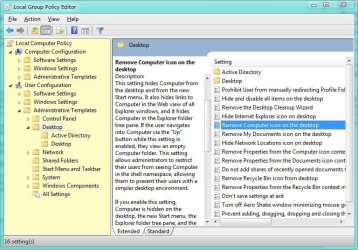
i know this tutorial, but this goes into the HKEY_CURRENT_USER branch, but i don't want to remove the computer-icon for my administrator. i want to remove it for a special user or for the users group.
go to run and type regedit and
go to Path: [HKEY_CURRENT_USER\Software\Microsoft\Windows\CurrentVersion\Explorer\Advanced\]
click on advance and create a new DWORD value as "Start_ShowMyComputer" and press enter then right click and modify and set the Value data to 0
Location: Current User
Value Name: Start_ShowMyComputer
Data Type: DWORD (DWORD Value)
Enabled Value: 0
Disabled Value: 1
Action Type: Add an Entry
and restart/log off, i did it myself and the My computer was gone
 post back once you're done
My Computer
At a glance
Windows 10 Home 64BitIntel Core i5 10400 @ 2.90GHz8.00GB Single-Channel Unknown @ 1329MHz (16-2...
- Computer type
- PC/Desktop
- Computer Manufacturer/Model Number
- Self assembled
- OS
- Windows 10 Home 64Bit
- CPU
- Intel Core i5 10400 @ 2.90GHz
- Motherboard
- Intel Corporation DG41WV (PROCESSOR)
- Memory
- 8.00GB Single-Channel Unknown @ 1329MHz (16-20-20-38)
- Sound Card
- Realtek High Definition Audio
- Monitor(s) Displays
- DELL E170S
- Screen Resolution
- 1280x1024 pixels
- Hard Drives
- 931GB TOSHIBA DT01ACA100 (SATA)
238GB TEAM TM8PS7256G (SATA SSD)
- Case
- Nothing Fancy
- Cooling
- Fans
- Keyboard
- A4 Tech Co LTD
- Mouse
- A4 Tech Co Ltd/Logitech
- Internet Speed
- 25 Mbps