Windows 7 (desktop) does not recognize laptop (windows xp)

Angus McLean

New member
Local time
7:21 PM
Messages
9
The DESKTOP running on Windows 7 is setup connecting to the wirelessly through a LINSKYS ROUTER used with a cable modem. The LAPTOP (Windows XP) is connected wireless through the router.

I have set up the wireless network as described in the link below.
http://www.howtogeek.com/howto/windows-7/share-files-and-printers-between-windows-7-and-xp/


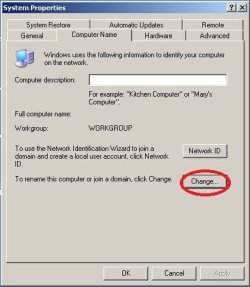
The desktop computer is set up with NAME: AngusHP and WORKGROUP: WORKGROUP. The LAPTOP is set up as NAME : HPLAPTOP and WORKGROUP: WORKGROUP. The network name is angusmdmclean

As such when I view workgroup computers on the LAPTOP (running on Windows XP) I see ICONS for DESKTOP (Angus-hp) and LAPTOP (Hplaptop). When I double click on DESKTOP (Angus-hp) ICON then the shared files resident on the DESKTOP appear and can be accessed from the LAPTOP . The LAPTOP acts as a terminal for the DESKTOP, but you can now save the DESKTOP document to the LAPTOP or print it to the printer (USB connected to the LAPTOP).

When I view the DESKTOP computer (Windows 7) under the Heading Network I do see both ICONS for the DESKTOP (Angus-hp) and LAPTOP (Hplaptop). When I click on HPLAPTOP I get the message "Windows cannot access the\\ LAPTOP. Windows can communicate with the name resolution server but cannot find the host name."

Please can anyone comment on this lack of access? Should I be able to do this? If "yes" any suggestion for resolution? I wonder what they mean by host name? The name of the laptop on the home network is HPLAPTOP

ANGUS
 

My Computer My Computer

Computer Manufacturer/Model Number
HP
OS
Windows 7 64 bit
host name is the name in "human" language for exaple angus-hp and the resolution is translation to computer IP address.. ipv4 32bit number example in decimal 192.0.2.235
can you connect using ip of the host?
type \\ip instead of \\name.
you can find your ip addres by runing ipconfig comand in command prompt.
open command prompt type ipconfig and press enter in given information find IPv4 address there should be numbers seperated by points something like this 168.192.10.5.. then from other pc in windows explorer address bar type \\168.192.10.5 <replace this with the value you got.
 

My Computer My Computer

Computer type
PC/Desktop
Computer Manufacturer/Model Number
Self Built PC
OS
Windows 7 pro 64bit. (SP1)
CPU
Intel core I5 2400
Motherboard
Gigabyte H61
Memory
8GB DDR3 Kingston
Graphics Card(s)
Gigabyte GF GTX650OC
Sound Card
Realtek HD audio
Monitor(s) Displays
LCD 20"
Screen Resolution
1600x900
Hard Drives
INTEL SSD 320 80GB +Seagate 7200.12 1TBx3
PSU
Coolermaster RX450W
Case
Coolermaster atx case
Cooling
stock cooler
Keyboard
logitech
Mouse
logitech
Internet Speed
FTTD 100mbps
I would like too add that if there is nothing "Shared" on the XP laptop it wont nessaserly notice that it had anything, I had this trouble back in the Day. Try sharing a Random folder. (make a folder then share it)
 

My Computer My Computer

Computer Manufacturer/Model Number
Home Build.
OS
Windows 7 Home Pre
CPU
Q8200 Intell 2.333
Motherboard
Asus P5Q3 Delux
Memory
DDR3 1333 4gig
Graphics Card(s)
Ati HD4870
Sound Card
Onboard Soundmax. 7.1
Monitor(s) Displays
1, 20" Samsung
Screen Resolution
1600/900
PSU
Good enough
Case
Le Shark
Cooling
FAN FAN FAN FAN, Thermaltake Minitype 90 with speed fan 4.
Keyboard
Standard, Gaming Wolfking
Mouse
Cm-storm-inferno-wired-gaming-mouse
Internet Speed
Sky Crappy upto 20meg I get a whapping 5.8mbs.

My Computer My Computer

Computer Manufacturer/Model Number
HP Pavilion Elite 495UK
OS
Windows 7 Ultimate SP1 64-Bit
CPU
Intel Core i7 870 @ 2.93GHz
Motherboard
MSI 2A9C (CPU1)
Memory
8Gb Dual-Channel DDR3 @ 664MHz
Graphics Card(s)
nVidia GeForce GTX 460 1024MB dedicated RAM
Sound Card
Realtek HD Audio
Monitor(s) Displays
HP2310i
Screen Resolution
1920 x 1080
Hard Drives
1x1954GB Hitachi HDS22020ALA 330 (RAID), 1x1954GB Hitachi External for backup and storage
PSU
460W
Case
HP Elite
Cooling
Air cooled
Keyboard
Logitech K750 solar-powered keyboard
Mouse
Logitech Wireless M180 mouse
Internet Speed
2Mb
Other Info
Pure Avanti Flow Internet Radio with iPod Dock, 64Gb iPod, HP USB Speakers, Sony MDR-V500 Headphones, Sony Vaio F-Series Laptop
Vaidas 3: Thank you for the reply, but I do not fully understand your directions. I am new to Networking. I have identifed the IP addresses (IpV4) of the desktop (192.168.1.101) and Laptop (192.168.1.102). I have succesfully pinged between the DESKTOP to LAPTOP and also in the direction LAPTOP to DESKTOP.
My interest is in the direction DEKTOP to LAPTOP, since there is no file sharing of LAPTOP computer files.

Please can you provide more step by step details for a nwcomer to networking like me.

You want me to go the the DESKTOP (Windows 7) computer and ..............................


Angus
 

My Computer My Computer

Computer Manufacturer/Model Number
HP
OS
Windows 7 64 bit
VAIDAS : On the desktop when in Explorer I enter the desktop IP address (192.168.1.101) then it brings up the desktop Network information. Now when I enter the laptop address (198.168.1.102) in the desktop it does not pull up the laptop infpormation. Whenin Explorer in the laptop (XP) I enter the desktop IP then it pulls up the laptop information.

Angus
 

My Computer My Computer

Computer Manufacturer/Model Number
HP
OS
Windows 7 64 bit
on desktop pc try to open any explorer window (computer, documents etc.)
in address bar type \\192.168.1.102 dont forget the \\
does it opens your laptop share?
by the way i hope you have something shared on your laptop with right permissions.

to eliminate name resolution problem you could also try to ping other pc using not ip but name for example ping Hplaptop does it work?
 

My Computer My Computer

Computer type
PC/Desktop
Computer Manufacturer/Model Number
Self Built PC
OS
Windows 7 pro 64bit. (SP1)
CPU
Intel core I5 2400
Motherboard
Gigabyte H61
Memory
8GB DDR3 Kingston
Graphics Card(s)
Gigabyte GF GTX650OC
Sound Card
Realtek HD audio
Monitor(s) Displays
LCD 20"
Screen Resolution
1600x900
Hard Drives
INTEL SSD 320 80GB +Seagate 7200.12 1TBx3
PSU
Coolermaster RX450W
Case
Coolermaster atx case
Cooling
stock cooler
Keyboard
logitech
Mouse
logitech
Internet Speed
FTTD 100mbps
I tried below on desktop using an Explorer window, but it did not get me connected to laptop. Both laptop and desktop are now as of this morning password protected.

type \\192.168.1.102 on desktop dont forget the \\

Alos tried to ping from lapto to desktop using the names instead of ip addresses and it worked. But from desk to laptop it did not work when using names.

I have docs with sharing permissions.
 

My Computer My Computer

Computer Manufacturer/Model Number
HP
OS
Windows 7 64 bit
try to change your laptop name..

also can you post ipconfig /all from both pcs

are you using any firewall? what antivirus do you use?
 

Attachments

  • namexp.jpg
    namexp.jpg
    26.6 KB · Views: 6

My Computer My Computer

Computer type
PC/Desktop
Computer Manufacturer/Model Number
Self Built PC
OS
Windows 7 pro 64bit. (SP1)
CPU
Intel core I5 2400
Motherboard
Gigabyte H61
Memory
8GB DDR3 Kingston
Graphics Card(s)
Gigabyte GF GTX650OC
Sound Card
Realtek HD audio
Monitor(s) Displays
LCD 20"
Screen Resolution
1600x900
Hard Drives
INTEL SSD 320 80GB +Seagate 7200.12 1TBx3
PSU
Coolermaster RX450W
Case
Coolermaster atx case
Cooling
stock cooler
Keyboard
logitech
Mouse
logitech
Internet Speed
FTTD 100mbps
I did already change the laptop name. I can display ipconfig/ALL, but I canot figure out how to copy and paste this information. comment? How do you do that?

I notethat the netbios is enabled on desktop for Ip4.

Iam using Norton on the laptop and the desktop. I disabled Norton this morning on the lapttop but there was no change in thb lack of information appearance on the desktop for laptop.
 

My Computer My Computer

Computer Manufacturer/Model Number
HP
OS
Windows 7 64 bit
Below is for DESKTOP (WINDOWS 7)

Code:
Users\Angus>cd C:/
:\>ipconfig/all
indows IP Configuration
Host Name . . . . . . . . . . . . : Angus-HP
Primary Dns Suffix . . . . . . . :
Node Type . . . . . . . . . . . . : Hybrid
IP Routing Enabled. . . . . . . . : No
WINS Proxy Enabled. . . . . . . . : No
DNS Suffix Search List. . . . . . : hsd1.md.comcast.net.
ireless LAN adapter Wireless Network Connection 2:
Media State . . . . . . . . . . . : Media disconnected
Connection-specific DNS Suffix . :
Description . . . . . . . . . . . : Microsoft Virtual WiFi Miniport Adapter
Physical Address. . . . . . . . . : 74-DE-2B-E5-5C-1F
DHCP Enabled. . . . . . . . . . . : No
Autoconfiguration Enabled . . . . : Yes
ireless LAN adapter Wireless Network Connection:
Connection-specific DNS Suffix . : hsd1.md.comcast.net.
Description . . . . . . . . . . . : Dual Stream 802.11n Wireless LAN Card
Physical Address. . . . . . . . . : 74-DE-2B-E5-5C-1E
DHCP Enabled. . . . . . . . . . . : Yes
Autoconfiguration Enabled . . . . : Yes
Link-local IPv6 Address . . . . . : fe80::4959:b97d:9fb0:b991%14(Preferred)
IPv4 Address. . . . . . . . . . . : 192.168.1.101(Preferred)
Subnet Mask . . . . . . . . . . . : 255.255.255.0
Lease Obtained. . . . . . . . . . : Tuesday, April 24, 2012 10:16:57 PM
Lease Expires . . . . . . . . . . : Thursday, April 26, 2012 7:53:49 AM
Default Gateway . . . . . . . . . : 192.168.1.1
DHCP Server . . . . . . . . . . . : 192.168.1.1
DHCPv6 IAID . . . . . . . . . . . : 259317291
DHCPv6 Client DUID. . . . . . . . : 00-01-00-01-17-0D-DF-24-E8-40-F2-5F-B0-E3
DNS Servers . . . . . . . . . . . : 75.75.75.75
75.75.76.76
NetBIOS over Tcpip. . . . . . . . : Enabled
thernet adapter Local Area Connection:
Media State . . . . . . . . . . . : Media disconnected
Connection-specific DNS Suffix . : hsd1.md.comcast.net.
Description . . . . . . . . . . . : Realtek PCIe GBE Family Controller
Physical Address. . . . . . . . . : E8-40-F2-5F-B0-E3
DHCP Enabled. . . . . . . . . . . : Yes
Autoconfiguration Enabled . . . . : Yes
unnel adapter isatap.hsd1.md.comcast.net.:
Media State . . . . . . . . . . . : Media disconnected
Connection-specific DNS Suffix . : hsd1.md.comcast.net.
Description . . . . . . . . . . . : Microsoft ISATAP Adapter
Physical Address. . . . . . . . . : 00-00-00-00-00-00-00-E0
DHCP Enabled. . . . . . . . . . . : No
Autoconfiguration Enabled . . . . : Yes
unnel adapter Local Area Connection* 9:


FOR HP LAPTOP

Code:
ipconfig/all
indows IP Configuration
Host Name . . . . . . . . . . . . : HPLAPTOP
Primary Dns Suffix . . . . . . . :
Node Type . . . . . . . . . . . . : Unknown
IP Routing Enabled. . . . . . . . : Yes
WINS Proxy Enabled. . . . . . . . : No
DNS Suffix Search List. . . . . . : hsd1.md.comcast.net.
thernet adapter Local Area Connection:
Media State . . . . . . . . . . . : Media disconnected
Description . . . . . . . . . . . : NVIDIA nForce Networking Controller
Physical Address. . . . . . . . . : 00-16-36-B4-0C-BA
thernet adapter Wireless Network Connection 2:
Connection-specific DNS Suffix . : hsd1.md.comcast.net.
Description . . . . . . . . . . . : Broadcom 802.11b/g WLAN
Physical Address. . . . . . . . . : 00-1A-73-02-B5-D4
Dhcp Enabled. . . . . . . . . . . : Yes
Autoconfiguration Enabled . . . . : Yes
IP Address. . . . . . . . . . . . : 192.168.1.102
Subnet Mask . . . . . . . . . . . : 255.255.255.0
Default Gateway . . . . . . . . . : 192.168.1.1
DHCP Server . . . . . . . . . . . : 192.168.1.1
DNS Servers . . . . . . . . . . . : 75.75.75.75
75.75.76.76
Lease Obtained. . . . . . . . . . : Wednesday, April 25, 2012 9:14:58 AM
Lease Expires . . . . . . . . . . : Thursday, April 26, 2012 9:14:58 AM
:\>
 
Last edited by a moderator:

My Computer My Computer

Computer Manufacturer/Model Number
HP
OS
Windows 7 64 bit
can you run windows network setup wizard on xp laptop?

in my network places on left side network tasks
click setup a home or small office network.
complete the wizard selecting options that is appropriate.

sometimes it helps on windows xp pc.
 

My Computer My Computer

Computer type
PC/Desktop
Computer Manufacturer/Model Number
Self Built PC
OS
Windows 7 pro 64bit. (SP1)
CPU
Intel core I5 2400
Motherboard
Gigabyte H61
Memory
8GB DDR3 Kingston
Graphics Card(s)
Gigabyte GF GTX650OC
Sound Card
Realtek HD audio
Monitor(s) Displays
LCD 20"
Screen Resolution
1600x900
Hard Drives
INTEL SSD 320 80GB +Seagate 7200.12 1TBx3
PSU
Coolermaster RX450W
Case
Coolermaster atx case
Cooling
stock cooler
Keyboard
logitech
Mouse
logitech
Internet Speed
FTTD 100mbps
You got it: immediately none of the settings were appropriate on the windows XP laptop! BRILLIANT! Now for the first time when in the desktop in can click on the laptop and see all the laptop files. I can also see the PRINTER (Brother HL 1440), which is connected to the LAPTOP by USB cable. There is no printer installed on the Windows 7 DESKTOP. The printer works on the laptop fine, but cannot be accessed on the DESKTOP running on Windows 7 so I cannot print a document resident on the DESKTop from the DEsktop. Now I know that there is a update from Windows (for Windows 7) that included a driver to be installed for the Brother 1440 HL printer. I am thinking this driver should be installed on the Windows 7 desktop. yes? Now if yes what directory should the driver be installed in. Usually you download a driver and then execute it, but where should the downloaded driver be located?.

I am thinking that this driver when installed will allow me to access and print from the DESKTOP via \\LAPTOP. yES?

Any comments,

Angus
 

My Computer My Computer

Computer Manufacturer/Model Number
HP
OS
Windows 7 64 bit
Just install the printer driver on your Windows 7 computer as you would any other.

It should then be located in a folder (probably named Brother in your case) under All Programs in the Start menu.

If the printer still isn't recognised go to Start>Devices & Printers>Add A Printer and follow the wizard's instructions.
 

My Computer My Computer

Computer Manufacturer/Model Number
HP Pavilion Elite 495UK
OS
Windows 7 Ultimate SP1 64-Bit
CPU
Intel Core i7 870 @ 2.93GHz
Motherboard
MSI 2A9C (CPU1)
Memory
8Gb Dual-Channel DDR3 @ 664MHz
Graphics Card(s)
nVidia GeForce GTX 460 1024MB dedicated RAM
Sound Card
Realtek HD Audio
Monitor(s) Displays
HP2310i
Screen Resolution
1920 x 1080
Hard Drives
1x1954GB Hitachi HDS22020ALA 330 (RAID), 1x1954GB Hitachi External for backup and storage
PSU
460W
Case
HP Elite
Cooling
Air cooled
Keyboard
Logitech K750 solar-powered keyboard
Mouse
Logitech Wireless M180 mouse
Internet Speed
2Mb
Other Info
Pure Avanti Flow Internet Radio with iPod Dock, 64Gb iPod, HP USB Speakers, Sony MDR-V500 Headphones, Sony Vaio F-Series Laptop
I have just noticed that although I can now see all LAPTOP folders (XP) from the DESKTOP (WINDOWS 7) that I do not have permissions to access the folders from the DEKTOP. So I am wondering how I can grant permissions. Should I be working in XP (Laptop) or Windows 7 Desktop? The files I want to access reside on the XP laptop. So this is one primary confusion I have.

Angus


Angus
 

My Computer My Computer

Computer Manufacturer/Model Number
HP
OS
Windows 7 64 bit

My Computer My Computer

Computer Manufacturer/Model Number
HP Pavilion Elite 495UK
OS
Windows 7 Ultimate SP1 64-Bit
CPU
Intel Core i7 870 @ 2.93GHz
Motherboard
MSI 2A9C (CPU1)
Memory
8Gb Dual-Channel DDR3 @ 664MHz
Graphics Card(s)
nVidia GeForce GTX 460 1024MB dedicated RAM
Sound Card
Realtek HD Audio
Monitor(s) Displays
HP2310i
Screen Resolution
1920 x 1080
Hard Drives
1x1954GB Hitachi HDS22020ALA 330 (RAID), 1x1954GB Hitachi External for backup and storage
PSU
460W
Case
HP Elite
Cooling
Air cooled
Keyboard
Logitech K750 solar-powered keyboard
Mouse
Logitech Wireless M180 mouse
Internet Speed
2Mb
Other Info
Pure Avanti Flow Internet Radio with iPod Dock, 64Gb iPod, HP USB Speakers, Sony MDR-V500 Headphones, Sony Vaio F-Series Laptop
yes thanks; the permissions needed to have "EVERYONE" added withpout the inverted commas. Now I must install the updated driver for the printer connected to the laptop (XP). It prints fine on the laptop (xp), but I wonder if I can pull upo a fileon the DESKTOP print with this printer. I need to find out the proer procedure for installi ng drivers.

Angus
 

My Computer My Computer

Computer Manufacturer/Model Number
HP
OS
Windows 7 64 bit
If you have a driver CD for your printer, just insert it in your Windows 7 optical drive and install the driver from there.

If you don't have a driver disc you can always download the correct driver from your printer manufacturer's website.
 

My Computer My Computer

Computer Manufacturer/Model Number
HP Pavilion Elite 495UK
OS
Windows 7 Ultimate SP1 64-Bit
CPU
Intel Core i7 870 @ 2.93GHz
Motherboard
MSI 2A9C (CPU1)
Memory
8Gb Dual-Channel DDR3 @ 664MHz
Graphics Card(s)
nVidia GeForce GTX 460 1024MB dedicated RAM
Sound Card
Realtek HD Audio
Monitor(s) Displays
HP2310i
Screen Resolution
1920 x 1080
Hard Drives
1x1954GB Hitachi HDS22020ALA 330 (RAID), 1x1954GB Hitachi External for backup and storage
PSU
460W
Case
HP Elite
Cooling
Air cooled
Keyboard
Logitech K750 solar-powered keyboard
Mouse
Logitech Wireless M180 mouse
Internet Speed
2Mb
Other Info
Pure Avanti Flow Internet Radio with iPod Dock, 64Gb iPod, HP USB Speakers, Sony MDR-V500 Headphones, Sony Vaio F-Series Laptop
Back
Top