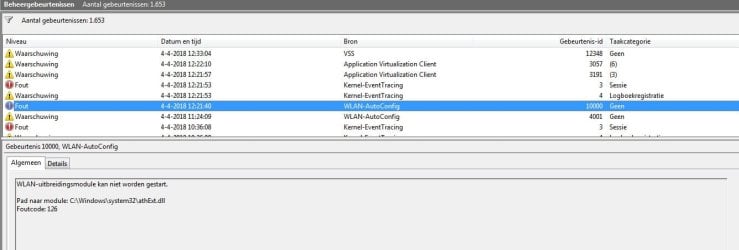
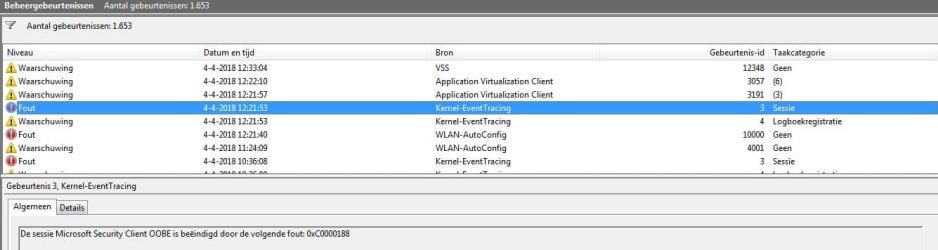
The last days, i use the windows-7 program: eventvwr for examening the logbooks
When i start the system there about 12 lines, with Windows 7 error reportings
I dont know wat caused these problems and i wonder if it can hurt my system.
Can somebody explain these errors?
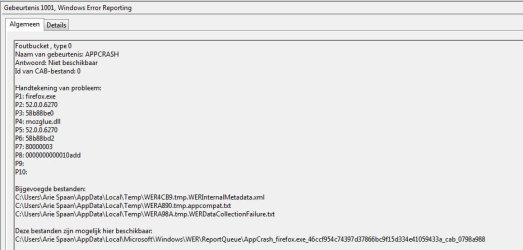
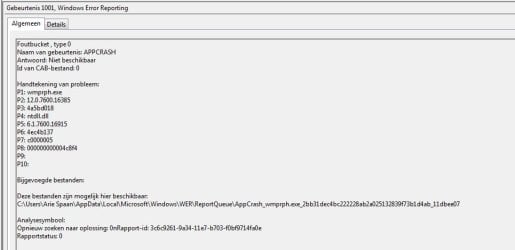
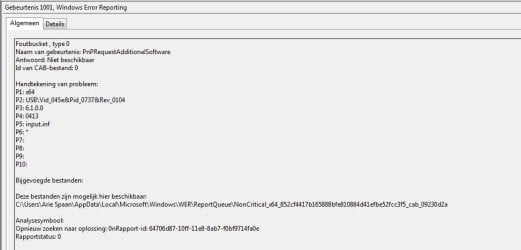
I added some 5 screenshots of de error-reports, all of them have the id=1001
When i start the system there about 12 lines, with Windows 7 error reportings
I dont know wat caused these problems and i wonder if it can hurt my system.
Can somebody explain these errors?
I added some 5 screenshots of de error-reports, all of them have the id=1001
Attachments


My Computer
At a glance
Windows-7 64 Bits Home PremiumIntel I5
- Computer type
- Laptop
- Computer Manufacturer/Model Number
- Sony
- OS
- Windows-7 64 Bits Home Premium
- CPU
- Intel I5