JavaScript is disabled. For a better experience, please enable JavaScript in your browser before proceeding.
You are using an out of date browser. It may not display this or other websites correctly.
You should upgrade or use an
alternative browser .
Windows 7 Instalation CD error
You said in your first post you replaced the HD.
after my harddrive crashing and getting a new one i installed a new one and now i am trying to install windows 7 on this fresh hardrive and it gives me this error after about 10 minutes of it installing nothing installs and i get this error " windows cannot install required files. The file does not exist"
New member
Member
VIP
Thread Starter
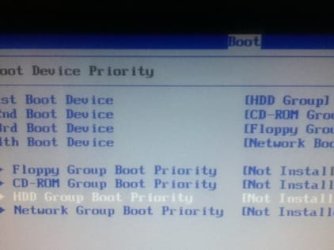
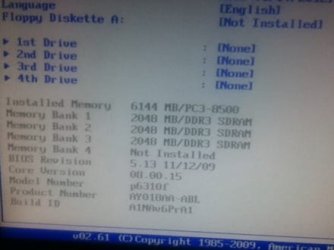
Ok so I go into my bios but. Ow the HD ist showing up
ImageUploadedBySevenForums1331167640.651214.jpg
14.1 KB
· Views: 1
ImageUploadedBySevenForums1331167670.092079.jpg
14.2 KB
· Views: 0
Computer type PC/Desktop Computer Manufacturer/Model Number Custom Build OS Microsoft Windows 7 Ultimate 64-bit 7601 Multiprocessor Free Service Pack 1 CPU Intel(R) Core(TM) i5-2400 CPU @ 3.10GHz Motherboard ASUSTeK COMPUTER INC. P8H61-M LE/CSM Memory 16.00 GB Graphics Card(s) NVIDIA GeForce GTX 660 Ti SC 3GB Sound Card (1) NVIDIA High Definition Audio (2) Realtek High Definiti Monitor(s) Displays 21.5" HP Screen Resolution 1600 x 900 x 32 bits (4294967296 colors) @ 60 Hz Hard Drives ST31000524AS ATA Device 7200 PSU OCZ 650W Bronze Plus Case Zalman Z9 Plus Mouse Razer naga molten edition Antivirus Microsoft Security Essentials along with Malwarbytes Browser Chrome Other Info Love computers but wanting to learn more about troubleshooting and wanting to contribute to this community!
New member
Member
VIP
Thread Starter
Computer type PC/Desktop Computer Manufacturer/Model Number Custom Build OS Microsoft Windows 7 Ultimate 64-bit 7601 Multiprocessor Free Service Pack 1 CPU Intel(R) Core(TM) i5-2400 CPU @ 3.10GHz Motherboard ASUSTeK COMPUTER INC. P8H61-M LE/CSM Memory 16.00 GB Graphics Card(s) NVIDIA GeForce GTX 660 Ti SC 3GB Sound Card (1) NVIDIA High Definition Audio (2) Realtek High Definiti Monitor(s) Displays 21.5" HP Screen Resolution 1600 x 900 x 32 bits (4294967296 colors) @ 60 Hz Hard Drives ST31000524AS ATA Device 7200 PSU OCZ 650W Bronze Plus Case Zalman Z9 Plus Mouse Razer naga molten edition Antivirus Microsoft Security Essentials along with Malwarbytes Browser Chrome Other Info Love computers but wanting to learn more about troubleshooting and wanting to contribute to this community!
You need to reinstall HD: change the cables, check the connections carefully, until it shows up.
New member
Member
VIP
Thread Starter
It won't let me enter bios for the most of it is this correctly set up?
Computer type PC/Desktop Computer Manufacturer/Model Number Custom Build OS Microsoft Windows 7 Ultimate 64-bit 7601 Multiprocessor Free Service Pack 1 CPU Intel(R) Core(TM) i5-2400 CPU @ 3.10GHz Motherboard ASUSTeK COMPUTER INC. P8H61-M LE/CSM Memory 16.00 GB Graphics Card(s) NVIDIA GeForce GTX 660 Ti SC 3GB Sound Card (1) NVIDIA High Definition Audio (2) Realtek High Definiti Monitor(s) Displays 21.5" HP Screen Resolution 1600 x 900 x 32 bits (4294967296 colors) @ 60 Hz Hard Drives ST31000524AS ATA Device 7200 PSU OCZ 650W Bronze Plus Case Zalman Z9 Plus Mouse Razer naga molten edition Antivirus Microsoft Security Essentials along with Malwarbytes Browser Chrome Other Info Love computers but wanting to learn more about troubleshooting and wanting to contribute to this community!
New member
Member
VIP
Thread Starter
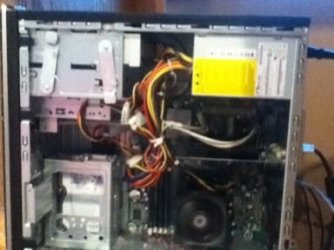
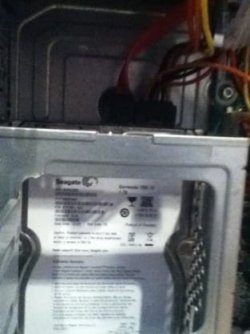
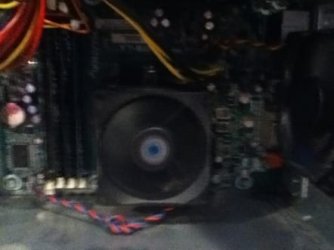
That fan is spinning so I assume that my mobo is fine but I dosent let me load up bios
ImageUploadedBySevenForums1331169204.862232.jpg
18 KB
· Views: 4
ImageUploadedBySevenForums1331169236.739535.jpg
16.3 KB
· Views: 3
ImageUploadedBySevenForums1331169256.564458.jpg
14.3 KB
· Views: 3
Computer type PC/Desktop Computer Manufacturer/Model Number Custom Build OS Microsoft Windows 7 Ultimate 64-bit 7601 Multiprocessor Free Service Pack 1 CPU Intel(R) Core(TM) i5-2400 CPU @ 3.10GHz Motherboard ASUSTeK COMPUTER INC. P8H61-M LE/CSM Memory 16.00 GB Graphics Card(s) NVIDIA GeForce GTX 660 Ti SC 3GB Sound Card (1) NVIDIA High Definition Audio (2) Realtek High Definiti Monitor(s) Displays 21.5" HP Screen Resolution 1600 x 900 x 32 bits (4294967296 colors) @ 60 Hz Hard Drives ST31000524AS ATA Device 7200 PSU OCZ 650W Bronze Plus Case Zalman Z9 Plus Mouse Razer naga molten edition Antivirus Microsoft Security Essentials along with Malwarbytes Browser Chrome Other Info Love computers but wanting to learn more about troubleshooting and wanting to contribute to this community!
YOu showed screenshots of your BIOS. Are you saying it won't let you enter BIOS all of the time? Is it possible you are missing the boot oppotunity with the hotkey? What happens when it fails?
New member
Member
VIP
Thread Starter
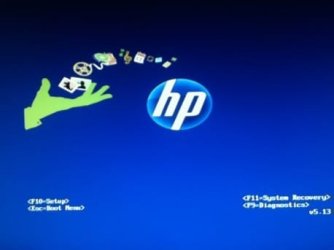
It stays at this screen even when I press the key
ImageUploadedBySevenForums1331169611.178239.jpg
9.8 KB
· Views: 1
Computer type PC/Desktop Computer Manufacturer/Model Number Custom Build OS Microsoft Windows 7 Ultimate 64-bit 7601 Multiprocessor Free Service Pack 1 CPU Intel(R) Core(TM) i5-2400 CPU @ 3.10GHz Motherboard ASUSTeK COMPUTER INC. P8H61-M LE/CSM Memory 16.00 GB Graphics Card(s) NVIDIA GeForce GTX 660 Ti SC 3GB Sound Card (1) NVIDIA High Definition Audio (2) Realtek High Definiti Monitor(s) Displays 21.5" HP Screen Resolution 1600 x 900 x 32 bits (4294967296 colors) @ 60 Hz Hard Drives ST31000524AS ATA Device 7200 PSU OCZ 650W Bronze Plus Case Zalman Z9 Plus Mouse Razer naga molten edition Antivirus Microsoft Security Essentials along with Malwarbytes Browser Chrome Other Info Love computers but wanting to learn more about troubleshooting and wanting to contribute to this community!
Then when were the camera snaps in post #63 taken?
New member
Member
VIP
Thread Starter
For the most of it bios dosent load but after a while it will load I'm trying to get into it right now I don't know why it does this
Computer type PC/Desktop Computer Manufacturer/Model Number Custom Build OS Microsoft Windows 7 Ultimate 64-bit 7601 Multiprocessor Free Service Pack 1 CPU Intel(R) Core(TM) i5-2400 CPU @ 3.10GHz Motherboard ASUSTeK COMPUTER INC. P8H61-M LE/CSM Memory 16.00 GB Graphics Card(s) NVIDIA GeForce GTX 660 Ti SC 3GB Sound Card (1) NVIDIA High Definition Audio (2) Realtek High Definiti Monitor(s) Displays 21.5" HP Screen Resolution 1600 x 900 x 32 bits (4294967296 colors) @ 60 Hz Hard Drives ST31000524AS ATA Device 7200 PSU OCZ 650W Bronze Plus Case Zalman Z9 Plus Mouse Razer naga molten edition Antivirus Microsoft Security Essentials along with Malwarbytes Browser Chrome Other Info Love computers but wanting to learn more about troubleshooting and wanting to contribute to this community!
New member
Member
VIP
Thread Starter
When I go to boot menu it says please insert proper boot media and setup or bios does not load it takes I long it does not load it says entering it it never dose
Computer type PC/Desktop Computer Manufacturer/Model Number Custom Build OS Microsoft Windows 7 Ultimate 64-bit 7601 Multiprocessor Free Service Pack 1 CPU Intel(R) Core(TM) i5-2400 CPU @ 3.10GHz Motherboard ASUSTeK COMPUTER INC. P8H61-M LE/CSM Memory 16.00 GB Graphics Card(s) NVIDIA GeForce GTX 660 Ti SC 3GB Sound Card (1) NVIDIA High Definition Audio (2) Realtek High Definiti Monitor(s) Displays 21.5" HP Screen Resolution 1600 x 900 x 32 bits (4294967296 colors) @ 60 Hz Hard Drives ST31000524AS ATA Device 7200 PSU OCZ 650W Bronze Plus Case Zalman Z9 Plus Mouse Razer naga molten edition Antivirus Microsoft Security Essentials along with Malwarbytes Browser Chrome Other Info Love computers but wanting to learn more about troubleshooting and wanting to contribute to this community!
The boot menu should also boot a disk or stick. See if that will work with the WIn7 installer.
New member
Member
VIP
Thread Starter
I tried booting a disk but now boot menu is not loading it just says boot menu is loading and sits there
Computer type PC/Desktop Computer Manufacturer/Model Number Custom Build OS Microsoft Windows 7 Ultimate 64-bit 7601 Multiprocessor Free Service Pack 1 CPU Intel(R) Core(TM) i5-2400 CPU @ 3.10GHz Motherboard ASUSTeK COMPUTER INC. P8H61-M LE/CSM Memory 16.00 GB Graphics Card(s) NVIDIA GeForce GTX 660 Ti SC 3GB Sound Card (1) NVIDIA High Definition Audio (2) Realtek High Definiti Monitor(s) Displays 21.5" HP Screen Resolution 1600 x 900 x 32 bits (4294967296 colors) @ 60 Hz Hard Drives ST31000524AS ATA Device 7200 PSU OCZ 650W Bronze Plus Case Zalman Z9 Plus Mouse Razer naga molten edition Antivirus Microsoft Security Essentials along with Malwarbytes Browser Chrome Other Info Love computers but wanting to learn more about troubleshooting and wanting to contribute to this community!
Once again, this all started after you installed a new HD, correct?
New member
Member
VIP
Thread Starter
Yes it did, I have checked the mobo thuoraly and their seems to be no lose wires or damage to the mobo as I am trying to boot the USB stick but it won't let me. Also the Sata cable connecting to the HD is it supposed to click when it's fully in? If so it dosent do that ad is fairly lose
Computer type PC/Desktop Computer Manufacturer/Model Number Custom Build OS Microsoft Windows 7 Ultimate 64-bit 7601 Multiprocessor Free Service Pack 1 CPU Intel(R) Core(TM) i5-2400 CPU @ 3.10GHz Motherboard ASUSTeK COMPUTER INC. P8H61-M LE/CSM Memory 16.00 GB Graphics Card(s) NVIDIA GeForce GTX 660 Ti SC 3GB Sound Card (1) NVIDIA High Definition Audio (2) Realtek High Definiti Monitor(s) Displays 21.5" HP Screen Resolution 1600 x 900 x 32 bits (4294967296 colors) @ 60 Hz Hard Drives ST31000524AS ATA Device 7200 PSU OCZ 650W Bronze Plus Case Zalman Z9 Plus Mouse Razer naga molten edition Antivirus Microsoft Security Essentials along with Malwarbytes Browser Chrome Other Info Love computers but wanting to learn more about troubleshooting and wanting to contribute to this community!
Jedi Master (RET)
Staff member
Guru
I haven't been following this thread, but I understand your system is basically freezing uo and it started when you installed a new hard drive. Have you tried to disconnect the power and sata cable from the new hard drive and boot into bios?
Computer type PC/Desktop Computer Manufacturer/Model Number ALWAYS UNDER CONSTRUCTION OS Windows 11 Pro CPU Ryzen 9 5900X Motherboard Asus X570 Crosshair Viii Hero Memory 32GB G Skill DDR4-3600 Graphics Card(s) EVGA RTX 3080 FTW 3 Ultra Sound Card On Board/Sennheiser PC37X Headset Monitor(s) Displays 3 X Asus 27" Screen Resolution 2560x1440 Hard Drives 2 X 1 TB NVME drives PSU EVGA 850 Case Phanteks Eclipse P400A Cooling EVGA 280 AIO Keyboard Logitech G510s/ Logitech G13 Mouse Logitech G502 Internet Speed 24/1 Antivirus ESET/MBAM Pro/SAS Pro Browser Chrome/ Firefox/ Edge
Computer type Laptop System Manufacturer/Model Number Dell 16 Plus OS Windows 11 Pro CPU Intel Ultra 9 288V Memory 32 GB LPDDR5X 8533 Monitor(s) Displays 16" Mini-LED HDR600 Touch 90 Hz Screen Resolution 2560X1600 Hard Drives 1 TB NVME
New member
Member
VIP
Thread Starter
Without the hd I can get into bios easy
Computer type PC/Desktop Computer Manufacturer/Model Number Custom Build OS Microsoft Windows 7 Ultimate 64-bit 7601 Multiprocessor Free Service Pack 1 CPU Intel(R) Core(TM) i5-2400 CPU @ 3.10GHz Motherboard ASUSTeK COMPUTER INC. P8H61-M LE/CSM Memory 16.00 GB Graphics Card(s) NVIDIA GeForce GTX 660 Ti SC 3GB Sound Card (1) NVIDIA High Definition Audio (2) Realtek High Definiti Monitor(s) Displays 21.5" HP Screen Resolution 1600 x 900 x 32 bits (4294967296 colors) @ 60 Hz Hard Drives ST31000524AS ATA Device 7200 PSU OCZ 650W Bronze Plus Case Zalman Z9 Plus Mouse Razer naga molten edition Antivirus Microsoft Security Essentials along with Malwarbytes Browser Chrome Other Info Love computers but wanting to learn more about troubleshooting and wanting to contribute to this community!
Jedi Master (RET)
Staff member
Guru
Then most likely it is connected wrong or the hard drive is bad. Try with another hard drive to make sure it is not a motherboard problem with the sata controllers.
Computer type PC/Desktop Computer Manufacturer/Model Number ALWAYS UNDER CONSTRUCTION OS Windows 11 Pro CPU Ryzen 9 5900X Motherboard Asus X570 Crosshair Viii Hero Memory 32GB G Skill DDR4-3600 Graphics Card(s) EVGA RTX 3080 FTW 3 Ultra Sound Card On Board/Sennheiser PC37X Headset Monitor(s) Displays 3 X Asus 27" Screen Resolution 2560x1440 Hard Drives 2 X 1 TB NVME drives PSU EVGA 850 Case Phanteks Eclipse P400A Cooling EVGA 280 AIO Keyboard Logitech G510s/ Logitech G13 Mouse Logitech G502 Internet Speed 24/1 Antivirus ESET/MBAM Pro/SAS Pro Browser Chrome/ Firefox/ Edge
Computer type Laptop System Manufacturer/Model Number Dell 16 Plus OS Windows 11 Pro CPU Intel Ultra 9 288V Memory 32 GB LPDDR5X 8533 Monitor(s) Displays 16" Mini-LED HDR600 Touch 90 Hz Screen Resolution 2560X1600 Hard Drives 1 TB NVME
New member
Member
VIP
Thread Starter
On my new hardrive the Sata cable dosent really stay on u can easily slide off easily on the old HD it stays on and has a grip on it
Computer type PC/Desktop Computer Manufacturer/Model Number Custom Build OS Microsoft Windows 7 Ultimate 64-bit 7601 Multiprocessor Free Service Pack 1 CPU Intel(R) Core(TM) i5-2400 CPU @ 3.10GHz Motherboard ASUSTeK COMPUTER INC. P8H61-M LE/CSM Memory 16.00 GB Graphics Card(s) NVIDIA GeForce GTX 660 Ti SC 3GB Sound Card (1) NVIDIA High Definition Audio (2) Realtek High Definiti Monitor(s) Displays 21.5" HP Screen Resolution 1600 x 900 x 32 bits (4294967296 colors) @ 60 Hz Hard Drives ST31000524AS ATA Device 7200 PSU OCZ 650W Bronze Plus Case Zalman Z9 Plus Mouse Razer naga molten edition Antivirus Microsoft Security Essentials along with Malwarbytes Browser Chrome Other Info Love computers but wanting to learn more about troubleshooting and wanting to contribute to this community!
New member
Member
VIP
Thread Starter
But same with the old jd nothing loads
Computer type PC/Desktop Computer Manufacturer/Model Number Custom Build OS Microsoft Windows 7 Ultimate 64-bit 7601 Multiprocessor Free Service Pack 1 CPU Intel(R) Core(TM) i5-2400 CPU @ 3.10GHz Motherboard ASUSTeK COMPUTER INC. P8H61-M LE/CSM Memory 16.00 GB Graphics Card(s) NVIDIA GeForce GTX 660 Ti SC 3GB Sound Card (1) NVIDIA High Definition Audio (2) Realtek High Definiti Monitor(s) Displays 21.5" HP Screen Resolution 1600 x 900 x 32 bits (4294967296 colors) @ 60 Hz Hard Drives ST31000524AS ATA Device 7200 PSU OCZ 650W Bronze Plus Case Zalman Z9 Plus Mouse Razer naga molten edition Antivirus Microsoft Security Essentials along with Malwarbytes Browser Chrome Other Info Love computers but wanting to learn more about troubleshooting and wanting to contribute to this community!