Hello,
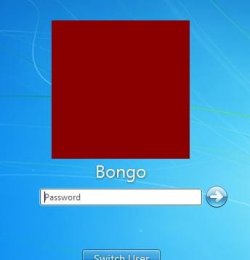
I'm looking for a possibility to change the highlighting of the users icons at the logon screen of windows 7. It's not easy to see, which user is highlighted. At the Vista logon-screen this was much easyer to perceive. The only information I can find, is how to change the background of the logon screen.
Greets Paka
I'm looking for a possibility to change the highlighting of the users icons at the logon screen of windows 7. It's not easy to see, which user is highlighted. At the Vista logon-screen this was much easyer to perceive. The only information I can find, is how to change the background of the logon screen.
Greets Paka
My Computer
- Computer type
- PC/Desktop
- Computer Manufacturer/Model Number
- medion
- OS
- windows 7 professional 32 bit
- CPU
- amd athlon 7750 dual core prozessor 2,7 GHz
- Memory
- 4.0 GB
- Antivirus
- antivir
- Browser
- firefox