- Local time
- 11:39 PM
- Messages
- 555
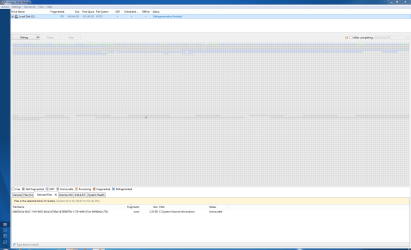
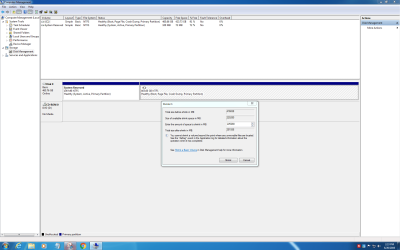
I was just trying to reduce the size of my C Drive and was not able to reduce it lower than 251558 MB out of 476838 MB? I was quite sure I had done this a few times before so what gives? I'm using the inbuilt Disk Management which I've also used before, but maybe not in this same way.
I was trying to bring it down to about 150GB and use the other space for a Linux Install. Again, computers make me feel so stupid.
Operating System
Windows 7 Pro 64-bit
CPU
Intel Core i7 3770 @ 3.40GHz 30 °C
Ivy Bridge 22nm Technology
RAM
8.00GB Dual-Channel DDR3 @ 798MHz (11-11-11-28)
Motherboard
Dell Inc. 051FJ8 (CPU 1) 28 °C
Graphics
DELL U2412M (1920x1200@64Hz)
Intel Microsoft Basic Display Adapter (Dell)
WD Black 2.5 500GB Laptop Drive
I was trying to bring it down to about 150GB and use the other space for a Linux Install. Again, computers make me feel so stupid.
Operating System
Windows 7 Pro 64-bit
CPU
Intel Core i7 3770 @ 3.40GHz 30 °C
Ivy Bridge 22nm Technology
RAM
8.00GB Dual-Channel DDR3 @ 798MHz (11-11-11-28)
Motherboard
Dell Inc. 051FJ8 (CPU 1) 28 °C
Graphics
DELL U2412M (1920x1200@64Hz)
Intel Microsoft Basic Display Adapter (Dell)
WD Black 2.5 500GB Laptop Drive
Attachments
My Computer
At a glance
Windows 7 Home Premium 64bitAMD A8-3520M6.00GB DDR3 @ 674MHz (9-9-9-24)512MB ATI AMD Radeon HD 6620G
- Computer type
- Laptop
- Computer Manufacturer/Model Number
- HP Pavilion dv7-6c23cl
- OS
- Windows 7 Home Premium 64bit
- CPU
- AMD A8-3520M
- Motherboard
- Hewlett-Packard 180B (Socket FS1)
- Memory
- 6.00GB DDR3 @ 674MHz (9-9-9-24)
- Graphics Card(s)
- 512MB ATI AMD Radeon HD 6620G
- Sound Card
- IDT High Definition Audio CODEC
- Monitor(s) Displays
- Generic PnP Monitor
- Screen Resolution
- (1600x900@60Hz)
- Hard Drives
- Samsung 850 EVO 250GB SSD
- Mouse
- Logitec M525
- Internet Speed
- 30-75Mbps
- Antivirus
- Avast Free, Unfortunately
- Browser
- Google Chrome, Firefox, IE