Windows 7 Professional vs. Home Premium

PetiePal

New member
Local time
4:03 PM
Messages
5
So I've done some research and kept up with all the info pouring out over the past few months and I'm trying to decide which version of Windows 7 to buy. Here are a few questions you smarties can probably answer with ease!:

1. I'm looking at getting the Full not upgrade copy of either version I end up choosing. Now upgrade copies only let you upgrade from a previous XP/Vista installation. Does the Full edition let you upgrade as well if you choose to do so instead of a clean wipe and install?

2. Home Premium vs. Professional - I know in Professional you get domain features, encryption, remote desktop. (I may really want Remote Desktop to be able to log into my machine at home from work or on the road etc, so annoying it's not included standard anymore since Vista) However are there any features that are "omitted" from Professional in this higher version? What might they be?

3. Anyone got a quick linking or remember the pricing for full editions?

4. How many licenses per copy do you get, 3?

5. What editions are YOU getting and why?

Thanks in advance!
 

My Computer My Computer

Computer Manufacturer/Model Number
Home built
OS
Windows 7 & Vista
CPU
Core i7 920
Motherboard
Asus
Memory
6GB
Graphics Card(s)
ATI Readon 9800
Sound Card
board
Monitor(s) Displays
24" Dell LCD
Hard Drives
1.5TB Seagate
PSU
Antec
Case
Antec
Cooling
Fan
I'm not very smart, but I will go for Ultimate, the answer is simple: I've tried all Vista editions and Ultimate was ON THE TOP with the PERFORMANCE. I think same with Win 7. I don't need some of the features, but the Vista experience..
 

My Computer My Computer

Computer Manufacturer/Model Number
Dell 500
OS
Windows 7 Ultimate x64 Build 7600
CPU
Intel Celeron M
Motherboard
Mobile Intel GM965
Memory
2Gb
Graphics Card(s)
Intel GM965
Hard Drives
120Gb
Something I wish they would have incorporated was the ability to unselect certain components you didn't want in the Ultimate edition. Like I could care less about Bitlocker on a home machine. When you're paying THAT much for an edition it should be pretty customizable.

Honestly a Home, Professional and Ultimate trio would have been the smartest way to sell and brand 7. Maybe allow you to select and choose what features you wanted past Professional and charge piece by piece for it.
 

My Computer My Computer

Computer Manufacturer/Model Number
Home built
OS
Windows 7 & Vista
CPU
Core i7 920
Motherboard
Asus
Memory
6GB
Graphics Card(s)
ATI Readon 9800
Sound Card
board
Monitor(s) Displays
24" Dell LCD
Hard Drives
1.5TB Seagate
PSU
Antec
Case
Antec
Cooling
Fan
Upgrade versions only allow in-place upgrade exactly like a full retail copy would. You can only do an in-place upgrade of Vista, not XP, for like-Editions or lower-to-higher, and both must be same x86/x64 architecture - you cannot in-place upgrade x86 to x64 (this also applies to the Windows Easy Transfer function).

You can do a clean install with either upgrade or retail disc, but how the upgrade version will handle the previous licensing verification is still under speculation, whether you need an activated XP or Vista partition on disk, or just have the original installation disc, or enter the original key, nobody knows for sure.

Edit: There is only one license per copy. And you can customize in the Control Panel / Programs and Features - there's a link on the left "Turn Windows features on or off".
 

My Computer My Computer

Computer Manufacturer/Model Number
Custom workstation /// Lenovo X61t tablet notebook
OS
Windows 7 RTM x64
CPU
Core i7 980X @ 4.04GHz OC /// Core Duo L7500 @ 1.6GHz
Motherboard
Asus P6T6 WS Revolution ///
Memory
12GB G. Skill @ DDR-1600 OC /// 4GB
Graphics Card(s)
Saphire HD4870 Toxic 1GB /// Intel Mobile GMA X3100
Monitor(s) Displays
Dual Eizo 24" SX2461W /// 12"
Screen Resolution
1920x1200 /// 1400x1050
Hard Drives
Workstation:
5x 750GB Barracuda-11 on Areca ARC-1220;
4x 1.5TB Barracuda-11 on Intel ICH10R;
Volumes:
300GB RAID 0, 2.7TB RAID 10 on Intel;
100GB RAID 0, 1.4TB RAID 10 on Areca ///
Notebook: G.Skill Titan 256GB SSD
PSU
Tagan ITZ 1100
Case
GHS-1500 ///
Cooling
Thermalright IFX-14 + a slew of stealth fans ///
Keyboard
Logitech Edge ///
Mouse
Logitech Wireless Optical Trackball
Internet Speed
5Mbps down / 820Kbps up
Other Info
Main use: photography;
DVD Drive: L.G GGW-H20L Blu-Ray / DVD;
OC: QPI/DRAM @ 1.33v, CPU @ 1.293v, DRAM Bus @ 1.65v, CPU PLL @ 1.88v, CPU mult = 25x, BCLK = 160, DDR3-1604 @ 7-8-7-24
I'm not very smart, but I will go for Ultimate, the answer is simple: I've tried all Vista editions and Ultimate was ON THE TOP with the PERFORMANCE. I think same with Win 7. I don't need some of the features, but the Vista experience..
Well apparently you're not, because the performance is the same for all the versions. If you don't need the features why on earth would you pay for them?
 

My Computer My Computer

Computer Manufacturer/Model Number
Apple
OS
Mac OS X
CPU
Core 2 Duo 2.66GHz
Memory
4GB DDR3
Graphics Card(s)
Nvidia GeForce 9600M GT
Monitor(s) Displays
15" LED-backlit LCD
Screen Resolution
1440x900
Hard Drives
320GB 5400RPM Hitachi
as sonyman stated performance will be the same irispective of SKU.
 

My Computer My Computer

Computer Manufacturer/Model Number
self built
OS
Windows 7 Professional 64-bit
CPU
Intel E8400 3GHz
Motherboard
Intel DX48BT2
Memory
Kingston PC3-10700H 4Gb
Graphics Card(s)
XFX Radeon HD 5850 BlackEd.
Sound Card
Asus Xonar DG
Monitor(s) Displays
2x Samsung SM-T220HD 22"
Screen Resolution
1680x1050 on two monitors
Hard Drives
OCZ Vertex 2 120gb 3.5" (OS)
Seagate Momentus XT 500gb
Samsung F3 1Tb (games)
2x Samsung F1 1Tb
PSU
Thermaltake ToughPower 850w
Case
Thermaltake Armor
Cooling
Scythe Mugen II
Keyboard
Microsoft Comfort Curve USB
Mouse
Razer Diamondback 3G
Internet Speed
8128/443
in my opinion, it is simple, if you do not know if you need the features, buy the home premium, if you miss something after, do an anytime upgrade. IF THAT IS TO COMPLICATED FOR YOU, I'm sure you have not the skill's to use the features from the higther versions.
 

My Computer My Computer

OS
Windows 7 / Linux Mint
My initial question was if there's any features in Home Premium that are removed in a greater version. This was done in the past with Vista.

RDP is pretty important to me I'd love to be able to check on my comp from the road or work. Someone mentioned disabling or uninstalling other features from add/remove system components. Does that include things like Bitlocker, etc?
 

My Computer My Computer

Computer Manufacturer/Model Number
Home built
OS
Windows 7 & Vista
CPU
Core i7 920
Motherboard
Asus
Memory
6GB
Graphics Card(s)
ATI Readon 9800
Sound Card
board
Monitor(s) Displays
24" Dell LCD
Hard Drives
1.5TB Seagate
PSU
Antec
Case
Antec
Cooling
Fan
My initial question was if there's any features in Home Premium that are removed in a greater version.

No.
 

My Computers My Computers

System One System Two

  • Computer type
    PC/Desktop
    OS
    7 X64
    CPU
    i5 8400
    Motherboard
    gigabyte b365m ds3h
    Memory
    2x8gb 3200mhz
    Hard Drives
    various
    PSU
    pure power 11 400w cm
    Case
    Coolermaster
    Cooling
    cryorig m9i
  • Computer type
    PC/Desktop
    OS
    7x64
    CPU
    g5400
    Motherboard
    ga b365m ds3h
    Memory
    8gb ddr4 2400
    PSU
    xfx pro 450w
My initial question was if there's any features in Home Premium that are removed in a greater version. This was done in the past with Vista.

RDP is pretty important to me I'd love to be able to check on my comp from the road or work. Someone mentioned disabling or uninstalling other features from add/remove system components. Does that include things like Bitlocker, etc?
hey friends just use Ultimate not this stripped crap what they call even Premium or Pro..:D
 

My Computer My Computer

Computer Manufacturer/Model Number
Dell 500
OS
Windows 7 Ultimate x64 Build 7600
CPU
Intel Celeron M
Motherboard
Mobile Intel GM965
Memory
2Gb
Graphics Card(s)
Intel GM965
Hard Drives
120Gb
You pay the price for going ultimate and the majority of new users wont need it.
 

My Computer My Computer

Computer Manufacturer/Model Number
self built
OS
Windows 7 Professional 64-bit
CPU
Intel E8400 3GHz
Motherboard
Intel DX48BT2
Memory
Kingston PC3-10700H 4Gb
Graphics Card(s)
XFX Radeon HD 5850 BlackEd.
Sound Card
Asus Xonar DG
Monitor(s) Displays
2x Samsung SM-T220HD 22"
Screen Resolution
1680x1050 on two monitors
Hard Drives
OCZ Vertex 2 120gb 3.5" (OS)
Seagate Momentus XT 500gb
Samsung F3 1Tb (games)
2x Samsung F1 1Tb
PSU
Thermaltake ToughPower 850w
Case
Thermaltake Armor
Cooling
Scythe Mugen II
Keyboard
Microsoft Comfort Curve USB
Mouse
Razer Diamondback 3G
Internet Speed
8128/443
Yeah, just waste my money on features I will never need. . .

No, thanks.

If I was paying for the software, I'd get home premium because I don't need any of the other features OR, I could always add 3rd party applications (mostly free) like TrueCrypt to get those features I might need in the future, or anytime upgrade if necessary in the future.

If you really need or like RDT, then go for Pro, although there are 3rd party apps for that feature as well, although I've never tried them.

In my case, I'm getting Ultimate because I will shortly have a TechNet subscription so I don't have to pay separately for it, but if I was paying for it, I'd get HP for sure. And I'd get an upgrade version rather than full. There is always going to be some fairly easy way to install it. There is no general performance difference between the versions unless you are planning on adding a lot of ram. The higher versions support more ram. But HP supports more than enough ram for 99.9% of people.

But some people can't be bothered to think think things through for themselves and just buy Ultimate. MS loves you.
 

My Computer My Computer

Computer Manufacturer/Model Number
HP DV8t quad
OS
Windows 7 Ultimate x64 (Retail)
CPU
i7-Q 720
Motherboard
Motherboard Chipset Intel Ibex Peak-M PM55, Intel Lynnfield
Memory
6 GB
Graphics Card(s)
nVidia GeForce GT 230M (1GB)
Sound Card
IDT High Definition Audio CODEC
Monitor(s) Displays
18.4 inch HP Infinity FHD (Samsung 184HT03-001)
Screen Resolution
1920 x 1080
Hard Drives
Hitachi 500GB 7200 rpm (x2)
Seagate FreeAgent 1.5 TB External USB (x2)
Thermaltake BlacX eSATA/USB 2.0 3.5/2.5 HD dock
Cooling
Zalman NC-2000 notebook cooling pad
Keyboard
laptop
Mouse
Logitech VX Revolution
Other Info
Backup Unit: Lenovo T61p
Yeah, just waste my money on features I will never need. . .

No, thanks.

If I was paying for the software, I'd get home premium because I don't need any of the other features OR, I could always add 3rd party applications (mostly free) like TrueCrypt to get those features I might need in the future, or anytime upgrade if necessary in the future.

If you really need or like RDT, then go for Pro, although there are 3rd party apps for that feature as well, although I've never tried them.

In my case, I'm getting Ultimate because I will shortly have a TechNet subscription so I don't have to pay separately for it, but if I was paying for it, I'd get HP for sure. And I'd get an upgrade version rather than full. There is always going to be some fairly easy way to install it. There is no general performance difference between the versions unless you are planning on adding a lot of ram. The higher versions support more ram. But HP supports more than enough ram for 99.9% of people.

But some people can't be bothered to think think things through for themselves and just buy Ultimate. MS loves you.

You got that right my friend! :D
MS loves your money! :p
Most people don't know exactly the differences between the versions but they go Ultimate for nothing.

For me HP is good enough, I dualboot with XP and I don't need MS virtual piece of s... and the other feature from Ultimate.
 

My Computer My Computer

Computer Manufacturer/Model Number
MasterB/Custom
OS
Windows 7 Professional x64
CPU
QuadCore AMD Phenom II X4 Black Edition 955 3.2 GHz
Motherboard
Asus M4A785TD-V Evo
Memory
8 GB Crucial DDR3
Graphics Card(s)
SAPPHIRE Radeon HD 4890 1GB HDMI New Edition
Sound Card
VIA VT1708S HD Audio 7.1 onboard/ ATI HDMI video card
Monitor(s) Displays
Acer H233H 23'' LCD HDMI
Screen Resolution
1920x1080
Hard Drives
1x 500GB and 1x 1TB 7200RPM 32MB Cache WD Caviar Black
PSU
CORSAIR CMPSU-620HX 620W
Case
COOLER MASTER Storm Scout SGC-2000
Cooling
2x 140mm and 1x 120mm case fans, Stock CPU fan
Keyboard
Logitech MX 3200
Mouse
Logitech MX 3200
Internet Speed
15 Mbps
Other Info
My first build!
Remote Desktop can be done by free softwares like Teamviewer. Just open the Quick Start Customer client and write down the ID and Password and take it with you, then you can connect from anywhere to your home PC and take "all control".
 

My Computer My Computer

OS
Windows 7 RTM x64
CPU
Intel Core 2 Duo E6750 @ 3.2Ghz
Motherboard
Gigabyte P35-DQ6
Memory
4 x 1GB OCZ Flexxx CL3
Graphics Card(s)
nVIDIA GeForce 8800GT
Sound Card
Creative Audigy ZS Platinium Pro
Monitor(s) Displays
22" Samsung 2232BW
Screen Resolution
1680*1050
Hard Drives
2 x 320GB Seagate 7200.11 (RAID0)
1TB Western Digital 7200rpm
PSU
Tagan 380Watt
Case
Thermaltake VA3000SWA
Cooling
Stock + 12cm Case Fans
Keyboard
Logitech S510
Mouse
Logitech G5
Internet Speed
4mbits/1mbits
About the only thing I see in Ultimate that might be of interest to the average home user ..
would be the ability to backup your operating system.
But, You can Get Acronis to do this for a lot less .. and use it on any of your computers.

I have Home Premium on order .. In case I'm forced to discard XP
 

My Computer My Computer

Computer Manufacturer/Model Number
HP d4996t (upgraded)
OS
XP MCE .... XP Pro 64 .... W7 U x64
CPU
E6750, 2.67GHz C2D
Memory
4GB, PC2 6400
Graphics Card(s)
GeForce 9400GT
Monitor(s) Displays
Twin Samsung 2443BWT
Screen Resolution
1920x1200
Hard Drives
Many .. 3 Installed
PSU
460W
Internet Speed
Cable
About the only thing I see in Ultimate that might be of interest to the average home user ..
would be the ability to backup your operating system.

Actually all versions of Windows 7 will allow you to backup your operating system...including the ability to create a "system image". The only thing that you can do with Ultimate, Professional or Enterprise that cannot be done with other versions is backup to a network location. With any version of Windows 7, you can backup to DVD, hard drive or external drive.

RDP is easily replaceable with a handful of free options...including VNC. Security does vary..but for most internal network home use...it's not much of a concern.

I went with Ultimate for my new computer because I am a systems admin and do have an active directory domain controller running at home and I wanted the ability to join the domain. Therefore, I picked the Vista 64-bit OEM from NewEgg with free upgrade to Windows 7. Think it was about $185 if I remember correctly.
 

My Computer My Computer

Computer Manufacturer/Model Number
Self-Built in July 2009
OS
Windows 7 Ultimate x64
CPU
Intel Q9550 2.83Ghz OC'd to 3.40Ghz
Motherboard
Gigabyte GA-EP45-UD3R rev. 1.1, F12 BIOS
Memory
8GB G.Skill PI DDR2-800, 4-4-4-12 timings
Graphics Card(s)
EVGA 1280MB Nvidia GeForce GTX570
Sound Card
Realtek ALC899A 8 channel onboard audio
Monitor(s) Displays
23" Acer x233H
Screen Resolution
1920x1080
Hard Drives
Intel X25-M 80GB Gen 2 SSD
Western Digital 1TB Caviar Black, 32MB cache. WD1001FALS
PSU
Corsair 620HX modular
Case
Antec P182
Cooling
stock
Keyboard
ABS M1 Mechanical
Mouse
Logitech G9 Laser Mouse
Internet Speed
15/2 cable modem
Other Info
Windows and Linux enthusiast. Logitech G35 Headset.
You pay the price for going ultimate and the majority of new users wont need it.
True, but his will be bigger than yours ... :thumbsup:

Actually I'm an old power user but HP works for me - I have no need for domains or Bitlocker and such.
 

My Computer My Computer

Computer Manufacturer/Model Number
Custom workstation /// Lenovo X61t tablet notebook
OS
Windows 7 RTM x64
CPU
Core i7 980X @ 4.04GHz OC /// Core Duo L7500 @ 1.6GHz
Motherboard
Asus P6T6 WS Revolution ///
Memory
12GB G. Skill @ DDR-1600 OC /// 4GB
Graphics Card(s)
Saphire HD4870 Toxic 1GB /// Intel Mobile GMA X3100
Monitor(s) Displays
Dual Eizo 24" SX2461W /// 12"
Screen Resolution
1920x1200 /// 1400x1050
Hard Drives
Workstation:
5x 750GB Barracuda-11 on Areca ARC-1220;
4x 1.5TB Barracuda-11 on Intel ICH10R;
Volumes:
300GB RAID 0, 2.7TB RAID 10 on Intel;
100GB RAID 0, 1.4TB RAID 10 on Areca ///
Notebook: G.Skill Titan 256GB SSD
PSU
Tagan ITZ 1100
Case
GHS-1500 ///
Cooling
Thermalright IFX-14 + a slew of stealth fans ///
Keyboard
Logitech Edge ///
Mouse
Logitech Wireless Optical Trackball
Internet Speed
5Mbps down / 820Kbps up
Other Info
Main use: photography;
DVD Drive: L.G GGW-H20L Blu-Ray / DVD;
OC: QPI/DRAM @ 1.33v, CPU @ 1.293v, DRAM Bus @ 1.65v, CPU PLL @ 1.88v, CPU mult = 25x, BCLK = 160, DDR3-1604 @ 7-8-7-24
Yeah, when I bought Vista, I bought Home Premium. If I hadn't been given Ultimate, I would never have upgraded. With Win7, if I didn't have Technet, I would get Home Premium as well. BitLocker, language packs and XP Mode would not be enough for me to upgrade.
 

My Computer My Computer

Computer type
PC/Desktop
Computer Manufacturer/Model Number
SuperBeast
OS
Windows 10 Tech Preview 9926 x64
CPU
AMD FX-8350
Motherboard
Gigabyte GA-990FXA-UD3
Memory
16GB DDR3 1333
Graphics Card(s)
Asus R9 290 DirectCU II OC, Gigabyte Windforce R9 290 OC
Sound Card
Integrated w/ Creative A250 2.1 speakers
Monitor(s) Displays
Main: Asus VN289H 28" Secondary: Acer G246HL 24"
Screen Resolution
1920x1080
Hard Drives
128 GB SanDisk Ultra Plus (Windows drive)

240 GB Crucial M500 SSD (Games drive)

1 TB WDC WD10EACS 7200RPM HDD (Data drive)

2 TB Seagate Expansion Desktop external HDD (Backup drive)
PSU
900w Antec HCG-900
Case
Raidmax Agusta Full ATX
Cooling
Corsair H80
Keyboard
Cooler Master Devastator MB24
Mouse
Cooler Master Devastator MS2K 1000/1600/2000 DPI
Internet Speed
100Mbps cable
Antivirus
Avast!
Browser
Chrome
Yeah, when I bought Vista, I bought Home Premium. If I hadn't been given Ultimate, I would never have upgraded. With Win7, if I didn't have Technet, I would get Home Premium as well. BitLocker, language packs and XP Mode would not be enough for me to upgrade.
try ultimate man. you will see the PERFORMANCE compared to s**king of these 'home premium':p
 

My Computer My Computer

Computer Manufacturer/Model Number
Dell 500
OS
Windows 7 Ultimate x64 Build 7600
CPU
Intel Celeron M
Motherboard
Mobile Intel GM965
Memory
2Gb
Graphics Card(s)
Intel GM965
Hard Drives
120Gb
try ultimate man. you will see the PERFORMANCE compared to s**king of these 'home premium':p
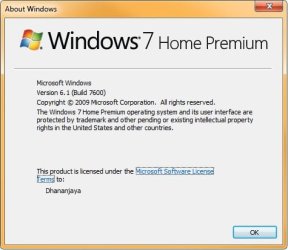
Oh, dang! I'd forgotten all about those "Ultimate Accelerators" :sarc:! If I'm lucky somebody here will have a hack so I can use them in my Home Premium without having to pay extra ... :p

Edit: I just realized that's why my Home Premium 7600 install is running so much slower than all my previous Ultimate installations!
 

Attachments

  • About.jpg
    About.jpg
    25.5 KB · Views: 729

My Computer My Computer

Computer Manufacturer/Model Number
Custom workstation /// Lenovo X61t tablet notebook
OS
Windows 7 RTM x64
CPU
Core i7 980X @ 4.04GHz OC /// Core Duo L7500 @ 1.6GHz
Motherboard
Asus P6T6 WS Revolution ///
Memory
12GB G. Skill @ DDR-1600 OC /// 4GB
Graphics Card(s)
Saphire HD4870 Toxic 1GB /// Intel Mobile GMA X3100
Monitor(s) Displays
Dual Eizo 24" SX2461W /// 12"
Screen Resolution
1920x1200 /// 1400x1050
Hard Drives
Workstation:
5x 750GB Barracuda-11 on Areca ARC-1220;
4x 1.5TB Barracuda-11 on Intel ICH10R;
Volumes:
300GB RAID 0, 2.7TB RAID 10 on Intel;
100GB RAID 0, 1.4TB RAID 10 on Areca ///
Notebook: G.Skill Titan 256GB SSD
PSU
Tagan ITZ 1100
Case
GHS-1500 ///
Cooling
Thermalright IFX-14 + a slew of stealth fans ///
Keyboard
Logitech Edge ///
Mouse
Logitech Wireless Optical Trackball
Internet Speed
5Mbps down / 820Kbps up
Other Info
Main use: photography;
DVD Drive: L.G GGW-H20L Blu-Ray / DVD;
OC: QPI/DRAM @ 1.33v, CPU @ 1.293v, DRAM Bus @ 1.65v, CPU PLL @ 1.88v, CPU mult = 25x, BCLK = 160, DDR3-1604 @ 7-8-7-24
Back
Top