Solved Windows automatically reverts user type to 'Standard'

I have enabled the 'Administrator' account. Now, when I boot my computer it takes me to the log in screen (instead of bypassing it and going right to my account called 'user') with only one option, 'Administrator'. I can log into it just fine, it's what I'm using to reply right now as I can't find a visible way to access my 'user' account. What would the next step be from here?
 

My Computer My Computer

Computer type
Laptop
Computer Manufacturer/Model Number
Toshiba Satellite A665-S5173
OS
Windows 7 Home Premium x64 SP1
CPU
Intel Core i5 480M, 2.67 GHz with Turbo to 2.9 GHz
Motherboard
Toshiba NWQAA (CPU), PSAW0U-0L3031
Memory
Samsung 2x2 GB, 667 MHz DDR3
Graphics Card(s)
Intel HD Graphics first gen (Arrandale)
Sound Card
Intel Display Audio, Realtek HD Audio
Monitor(s) Displays
LP156WH2-TLAA (built in)
Screen Resolution
1366x768
Hard Drives
Hitachi 500 GB, 5400 RPM, SATA-II 3.0Gb/s
Keyboard
US+Numkey layout, backlit.
Mouse
MS Comfort Optical 3000 with some extra weight added.
Internet Speed
Horrible, with brief blips of momentary sanity.
Antivirus
MSE
Browser
FF 23.0.1
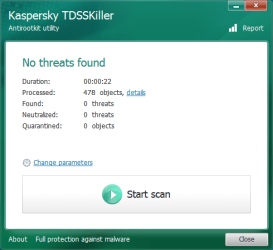
Run TDSSKILLER on the builtin account then run ESET online scanner on the Administrator account .
 

My Computer My Computer

Computer Manufacturer/Model Number
Custom Built
OS
Windows 7 Ultimate 32-Bit & Windows 7 Ultimate 64-Bit
CPU
Intel Core i7 CPU 950 @ 3.07GHz
Motherboard
ASUS P6T DELUXE V2
Memory
OCZ 6GB (3 x 2GB) 240-Pin DDR3 SDRAM DDR3 1600 OCZ3X1600R2
Graphics Card(s)
ATI Radeon HD 5700 Series
Sound Card
OnBoard
Hard Drives
WD6400AACS-00M3B0 (640GB SATA )
PSU
CORSAIR 850w
Case
NZXT LEXA
Cooling
Intel Stock Heatsink Fan
Keyboard
Microsoft Wireless Laser Keyboard 7000
Mouse
Microsoft Wireless Laser Mouse 7000
Run TDSSKILLER on the builtin account then run ESET online scanner on the Administrator account .

Pardon my ignorance, but which account is the built-in account? And by 'Administrator' you mean the Administrator account I just enabled, correct?
 

My Computer My Computer

Computer type
Laptop
Computer Manufacturer/Model Number
Toshiba Satellite A665-S5173
OS
Windows 7 Home Premium x64 SP1
CPU
Intel Core i5 480M, 2.67 GHz with Turbo to 2.9 GHz
Motherboard
Toshiba NWQAA (CPU), PSAW0U-0L3031
Memory
Samsung 2x2 GB, 667 MHz DDR3
Graphics Card(s)
Intel HD Graphics first gen (Arrandale)
Sound Card
Intel Display Audio, Realtek HD Audio
Monitor(s) Displays
LP156WH2-TLAA (built in)
Screen Resolution
1366x768
Hard Drives
Hitachi 500 GB, 5400 RPM, SATA-II 3.0Gb/s
Keyboard
US+Numkey layout, backlit.
Mouse
MS Comfort Optical 3000 with some extra weight added.
Internet Speed
Horrible, with brief blips of momentary sanity.
Antivirus
MSE
Browser
FF 23.0.1
Correct the built-in Administrator account is Administrator. Login to that account . To run tdsskiller and the other tools on the previous post
 

My Computer My Computer

Computer Manufacturer/Model Number
Custom Built
OS
Windows 7 Ultimate 32-Bit & Windows 7 Ultimate 64-Bit
CPU
Intel Core i7 CPU 950 @ 3.07GHz
Motherboard
ASUS P6T DELUXE V2
Memory
OCZ 6GB (3 x 2GB) 240-Pin DDR3 SDRAM DDR3 1600 OCZ3X1600R2
Graphics Card(s)
ATI Radeon HD 5700 Series
Sound Card
OnBoard
Hard Drives
WD6400AACS-00M3B0 (640GB SATA )
PSU
CORSAIR 850w
Case
NZXT LEXA
Cooling
Intel Stock Heatsink Fan
Keyboard
Microsoft Wireless Laser Keyboard 7000
Mouse
Microsoft Wireless Laser Mouse 7000
Also, from the built in Administrator account, click start and type in run in the search box and press enter. Then type in "Control Userpasswords2" in the run box (it may be Control Useraccounts2, I'm not sure, and switch your account to Admin from there :)
 

My Computer My Computer

Computer type
PC/Desktop
OS
.
Correct the built-in Administrator account is Administrator. Login to that account . To run tdsskiller and the other tools on the previous post
I ran TDSSKiller, and was running ESET last night when my computer hibernated. I've changed the power settings to not hibernate, and am running ESET again. I will update with the log when it finishes.

Also, from the built in Administrator account, click start and type in run in the search box and press enter. Then type in "Control Userpasswords2" in the run box (it may be Control Useraccounts2, I'm not sure, and switch your account to Admin from there :)
Thank you for the advice! I had tried that previously under my 'user' account, but since I had lost my 'Administrator' privileges, I was unable to change the account type. Something I found odd was that the account type before I switched it back to 'Administrator' was 'HelpLibraryUpdaters'. However, I successfully changed the account type back to 'Administrator.
 

My Computer My Computer

Computer type
Laptop
Computer Manufacturer/Model Number
Toshiba Satellite A665-S5173
OS
Windows 7 Home Premium x64 SP1
CPU
Intel Core i5 480M, 2.67 GHz with Turbo to 2.9 GHz
Motherboard
Toshiba NWQAA (CPU), PSAW0U-0L3031
Memory
Samsung 2x2 GB, 667 MHz DDR3
Graphics Card(s)
Intel HD Graphics first gen (Arrandale)
Sound Card
Intel Display Audio, Realtek HD Audio
Monitor(s) Displays
LP156WH2-TLAA (built in)
Screen Resolution
1366x768
Hard Drives
Hitachi 500 GB, 5400 RPM, SATA-II 3.0Gb/s
Keyboard
US+Numkey layout, backlit.
Mouse
MS Comfort Optical 3000 with some extra weight added.
Internet Speed
Horrible, with brief blips of momentary sanity.
Antivirus
MSE
Browser
FF 23.0.1
Take your time on the logs .
 

My Computer My Computer

Computer Manufacturer/Model Number
Custom Built
OS
Windows 7 Ultimate 32-Bit & Windows 7 Ultimate 64-Bit
CPU
Intel Core i7 CPU 950 @ 3.07GHz
Motherboard
ASUS P6T DELUXE V2
Memory
OCZ 6GB (3 x 2GB) 240-Pin DDR3 SDRAM DDR3 1600 OCZ3X1600R2
Graphics Card(s)
ATI Radeon HD 5700 Series
Sound Card
OnBoard
Hard Drives
WD6400AACS-00M3B0 (640GB SATA )
PSU
CORSAIR 850w
Case
NZXT LEXA
Cooling
Intel Stock Heatsink Fan
Keyboard
Microsoft Wireless Laser Keyboard 7000
Mouse
Microsoft Wireless Laser Mouse 7000

My Computer My Computer

Computer type
Laptop
Computer Manufacturer/Model Number
Toshiba Satellite A665-S5173
OS
Windows 7 Home Premium x64 SP1
CPU
Intel Core i5 480M, 2.67 GHz with Turbo to 2.9 GHz
Motherboard
Toshiba NWQAA (CPU), PSAW0U-0L3031
Memory
Samsung 2x2 GB, 667 MHz DDR3
Graphics Card(s)
Intel HD Graphics first gen (Arrandale)
Sound Card
Intel Display Audio, Realtek HD Audio
Monitor(s) Displays
LP156WH2-TLAA (built in)
Screen Resolution
1366x768
Hard Drives
Hitachi 500 GB, 5400 RPM, SATA-II 3.0Gb/s
Keyboard
US+Numkey layout, backlit.
Mouse
MS Comfort Optical 3000 with some extra weight added.
Internet Speed
Horrible, with brief blips of momentary sanity.
Antivirus
MSE
Browser
FF 23.0.1
Download Windows Repair by Tweaking.com and unzip the contents into a newly created folder on your desktop.
Now run Repair_Windows.exe by right clicking and select
mawket.jpg
)
Now select the Start Repairs tab.
The click the Start button.
Create a System Restore point if prompted.
On the next screen, click the Unselect All button to first deselect all repairs.
Now select the following repair options:
◻ Reset Registry Permissions
◻ Reset File Permissions
◻ Register System Files
◻ Repair WMI
◻ Repair Windows Firewall
◻ Remove Policies Set By Infections
◻ Repair Winsock & DNS Cache
◻ Repair Proxy Settings
◻ Repair Windows Updates
◻ Set Windows Services To Default Startup
Now on the lower right side check the box to Restart/Shutdown System When Finished
Then make sure the Restart System radio button is enabled.
Shutdown any other programs that you are running now before continuing.
Now click the Start button.
Be patient while the tool repairs the selected items.
It should reboot automatically when finished.
 

My Computer My Computer

Computer Manufacturer/Model Number
Custom Built
OS
Windows 7 Ultimate 32-Bit & Windows 7 Ultimate 64-Bit
CPU
Intel Core i7 CPU 950 @ 3.07GHz
Motherboard
ASUS P6T DELUXE V2
Memory
OCZ 6GB (3 x 2GB) 240-Pin DDR3 SDRAM DDR3 1600 OCZ3X1600R2
Graphics Card(s)
ATI Radeon HD 5700 Series
Sound Card
OnBoard
Hard Drives
WD6400AACS-00M3B0 (640GB SATA )
PSU
CORSAIR 850w
Case
NZXT LEXA
Cooling
Intel Stock Heatsink Fan
Keyboard
Microsoft Wireless Laser Keyboard 7000
Mouse
Microsoft Wireless Laser Mouse 7000
My computer just rebooted so I'm assuming everything worked correctly as I left it running while I ran a couple errands. In case it matters (I figured it didn't) I ran Windows Repair in the 'hidden' Administrator account. My computer is really getting fixed/cleaned up! :D

What should I be doing next?

Thanks once again, amazing support.
 

My Computer My Computer

Computer type
Laptop
Computer Manufacturer/Model Number
Toshiba Satellite A665-S5173
OS
Windows 7 Home Premium x64 SP1
CPU
Intel Core i5 480M, 2.67 GHz with Turbo to 2.9 GHz
Motherboard
Toshiba NWQAA (CPU), PSAW0U-0L3031
Memory
Samsung 2x2 GB, 667 MHz DDR3
Graphics Card(s)
Intel HD Graphics first gen (Arrandale)
Sound Card
Intel Display Audio, Realtek HD Audio
Monitor(s) Displays
LP156WH2-TLAA (built in)
Screen Resolution
1366x768
Hard Drives
Hitachi 500 GB, 5400 RPM, SATA-II 3.0Gb/s
Keyboard
US+Numkey layout, backlit.
Mouse
MS Comfort Optical 3000 with some extra weight added.
Internet Speed
Horrible, with brief blips of momentary sanity.
Antivirus
MSE
Browser
FF 23.0.1
Lets try this

Open up an Elevated Command Prompt. Click on :orb: in
2nqbqes.png
type CMD . Right click on CMD under Programs (1) choose
mawket.jpg
. On the User Access Control window click on the Yes button . Command Prompt opens up to C:\Windows\System32>_

Inside the Command Prompt

Type in the command below

net localgroup Administrators User /add
press Enter

Log off from the built-in Administrator account and log in under User ( your account ) and see if you have Administrator rights .
 

My Computer My Computer

Computer Manufacturer/Model Number
Custom Built
OS
Windows 7 Ultimate 32-Bit & Windows 7 Ultimate 64-Bit
CPU
Intel Core i7 CPU 950 @ 3.07GHz
Motherboard
ASUS P6T DELUXE V2
Memory
OCZ 6GB (3 x 2GB) 240-Pin DDR3 SDRAM DDR3 1600 OCZ3X1600R2
Graphics Card(s)
ATI Radeon HD 5700 Series
Sound Card
OnBoard
Hard Drives
WD6400AACS-00M3B0 (640GB SATA )
PSU
CORSAIR 850w
Case
NZXT LEXA
Cooling
Intel Stock Heatsink Fan
Keyboard
Microsoft Wireless Laser Keyboard 7000
Mouse
Microsoft Wireless Laser Mouse 7000
I'm probably getting the below error message as I followed redfang337's instructions a couple posts back and already switched 'user' over to the account type of 'Administrator'. If so, does that mean I'm all finished? ;)

Code:
Microsoft Windows [Version 6.1.7601]
Copyright (c) 2009 Microsoft Corporation.  All rights reserved.
 
C:\windows\system32>net localgroup Administrators User /add
System error 1378 has occurred.
The specified account name is already a member of the group.
 

My Computer My Computer

Computer type
Laptop
Computer Manufacturer/Model Number
Toshiba Satellite A665-S5173
OS
Windows 7 Home Premium x64 SP1
CPU
Intel Core i5 480M, 2.67 GHz with Turbo to 2.9 GHz
Motherboard
Toshiba NWQAA (CPU), PSAW0U-0L3031
Memory
Samsung 2x2 GB, 667 MHz DDR3
Graphics Card(s)
Intel HD Graphics first gen (Arrandale)
Sound Card
Intel Display Audio, Realtek HD Audio
Monitor(s) Displays
LP156WH2-TLAA (built in)
Screen Resolution
1366x768
Hard Drives
Hitachi 500 GB, 5400 RPM, SATA-II 3.0Gb/s
Keyboard
US+Numkey layout, backlit.
Mouse
MS Comfort Optical 3000 with some extra weight added.
Internet Speed
Horrible, with brief blips of momentary sanity.
Antivirus
MSE
Browser
FF 23.0.1
Leave the thread open for a few days if it doesn't change back then close the thread by Marking it solved .
 

My Computer My Computer

Computer Manufacturer/Model Number
Custom Built
OS
Windows 7 Ultimate 32-Bit & Windows 7 Ultimate 64-Bit
CPU
Intel Core i7 CPU 950 @ 3.07GHz
Motherboard
ASUS P6T DELUXE V2
Memory
OCZ 6GB (3 x 2GB) 240-Pin DDR3 SDRAM DDR3 1600 OCZ3X1600R2
Graphics Card(s)
ATI Radeon HD 5700 Series
Sound Card
OnBoard
Hard Drives
WD6400AACS-00M3B0 (640GB SATA )
PSU
CORSAIR 850w
Case
NZXT LEXA
Cooling
Intel Stock Heatsink Fan
Keyboard
Microsoft Wireless Laser Keyboard 7000
Mouse
Microsoft Wireless Laser Mouse 7000
Thank you so much! I really appreciate your help not only getting my account fixed up, but also cleaning up and fixing any errors on my computer! I've noticed an improvement in speed as well, many thanks! I will let you know if I have any more problems.
 

My Computer My Computer

Computer type
Laptop
Computer Manufacturer/Model Number
Toshiba Satellite A665-S5173
OS
Windows 7 Home Premium x64 SP1
CPU
Intel Core i5 480M, 2.67 GHz with Turbo to 2.9 GHz
Motherboard
Toshiba NWQAA (CPU), PSAW0U-0L3031
Memory
Samsung 2x2 GB, 667 MHz DDR3
Graphics Card(s)
Intel HD Graphics first gen (Arrandale)
Sound Card
Intel Display Audio, Realtek HD Audio
Monitor(s) Displays
LP156WH2-TLAA (built in)
Screen Resolution
1366x768
Hard Drives
Hitachi 500 GB, 5400 RPM, SATA-II 3.0Gb/s
Keyboard
US+Numkey layout, backlit.
Mouse
MS Comfort Optical 3000 with some extra weight added.
Internet Speed
Horrible, with brief blips of momentary sanity.
Antivirus
MSE
Browser
FF 23.0.1
You're welcome .
 

My Computer My Computer

Computer Manufacturer/Model Number
Custom Built
OS
Windows 7 Ultimate 32-Bit & Windows 7 Ultimate 64-Bit
CPU
Intel Core i7 CPU 950 @ 3.07GHz
Motherboard
ASUS P6T DELUXE V2
Memory
OCZ 6GB (3 x 2GB) 240-Pin DDR3 SDRAM DDR3 1600 OCZ3X1600R2
Graphics Card(s)
ATI Radeon HD 5700 Series
Sound Card
OnBoard
Hard Drives
WD6400AACS-00M3B0 (640GB SATA )
PSU
CORSAIR 850w
Case
NZXT LEXA
Cooling
Intel Stock Heatsink Fan
Keyboard
Microsoft Wireless Laser Keyboard 7000
Mouse
Microsoft Wireless Laser Mouse 7000
Back
Top