
Windows Boot Manager Comes up on Every Reboot.

Sandman22

New member
Local time
4:39 AM
Messages
3
Windows 7 Home Editions x64.

I also have an external usb Seagate backup drive that backs up my entire hard drive.

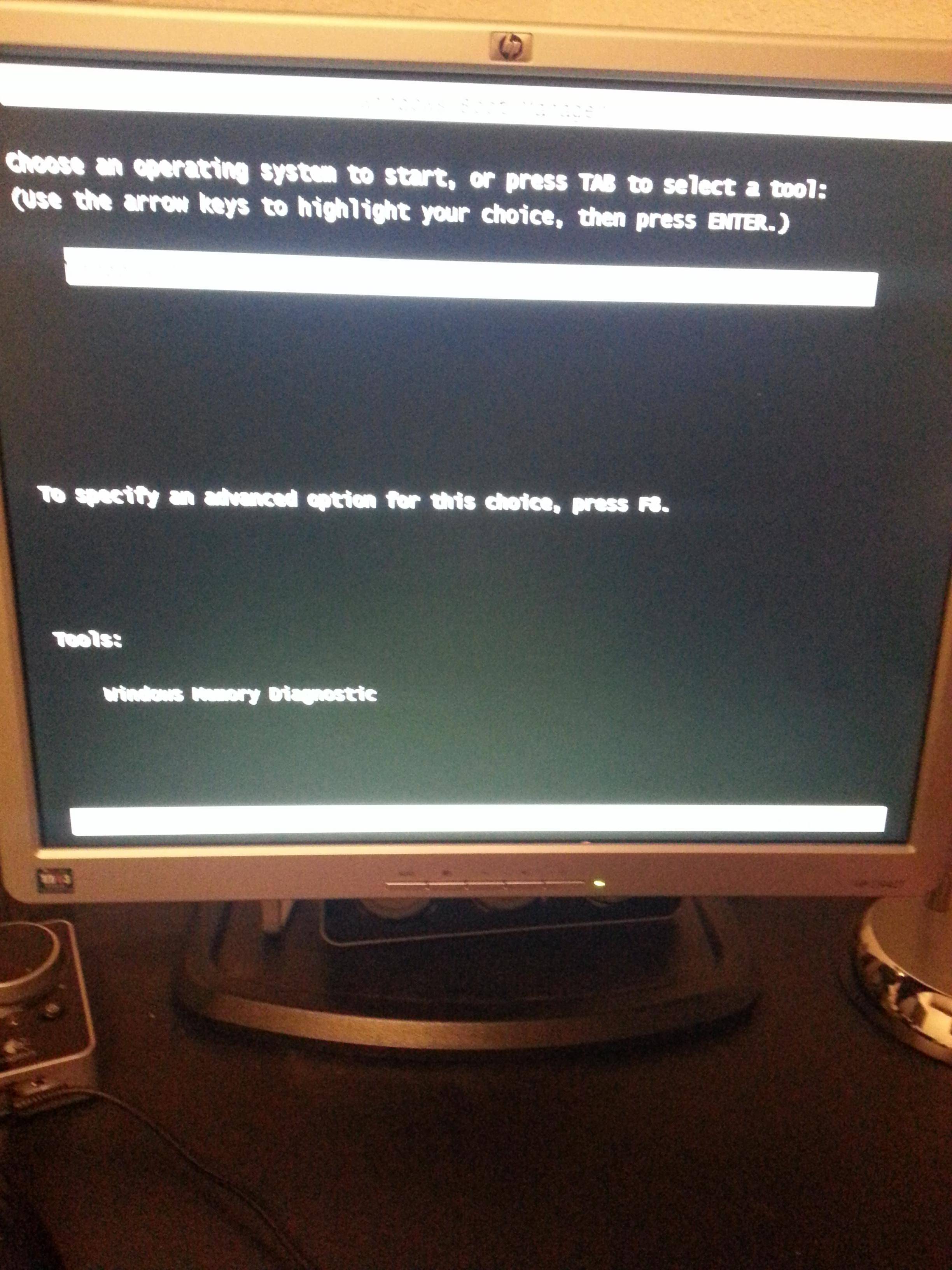
Everytime i reboot, i am stopped at Windows Boot Manager and have to select an operating system. The issue is only 1 operating system is listed, which is the correct one, so i have to hit enter for it to continue, not a problem while at home, but while on the road i become locked out as it sits forever.

I disabled the external usb backup hardrive in bios from being a bootable device. I also went under My Computer Properties and only 1 operating system shows.

Here is a screenshot of it. The camera couldn't pick it up but in the highlighted white bar is "Windows 7".
68wEM.jpg
 

My Computer My Computer

OS
Windows 7 x64 Home Edition

My Computer My Computer

Computer type
PC/Desktop
Computer Manufacturer/Model Number
Pauly Special
OS
Win7 Ultimate X64
CPU
Intel i5 3570K
Motherboard
Gigabyte Z77X-DS3H
Memory
8GB DDR3 1600
Graphics Card(s)
Onboard
Sound Card
Onboard
Screen Resolution
1280x1024
Hard Drives
Samsung 840 Evo SSD (OS)
1TB Spinner (Data)
PSU
800W Arctic
Case
Cooler Master
Cooling
3x120mm Fans
Keyboard
MS Wireless
Mouse
MS Wireless
Internet Speed
20M

My Computer My Computer

OS
Windows 7 x64 Home Edition

My Computer My Computer

Computer type
Laptop
Computer Manufacturer/Model Number
ACER ASPIRE 5742G
OS
Microsoft Windows 7 Home Premium 64-bits 7601 Multiprocessor Free Service Pack 1
CPU
Intel(R) Core(TM) i3 CPU M 370 @ 2.40GHz
Motherboard
Acer Aspire 5742G
Memory
4,00 GB
Graphics Card(s)
ATI Mobility Radeon HD 5400 Series
Sound Card
(1) AMD High Definition Audio Device (2) Realtek High Defi
Screen Resolution
1366 x 768 x 32 bits (4294967296 colors) @ 60 Hz
Hard Drives
WDC WD5000BEVT-22ZAT0

My Computer My Computer

OS
Windows 7 x64 Home Edition
Try his in http://www.sevenforums.com/tutorials/783-elevated-command-prompt.html does menu dissppear after 3 seconds?

Code:
bcdedit /timeout 3

Of course reboot after doing the command.

Or do:

Code:
bcdedit /set  {bootmgr}   displaybootmenu  no

"/timeout 3" did not work, but "displaybootmenu no" did.

Finally!!! i tried everything, but you saved me. This is now fixed. Thank you!

displaybootmenu can have 2 values...no and yes. What they do is obvious. But you can better remove that setting (as I have and is default). Then it only displays the menu if you have a multiboot environment.

Code:
bcdedit/deletevalue  {bootmgr}  displaybootmenu

Strange the bcdedit/timeout didn't work. Run msconfig, click on BOOT tab. There you can set the timeout value. Put a checkmark on setting below that to make it permanent. Then press OK.
 
Last edited:

My Computer My Computer

Computer type
Laptop
Computer Manufacturer/Model Number
ACER ASPIRE 5742G
OS
Microsoft Windows 7 Home Premium 64-bits 7601 Multiprocessor Free Service Pack 1
CPU
Intel(R) Core(TM) i3 CPU M 370 @ 2.40GHz
Motherboard
Acer Aspire 5742G
Memory
4,00 GB
Graphics Card(s)
ATI Mobility Radeon HD 5400 Series
Sound Card
(1) AMD High Definition Audio Device (2) Realtek High Defi
Screen Resolution
1366 x 768 x 32 bits (4294967296 colors) @ 60 Hz
Hard Drives
WDC WD5000BEVT-22ZAT0
Try this: (See screen shot on my post below )

Open Start menu in windows.

Right click on My computer, - left click on properties - Click on Advanced systems settings tab - then under Start up and recovery click on Settings:

Make sure: " Time to display list of operatings systems" AND "Time To display Recovery Options when needed" Are un checked

Reboot.
 

My Computer My Computer

Computer Manufacturer/Model Number
Cooler Master
OS
Windows 7 Home Premium 64 Bit
CPU
Core I7 1155 3.4GHZ
Memory
8GB DDR 1600
Hard Drives
64 GB SSD - OS
1TB - DATA
PSU
340 Watt Corsair
Case
Cooler Master
Cooling
Cooler Master

My Computer My Computer

Computer Manufacturer/Model Number
Cooler Master
OS
Windows 7 Home Premium 64 Bit
CPU
Core I7 1155 3.4GHZ
Memory
8GB DDR 1600
Hard Drives
64 GB SSD - OS
1TB - DATA
PSU
340 Watt Corsair
Case
Cooler Master
Cooling
Cooler Master
Try this: (See screen shot on my post below )

Open Start menu in windows.

Right click on My computer, - left click on properties - Click on Advanced systems settings tab - then under Start up and recovery click on Settings:

Make sure: " Time to display list of operatings systems" AND "Time To display Recovery Options when needed" Are un checked

Reboot.

" Time to display list of operatings systems" is the relevant. But it changes the same thing in bcd menu as msconfig does. Actually the same setting. Bcdedit/set timeout 0 that's what it does if disabling it. Better set it to 10 seconds. And only display boot menu when more then 1 entry is in boot list.

Leave both settings "checked" and fill in any number of seconds you want.

bcdedit/set {bootmgr} displaybootmenu no (never show it)
bcdedit/set {bootmgr} displaybootmenu yes (always show it)
bcdedit/deletevalue {bootmgr} displaybootmenu (so no setting at all [only show if multiple selections are in list])
 

My Computer My Computer

Computer type
Laptop
Computer Manufacturer/Model Number
ACER ASPIRE 5742G
OS
Microsoft Windows 7 Home Premium 64-bits 7601 Multiprocessor Free Service Pack 1
CPU
Intel(R) Core(TM) i3 CPU M 370 @ 2.40GHz
Motherboard
Acer Aspire 5742G
Memory
4,00 GB
Graphics Card(s)
ATI Mobility Radeon HD 5400 Series
Sound Card
(1) AMD High Definition Audio Device (2) Realtek High Defi
Screen Resolution
1366 x 768 x 32 bits (4294967296 colors) @ 60 Hz
Hard Drives
WDC WD5000BEVT-22ZAT0
Its worked many times for me. In this same situation, its worth a try, can alsways re check the boxes if it didn't have any effect
 

My Computer My Computer

Computer Manufacturer/Model Number
Cooler Master
OS
Windows 7 Home Premium 64 Bit
CPU
Core I7 1155 3.4GHZ
Memory
8GB DDR 1600
Hard Drives
64 GB SSD - OS
1TB - DATA
PSU
340 Watt Corsair
Case
Cooler Master
Cooling
Cooler Master
Its worked many times for me. In this same situation, its worth a try, can alsways re check the boxes if it didn't have any effect

Your trick displays them boot menu but only for 0 seconds (so you don't see it). In my opinion it's better to display it for 10 seconds. My trick displays the menu only when more options are in menu (multi boot)

Code:
bcdedit/deletevalue {bootmgr} displaybootmenu (so no setting at all [only show if multiple selections are in list])
 

My Computer My Computer

Computer type
Laptop
Computer Manufacturer/Model Number
ACER ASPIRE 5742G
OS
Microsoft Windows 7 Home Premium 64-bits 7601 Multiprocessor Free Service Pack 1
CPU
Intel(R) Core(TM) i3 CPU M 370 @ 2.40GHz
Motherboard
Acer Aspire 5742G
Memory
4,00 GB
Graphics Card(s)
ATI Mobility Radeon HD 5400 Series
Sound Card
(1) AMD High Definition Audio Device (2) Realtek High Defi
Screen Resolution
1366 x 768 x 32 bits (4294967296 colors) @ 60 Hz
Hard Drives
WDC WD5000BEVT-22ZAT0
Back
Top