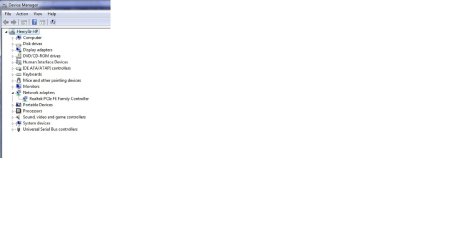
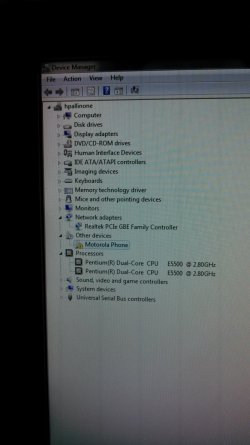
I have been experiencing the same exact problem. The driver which the link tell you to download did not work for me either. I noticed that on the back of my desktop, it says (Ralink RT3090) so I downloaded that driver instead. No change. My wifi worked perfectly up until about 5 months ago. I'm just now digging deep trying to fix it. I took the computer apart and had hands on the 802.11 PCI E card. It doesn't look damaged, but I'm thinking it may be the culprit. I've seen them as cheap as $9 online. Other than that, I've updated all drivers, tried to install new ones, and have been reading forums such as this one just trying to find some answers. So far, this thread seems to be the most fitting. Any other suggestions?
Here is my IPConfig printout:
Windows IP Configuration
Host Name . . . . . . . . . . . . : hpallinone
Primary Dns Suffix . . . . . . . :
Node Type . . . . . . . . . . . . : Hybrid
IP Routing Enabled. . . . . . . . : No
WINS Proxy Enabled. . . . . . . . : No
DNS Suffix Search List. . . . . . : home
Ethernet adapter Local Area Connection:
Connection-specific DNS Suffix . : home
Description . . . . . . . . . . . : Realtek PCIe GBE Family Controller
Physical Address. . . . . . . . . : C8-0A-A9-F8-8A-06
DHCP Enabled. . . . . . . . . . . : Yes
Autoconfiguration Enabled . . . . : Yes
Link-local IPv6 Address . . . . . : fe80::6c87:8030:ce9b:87fc%11(Preferred)
IPv4 Address. . . . . . . . . . . : 192.168.1.4(Preferred)
Subnet Mask . . . . . . . . . . . : 255.255.255.0
Lease Obtained. . . . . . . . . . : Sunday, December 29, 2013 11:48:14 AM
Lease Expires . . . . . . . . . . : Monday, December 30, 2013 11:48:13 AM
Default Gateway . . . . . . . . . : 192.168.1.1
DHCP Server . . . . . . . . . . . : 192.168.1.1
DHCPv6 IAID . . . . . . . . . . . : 264768169
DHCPv6 Client DUID. . . . . . . . : 00-01-00-01-18-37-52-B9-C8-0A-A9-F8-8A-06
DNS Servers . . . . . . . . . . . : 192.168.1.1
NetBIOS over Tcpip. . . . . . . . : Enabled
Tunnel adapter Reusable ISATAP Interface {F15D0A7C-D368-4DDE-894B-4BD04701B542}:
Media State . . . . . . . . . . . : Media disconnected
Connection-specific DNS Suffix . :
Description . . . . . . . . . . . : Microsoft ISATAP Adapter
Physical Address. . . . . . . . . : 00-00-00-00-00-00-00-E0
DHCP Enabled. . . . . . . . . . . : No
Autoconfiguration Enabled . . . . : Yes
Tunnel adapter Local Area Connection* 9:
Connection-specific DNS Suffix . :
Description . . . . . . . . . . . : Microsoft Teredo Tunneling Adapter
Physical Address. . . . . . . . . : 00-00-00-00-00-00-00-E0
DHCP Enabled. . . . . . . . . . . : No
Autoconfiguration Enabled . . . . : Yes
IPv6 Address. . . . . . . . . . . : 2001:0:9d38:6abd:2cc0:2ad6:9d59:ff20(Preferred)
Link-local IPv6 Address . . . . . : fe80::2cc0:2ad6:9d59:ff20%10(Preferred)
Default Gateway . . . . . . . . . : ::
NetBIOS over Tcpip. . . . . . . . : Disabled
Tunnel adapter isatap.{6763B675-5367-4D48-93A7-B009330272A9}:
Media State . . . . . . . . . . . : Media disconnected
Connection-specific DNS Suffix . :
Description . . . . . . . . . . . : Microsoft ISATAP Adapter #2
Physical Address. . . . . . . . . : 00-00-00-00-00-00-00-E0
DHCP Enabled. . . . . . . . . . . : No
Autoconfiguration Enabled . . . . : Yes
Tunnel adapter isatap.home:
Media State . . . . . . . . . . . : Media disconnected
Connection-specific DNS Suffix . : home
Description . . . . . . . . . . . : Microsoft ISATAP Adapter #3
Physical Address. . . . . . . . . : 00-00-00-00-00-00-00-E0
DHCP Enabled. . . . . . . . . . . : No
Autoconfiguration Enabled . . . . : Yes