Windows can't go past start up repair? Endless loop

shadowstar

New member
Local time
11:07 AM
Messages
31
Please help. My acer desktop won't go passed the System Revovery Options and Start up repair options no matter what I do. Each time I restart my computer, the Microsoft logo will load but then it'll take me right back to the start up repair. The start up repair can't locate my OS or anything. Each option I choose gives me an error message.
I tried to start Windows using safe mode but my computer doesn't even give me the option anymore. It only takes me back to Start-up repair/System Recovery.

I tried clicking Alt+F10 but that doesn't work either. I do not have a windows 7 disc or a disc from thr manufacter, but i did create one but apparently it did not work.
I'm stuck.. What should I do?? Can someone assist me step by step? :/ thank you
 

My Computer My Computer

At a glance

Windows 7
Computer type
PC/Desktop
OS
Windows 7
Okay I followed the steps but I started from step 10, Onward. I want to do a factory settings rewrite, Since I have Acer it says click alt + f10 to go to factory settings But my computer seems not recognize the Alt + f10 command. When ever I click it, it still goes back to the "System recovery options" am I doing something wrong? I clicked Alt+f10 but still nothing happens. It takes me right back to the System Recovery options window... :(
 

My Computer My Computer

At a glance

Windows 7
Computer type
PC/Desktop
OS
Windows 7
Make sure you are following the steps for Acer eRecovery Management - Restore Using ALT - F10 - YouTube.
http://support.acer.com/acerpanam/desktop/0000/Acer/AspireE360/AspireE360faq67.shtml
How do I restore my computer using the eRecovery Management program?

If Recovery won't run your options are to boot the REcovery disks you should have made when you set up the PC, or order them from Acer Support.

A much better option is to do the http://www.sevenforums.com/tutorials/219487-clean-reinstall-factory-oem-windows-7-a.html#post1839164 which is a vastly better install than the Acer factory crapware install.
 
Thank you, but The instructions are very hard :( plus I only have 1 computer which was this one. (I cant downloaf anything) Right now I'm using my iPod for acess.
but I have a huge concern, I don't think my hard-drive works...
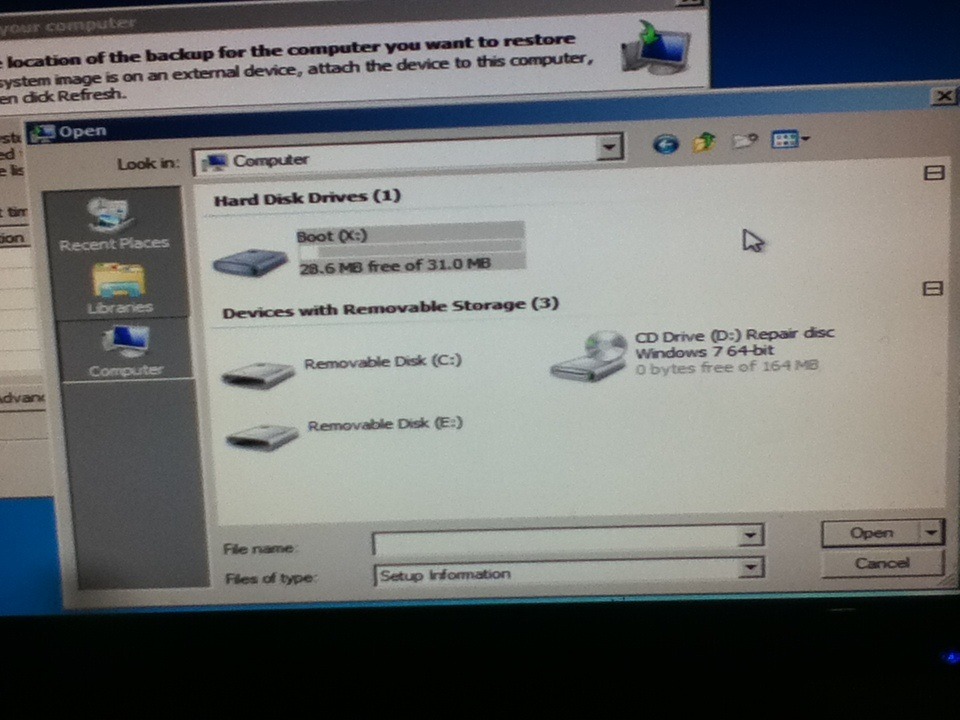
In the Bios, I chose to boot from hard-disk as first option then to boot from CD as the second option. But when I remove the CD, my computer won't boot at all. When I boot from CD, it takes me to System Recovery Options again. I was reading some things on the system recovery window thing and it says "operating system unknown hard disk unknown" also, when I click the load driver option, I see the windows 32 file when I click "my computer folder" the main hard disk is 33mb hard disk but this computer has 500gb.

Do u think its my hard drive??
 

My Computer My Computer

At a glance

Windows 7
Computer type
PC/Desktop
OS
Windows 7
Here's a picture of what I mean

tumblr_nbkhdsYyHo1rf0jg3o1_1280.jpg
 

My Computer My Computer

At a glance

Windows 7
Computer type
PC/Desktop
OS
Windows 7
Boot into BIOS setup by tapping the key given for that on first screen. Is the HD detected anywhere - under Storage Devices, in Boot Priority Order, etc.? Do you have MSATA drive which you can disable to see if HD shows up? http://www.sevenforums.com/tutorials/307529-install-windows-system-msata-isrt.html

If not try reinstallling the hard drive to see if you can get it to register in BIOS setup. If you cannot then you'll need to replace it by googling the make/model of PC + Hard drive replacement. YOu can also pull out the HD and google the model number on that. Once replaced do a http://www.sevenforums.com/tutorials/219487-clean-reinstall-factory-oem-windows-7-a.html#post1839164 with the media provided.

Another way is to boot the maker's HD Diagnostic extended CD scan to test the HD
to determine its condition with certainty. If it doesn't show up to test when you boot the disk, replace it.
 
Last edited:
I didn't plug in an Msata :( I checked the BIOS, and priority settings order, theirs only two options,
1.) SCSI-0 : P1-

2.). Bootable Add-in Cards

But when I choose First boot device etc. the Hard Disk option shows up :(
How do I re-install the Hard-drive from it's port??
 

My Computer My Computer

At a glance

Windows 7
Computer type
PC/Desktop
OS
Windows 7
I can't download anything because this was my only computer :( Ahh what should I do? Can I disable Sata? Is there anything I can do??
 

My Computer My Computer

At a glance

Windows 7
Computer type
PC/Desktop
OS
Windows 7
What I actually asked you is if you have anything else plugged in at all?

Since this is a desktop check the hard drive cables to make sure they are connected securely, try another cable, to try to get HD to appear in BIOS setup.

If the HD does appear in BIOS setup then test the Hard drive with the maker's HD Diagnostic extended CD scan. You'll need to borrow or find another PC to make this disk, and at the same time make the Win7 disk and any rescue disk needed from http://www.sevenforums.com/tutorials/219533-troubleshooting-windows-7-failure-boot.html to do the repairs listed.

These steps lead up to if necessary running a http://www.sevenforums.com/tutorials/219487-clean-reinstall-factory-oem-windows-7-a.html#post1839164 which is a much better install than Factory REcovery. Be sure to delete all partitions during the booted install, create and format new.

We will be glad to help you with each step if necessary but if you think it is too much for you then take it to a shop.
 
Last edited:
Really sorry :( I re-read your information about Msata but the problem is that I can't disàble the Intel smart technology thing because I can't acess my computer at all :( I tried to view the sata thing using BIOS but I can't find the option, which one do I click?


FB6ALE7GKKEPBCU.MEDIUM.jpg


(This is a screenshot of my bios I found online)
Also, there is a cable thats sticking out of my computer it's called P5, it's not plugged in, is it important?
 

My Computer My Computer

At a glance

Windows 7
Computer type
PC/Desktop
OS
Windows 7
bios-screen.jpg


WAIT this is the screen sorry, which one do I click to change the sata controllers or the intel device
 

My Computer My Computer

At a glance

Windows 7
Computer type
PC/Desktop
OS
Windows 7
That P5 is a power cable. Did it come from the hard drive? Power down and unplug your PC, press power button for 30 seconds to drain residual power. Making sure to touch the case before you touch anything inside to prevent static burst, look over the hard drive closely under a bright light. Is a power cable (similar to the F5 you saw) plugged firmly into it along with a SATA cable which is also plugged into the motherboard securely?

After checking these connections, check BIOS setup again to see if HD registers now. Check all of the tabs shown in your last picture for any sign of the HD, which is normally registered by its Serial Number which you can google to confirm its make/model.

Then try changing the SATA port on the mobo to see if you can get it to register in BIOS. You may need to change the Hard drive to first in Boot Order if it appears and you've changed the SATA port.

If these fail then replace your hard drive and do a http://www.sevenforums.com/tutorials/219487-clean-reinstall-factory-oem-windows-7-a.html#post1839164
 

I click the load driver option, I see the windows 32 file when I click "my computer folder" the main hard disk is 33mb hard disk .

The 33mb disk, is the Windows Recovery RAM drive, drive letter X.

but this computer has 500gb

No HD drive is showing in your picture.

Is the HD drive showing in BIOS?
 

My Computer My Computer

At a glance

ME/XP/Vista/Win7
OS
ME/XP/Vista/Win7
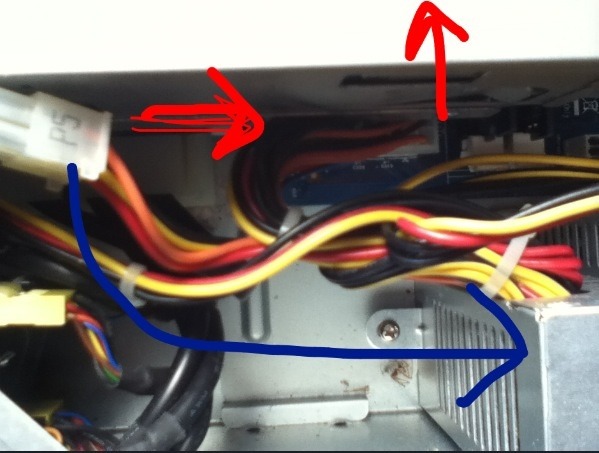
The photo is the P5 wire, I'm not sure if its connected to the Hard Drive because its wrapped together with a bunch of other wires :(
The red arrows show were it leads to the hard drive but the blue arrow is showing that it's connected to some other silver box inside the computer, so it's really confusing D:

tumblr_nblcsppASv1rf0jg3o2_1280.jpg
 

My Computer My Computer

At a glance

Windows 7
Computer type
PC/Desktop
OS
Windows 7
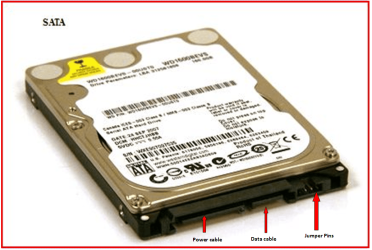
P5 is not a HD drive plug.

SATA 0076.PNG
 

My Computer My Computer

At a glance

ME/XP/Vista/Win7
OS
ME/XP/Vista/Win7
Sorry, wasn't sure bout that :(

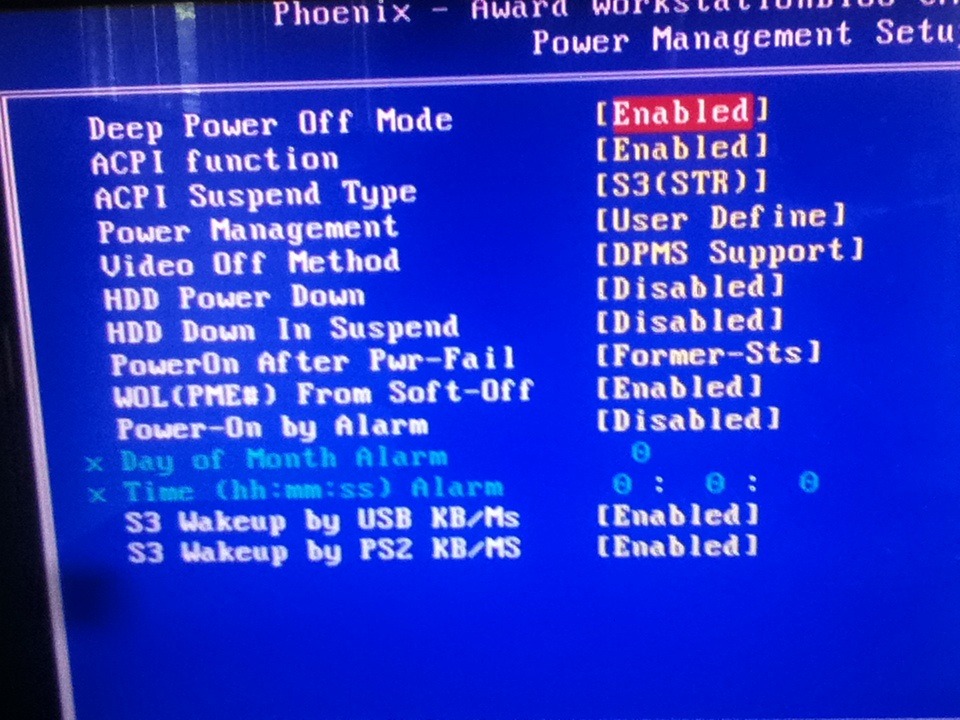
But I checked to see if the hard drive is plugged in and there's a huge wire connecting from the hard drive box to the mother board (I think that's the hard drive wire) I turned on my computer to see if it's reading my hard drive, it still says the same things :( this is what I found:
tumblr_nble99uyAc1rf0jg3o1_1280.jpg


tumblr_nble99uyAc1rf0jg3o2_1280.jpg

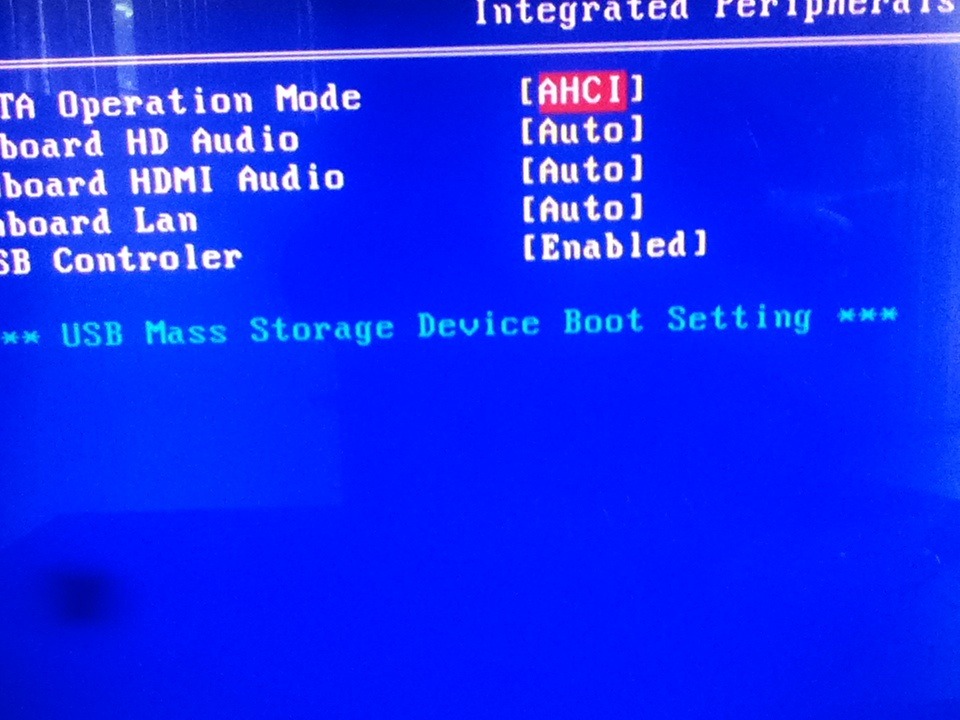
I also found the SATA settings!
tumblr_nble99uyAc1rf0jg3o3_1280.jpg
 

My Computer My Computer

At a glance

Windows 7
Computer type
PC/Desktop
OS
Windows 7
That wouldn't be the power cable for SATA HD.

Did you make sure the HD power and data cable connections are tight on both ends?

Does HD then show up on any page in BIOS setup - not just boot order but under Storage Devices. You may need to expand a listing to see it. Can you expand Mass Storage boot setting?

Try resetting BIOS to defaults.

Do you see any EFI choices anywhere in BIOS?

Do you have a other HD to try ?

The best upgrade one can give is an SSD.
 
How do I go to Storage Devices and mass storage boot options? I do have another hard drive but it's much older but it's important and I'm afraid to use it :(

Here's another photo I forgot to post
tumblr_nblf0bRZ0B1rf0jg3o2_1280.jpg
 

My Computer My Computer

At a glance

Windows 7
Computer type
PC/Desktop
OS
Windows 7
Back
Top