I am with this weird issue.
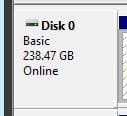
I replaced my old SSD 120GB with a new 240GB one. Both are Kingston (respectively A300 and A400) and used Macrium Reflect to transfer the system volume. Everything went fine, unless by the fact that in the process Macrium allocated only 120GB from the 240GB available and later I had to manually extend the volume to include the unallocated space. Not a big deal.
My problems started when I connected the old SSD 120GB in a secondary SATA port to use the extra space, perhaps for memory paging because Windows simply doesn't see the drive! The BIOS does but not Windows.
First I imagined that maybe it could be a port or cabling issue but swapping the drives the issue persists (the new 240GB keep booting and the old 120GB keep not being visible to the system). Then I thought that something bad could have happened to the old drive along the process then I disconnected the new SSD and left the old SSD hung to the system and dang... Windows loads normally from the old SSD! Then I guessed that having two disks with a boot record could be confusing the system then I connected only the old 120GB SSD to the computer, booted with a Windows installation CD and used the tool to remove the partition. Guess what... the problem persists, that is, with both SSDs connected Windows still doesn't see the old small one.
I have no idea what is causing it specially because I already had two SSDs attached to this same computer in the past (two 120GB ones) and it worked fine by then.
This is not an emergency or a big deal other than have a 120GB SSD that I won't be able to use. Sure I can just throw it in my spare stuff drawer and keep it there as a replacement part in case of my current SSD dies or I can advertise it in Craig's list but this is ridiculous.
Any idea?
I replaced my old SSD 120GB with a new 240GB one. Both are Kingston (respectively A300 and A400) and used Macrium Reflect to transfer the system volume. Everything went fine, unless by the fact that in the process Macrium allocated only 120GB from the 240GB available and later I had to manually extend the volume to include the unallocated space. Not a big deal.
My problems started when I connected the old SSD 120GB in a secondary SATA port to use the extra space, perhaps for memory paging because Windows simply doesn't see the drive! The BIOS does but not Windows.
First I imagined that maybe it could be a port or cabling issue but swapping the drives the issue persists (the new 240GB keep booting and the old 120GB keep not being visible to the system). Then I thought that something bad could have happened to the old drive along the process then I disconnected the new SSD and left the old SSD hung to the system and dang... Windows loads normally from the old SSD! Then I guessed that having two disks with a boot record could be confusing the system then I connected only the old 120GB SSD to the computer, booted with a Windows installation CD and used the tool to remove the partition. Guess what... the problem persists, that is, with both SSDs connected Windows still doesn't see the old small one.
I have no idea what is causing it specially because I already had two SSDs attached to this same computer in the past (two 120GB ones) and it worked fine by then.
This is not an emergency or a big deal other than have a 120GB SSD that I won't be able to use. Sure I can just throw it in my spare stuff drawer and keep it there as a replacement part in case of my current SSD dies or I can advertise it in Craig's list but this is ridiculous.
Any idea?
My Computer
At a glance
Windows 7 Professional 64bitIntel i5-33308GBOnboard
- Computer type
- PC/Desktop
- Computer Manufacturer/Model Number
- Custom
- OS
- Windows 7 Professional 64bit
- CPU
- Intel i5-3330
- Motherboard
- GigaByte B75M-D3H
- Memory
- 8GB
- Graphics Card(s)
- Onboard
- Sound Card
- Behringer UCA222
- Monitor(s) Displays
- Samsung 22.5"
- Screen Resolution
- 1920x1080
- Hard Drives
- SSD Kingston 120GB
HDD Samsung 320GB
- Internet Speed
- 1M
- Antivirus
- ZoneAlarm FW + AV Free
- Browser
- Chrome