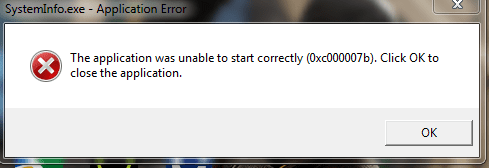
windows explorer has stop working

hens74

New member
Local time
2:50 PM
Messages
19
everytime rigth clik any program,windows explore has stop working,how to fix,please help me :cry:
 

My Computer

OS
Windows 7 Home Premium 32bit

My Computer

Computer type
PC/Desktop
Computer Manufacturer/Model Number
Dude Build
OS
Windows 10 Pro X64
CPU
Intel(R) Core(TM) i5-3570K CPU OC@ 4.5GHZ Turbo
Motherboard
MSI Z77A-G45 Gaming
Memory
8.00 GB DDR3 1600Mhz
Graphics Card(s)
MSI Gaming X GTX 1070
Sound Card
Realtek High Definition
Monitor(s) Displays
Dell S23O9W, HP L1710
Screen Resolution
DELL-1920 x 1080 HP-1280 x1024
Hard Drives
Crucial m4 256 SSD, WD 7200RPM 500GB WD 1TB
PSU
Seasonic X650 GOLD
Case
Zalman Z12
Cooling
Antec Kuhler 920
Keyboard
Logitech
Mouse
MSI DS100 Interceptor
Internet Speed
50 down and 5 up
Antivirus
MSE
Browser
Chrome, IE 11
Other Info
Logitech X-620 Speakers
In addition to what Dude has recommended, I have had luck doing a diskcheck (CHKDSK /F from elevated command prompt). I've seen this find and fix errors and alleviate the explorer.exe is not working problem.
 

My Computer

Computer type
PC/Desktop
Computer Manufacturer/Model Number
Build
OS
Windows 7 Profession x64
CPU
Intel Core i5
Motherboard
Intel DB75EN
Memory
16 GB DDR3
Graphics Card(s)
Intel HD Graphics
Sound Card
Realtek High Definition Audio
Monitor(s) Displays
Dual Viewsonic TD2220 touchscreen displays
Hard Drives
Seagate 500GB 7200 RPM
Case
Slimline
Cooling
Standard Intel heat sink / fan.
Keyboard
Microsoft boring keyboard - it works!

Attachments

  • SNAG-13102420482900.png
    SNAG-13102420482900.png
    10.5 KB · Views: 20

My Computer

OS
Windows 7 Home Premium 32bit
Did you
Code:
CHKDSK /F
yet?
 

My Computer

Computer type
PC/Desktop
Computer Manufacturer/Model Number
Build
OS
Windows 7 Profession x64
CPU
Intel Core i5
Motherboard
Intel DB75EN
Memory
16 GB DDR3
Graphics Card(s)
Intel HD Graphics
Sound Card
Realtek High Definition Audio
Monitor(s) Displays
Dual Viewsonic TD2220 touchscreen displays
Hard Drives
Seagate 500GB 7200 RPM
Case
Slimline
Cooling
Standard Intel heat sink / fan.
Keyboard
Microsoft boring keyboard - it works!
Code:
[COLOR="Red"]BugCheck 1000007E[/COLOR], {[COLOR="SeaGreen"]c0000005[/COLOR], 98d3182a, 8b983308, 8b982ee0}

Probably caused by : [COLOR="Red"]CHDRT32.sys[/COLOR] ( CHDRT32+11f82a )

Code:
8b983308 -- ([COLOR="SeaGreen"].exr 0xffffffff8b983308[/COLOR])
ExceptionAddress: [COLOR="Blue"]98d3182a (CHDRT32+0x0011f82a)[/COLOR]
   ExceptionCode: [COLOR="Red"]c0000005 (Access violation)[/COLOR]
  ExceptionFlags: 00000000
NumberParameters: 2
   Parameter[0]: 00000000
   Parameter[1]: 00000004
Attempt to read from address 00000004

Code:
DEFAULT_BUCKET_ID:  NULL_CLASS_PTR_DEREFERENCE

It seems that your Conexant High Definition SmartAudio driver is causing problems, by not using pointers properly, leading to access violation exceptions which do not have the appropriate exception handler. I would suggest checking for any updates from here - Conexant - Support

Code:
1: kd> [COLOR="SeaGreen"]lmvm CHDRT32[/COLOR]
start    end        module name
98c12000 98d59000   CHDRT32  T (no symbols)           
    Loaded symbol image file: CHDRT32.sys
    Image path: \SystemRoot\system32\drivers\CHDRT32.sys
    Image name: CHDRT32.sys
    Timestamp:       [COLOR="Red"] Fri Nov 30 02:03:12 2012[/COLOR] (50B813E0)
    CheckSum:         0014C5D7
    ImageSize:        00147000
    Translations:     0000.04b0 0000.04e4 0409.04b0 0409.04e4
 

My Computer

Computer type
Laptop
Back
Top