Solved Windows freezes on start up

Snaggle

New member
Local time
10:52 AM
Messages
8
UPDATE:
After some poking around and help from the people on these forums, thank you all , I have solved my problem. After finally getting it to start in safe mode I did a clean boot and then through the process of elimination I found to conflicting culprit to be nvidia network services and another program called softthinks agent service. I had to go through msconfig and then through services to disable them.


When I start my computer it starts up to pick a user which I do (it does the same thing on all users) it will go to user screen and start to start up but after a few minutes it just freezes. Mouse will move but nothing works. It has been doing this for about a week or two I could just hard power down and it would work again but it started to get more and more needed more hard restarts before it would actually boot up. Now it won't even boot up even after the hard restarts(holding power button down until computer turns off).

I did some research on these forums and one person said start in safe mode by f8 then just restart don't do anything in safe mode. I did that and still nothing now f8 won't even take me to safe mode it does nothing.

I put in the Windows 7 cd and boot from disk go to repair Windows. The system recovery options screen pops up. I choose "use recovery tools that can help fix problems starting Windows. Select an operation system to repair". The problem is there is no operating system listed. Then it says "if your operating system isn't listed click load drivers and install drivers for your hard drive." I do that and another pop up comes up and says "insert the installation media for the drivers and click ok to select driver".
I click ok cause I was thinking the Windows 7 cd should be it.

Am I correct in thunking that? If so when I do it pops up an open screen that says look in desktop and in that screen it has , libraries, system, computer, control panel, and recycle bin.
Libraries has nothing in it.
System has nothing in it.
Computer has hard drive that says boot (x:) 31 .1 mb free of 33.6 mb.
Control panel can't be opened.
Recycle bin can't be opened.

When I open boot(x:) I have folder options of:
$winpedriver$
Program files
Sources
Users
Windows
And then set up application

Which on of those would I use.

I was thinking the $winpedriver$ but not sure which one to use it has these in it
Nusb3hub. Security catalog
Nusb3hub set up info
Nusb3hub.sys system file
Nusb3xhc. Security catalog
Same as above setup info
Nusb3xhc.sys System file


Now when I bypass all that and got to command prompt
I type c: which is my main drive and it says. This system cannot find the drive specified

I have tried bootrec /fixmbr and the system cannot find the path specified.

I have tried all the boot rec stuff with no luck.
I have even tried disk part
Microsoft diskpart version 6.1.7601
Copyright
On computer: minint-rfcrohl
Then list disk and it says:
Microsoft diskpart version same as above
Then definitions for disk
Partition
Volume
Vdisk
But no disk number so everything else doesn't work.

Sorry for such a long post and no pics but I can't get into the computer to take a screen shot or to email

Any help on what I can do from here will be greatly appreciated. I am trying to avoid a clean install but obviously if I have to I will. But want to try all other options first.

Thank you

I have also read about a parallel install. Would this be possible and if so how do I delete the old install so I don't have two and so I can free up the space the old one is taking?
 
Last edited:

My Computer My Computer

Computer type
PC/Desktop
Computer Manufacturer/Model Number
Alien ware
OS
Wins 7 home premium
CPU
Intel core i7-3820 [email protected]
Memory
8129 my ddr3 sdram
Graphics Card(s)
Navidia
Antivirus
Nortons
Browser
Firefox
Hi Snaggle and welcome to WSF. What model is the Alien Ware system? I suggest that you download the Ubuntu Live CD and backup you important data. Follow the tutorial in the link. Here's a tutorial for restoring your system back to factory defaults. Do you get the "Repair Your Computer" option on F8? If you still do try the factory recovery ""After Backing Up Your Data"


My Computer My Computer

Computer type
PC/Desktop
Computer Manufacturer/Model Number
Custom Built By Me.
OS
Windows 10 Pro 64 bit
CPU
AMD FX 9590 8 Core Black Edition
Motherboard
MSI 990FXA GAMING (MS-7893)
Memory
Corsair Vengeance 16GB DDR3
Graphics Card(s)
AMD Radeon (TM) R9 380 Gaming Series
Sound Card
AMD High Definition
Monitor(s) Displays
Samsung 32" 60Hz 4ms Curved PLS LED
Screen Resolution
1920 X 1080
Hard Drives
C: 223 GB SSD = E: 465 GB HDD = F: 931 GB HDD = G: 149 GB HDD = H: 931 GB HDD
PSU
EVGA Supernova NEX750B 750W ATX EPS12V 80PLUS Bronze
Case
Cool Master
Cooling
Noctua NH-D15 Premium Cooler with 2x NF-A15 PWM 140mm Fan
Internet Speed
Fiber Optic: Download 332.7 Mbps / Upload 331.5 Mbps
Antivirus
Windows Defender
Browser
Slimjet (64bit)
F8 doesn't work anymore. It worked once and that was it. I can't get the computer to boot up to download that program and or to even save my data. That's why I'm trying to find other ways to get it to boot up without doing a complete reinstall or wipe. I was hoping there was a way to get to the boot rec backup or to do a parallel install

Or even a different way into the safe mode so i can maybe download and or fix the problem

Also what seems to be causing my hang up is the network link. The little bars in the task bar they have the little loading circle over them and it stays there. When I had issues before and did the restart when the circle went away it all worked well now it doesn't go away
 

My Computer My Computer

Computer type
PC/Desktop
Computer Manufacturer/Model Number
Alien ware
OS
Wins 7 home premium
CPU
Intel core i7-3820 [email protected]
Memory
8129 my ddr3 sdram
Graphics Card(s)
Navidia
Antivirus
Nortons
Browser
Firefox
You have no access to the F8 option. Your main partition "C:\" is not recognized and non-accessible. You boot from the Windows 7 DVD and you can not find or see the OS. Try this. Unplug the AC and pull the battery. Now hold the power button down for a full minute or so. Leave the battery out and plug the AC in and power up the system and try again to access the F8 option. My first suggestion still stands. Back up your data.
 

My Computer My Computer

Computer type
PC/Desktop
Computer Manufacturer/Model Number
Custom Built By Me.
OS
Windows 10 Pro 64 bit
CPU
AMD FX 9590 8 Core Black Edition
Motherboard
MSI 990FXA GAMING (MS-7893)
Memory
Corsair Vengeance 16GB DDR3
Graphics Card(s)
AMD Radeon (TM) R9 380 Gaming Series
Sound Card
AMD High Definition
Monitor(s) Displays
Samsung 32" 60Hz 4ms Curved PLS LED
Screen Resolution
1920 X 1080
Hard Drives
C: 223 GB SSD = E: 465 GB HDD = F: 931 GB HDD = G: 149 GB HDD = H: 931 GB HDD
PSU
EVGA Supernova NEX750B 750W ATX EPS12V 80PLUS Bronze
Case
Cool Master
Cooling
Noctua NH-D15 Premium Cooler with 2x NF-A15 PWM 140mm Fan
Internet Speed
Fiber Optic: Download 332.7 Mbps / Upload 331.5 Mbps
Antivirus
Windows Defender
Browser
Slimjet (64bit)
Ill try that now thanks. As for backing up data not sure how since I can't access any one it
 

My Computer My Computer

Computer type
PC/Desktop
Computer Manufacturer/Model Number
Alien ware
OS
Wins 7 home premium
CPU
Intel core i7-3820 [email protected]
Memory
8129 my ddr3 sdram
Graphics Card(s)
Navidia
Antivirus
Nortons
Browser
Firefox
When trying to boot, do you ever get to the desktop? If not, it sounds to me that it is a bad hard drive.
 

My Computer My Computer

Computer type
PC/Desktop
Computer Manufacturer/Model Number
Custom Build
OS
Windows 7 Home Premium 32-Bit - Build 7600 SP1
CPU
Intel Core i3-2120 3.30Ghz
Motherboard
Asus P8Z68-V LX Intel Z68 Socket H2 ATX
Memory
Kingston 4 GB DDR3 1333 mhz
Graphics Card(s)
AMD Radeon HD6670
Sound Card
Sound Blaster Audigy SE 24-Bit
Monitor(s) Displays
Asus VE228
Screen Resolution
1440 X 900
Hard Drives
OCZ Vertex 3 120 GB Sata 3 SSD ==
Kingston SH103/S3 120 G Hyper X 120 GB SSD ==
Western Digital 500 GB Caviar Green 7200 RPM ==
PSU
Corsair CX600M == 600 Watt
Case
NZXT Apollo - Silver with Clear Side Panel
Cooling
Three 120 mm Fans
Keyboard
Microsoft Natural 4000
Mouse
Microsoft Custom Optical 3000
Internet Speed
AT&T Fiber Optic Wireless Network
Antivirus
Microsoft Security Essentials
Browser
Chrome
Other Info
120 mm Blue LED Fan -- Three Blue LED Lazer Light Sticks

My Computer My Computer

Computer type
PC/Desktop
Computer Manufacturer/Model Number
Custom assembled by me :}
OS
Win-7-Pro64bit 7-H-Prem-64bit
CPU
i7-5930K 2nd i9-9940x both water blocked VRM's too
Motherboard
ASUS SABERTOOTH X99 2nd ASUS x299 Apex
Memory
Trident-z 3200C14 2nd Trident-z 3600C16
Graphics Card(s)
EVGA 1080ti ftw3 2nd Titan Xp both water blocked
Sound Card
Built-in Realtek
Monitor(s) Displays
1-AOC G2460PG 24"G-Sync 144Hz/ 2nd 1-ASUS VG248QE 24" 144Hz
Screen Resolution
1920 x 1080 144Hz
Hard Drives
2-Samsung M.2 Evo & Evo Plus
2-Samsung 850 EVO 500GB SSD's/ 3-2.5 W.D. Black 1tb-&3-1tb/3-3.5 WD Black 1tb hdd's
PSU
EVGA SuperNOVA 1000-P2 2nd 1200-P2
Case
2-Corsair Obsidian Series 450D Black ATX Mid Tower
Cooling
Custom water loops
Keyboard
Logitech G710+/ 2nd Logitech G910
Mouse
2-RedDragon M901 Perdition 16400 dpi Gaming mouse = wired
Internet Speed
Comcast Ping 19ms 89.31mbps download speed 6.12mbps upload
Antivirus
Malwarebytes Pro/ Superantispyware Pro
Browser
FireFox & Pale moon
Other Info
2nd ASUS X299 Apex/Intel i9-9940x with Custom water loop/7H-Prem-x64/Corsair 450D case/Ram Trident-z 3600C16 4x8gb / Samsung970Evo plus 500gb SSD/Dual ssd EZ swap evo/PSU EVGA SuperNova 1200w-P2 80+Platinum/GPU Titan Xp /8-ML-140 on push-pull on 2-280GTX rads
When trying to boot, do you ever get to the desktop? If not, it sounds to me that it is a bad hard drive.


Yes I get to the desktop then it just freeze there it loads everything or appears to have everything loaded but just freezes. Mouse moves but nothing else works
 

My Computer My Computer

Computer type
PC/Desktop
Computer Manufacturer/Model Number
Alien ware
OS
Wins 7 home premium
CPU
Intel core i7-3820 [email protected]
Memory
8129 my ddr3 sdram
Graphics Card(s)
Navidia
Antivirus
Nortons
Browser
Firefox
You have no access to the F8 option. Your main partition "C:\" is not recognized and non-accessible. You boot from the Windows 7 DVD and you can not find or see the OS. Try this. Unplug the AC and pull the battery. Now hold the power button down for a full minute or so. Leave the battery out and plug the AC in and power up the system and try again to access the F8 option. My first suggestion still stands. Back up your data.


Did what you said and f8 still didn't work. Thanks for you suggestions keep them coming if you don't mind
 

My Computer My Computer

Computer type
PC/Desktop
Computer Manufacturer/Model Number
Alien ware
OS
Wins 7 home premium
CPU
Intel core i7-3820 [email protected]
Memory
8129 my ddr3 sdram
Graphics Card(s)
Navidia
Antivirus
Nortons
Browser
Firefox
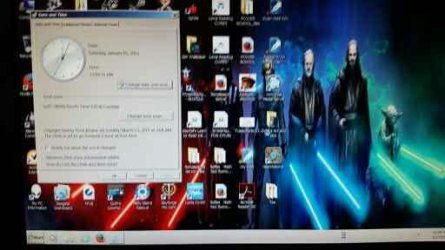
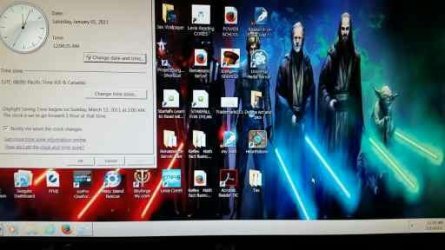
I can get this far into boot up then just stops. Mouse moves and on the screen it's the mouse pointer but on the task bar it's an hourglass. Here are pics
 

Attachments

  • 1454276536664.jpg
    1454276536664.jpg
    19.4 KB · Views: 8
  • 1454276536432.jpg
    1454276536432.jpg
    21 KB · Views: 7

My Computer My Computer

Computer type
PC/Desktop
Computer Manufacturer/Model Number
Alien ware
OS
Wins 7 home premium
CPU
Intel core i7-3820 [email protected]
Memory
8129 my ddr3 sdram
Graphics Card(s)
Navidia
Antivirus
Nortons
Browser
Firefox

My Computer My Computer

Computer type
PC/Desktop
Computer Manufacturer/Model Number
Custom Build
OS
Windows 7 Home Premium 32-Bit - Build 7600 SP1
CPU
Intel Core i3-2120 3.30Ghz
Motherboard
Asus P8Z68-V LX Intel Z68 Socket H2 ATX
Memory
Kingston 4 GB DDR3 1333 mhz
Graphics Card(s)
AMD Radeon HD6670
Sound Card
Sound Blaster Audigy SE 24-Bit
Monitor(s) Displays
Asus VE228
Screen Resolution
1440 X 900
Hard Drives
OCZ Vertex 3 120 GB Sata 3 SSD ==
Kingston SH103/S3 120 G Hyper X 120 GB SSD ==
Western Digital 500 GB Caviar Green 7200 RPM ==
PSU
Corsair CX600M == 600 Watt
Case
NZXT Apollo - Silver with Clear Side Panel
Cooling
Three 120 mm Fans
Keyboard
Microsoft Natural 4000
Mouse
Microsoft Custom Optical 3000
Internet Speed
AT&T Fiber Optic Wireless Network
Antivirus
Microsoft Security Essentials
Browser
Chrome
Other Info
120 mm Blue LED Fan -- Three Blue LED Lazer Light Sticks
I found a link that applies to your situation. It says you are stuck at the desktop due to the Startup Programs in your System Configuration. Your PC boots, gets to the Windows desktop, then freezes. Now what? | PCWorld This is a short article but it sounds like it is a possibility for you. Give it a try and let us know how things go.

Only problem with that is it wants me to start in safe mode and f8 doesn't work anymore for some reason worked once and that was it. I keep hoping I can get in long enough to msconfig to start in safe mode but no luck yet. I might just try a parallel install to get it up and running and go from there
 

My Computer My Computer

Computer type
PC/Desktop
Computer Manufacturer/Model Number
Alien ware
OS
Wins 7 home premium
CPU
Intel core i7-3820 [email protected]
Memory
8129 my ddr3 sdram
Graphics Card(s)
Navidia
Antivirus
Nortons
Browser
Firefox
I found a link that applies to your situation. It says you are stuck at the desktop due to the Startup Programs in your System Configuration. Your PC boots, gets to the Windows desktop, then freezes. Now what? | PCWorld This is a short article but it sounds like it is a possibility for you. Give it a try and let us know how things go.

Only problem with that is it wants me to start in safe mode and f8 doesn't work anymore for some reason worked once and that was it. I keep hoping I can get in long enough to msconfig to start in safe mode but no luck yet. I might just try a parallel install to get it up and running and go from there

Are you constantly pressing F8 from the moment the boot is started? That is what needs to be done, not just one or two times. == If F8 does not work, bring your PC to desktop and then do a hard shutdown (Hold down the Power Button). When you boot again, you should have an option to go to Safe Mode then you can try the fix in the link I posted.
 

My Computer My Computer

Computer type
PC/Desktop
Computer Manufacturer/Model Number
Custom Build
OS
Windows 7 Home Premium 32-Bit - Build 7600 SP1
CPU
Intel Core i3-2120 3.30Ghz
Motherboard
Asus P8Z68-V LX Intel Z68 Socket H2 ATX
Memory
Kingston 4 GB DDR3 1333 mhz
Graphics Card(s)
AMD Radeon HD6670
Sound Card
Sound Blaster Audigy SE 24-Bit
Monitor(s) Displays
Asus VE228
Screen Resolution
1440 X 900
Hard Drives
OCZ Vertex 3 120 GB Sata 3 SSD ==
Kingston SH103/S3 120 G Hyper X 120 GB SSD ==
Western Digital 500 GB Caviar Green 7200 RPM ==
PSU
Corsair CX600M == 600 Watt
Case
NZXT Apollo - Silver with Clear Side Panel
Cooling
Three 120 mm Fans
Keyboard
Microsoft Natural 4000
Mouse
Microsoft Custom Optical 3000
Internet Speed
AT&T Fiber Optic Wireless Network
Antivirus
Microsoft Security Essentials
Browser
Chrome
Other Info
120 mm Blue LED Fan -- Three Blue LED Lazer Light Sticks
I found a link that applies to your situation. It says you are stuck at the desktop due to the Startup Programs in your System Configuration. Your PC boots, gets to the Windows desktop, then freezes. Now what? | PCWorld This is a short article but it sounds like it is a possibility for you. Give it a try and let us know how things go.

Only problem with that is it wants me to start in safe mode and f8 doesn't work anymore for some reason worked once and that was it. I keep hoping I can get in long enough to msconfig to start in safe mode but no luck yet. I might just try a parallel install to get it up and running and go from there

Are you constantly pressing F8 from the moment the boot is started? That is what needs to be done, not just one or two times.


I have tried to repeatedly press it. I have tried just holding down and still nothing. I will try a rapid press right now from the moment I turn it on to the moment when it was starting Windows and see what happens


The rapid fire pressing got it to open this time. So I am going to try a repair and see what happens. If that doesn't work then I'll go into safe mode and figure more out from there
 

My Computer My Computer

Computer type
PC/Desktop
Computer Manufacturer/Model Number
Alien ware
OS
Wins 7 home premium
CPU
Intel core i7-3820 [email protected]
Memory
8129 my ddr3 sdram
Graphics Card(s)
Navidia
Antivirus
Nortons
Browser
Firefox
Back
Top