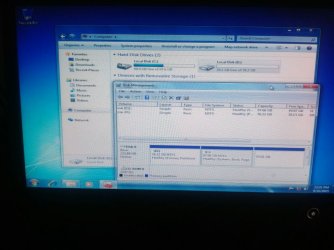
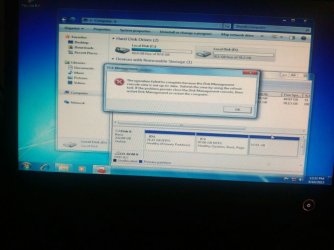
Solved windows not showing my disk partitions please help and it is showing

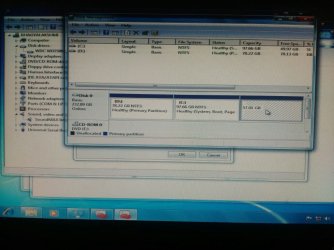
i installed a fresh copy of windows and it showed only D drive at the time of installation and C became formatted and now D became C operating system, C became D and it is fresh and now also one drive missing as i uploaded images help me to bring that also
 

Attachments
  • IMG_20150810_55655.jpg
    IMG_20150810_55655.jpg
    96.5 KB · Views: 2
  • IMG_20150810_4760.jpg
    IMG_20150810_4760.jpg
    75.6 KB · Views: 1
  • IMG_20150810_14218.jpg
    IMG_20150810_14218.jpg
    59.8 KB · Views: 1
  • IMG_20150810_22399.jpg
    IMG_20150810_22399.jpg
    72.6 KB · Views: 1

My Computer My Computer

At a glance

Windows 7 professional 32 bitDual core2gb
Computer type
PC/Desktop
Computer Manufacturer/Model Number
Lenovo 8297DT7
OS
Windows 7 professional 32 bit
CPU
Dual core
Motherboard
945
Memory
2gb
Hard Drives
250 gb
Antivirus
no
Browser
firefox
nothing working when i woke up in the morning trying to start PC it is showing Boot MGR missing . i am reinstalling My OS at this time what should i do for installing UBUNTU after this
You should download ubuntu image file from ubuntu.com and burn the file with iso burner in order to make it bootable. You'll also need an USB stick/CD to create a bootable device. Then go into BIOS, change boot priority and set this device on the first place and press F10. The installation process will start automatically
 

My Computer My Computer

At a glance

Win7 Ultimate/X84Intel Celeron 336/2.8GhzDDR3/2GB
Computer type
PC/Desktop
OS
Win7 Ultimate/X84
CPU
Intel Celeron 336/2.8Ghz
Motherboard
MS-7592
Memory
DDR3/2GB
Hard Drives
ATA-100/160GB
Browser
FirefoX
i installed a fresh copy of windows and it showed only D drive at the time of installation and C became formatted and now D became C operating system, C became D and it is fresh and now also one drive missing as i uploaded images help me to bring that also
But I see, C partition is not formatted, only D is formatted
 

My Computer My Computer

At a glance

Win7 Ultimate/X84Intel Celeron 336/2.8GhzDDR3/2GB
Computer type
PC/Desktop
OS
Win7 Ultimate/X84
CPU
Intel Celeron 336/2.8Ghz
Motherboard
MS-7592
Memory
DDR3/2GB
Hard Drives
ATA-100/160GB
Browser
FirefoX

My Computer My Computer

At a glance

Windows 7 Home Premium 32 bit
OS
Windows 7 Home Premium 32 bit
didn't you see the message I posted only it is showing C disk during installation and now the problem solved by Me only----- this way.
I installed W7 in D drive and formatted C, then it showed C as D & D as C. after that I opened Disk management and deleted volume of 57 GB then again created partition with letter F, now it is working fine but all the installed and normal files in C and E are deleted, now I have only files in old OS D drive that means New OS C drive, and all other in old C and E(57GB) were deleted. I came to know is anything you should do your own practical and identify solution don't ask any other on Internet because they need lot of queries and pictures means they are not that much well knowledge persons of another's PC
 

My Computer My Computer

At a glance

Windows 7 professional 32 bitDual core2gb
Computer type
PC/Desktop
Computer Manufacturer/Model Number
Lenovo 8297DT7
OS
Windows 7 professional 32 bit
CPU
Dual core
Motherboard
945
Memory
2gb
Hard Drives
250 gb
Antivirus
no
Browser
firefox
didn't you see the message I posted only it is showing C disk during installation and now the problem solved by Me only----- this way.
I installed W7 in D drive and formatted C, then it showed C as D & D as C. after that I opened Disk management and deleted volume of 57 GB then again created partition with letter F, now it is working fine but all the installed and normal files in C and E are deleted, now I have only files in old OS D drive that means New OS C drive, and all other in old C and E(57GB) were deleted. I came to know is anything you should do your own practical and identify solution don't ask any other on Internet because they need lot of queries and pictures means they are not that much well knowledge persons of another's PC
You're right, it's always better to find solution by yourself
 

My Computer My Computer

At a glance

Win7 Ultimate/X84Intel Celeron 336/2.8GhzDDR3/2GB
Computer type
PC/Desktop
OS
Win7 Ultimate/X84
CPU
Intel Celeron 336/2.8Ghz
Motherboard
MS-7592
Memory
DDR3/2GB
Hard Drives
ATA-100/160GB
Browser
FirefoX
..... please help me my all the memories in life are in those disks

Look at the first picture. A good looking one with System Reserved Partition, then C then D (lost ) and then E (lost). And look at your clean install. D first and then C and then E- as dirty looking as your dirty English.:). Wouldn't you have done better with C,D,E in succession? Perhaps you like everything dirty looking.

And my dear friend, where is all your memories in life for which you asked for help? Help yourself, great man. We don't mind if you help yourself. :)
 

My Computer My Computer

At a glance

Windows 7 Home Premium 32 bit
OS
Windows 7 Home Premium 32 bit
Back
Top