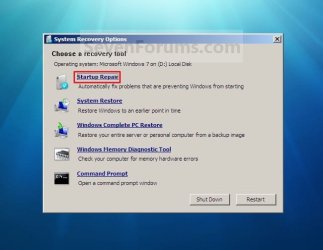
Windows repair tools do not appear

UserNam

New member
Member
Local time
8:50 AM
Messages
31
I have multiple problems but right now my repair tools aren't working. I have a disc and its on the hard drive but when I boot it, it only shows the background and nothing else. I have access to my normal startup and safe mode. I have already tried "sfc /scannow" but it did not help. Please help.
 

My Computer

OS
Windows 7 Ultimate x64
I have multiple problems but right now my repair tools aren't working. I have a disc and its on the hard drive but when I boot it, it only shows the background and nothing else. I have access to my normal startup and safe mode. I have already tried "sfc /scannow" but it did not help. Please help.


Hello Usernam , are you trying to use the Windows repair tool with Windows Installation Disk??
 

My Computer

Computer type
Laptop
Computer Manufacturer/Model Number
Acer Aspire M5100
OS
Windows 8.1 64 bit
CPU
Windows 8.1 64-bit
Motherboard
Toshiba L745D
Memory
4096 MB RAM
Graphics Card(s)
Microsoft Basic Display Adapter
Sound Card
High Definition Audio Device
Monitor(s) Displays
1366x768
Screen Resolution
1366x768
Keyboard
Logitech Keyboard K800
Antivirus
MalwareBytes
Browser
Google Chrome
I'm trying with the recovery partition and the repair disc I made before all of this...
 

My Computer

OS
Windows 7 Ultimate x64

My Computer

Computer type
Laptop
Computer Manufacturer/Model Number
Acer Aspire M5100
OS
Windows 8.1 64 bit
CPU
Windows 8.1 64-bit
Motherboard
Toshiba L745D
Memory
4096 MB RAM
Graphics Card(s)
Microsoft Basic Display Adapter
Sound Card
High Definition Audio Device
Monitor(s) Displays
1366x768
Screen Resolution
1366x768
Keyboard
Logitech Keyboard K800
Antivirus
MalwareBytes
Browser
Google Chrome
My pc starts up but when I try startup repair I only get the background.
With out the gray box...
Repair.jpg
 

My Computer

OS
Windows 7 Ultimate x64
Back
Top