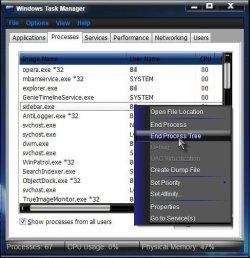
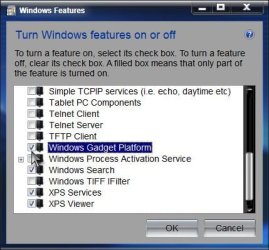
Well this one isn't the usual "my gadgets won't appear" or "my gadgets are all black". One of my gadgets is missing. Doing a right click on the desktop and selecting Gadgets no longer brings up the Gadgets window. If I attempt to reinstall the missing gadget I get told it cannot be reinstalled because it is already running.
Running the command line "%ProgramFiles%\Windows Sidebar\sidebar.exe/show Gadgets" has no effect. I just can't get that window to reappear.
Any suggestions please?
Running the command line "%ProgramFiles%\Windows Sidebar\sidebar.exe/show Gadgets" has no effect. I just can't get that window to reappear.
Any suggestions please?
My Computer
At a glance
Windows 7 Ultimate x64i7 Q8408 GB2 x ATI Radeon H5780
- Computer Manufacturer/Model Number
- Alienware M17x R2
- OS
- Windows 7 Ultimate x64
- CPU
- i7 Q840
- Motherboard
- M17x
- Memory
- 8 GB
- Graphics Card(s)
- 2 x ATI Radeon H5780
- Sound Card
- ATI HD Audio
- Hard Drives
- 2 x 500 GB in RAID 0