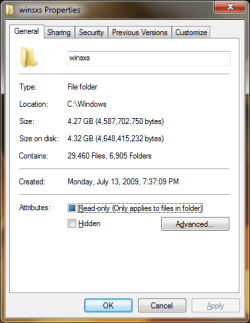
Hello Everyone,
I intend to buy Windows Ultimate Box however I have few concerns in relation to the size of the OS on my disk. I do have a 60GB SSD and I do realise it is enough for the said system to be installed. However, I would like to keep the whole OS as small as possible on the disk. Is there any way I can do it? I know there is VLITE to facilitate my needs but I was just wondering if there is anything I could do after the install or during the install of Windows on my PC to make the size of the whole OS smaller. Ideally I was hoping to get the whole installation below 20GB with updates. I'm going to install applications on a separate disk.
Any advice here would be much appreciated.
Thank you.
PS: hibernation off of course.
I intend to buy Windows Ultimate Box however I have few concerns in relation to the size of the OS on my disk. I do have a 60GB SSD and I do realise it is enough for the said system to be installed. However, I would like to keep the whole OS as small as possible on the disk. Is there any way I can do it? I know there is VLITE to facilitate my needs but I was just wondering if there is anything I could do after the install or during the install of Windows on my PC to make the size of the whole OS smaller. Ideally I was hoping to get the whole installation below 20GB with updates. I'm going to install applications on a separate disk.
Any advice here would be much appreciated.
Thank you.
PS: hibernation off of course.
My Computer
- Computer Manufacturer/Model Number
- Home Built
- OS
- Windows 7 Prof x64
- CPU
- Phenom II x4 955 BE
- Motherboard
- GA-790FXTA-UD5
- Memory
- 8GB Corsair Dominator 1333
- Graphics Card(s)
- MSI N460 GTX Cyclone 768D5 OC
- Sound Card
- Realtek integrated
- Monitor(s) Displays
- Iiyama ProLite E2407HDS
- Screen Resolution
- 1920 X 1080
- Hard Drives
- Samsung Spinpoint F3 HD502HJ
- PSU
- Cooler Master 700W
- Case
- Thermaltake Element S VK600 series
- Cooling
- CPU Noctua NH-U9B SE2
- Keyboard
- Logitech
- Mouse
- Razer Krait
- Internet Speed
- Mobile Broadband