My Windows 7 update is just broken somehow. Whenever I try to manually update, I always end up with a svchost with 50% cpu usage (i.e., one core maxed out) and nothing ever finishes. It just sits there saying "Checking for updates". I've tried a number of solutions on the web - manual intallation of a couple of hotfixes Windows6.1-KB3112343-x64 and Windows6.1-KB3102810-x64, removing the Windows\SoftwareDistribution folder, and being oh so patient. Nothing has worked. It just hangs there and spins.
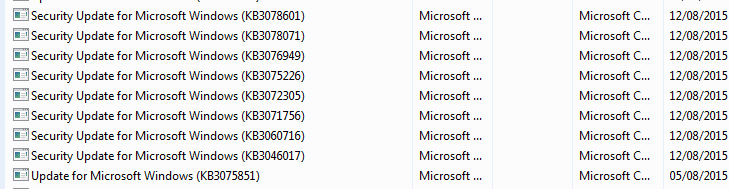
When I look at my update history, I see that the last update listed is KB2825645 from August 11. Nothing has come in since then.
So, I have just disabled updates totally and downloaded the cumulative ISO files from https://support.microsoft.com/en-us/kb/913086 for the missing dates.
I want to install the ones for Windows 7 64bit. Can I just install them directly, in order? I know I am going to get reboot prompts after some of them, so do I have to do it right then or can I update, say, an entire month's worth and then reboot?
When I look at my update history, I see that the last update listed is KB2825645 from August 11. Nothing has come in since then.
So, I have just disabled updates totally and downloaded the cumulative ISO files from https://support.microsoft.com/en-us/kb/913086 for the missing dates.
I want to install the ones for Windows 7 64bit. Can I just install them directly, in order? I know I am going to get reboot prompts after some of them, so do I have to do it right then or can I update, say, an entire month's worth and then reboot?
My Computer
- Computer type
- PC/Desktop
- Computer Manufacturer/Model Number
- Custom
- OS
- W7 64bit
- CPU
- 6600 core duo
- Motherboard
- Gigabyte EP45 -UD3R
- Memory
- 8G
- Graphics Card(s)
- NVIDIA 550 Ti
- Hard Drives
- WD 640 GB
- Antivirus
- ESET
- Browser
- Several
 .
.