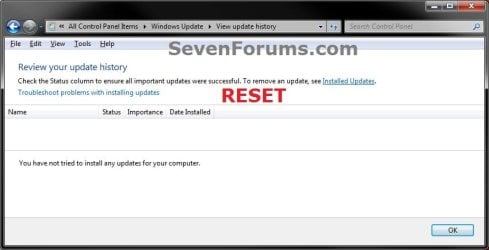
Windows Update - Reset

How to Reset Windows Update in Vista, Windows 7, and Windows 8


   Information
This will show you how to reset Windows Update view update history, and how to reset and re-register Windows Update Components if you are having a problem updating with Windows Update.


OPTION ONE

To Only Reset Windows Update History


   Note
Resetting Windows Update using this option will clear the view update history details list (cache).

This will not actually uninstall any of your currently installed Windows Update. They will just not be listed anymore. Any new Windows Update installed after the reset will show up in the view update history list as normal though.

1. Click/tap on the Download button below to download this file below.
Reset_Windows_Update_History.bat


Download


2. Save the .bat file to your Desktop.

3. Right click or press and hold on the downloaded .bat file, and click/tap on Run as administrator.

4. If prompted by UAC click/tap on Run, then Yes/Continue (if administrator) or type in administrator's password (if standard user).

5. You will now see an elevated command prompt open and run. When it's finished, it will close automatically.

6. If opened, close and reopen Windows Update to verify that it has been reset.
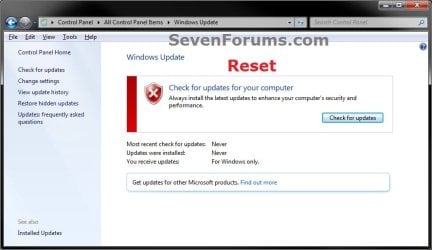
Reset.jpg

Update_History.jpg

7. Resetting the Windows Update history will also restore the default language packs being listed in Windows Upate again in the Windows 7 Ultimate and Enterprise editions after you check for updates next.
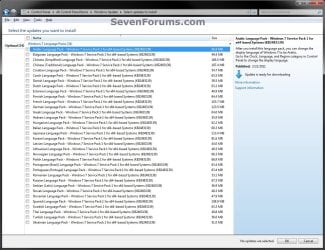
Language_Packs.jpg


OPTION TWO

To Reset and Re-register Windows Update Components


NOTE: This option is the Windows version of: How do I reset Windows Update components?. It will reset Windows Update Components and re-register the BITS files and the Windows Update files to help fix Windows Update errors. This option will not clear the view update history details list as it does in OPTION ONE above.
1. Click/tap on the Download button below to download this file below.
Reset_Reregister_Windows_Update_Components.bat


Download


2. Save the .bat file to your Desktop.

3. Right click or press and hold on the downloaded .bat file, and click/tap on Run as administrator.

4. If prompted by UAC click on Run, then Yes/Continue (if administrator) or type in administrator's password (if standard user).

5. You will now see an elevated command prompt open and run. When it's finished, it will close automatically.

6. Restart the computer afterwards to apply.

7. If this still does not help, then run the Microsoft Fix it tool here:
How do I reset Windows Update components?

See also: Unable to install updates in Windows Vista, Windows 7, Windows Server 2008 and Windows Server 2008 R2


OPTION THREE

To Reset and Re-register Windows Update Components AND Reset Update History in One Easy Click


   Note
This option combines OPTION ONE and OPTION TWO above in one .bat file.

1. Click/tap on the Download button below to download this file below.
Reset_Windows_Update_Full.bat


Download


2. Save the .bat file to your Desktop.

3. Right click or press and hold on the downloaded .bat file, and click/tap on Run as administrator.

4. If prompted by UAC click/tap on Run, then Yes/Continue (if administrator) or type in administrator's password (if standard user).

5. You will now see an elevated command prompt open and run. When it's finished, it will close automatically.

6. Restart the computer afterwards to apply.

7. If this still does not help, then run the Microsoft Fix it tool here:

Download


How do I reset Windows Update components?

See also: Unable to install updates in Windows Vista, Windows 7, Windows Server 2008 and Windows Server 2008 R2
That's it,
Shawn


Attachments

Last edited:
Thanks & happy to be here!

Regarding the testing, we would if we had some extra VM's running that could set a restore point... Servers by nature do not have restore points, so that bet is off. Although I'm very interested in if the script holds true to it's original design.

This might sound like a silly question but when reviewing the script, it doesn't look like it really matters too much whether or not it's geared for a 32bit or 64bit OS. Should we be concerned?
 

My Computer

Computer type
PC/Desktop
OS
Windows 7 Pro
You're correct. It doesn't matter what version the OS is, the script runs the same on both.
 

My Computer

Computer type
PC/Desktop
Computer Manufacturer/Model Number
Self built custom
OS
64-bit Windows 11 Pro for Workstations
CPU
Intel i7-8700K OC'd to 5 GHz
Motherboard
ASUS ROG Maximus XI Formula Z390
Memory
64 GB (4x16GB) G.SKILL TridentZ RGB DDR4 3600 MHz
Graphics Card(s)
ASUS ROG-STRIX-GTX1080TI-O11G-GAMING
Sound Card
Integrated
Monitor(s) Displays
2 x Samsung Odyssey G7 27"
Screen Resolution
2560x1440
Hard Drives
1TB Samsung 990 PRO M.2,
4TB Samsung 990 PRO PRO M.2,
TerraMaster F8 SSD Plus NAS
PSU
Seasonic Prime Titanium 850W
Case
Thermaltake Core P3
Cooling
Corsair Hydro H115i
Keyboard
Logitech wireless K800
Mouse
Logitech MX Master 4
Internet Speed
2 Gb/s Download and 100 Mb/s Upload
Antivirus
Malwarebyte Anti-Malware Premium
Browser
Google Chrome
Other Info
Logitech Z625 speaker system,
Logitech BRIO 4K Pro webcam,
HP Color LaserJet Pro MFP M477fdn,
APC SMART-UPS RT 1000 XL - SURT1000XLI,
Galaxy S23 Plus phone
Thank you worked a treat much appericated
 

My Computer

Computer type
PC/Desktop
Computer Manufacturer/Model Number
custom
OS
win 7 pro 64 bit
CPU
Intel Core i5-4460
Motherboard
MSI H97 GAMING 3
Memory
8 gig
Graphics Card(s)
MSI GTX 960
Monitor(s) Displays
Dell S2409w
Hard Drives
160 gig ssd & 2tb sata
PSU
BQT E5-600w
Keyboard
logitech G105
Internet Speed
6mb
Browser
Chrome
I'm glad it could help Paddy, and welcome to Seven Forums. :)
 

My Computer

Computer type
PC/Desktop
Computer Manufacturer/Model Number
Self built custom
OS
64-bit Windows 11 Pro for Workstations
CPU
Intel i7-8700K OC'd to 5 GHz
Motherboard
ASUS ROG Maximus XI Formula Z390
Memory
64 GB (4x16GB) G.SKILL TridentZ RGB DDR4 3600 MHz
Graphics Card(s)
ASUS ROG-STRIX-GTX1080TI-O11G-GAMING
Sound Card
Integrated
Monitor(s) Displays
2 x Samsung Odyssey G7 27"
Screen Resolution
2560x1440
Hard Drives
1TB Samsung 990 PRO M.2,
4TB Samsung 990 PRO PRO M.2,
TerraMaster F8 SSD Plus NAS
PSU
Seasonic Prime Titanium 850W
Case
Thermaltake Core P3
Cooling
Corsair Hydro H115i
Keyboard
Logitech wireless K800
Mouse
Logitech MX Master 4
Internet Speed
2 Gb/s Download and 100 Mb/s Upload
Antivirus
Malwarebyte Anti-Malware Premium
Browser
Google Chrome
Other Info
Logitech Z625 speaker system,
Logitech BRIO 4K Pro webcam,
HP Color LaserJet Pro MFP M477fdn,
APC SMART-UPS RT 1000 XL - SURT1000XLI,
Galaxy S23 Plus phone
Will it work in Windows 10?

Thanks for help :) Will it work in Windows 10?
 

My Computer

Computer type
Laptop
Computer Manufacturer/Model Number
Asus k53e
OS
Windows 10 Pro 32bit
CPU
intel core i5 2.3Ghz
Motherboard
Asus
Memory
4GB RAM
Graphics Card(s)
intel HD graphics 3000
Screen Resolution
1366 x 768
Hard Drives
Seagate ST9640423AS 640GB
Keyboard
Tunex
Mouse
A4tech G7-750N
Internet Speed
1Mbps
Antivirus
Windows Defender
Browser
Google Chrome
I have been trying to fix my inability to update windows 7 ultimate for months now. I gave up but this evening just thought I would try again. I found this site and used option 3. Wella! its now updating. So far so good. Thank you whoever made those bat files.
 

My Computer

Computer type
PC/Desktop
Computer Manufacturer/Model Number
dell 8300
OS
windows 7 ultimate x 64
I'm glad they could help you Imemine, and welcome to Seven Forums. :)
 

My Computer

Computer type
PC/Desktop
Computer Manufacturer/Model Number
Self built custom
OS
64-bit Windows 11 Pro for Workstations
CPU
Intel i7-8700K OC'd to 5 GHz
Motherboard
ASUS ROG Maximus XI Formula Z390
Memory
64 GB (4x16GB) G.SKILL TridentZ RGB DDR4 3600 MHz
Graphics Card(s)
ASUS ROG-STRIX-GTX1080TI-O11G-GAMING
Sound Card
Integrated
Monitor(s) Displays
2 x Samsung Odyssey G7 27"
Screen Resolution
2560x1440
Hard Drives
1TB Samsung 990 PRO M.2,
4TB Samsung 990 PRO PRO M.2,
TerraMaster F8 SSD Plus NAS
PSU
Seasonic Prime Titanium 850W
Case
Thermaltake Core P3
Cooling
Corsair Hydro H115i
Keyboard
Logitech wireless K800
Mouse
Logitech MX Master 4
Internet Speed
2 Gb/s Download and 100 Mb/s Upload
Antivirus
Malwarebyte Anti-Malware Premium
Browser
Google Chrome
Other Info
Logitech Z625 speaker system,
Logitech BRIO 4K Pro webcam,
HP Color LaserJet Pro MFP M477fdn,
APC SMART-UPS RT 1000 XL - SURT1000XLI,
Galaxy S23 Plus phone
Windows 7 do not update

Dear Brink,

I have tried all 3 options but doesnt work. It tries for a few minutes to update but it stops with out doing anything.
I have just upgraded my pc, installed a new ssd drive, installed win 7, all my programms work fine, except i cannot update.

Hope you could help me

Thanks a lot , George
 

My Computer

Computer type
PC/Desktop
Computer Manufacturer/Model Number
custom build
OS
Win 7 profesional 32bit
CPU
intel i3 4170
Motherboard
gigabyte h97-hd3
Memory
8gb crucial sport 1600mhz ddr3
Graphics Card(s)
no
Hard Drives
ocz trion 100 120GB
Antivirus
no
my windows update is OK BUT.............

I've recently installed more than ten updates from the last flow from MS, without any problem
BUT i cant succeed (for several months!) to install KB 3035583 and 2952664 wich I do need to update to W10
I'm on W7 familial Premium

Couls I use what you propose in spite of the fact that only these two Updates cannot succeed in installing

Thanks in advance

Yours
 

My Computer

Computer type
PC/Desktop
Computer Manufacturer/Model Number
unknown
OS
windows 7 familial premium 64 bits
CPU
Intel Core 3Go
Motherboard
Gigabyte Technology Co., Ltd. P55-UD3L (Socket 1156)
Memory
4,00*Go Canal-Double DDR3 @ 666 MHz (9-9-9-24)
Graphics Card(s)
512 MoNVIDIA GeForce GT 240 (Gigabyte)
Hard Drives
931GB SAMSUNG HD103SJ ATA Device (SATA)
Antivirus
Kaspersky Security 2016
Browser
firefox
I've recently installed more than ten updates from the last flow from MS, without any problem
BUT i cant succeed (for several months!) to install KB 3035583 and 2952664 wich I do need to update to W10
I'm on W7 familial Premium

Couls I use what you propose in spite of the fact that only these two Updates cannot succeed in installing

Thanks in advance

Yours

Hello lgdoc, and welcome to Ten Forums. :)

If you like, you could also use step 4 in the tutorial below to manually upgrade to Windows 10 using the Media Creation Tool by Microsoft.

Windows 10 - Upgrade Installation - Windows 10 Forums
 

My Computer

Computer type
PC/Desktop
Computer Manufacturer/Model Number
Self built custom
OS
64-bit Windows 11 Pro for Workstations
CPU
Intel i7-8700K OC'd to 5 GHz
Motherboard
ASUS ROG Maximus XI Formula Z390
Memory
64 GB (4x16GB) G.SKILL TridentZ RGB DDR4 3600 MHz
Graphics Card(s)
ASUS ROG-STRIX-GTX1080TI-O11G-GAMING
Sound Card
Integrated
Monitor(s) Displays
2 x Samsung Odyssey G7 27"
Screen Resolution
2560x1440
Hard Drives
1TB Samsung 990 PRO M.2,
4TB Samsung 990 PRO PRO M.2,
TerraMaster F8 SSD Plus NAS
PSU
Seasonic Prime Titanium 850W
Case
Thermaltake Core P3
Cooling
Corsair Hydro H115i
Keyboard
Logitech wireless K800
Mouse
Logitech MX Master 4
Internet Speed
2 Gb/s Download and 100 Mb/s Upload
Antivirus
Malwarebyte Anti-Malware Premium
Browser
Google Chrome
Other Info
Logitech Z625 speaker system,
Logitech BRIO 4K Pro webcam,
HP Color LaserJet Pro MFP M477fdn,
APC SMART-UPS RT 1000 XL - SURT1000XLI,
Galaxy S23 Plus phone
I'm having this same problem. After automatically downloading a bunch of updates, windows update is frozen and just keeps checking for updates. I'll try the bat files later and see if this helps and try plugging it into an ethernet plug instead of wifi and report the results.
 

My Computer

Computer type
PC/Desktop
OS
Windows 7 Ultimate 64 Bit
So I installed the batch file #3 to reset windows update, then I downloaded and installed the windows update agent and still windows update wasn't working. I then decided to update the ATI graphics driver and surprisingly, windows update started working again lol. It doesn't make any sense, but I'm happy that its working again. :)
 

My Computer

Computer type
PC/Desktop
OS
Windows 7 Ultimate 64 Bit
Hey Brink, thanks so much for writing this script to fix the stalled updating in Windows 7!

One thing I noticed is that if antivirus AGV and firewall Zone Alarms was running the script would fail at :cryptsvc and wouldn't proceed as it seems that ZoneAlarms kept this service alive.

So I suspended ZoneAlarms and uniinstalled AVG and then the script was successful.

This totally sorted out our production Windows7 running as a VM that we use for accounting.
So today we were able to get the monthly books done! :D

Really appreciate your fine work!

cheers from AU!
 

My Computer

Computer type
Laptop
OS
Windows 7 Professional running in VM on Linux Host (Gentoo)
I'm glad it was able to help rascaldee, and welcome to Seven Forums. :)
 

My Computer

Computer type
PC/Desktop
Computer Manufacturer/Model Number
Self built custom
OS
64-bit Windows 11 Pro for Workstations
CPU
Intel i7-8700K OC'd to 5 GHz
Motherboard
ASUS ROG Maximus XI Formula Z390
Memory
64 GB (4x16GB) G.SKILL TridentZ RGB DDR4 3600 MHz
Graphics Card(s)
ASUS ROG-STRIX-GTX1080TI-O11G-GAMING
Sound Card
Integrated
Monitor(s) Displays
2 x Samsung Odyssey G7 27"
Screen Resolution
2560x1440
Hard Drives
1TB Samsung 990 PRO M.2,
4TB Samsung 990 PRO PRO M.2,
TerraMaster F8 SSD Plus NAS
PSU
Seasonic Prime Titanium 850W
Case
Thermaltake Core P3
Cooling
Corsair Hydro H115i
Keyboard
Logitech wireless K800
Mouse
Logitech MX Master 4
Internet Speed
2 Gb/s Download and 100 Mb/s Upload
Antivirus
Malwarebyte Anti-Malware Premium
Browser
Google Chrome
Other Info
Logitech Z625 speaker system,
Logitech BRIO 4K Pro webcam,
HP Color LaserJet Pro MFP M477fdn,
APC SMART-UPS RT 1000 XL - SURT1000XLI,
Galaxy S23 Plus phone
Solved for my situation...

Just wanted to post I did everything under the sun to try and solve this problem and got it to finally work in my situation. Wanted to post my findings.

Setup:
Dell Precision M6400 Clean install of Windows 7 Pro.

After a clean install (installed a SSD) and Windows update installed the update agent to 7.6.7600.320 windows update would get stuck at "checking for updates" and would never do anything else.

How I solved it:

I am not sure what exactly solved it. However, this is the combined methods that ended up fixing it for me.

1. Performed all 3 options on first page of this forum (trying windows update between each one and problem persisted).
2. Installed Intel Rapid Storage Technology v9.6.0.1014 from Dell.
3. Installed this update manually https://support.microsoft.com/en-us/kb/3083324.
4. Installed this update manually https://support.microsoft.com/en-us/kb/3102810.
5. Attempted step 1 again and then tried windows update with same problem.
6. Noticed there were a couple devices in device manager without drivers so installed those from the Dell website which consisted of multimedia card slot, graphics card(wasn't missing but was using standard vga), wifi card(wasn't missing but updated it anyways) and security control point. I think I also updated the chipset driver which fixed a couple missing devices in device manager.
7. Performed step 1 again and attempted windows update and BAM:what: windows found updates and installed. Windows update now works. :party::cool::D:geek::grouphug:

Why did this problem happen from a clean install? My assumption was that windows update was hanging on trying to locate driver(s) for the missing device(s) in device manager and was "hanging" on one or more of those missing devices.

Good luck!

UPDATE: 2-22-2016

Confirmed with another Dell machine. I did the following to get windows updates to work.

1. Perform step 3 above. Reboot when prompted.
2. Perform step 4 above. Open up windows updates and it should work.

Good luck!
 
Last edited:

My Computer

OS
Windows 7 64bit Ultimate
Thank you for option #2.
 

My Computer

Computer type
PC/Desktop
Computer Manufacturer/Model Number
Dell XPS 9100
OS
Windows 10 Pro 64-bit
CPU
Intel I7 920 @ 2.67 GHz
Motherboard
Dell
Memory
24 Gig
Graphics Card(s)
ATI 5670
Sound Card
Internal
Monitor(s) Displays
23" Wide Flat LED HDMI
Screen Resolution
1366 X 768
Hard Drives
Samsung 250 GB SSD
WD 1TB internal
Seagate 1TB internal
WD 2TB external USB 3
PSU
550 W
Case
Mid
Cooling
Fan
Keyboard
US USB
Mouse
USB
Internet Speed
3.84 Mbps down .44 Mbps up
Antivirus
MS Defener
Browser
IE 11
Other Info
1 Liteon DVD wrighter
1 Liteon BD drive
I'm glad it could help Clint. :)
 

My Computer

Computer type
PC/Desktop
Computer Manufacturer/Model Number
Self built custom
OS
64-bit Windows 11 Pro for Workstations
CPU
Intel i7-8700K OC'd to 5 GHz
Motherboard
ASUS ROG Maximus XI Formula Z390
Memory
64 GB (4x16GB) G.SKILL TridentZ RGB DDR4 3600 MHz
Graphics Card(s)
ASUS ROG-STRIX-GTX1080TI-O11G-GAMING
Sound Card
Integrated
Monitor(s) Displays
2 x Samsung Odyssey G7 27"
Screen Resolution
2560x1440
Hard Drives
1TB Samsung 990 PRO M.2,
4TB Samsung 990 PRO PRO M.2,
TerraMaster F8 SSD Plus NAS
PSU
Seasonic Prime Titanium 850W
Case
Thermaltake Core P3
Cooling
Corsair Hydro H115i
Keyboard
Logitech wireless K800
Mouse
Logitech MX Master 4
Internet Speed
2 Gb/s Download and 100 Mb/s Upload
Antivirus
Malwarebyte Anti-Malware Premium
Browser
Google Chrome
Other Info
Logitech Z625 speaker system,
Logitech BRIO 4K Pro webcam,
HP Color LaserJet Pro MFP M477fdn,
APC SMART-UPS RT 1000 XL - SURT1000XLI,
Galaxy S23 Plus phone
I'm glad it could help Clint. :)

I thought it was fixed, but it still won't update. The last updates were 08-24-15. This is my granddaughters laptop
 

My Computer

Computer type
PC/Desktop
Computer Manufacturer/Model Number
Dell XPS 9100
OS
Windows 10 Pro 64-bit
CPU
Intel I7 920 @ 2.67 GHz
Motherboard
Dell
Memory
24 Gig
Graphics Card(s)
ATI 5670
Sound Card
Internal
Monitor(s) Displays
23" Wide Flat LED HDMI
Screen Resolution
1366 X 768
Hard Drives
Samsung 250 GB SSD
WD 1TB internal
Seagate 1TB internal
WD 2TB external USB 3
PSU
550 W
Case
Mid
Cooling
Fan
Keyboard
US USB
Mouse
USB
Internet Speed
3.84 Mbps down .44 Mbps up
Antivirus
MS Defener
Browser
IE 11
Other Info
1 Liteon DVD wrighter
1 Liteon BD drive
I'm sorry to hear that Clint. What error message is it giving you?
 

My Computer

Computer type
PC/Desktop
Computer Manufacturer/Model Number
Self built custom
OS
64-bit Windows 11 Pro for Workstations
CPU
Intel i7-8700K OC'd to 5 GHz
Motherboard
ASUS ROG Maximus XI Formula Z390
Memory
64 GB (4x16GB) G.SKILL TridentZ RGB DDR4 3600 MHz
Graphics Card(s)
ASUS ROG-STRIX-GTX1080TI-O11G-GAMING
Sound Card
Integrated
Monitor(s) Displays
2 x Samsung Odyssey G7 27"
Screen Resolution
2560x1440
Hard Drives
1TB Samsung 990 PRO M.2,
4TB Samsung 990 PRO PRO M.2,
TerraMaster F8 SSD Plus NAS
PSU
Seasonic Prime Titanium 850W
Case
Thermaltake Core P3
Cooling
Corsair Hydro H115i
Keyboard
Logitech wireless K800
Mouse
Logitech MX Master 4
Internet Speed
2 Gb/s Download and 100 Mb/s Upload
Antivirus
Malwarebyte Anti-Malware Premium
Browser
Google Chrome
Other Info
Logitech Z625 speaker system,
Logitech BRIO 4K Pro webcam,
HP Color LaserJet Pro MFP M477fdn,
APC SMART-UPS RT 1000 XL - SURT1000XLI,
Galaxy S23 Plus phone
I'm sorry to hear that Clint. What error message is it giving you?
None. It just keeps going for hours and nothing. I'm reinstalling Windows now.
 

My Computer

Computer type
PC/Desktop
Computer Manufacturer/Model Number
Dell XPS 9100
OS
Windows 10 Pro 64-bit
CPU
Intel I7 920 @ 2.67 GHz
Motherboard
Dell
Memory
24 Gig
Graphics Card(s)
ATI 5670
Sound Card
Internal
Monitor(s) Displays
23" Wide Flat LED HDMI
Screen Resolution
1366 X 768
Hard Drives
Samsung 250 GB SSD
WD 1TB internal
Seagate 1TB internal
WD 2TB external USB 3
PSU
550 W
Case
Mid
Cooling
Fan
Keyboard
US USB
Mouse
USB
Internet Speed
3.84 Mbps down .44 Mbps up
Antivirus
MS Defener
Browser
IE 11
Other Info
1 Liteon DVD wrighter
1 Liteon BD drive
Back
Top