Windows won't fully start

Hi Sir(s),
BiGmick :
1.Thanks sir for the response.
cedar: sir,
how to grab error code or memory dump file
2. As soon as the system crashes, there will appear an immediate screen mentioning error/bug check code something like ''0x002.... '' & a small description like ''Display_Error_...._...'' You have to note it down. Additionally, you can snap the screen if it gives you time! Make sure you note down the error code & small description.
3. The next time when you boot into the system 'Safe mode/Normal mode'. You have to go to ''C:\Windows''. If you go a little down, there will be listed some files. Look for file(s) named ''Memory.dmp''. Copy it & upload it somewhere (For eg. Google Drive) with a shareable link & share the link here.
4. I will help you with Speecy.
5. I see you are using IOBit. This program has caused a lot of problems in the past & the cause of strange computer problems. In fact in some cases the only remedy has been a complete OS reinstall.
That is when you use it for uninstalling programs, removing left overs,etc.!

Thanks & regards. ...
 

My Computer

Computer type
Laptop
Computer Manufacturer/Model Number
hp compaq presario c795VU notebook pc
OS
Windows 7 Ultimate x32 With Sp1 + Vista Ultimate x32 with Sp1 & Sp2 !!
CPU
Intel Mobile Core 2 Duo T5750 @ 2.00GHz Merom 65nm Technolog
Motherboard
Hewlett-Packard 30D9 (CPU)
Memory
2.00GB Dual-Channel DDR2 @ 332MHz (5-5-5-15)
Graphics Card(s)
Mobile Intel(R) 965 Express Chipset Family
Sound Card
High Definition Audio Device
Monitor(s) Displays
LP154WX4-TLCB on Mobile Intel 965 Express Chipset Family
Screen Resolution
1280x800 @ 60Hz
Hard Drives
149GB Western Digital WDC WD1600BEVS-60VAT0 ATA Device (SATA)
Keyboard
Standard 101/102-Key or Microsoft Natural PS/2 Key + HP QLB
Mouse
ALPS pointing device
Antivirus
Kaspersky AV 2017(Win 7) & AVG AntiVirus Free 2016 (VISTA)
Browser
google chrome
Cedar. I see you are using IOBit. This program has caused a lot of problems in the past & the cause of strange computer problems. In fact in some cases the only remedy has been a complete OS reinstall.


Thanks for replying Ranger4.
I only did it because someone in this thread asked me to.
In other words the problem(s) arose BEFORE installing IOBit.
Plus I used the portable app version of it.
 

My Computer

Computer type
PC/Desktop
Computer Manufacturer/Model Number
HP 6005 Pro
OS
Windows 7 Pro x64
CPU
Athlon II X2 B24 (3.00GHz)
Memory
8GB DDR3
Hard Drives
1TB HDD
It was only a suggestion in the hope it might assist.
 

My Computer

Computer type
PC/Desktop
Computer Manufacturer/Model Number
Self built using existing case
OS
Windows 7 Home Premium 64 bit sp1
CPU
Intel i5 3570 3.4Ghz Ivy Bridge SKT 1155 quad core
Motherboard
Gigabyte Z77-HD3 SKT 1155 2xSata 3, 4x USB 3.0
Memory
G-Skill Rip Jaws 16Gb (8x2) DDR3 -1600 PC3 12800 CL 10 red
Graphics Card(s)
Gigabyte NVIDIA GT610 1Gb DDR3 810/1200 PCI-E 2.0 Silent
Sound Card
NVIDIA High Definition & Realtech High Definition Audio
Monitor(s) Displays
2 x Philips 226V4L 16:9 aspect ratio
Screen Resolution
1920 x 1080 HD
Hard Drives
Samsung 840 Pro 256gb SSD, SATA 3.
Hitachi Touro Portable 1tb, USB 3.0 HDD used for image b/ups.
PSU
Corsair VS450
Case
Codeng
Cooling
PSU fan & CPU fan
Keyboard
Logitech
Mouse
Logitech Wireless trackball M570
Internet Speed
Wireless 3G. 3mg down & 550kb up.
Antivirus
Bitdefender Internet Security 2020
Browser
Opera (Current Version) & Firefox
Other Info
MS Office 2013 Pro. Davis weather station software. MGE Nova 600 avr UPS.
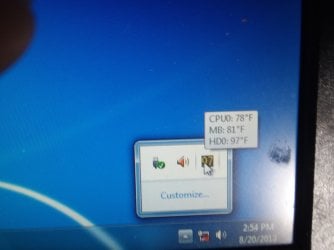
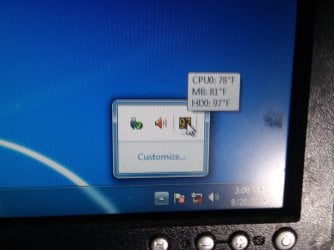
Well I made the changes and set speccy to run in systray at startup.
HD was F97 degrees at reboot and F97 degrees 5 minutes later.
It crashed abiut 30 minutes later and I wasn't there to see the error message but upon reboot the HD was F 119 degrees.
I guess that's hot.


Can't seem to find the dump file.
Am enclosing snaps of my c/windows folder.
Any idea where to look?


thnx!
 

Attachments

  • 20180820_145429.jpg
    20180820_145429.jpg
    241.2 KB · Views: 0
  • 20180820_150007.jpg
    20180820_150007.jpg
    487.7 KB · Views: 0
  • 20180820_163951.jpg
    20180820_163951.jpg
    306.6 KB · Views: 2
  • 20180820_164124.jpg
    20180820_164124.jpg
    466 KB · Views: 1

My Computer

Computer type
PC/Desktop
Computer Manufacturer/Model Number
HP 6005 Pro
OS
Windows 7 Pro x64
CPU
Athlon II X2 B24 (3.00GHz)
Memory
8GB DDR3
Hard Drives
1TB HDD
Hi All,
Greets,
Sir(s),
Ranger4 : Sir,
1. Your experience is unmatched & we need your help & advice(s). I use Iobit uninstaller for information purposes only.
cedar : Sir,
2. Speccy:
(a). Make temperatures to show in degree celsius. It would be easy for us.
(b). Keep Speccy minimized to system tray to continuously monitor temperatures. If you close Speccy window by chance, you have to launch it again & minimize the window to have it in your sys tray.
(c). You should set Speccy settings to monitor/reflect changes every one or two minutes & keep an eye on it.
(d). To have it show in systray continuously, click 'Customize...'( Marked in yellow at below image) Tick/check the box against 'Always show all icons & notifications on the task bar' at bottom & click 'OK'. Now it will always show in the task bar.
(e). The harddisk temperature 119 F = 48.33 C is not good but ok! Warning temperature zone for harddisk is 50-55 C.

EDIT SOON!
 
Last edited:

My Computer

Computer type
Laptop
Computer Manufacturer/Model Number
hp compaq presario c795VU notebook pc
OS
Windows 7 Ultimate x32 With Sp1 + Vista Ultimate x32 with Sp1 & Sp2 !!
CPU
Intel Mobile Core 2 Duo T5750 @ 2.00GHz Merom 65nm Technolog
Motherboard
Hewlett-Packard 30D9 (CPU)
Memory
2.00GB Dual-Channel DDR2 @ 332MHz (5-5-5-15)
Graphics Card(s)
Mobile Intel(R) 965 Express Chipset Family
Sound Card
High Definition Audio Device
Monitor(s) Displays
LP154WX4-TLCB on Mobile Intel 965 Express Chipset Family
Screen Resolution
1280x800 @ 60Hz
Hard Drives
149GB Western Digital WDC WD1600BEVS-60VAT0 ATA Device (SATA)
Keyboard
Standard 101/102-Key or Microsoft Natural PS/2 Key + HP QLB
Mouse
ALPS pointing device
Antivirus
Kaspersky AV 2017(Win 7) & AVG AntiVirus Free 2016 (VISTA)
Browser
google chrome
Have Speccy set to celsius now, always showing in systray.


(c). You should set Speccy settings to monitor/reflect changes every one or two minutes & keep an eye on it.

(e). The harddisk temperature 119 F = 48.33 C is not good but ok! Warning temperature zone for harddisk is 50-55 C.

EDIT SOON!


Mine is set to refresh every 1 second.
Only option I found time based.


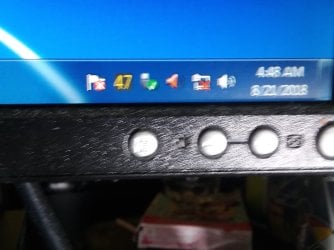
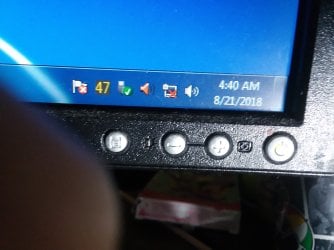
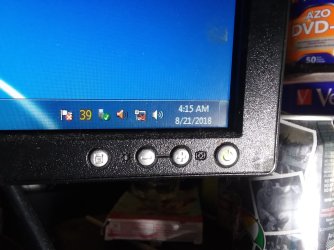
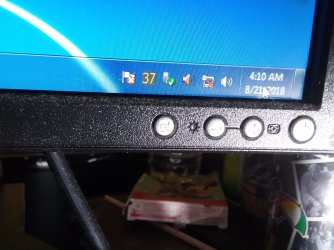
My temperatures were as follows (appr.)L


4:00 - 33 degrees
4:10 - 37
4:15 - 39
4:40 - 47
4:48 - 47
4:55 - 47


will add snaps below.


And that's doing nothing but running speccy.
 

Attachments

  • 20180821_044755.jpg
    20180821_044755.jpg
    387.6 KB · Views: 0
  • 20180821_044017.jpg
    20180821_044017.jpg
    464.6 KB · Views: 0
  • 20180821_041508.jpg
    20180821_041508.jpg
    542.6 KB · Views: 0
  • 20180821_041018.jpg
    20180821_041018.jpg
    606.1 KB · Views: 0

My Computer

Computer type
PC/Desktop
Computer Manufacturer/Model Number
HP 6005 Pro
OS
Windows 7 Pro x64
CPU
Athlon II X2 B24 (3.00GHz)
Memory
8GB DDR3
Hard Drives
1TB HDD
Hi cedar,
Sir,
It feels good to see that you are able to keep some pace with the instructions. Cheers.
1. The temperature refresh time will be minimum 1 sec but you can increase it to one of your choice.
2. Sorry, No excuses, you have to catch the screen after a crash & note down the error code & small description. We can't go ahead without that.
3. Probably, you would have noticed the 'Flag of Action Center' with a red cross which is just next/left to the temperature digits.
4. We would have to look into why 'Memory.dmp' files are not showing there!
5. Your C: drive is heavily loaded with the data that is always a burden. It should be with at least 40% free space. We would see what we can copy to the other partition!

Let us know,

Thanks & Regards...
 

My Computer

Computer type
Laptop
Computer Manufacturer/Model Number
hp compaq presario c795VU notebook pc
OS
Windows 7 Ultimate x32 With Sp1 + Vista Ultimate x32 with Sp1 & Sp2 !!
CPU
Intel Mobile Core 2 Duo T5750 @ 2.00GHz Merom 65nm Technolog
Motherboard
Hewlett-Packard 30D9 (CPU)
Memory
2.00GB Dual-Channel DDR2 @ 332MHz (5-5-5-15)
Graphics Card(s)
Mobile Intel(R) 965 Express Chipset Family
Sound Card
High Definition Audio Device
Monitor(s) Displays
LP154WX4-TLCB on Mobile Intel 965 Express Chipset Family
Screen Resolution
1280x800 @ 60Hz
Hard Drives
149GB Western Digital WDC WD1600BEVS-60VAT0 ATA Device (SATA)
Keyboard
Standard 101/102-Key or Microsoft Natural PS/2 Key + HP QLB
Mouse
ALPS pointing device
Antivirus
Kaspersky AV 2017(Win 7) & AVG AntiVirus Free 2016 (VISTA)
Browser
google chrome
Cedar -- Thanks for changing the Speccy Degrees to Celsius. That is standard for reporting temperature. If you get over 50 degrees, then you are starting to get hot. Keep an eye on it. Is the temp showing in the Task Bar the CPU Temp? That is what you need to observe. I will check back later.
 

My Computer

Computer type
PC/Desktop
Computer Manufacturer/Model Number
Custom Build
OS
Windows 7 Home Premium 32-Bit - Build 7600 SP1
CPU
Intel Core i3-2120 3.30Ghz
Motherboard
Asus P8Z68-V LX Intel Z68 Socket H2 ATX
Memory
Kingston 4 GB DDR3 1333 mhz
Graphics Card(s)
AMD Radeon HD6670
Sound Card
Sound Blaster Audigy SE 24-Bit
Monitor(s) Displays
Asus VE228
Screen Resolution
1440 X 900
Hard Drives
OCZ Vertex 3 120 GB Sata 3 SSD ==
Kingston SH103/S3 120 G Hyper X 120 GB SSD ==
Western Digital 500 GB Caviar Green 7200 RPM ==
PSU
Corsair CX600M == 600 Watt
Case
NZXT Apollo - Silver with Clear Side Panel
Cooling
Three 120 mm Fans
Keyboard
Microsoft Natural 4000
Mouse
Microsoft Custom Optical 3000
Internet Speed
AT&T Fiber Optic Wireless Network
Antivirus
Microsoft Security Essentials
Browser
Chrome
Other Info
120 mm Blue LED Fan -- Three Blue LED Lazer Light Sticks
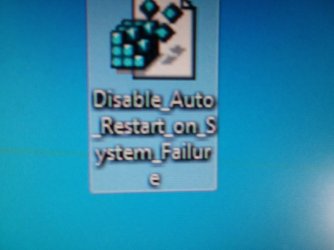
It appears that my computer is still rebooting after crash.
Don't know why because I used the .reg file in the link you gave to disable it.


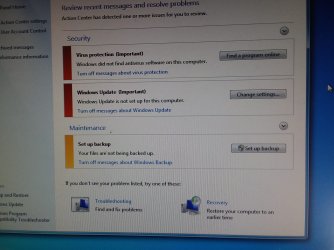
The action center red flags only pertain to things such as windows backup, antivirus, etc...
I will post snaps.


thnx!
 

Attachments

  • 20180821_111406.jpg
    20180821_111406.jpg
    633.4 KB · Views: 0
  • 20180821_111432.jpg
    20180821_111432.jpg
    454.5 KB · Views: 0
  • 20180821_111534.jpg
    20180821_111534.jpg
    551.5 KB · Views: 0

My Computer

Computer type
PC/Desktop
Computer Manufacturer/Model Number
HP 6005 Pro
OS
Windows 7 Pro x64
CPU
Athlon II X2 B24 (3.00GHz)
Memory
8GB DDR3
Hard Drives
1TB HDD
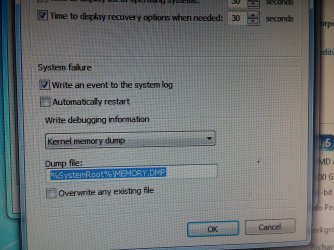
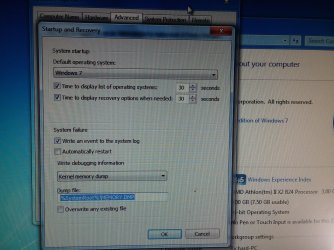
So I double checked just to make sure I did everything right.
I used the correct reg file to disable auto reboot after crash.
And my settings look correct.
See snaps.
 

Attachments

  • 20180821_123755.jpg
    20180821_123755.jpg
    1.1 MB · Views: 0
  • 20180821_123752.jpg
    20180821_123752.jpg
    846.8 KB · Views: 0
  • 20180821_120848.jpg
    20180821_120848.jpg
    247.8 KB · Views: 0

My Computer

Computer type
PC/Desktop
Computer Manufacturer/Model Number
HP 6005 Pro
OS
Windows 7 Pro x64
CPU
Athlon II X2 B24 (3.00GHz)
Memory
8GB DDR3
Hard Drives
1TB HDD
And I did a search of C for MEMORY.DMP with no luck.
I finally got to see it crash.
It rebooted anyway and went to the safe mode screen.
 

Attachments

  • 20180822_002723.jpg
    20180822_002723.jpg
    403 KB · Views: 0

My Computer

Computer type
PC/Desktop
Computer Manufacturer/Model Number
HP 6005 Pro
OS
Windows 7 Pro x64
CPU
Athlon II X2 B24 (3.00GHz)
Memory
8GB DDR3
Hard Drives
1TB HDD
Cedar -- Thanks for changing the Speccy Degrees to Celsius. That is standard for reporting temperature. If you get over 50 degrees, then you are starting to get hot. Keep an eye on it. Is the temp showing in the Task Bar the CPU Temp? That is what you need to observe. I will check back later.


Right before it crashed I took this pic that will show you all 3 temperatures.

They're pretty consistently around that ratio.
 

Attachments

  • 20180821_235714.jpg
    20180821_235714.jpg
    545.8 KB · Views: 1

My Computer

Computer type
PC/Desktop
Computer Manufacturer/Model Number
HP 6005 Pro
OS
Windows 7 Pro x64
CPU
Athlon II X2 B24 (3.00GHz)
Memory
8GB DDR3
Hard Drives
1TB HDD
Hi cedar,
Sir,
1. Action Center is good enough.
2. We have to look in why 'memory.dmp' file is not showing. There are reasons for it.
3. You did it all right with disabling auto restart on system failure. Why its trying rebooting/taking to recovery on its own after a system crash is a mystery for me! Boot problems ??
(a) Earlier you tried Startup Repair & the result was that it could not repair. Can you try whether it still detects any problem(s) and shows inability to repair ? You have to run the process 3 times one after another if it finds any error. ( Advanced boot options > Repair you computer > Startup repair )
(b) I am also thinking about disabling the 'Quick Boot' settings & enabling 'Full Boot' every time you boot. Its a bios setting. I will instruct later.
(c) I also plan to hard reset your pc. I will instruct later.
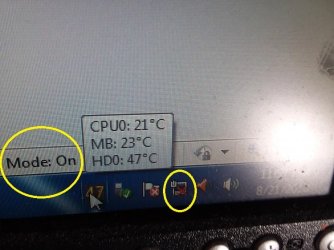
4. What is that Mode: On in the below image ?
What power supply you are using ? Do you have a battery and/or UPS ?

cedar's pc systray.jpg

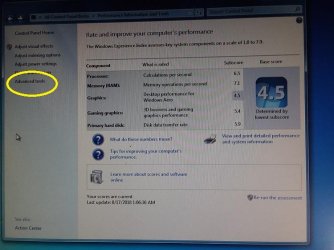
5. Clicking 'Advanced tools' shows any problem ? (Snap)

Cedar's Pc Performance.jpg

Thanks & Regards. ...
 

My Computer

Computer type
Laptop
Computer Manufacturer/Model Number
hp compaq presario c795VU notebook pc
OS
Windows 7 Ultimate x32 With Sp1 + Vista Ultimate x32 with Sp1 & Sp2 !!
CPU
Intel Mobile Core 2 Duo T5750 @ 2.00GHz Merom 65nm Technolog
Motherboard
Hewlett-Packard 30D9 (CPU)
Memory
2.00GB Dual-Channel DDR2 @ 332MHz (5-5-5-15)
Graphics Card(s)
Mobile Intel(R) 965 Express Chipset Family
Sound Card
High Definition Audio Device
Monitor(s) Displays
LP154WX4-TLCB on Mobile Intel 965 Express Chipset Family
Screen Resolution
1280x800 @ 60Hz
Hard Drives
149GB Western Digital WDC WD1600BEVS-60VAT0 ATA Device (SATA)
Keyboard
Standard 101/102-Key or Microsoft Natural PS/2 Key + HP QLB
Mouse
ALPS pointing device
Antivirus
Kaspersky AV 2017(Win 7) & AVG AntiVirus Free 2016 (VISTA)
Browser
google chrome
(a) Earlier you tried Startup Repair & the result was that it could not repair. Can you try whether it still detects any problem(s) and shows inability to repair ? You have to run the process 3 times one after another if it finds any error. ( Advanced boot options > Repair you computer > Startup repair )

4. What is that Mode: On in the below image ?
What power supply you are using ? Do you have a battery and/or UPS ?


5. Clicking 'Advanced tools' shows any problem ? (Snap)


I'm not sure what the mode icon is for as it's not there now.
The red in the taskbar just means no internet connection.
I have a small form factor pc which usually means a small psu.
My UPS is a Cyberpower 750va AVR just 3-4 months old and working fine.


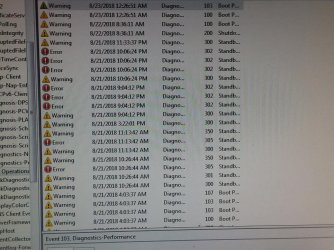
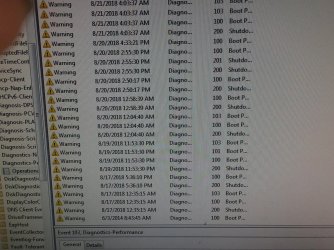
Event viewer showed a ton of issues.
Here are some pics.
I also exported it to a text file and .xml as well if you need it.


thnx!
 

Attachments

  • 20180823_002755.jpg
    20180823_002755.jpg
    651.9 KB · Views: 1
  • 20180823_002842.jpg
    20180823_002842.jpg
    820.8 KB · Views: 1

My Computer

Computer type
PC/Desktop
Computer Manufacturer/Model Number
HP 6005 Pro
OS
Windows 7 Pro x64
CPU
Athlon II X2 B24 (3.00GHz)
Memory
8GB DDR3
Hard Drives
1TB HDD
Hi Cedar -- On the pictures above, can you spread the columns in the two rows where "Diagno..." is and the second row over to the right so we can read them and take another Pic? == Vineet Garg -- What do you think about a Clean Install? Do you think all of the options are used yet?
 

My Computer

Computer type
PC/Desktop
Computer Manufacturer/Model Number
Custom Build
OS
Windows 7 Home Premium 32-Bit - Build 7600 SP1
CPU
Intel Core i3-2120 3.30Ghz
Motherboard
Asus P8Z68-V LX Intel Z68 Socket H2 ATX
Memory
Kingston 4 GB DDR3 1333 mhz
Graphics Card(s)
AMD Radeon HD6670
Sound Card
Sound Blaster Audigy SE 24-Bit
Monitor(s) Displays
Asus VE228
Screen Resolution
1440 X 900
Hard Drives
OCZ Vertex 3 120 GB Sata 3 SSD ==
Kingston SH103/S3 120 G Hyper X 120 GB SSD ==
Western Digital 500 GB Caviar Green 7200 RPM ==
PSU
Corsair CX600M == 600 Watt
Case
NZXT Apollo - Silver with Clear Side Panel
Cooling
Three 120 mm Fans
Keyboard
Microsoft Natural 4000
Mouse
Microsoft Custom Optical 3000
Internet Speed
AT&T Fiber Optic Wireless Network
Antivirus
Microsoft Security Essentials
Browser
Chrome
Other Info
120 mm Blue LED Fan -- Three Blue LED Lazer Light Sticks
Hi Cedar -- On the pictures above, can you spread the columns in the two rows where "Diagno..." is and the second row over to the right so we can read them and take another Pic?


bigmck,
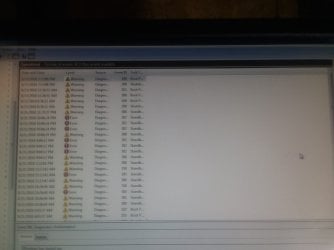
As you can see from the pic below the columns do not seem to resize and I have tried switching their order as well.
But I said I exported it to a .txt file so between the 2 pics and the text file you can gleen all the info you need I think.


thnx!
 

Attachments

  • 20180823_223708.jpg
    20180823_223708.jpg
    179.8 KB · Views: 0

My Computer

Computer type
PC/Desktop
Computer Manufacturer/Model Number
HP 6005 Pro
OS
Windows 7 Pro x64
CPU
Athlon II X2 B24 (3.00GHz)
Memory
8GB DDR3
Hard Drives
1TB HDD
Hi All,
Greets,
Vineet Garg -- What do you think about a Clean Install? Do you think all of the options are used yet?
bigmck: Sir,
Thanks for the responses (& hidden guides!). I was very hopeful when we discovered the Recovery Partition . I thought it would overwrite just everything to the factory conditions like any other OEM Recovery Partition, May be with bloatware! but it worked just like an ordinary win7 64 sp1 installation media without any specialized drivers & updates. That was also done without any formatting & without sacrificing everything on the hard disk.
cedar : Sir,
1) Be mentally ready to sacrifice everything on the internal hard disk & make a clean install very soon.
2) In the meantime:
(a). I did not ask for Event Viewer snaps. I was asking for something else, see that snap which you posted in action center reference!
(b). Anyway, Event Viewer (diagnostics - performance) points to mainly three type of faults : Shutdo..., Boot P..., Standb... Sir bigmick asked you to expand the two columns 'Diagno...' & 'Shutdo...' & take snaps. That will enable us to look into it & understand well.
(c). I suppose the problem is with standby as shown in Event Viewer snaps. Boot into normal mode & once stable try to put it into sleep manually. Report what happens ?
(d) Then try to hibernate it manually from a normal boot & tell what happens.
(e) Put your system to High Performance Power Plan', reboot it into normal mode & wait for a crash.
Power Plan - Select
(f) I did it never with Event Viewer. But i am initializing the things and would advise some particular Event logs

3) I am planning to crash your system manually & look for the 'Memory.dmp' file if it is created !
4) what about Startup Repair ?

Let us know,

Thanks & Regards. ...

Edit : I have changed my mind. We will go with Clean install. Should we proceed ?
 
Last edited:

My Computer

Computer type
Laptop
Computer Manufacturer/Model Number
hp compaq presario c795VU notebook pc
OS
Windows 7 Ultimate x32 With Sp1 + Vista Ultimate x32 with Sp1 & Sp2 !!
CPU
Intel Mobile Core 2 Duo T5750 @ 2.00GHz Merom 65nm Technolog
Motherboard
Hewlett-Packard 30D9 (CPU)
Memory
2.00GB Dual-Channel DDR2 @ 332MHz (5-5-5-15)
Graphics Card(s)
Mobile Intel(R) 965 Express Chipset Family
Sound Card
High Definition Audio Device
Monitor(s) Displays
LP154WX4-TLCB on Mobile Intel 965 Express Chipset Family
Screen Resolution
1280x800 @ 60Hz
Hard Drives
149GB Western Digital WDC WD1600BEVS-60VAT0 ATA Device (SATA)
Keyboard
Standard 101/102-Key or Microsoft Natural PS/2 Key + HP QLB
Mouse
ALPS pointing device
Antivirus
Kaspersky AV 2017(Win 7) & AVG AntiVirus Free 2016 (VISTA)
Browser
google chrome
2) In the meantime:
(a). I did not ask for Event Viewer snaps. I was asking for something else, see that snap which you posted in action center reference!
(b). Anyway, Event Viewer (diagnostics - performance) points to mainly three type of faults : Shutdo..., Boot P..., Standb... Sir bigmick asked you to expand the two columns 'Diagno...' & 'Shutdo...' & take snaps. That will enable us to look into it & understand well.

(e) Put your system to High Performance Power Plan', reboot it into normal mode & wait for a crash.
Power Plan - Select
(f) I did it never with Event Viewer. But i am initializing the things and would advise some particular Event logs

3) I am planning to crash your system manually & look for the 'Memory.dmp' file if it is created !


If you look at my event viewer pic in above post I have extra space but can't figure out how to make columns expand to fill space.


(c). I suppose the problem is with standby as shown in Event Viewer snaps. Boot into normal mode & once stable try to put it into sleep manually. Report what happens ?
(d) Then try to hibernate it manually from a normal boot & tell what happens.+-
What do you mean by put it to sleep manually? shut down?


4) what about Startup Repair ?


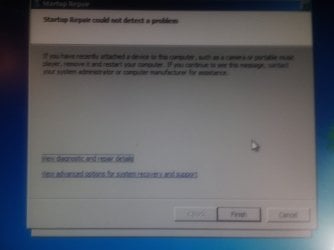
Startup repair "could not detect a problem"!
Will post screen.
 

Attachments

  • 20180824_024744.jpg
    20180824_024744.jpg
    151.9 KB · Views: 0

My Computer

Computer type
PC/Desktop
Computer Manufacturer/Model Number
HP 6005 Pro
OS
Windows 7 Pro x64
CPU
Athlon II X2 B24 (3.00GHz)
Memory
8GB DDR3
Hard Drives
1TB HDD
Good Morning Cedar -- We will get you going soon. == In the last picture above, see the last column on the right. It says "Task C..." and there is a black line to the right of C. Take your mouse, put it on the line and hold down the left mouse button and pull the mouse to the right. The column will stretch. We need to see all of the writing. Do the same thing for all of the columns so we can see what the writing is. Thanks, == V. Garg, I believe is leaning towards a Clean Install, as am I. We have tried everything else I believe. That will get you going but will erase everything on your PC. If you have anything that you like or need, it will be gone unless you have a copy of the file somewhere else. You don't want to backup the entire PC because that would also backup the file that is giving you a problem. I just want you to be aware of that.
 

My Computer

Computer type
PC/Desktop
Computer Manufacturer/Model Number
Custom Build
OS
Windows 7 Home Premium 32-Bit - Build 7600 SP1
CPU
Intel Core i3-2120 3.30Ghz
Motherboard
Asus P8Z68-V LX Intel Z68 Socket H2 ATX
Memory
Kingston 4 GB DDR3 1333 mhz
Graphics Card(s)
AMD Radeon HD6670
Sound Card
Sound Blaster Audigy SE 24-Bit
Monitor(s) Displays
Asus VE228
Screen Resolution
1440 X 900
Hard Drives
OCZ Vertex 3 120 GB Sata 3 SSD ==
Kingston SH103/S3 120 G Hyper X 120 GB SSD ==
Western Digital 500 GB Caviar Green 7200 RPM ==
PSU
Corsair CX600M == 600 Watt
Case
NZXT Apollo - Silver with Clear Side Panel
Cooling
Three 120 mm Fans
Keyboard
Microsoft Natural 4000
Mouse
Microsoft Custom Optical 3000
Internet Speed
AT&T Fiber Optic Wireless Network
Antivirus
Microsoft Security Essentials
Browser
Chrome
Other Info
120 mm Blue LED Fan -- Three Blue LED Lazer Light Sticks
I just noticed that on Message 130, the Disk Management (it shows your C, D, etc drives) that you have more than your C: drive. If we do a Clean Install, only the C: drive will be lost. That is good news. What you might do when we get things straight is take all your files off of C: except for Windows 7. That way if a problem comes up again in the future, you will not lose anything except what is on C: which is Windows 7 only, but that is for later. Just something to keep in mind.
 

My Computer

Computer type
PC/Desktop
Computer Manufacturer/Model Number
Custom Build
OS
Windows 7 Home Premium 32-Bit - Build 7600 SP1
CPU
Intel Core i3-2120 3.30Ghz
Motherboard
Asus P8Z68-V LX Intel Z68 Socket H2 ATX
Memory
Kingston 4 GB DDR3 1333 mhz
Graphics Card(s)
AMD Radeon HD6670
Sound Card
Sound Blaster Audigy SE 24-Bit
Monitor(s) Displays
Asus VE228
Screen Resolution
1440 X 900
Hard Drives
OCZ Vertex 3 120 GB Sata 3 SSD ==
Kingston SH103/S3 120 G Hyper X 120 GB SSD ==
Western Digital 500 GB Caviar Green 7200 RPM ==
PSU
Corsair CX600M == 600 Watt
Case
NZXT Apollo - Silver with Clear Side Panel
Cooling
Three 120 mm Fans
Keyboard
Microsoft Natural 4000
Mouse
Microsoft Custom Optical 3000
Internet Speed
AT&T Fiber Optic Wireless Network
Antivirus
Microsoft Security Essentials
Browser
Chrome
Other Info
120 mm Blue LED Fan -- Three Blue LED Lazer Light Sticks
Back
Top