Wiping out and Reinstalling Windows 7

tigersbaseball1

New member
Local time
3:04 PM
Messages
8
I bought a HP G60 Laptop about a year and half ago. I have been wanting to wipe the computer out and re-install Windows 7. When I bought the laptop it didn't come with an install disc.

My question is, is there any possible way to wipe out my laptop and re-install windows 7, and use the same product key thats on the bottom of my computer?

Thank you
 

My Computer My Computer

Computer Manufacturer/Model Number
HP Laptop/Gt 60-600
OS
Windows 7 Home Premium 32bit
Hard Drives
Seagate HD 320Gb
Do you no if it has got any way to factory reset it as most laptops and pc that have no discs come with away to reset it
 

My Computer My Computer

Computer Manufacturer/Model Number
acer aspire x3950
OS
windows 7 home prem 64 bit
CPU
i3 530
Memory
4 gig ddr 3
Graphics Card(s)
onboard i only play game using onlive cloud gaming
Sound Card
onboard
Monitor(s) Displays
i-inc 19 wide screen
Hard Drives
640 gig
PSU
250
Case
small form
Cooling
fan
Keyboard
logitech
Mouse
motor mouse
Internet Speed
50 meg
Other Info
Firefox nightly 64bit
http://answers.yahoo.com/question/index?qid=20110613135329AAAFaB2

UNTESTED! Press F11 at boot up, and that takes you into the Recovery Manager. Answer the questions, and in about 20 min. your computer will be restored to factory default.

One more thing make a back up of the laptop in case something happens in the future
 

My Computer My Computer

Computer Manufacturer/Model Number
acer aspire x3950
OS
windows 7 home prem 64 bit
CPU
i3 530
Memory
4 gig ddr 3
Graphics Card(s)
onboard i only play game using onlive cloud gaming
Sound Card
onboard
Monitor(s) Displays
i-inc 19 wide screen
Hard Drives
640 gig
PSU
250
Case
small form
Cooling
fan
Keyboard
logitech
Mouse
motor mouse
Internet Speed
50 meg
Other Info
Firefox nightly 64bit
I will give that a try, thank you for the help, much appreciated.
 

My Computer My Computer

Computer Manufacturer/Model Number
HP Laptop/Gt 60-600
OS
Windows 7 Home Premium 32bit
Hard Drives
Seagate HD 320Gb
I bought a HP G60 Laptop about a year and half ago. I have been wanting to wipe the computer out and re-install Windows 7. When I bought the laptop it didn't come with an install disc.

My question is, is there any possible way to wipe out my laptop and re-install windows 7, and use the same product key thats on the bottom of my computer?

Thank you

Yes. Use the above method or download the Iso (your version) and burn it to dvd using ImgBurn at 4x speed or less. This will way will not include anything the pc maker has installed.

Official Windows 7 SP1 ISO from Digital River « My Digital Life

If you have not done an install I`d advise you to do alot of research before you even think about doing it. It is not difficult at all and there is plenty of great help here. Ask anything you like.

And Welcome :D
 

My Computer My Computer

Computer type
PC/Desktop
Computer Manufacturer/Model Number
Skylake Special #666
OS
Windows 10 Pro x64
CPU
Intel Core i7 6700K
Motherboard
Asus Sabertooth Z170 Mark 1
Memory
GSkill TridentZ RGB 16GB 3600 16-16-16-36
Graphics Card(s)
EVGA GTX 980 Ti SC x2
Sound Card
Realtek High Definition
Monitor(s) Displays
AOC G2460PG
Screen Resolution
1920 x 1080 144Hz
Hard Drives
Samsung 860 Pro 256GB, Seagate Barracuda 4TB x2
PSU
EVGA 1000 P2, EVGA White Custom Braided Cables
Case
Corsair Vengeance C70 Gunmetal Black
Cooling
Corsair H100i v2, Corsair ML120 x2, Thermal Grizzly Kryonaut
Keyboard
Logitech G910 Orion Spectrum
Mouse
Logitech G700s
Internet Speed
Verizon Fios Quantum Gateway 75/75
Antivirus
Windows Defender, Malwarebytes Free 3.8.3
Browser
Chrome
Other Info
Corsair SP120 x4, LG Blu-ray Drive, Durabrand HT-395 100 Watt Dolby Digital Amp, Corsair H2100 Wireless 7.1 Headset
Have you tried calling HP Customer Support? I have an HP laptop myself and when I called HP and they sent a set of installation DVD's out to me for free.
 

My Computer My Computer

Computer Manufacturer/Model Number
Customized build from CyberPower
OS
Windows 7 Home Premium 64bit SP 1
CPU
Intel i5 2500k
Motherboard
Asus P8P67 Deluxe
Memory
8 gigabytes Corsair PC3-12800 DDR3
Graphics Card(s)
EVGA GeForce GTX 460 superclocked
Sound Card
Integrated
Monitor(s) Displays
ViewSonic 23" LCD
Screen Resolution
1980 x 1080
Hard Drives
120 Gb Samsung 840 Pro SSD
120 Gb Kingston Hyper X SSD
1 Tb WD Caviar Black HDD
PSU
Coolermaster 1000 watt modular
Case
Coolermaster HAF X full tower
Cooling
Coolermaster Hyper 212 plus
Keyboard
Logitech USB
Mouse
Microsoft 3 button
Internet Speed
download 1.5 Mb/sec upload 300Kb/sec
If there's a sticker on the bottom of the laptop with a product key, then you should be able to re-install windows from any installer package (CD or ISO burn). Heck, if you have a friend with a copy of the same windows version as what is on your product key, you can use their disc. It's the sticker that matters these days...not the CD.
 

My Computer My Computer

Computer Manufacturer/Model Number
Custom Build
OS
Windows 7 Professional 64 Bit Service Pack 1
CPU
Intel i7-2600K OC to 3.8Ghz
Motherboard
Asus TUF Sabertooth P67
Memory
Corsair Vengence 16GB (X4 4GB)
Graphics Card(s)
X2 EVGA GTX570 SLI
Sound Card
Creative Soundblaster X-FI TI
Monitor(s) Displays
Dual HP 2311 LED Displays
Screen Resolution
1920X1080 single / 3840X1080 desktop
Hard Drives
Crucial Force 3 SSD 120GB 6Gb/s ( OS Drive )
WD Caviar Black 2 TB 6 Gb/s (Data drive)
PSU
Kingwin Mach 1 1000w Modular 80+ Bronze
Case
AZZA solano 1000
Cooling
Zalmen 700 LED CPU, X2 240mm case fans , X3 120mm case fans
Keyboard
Razer Black Widow Mechanical
Mouse
Razer Mamba
Internet Speed
26.7 mb/s Down / 7.39 Up
Gromit1710 are you sure about the product key being able to work? I only ask because I have read online that it doesn't work when you reinstall windows 7, so Im just curious because if I do that and it doesn't work I'm screwed lol.
 

My Computer My Computer

Computer Manufacturer/Model Number
HP Laptop/Gt 60-600
OS
Windows 7 Home Premium 32bit
Hard Drives
Seagate HD 320Gb
Credit for this goes to Jumanji:

1. If you are trying to reinstall Windows from any media other than the OEM's Recovery CD or OEM's Reinstall Disk for your laptop, you will require the COA key on the sticker to activate.

2. The key extracted by any of the keyfinders will be the OEM-SLP key which is used by the OEMs to do the token-based activation and with that key alone you will not be able to activate your new Windows installation.

Contact your OEM for the recovery Disks or Reinstall Disk. These will have the OEM SLP-key and the digitally signed Microsoft Certificate which coupled with the BIOS check on your laptop will auto-activate the Windows install as empowered to the OEMs by Microsoft.
 

My Computer My Computer

Computer type
PC/Desktop
Computer Manufacturer/Model Number
Skylake Special #666
OS
Windows 10 Pro x64
CPU
Intel Core i7 6700K
Motherboard
Asus Sabertooth Z170 Mark 1
Memory
GSkill TridentZ RGB 16GB 3600 16-16-16-36
Graphics Card(s)
EVGA GTX 980 Ti SC x2
Sound Card
Realtek High Definition
Monitor(s) Displays
AOC G2460PG
Screen Resolution
1920 x 1080 144Hz
Hard Drives
Samsung 860 Pro 256GB, Seagate Barracuda 4TB x2
PSU
EVGA 1000 P2, EVGA White Custom Braided Cables
Case
Corsair Vengeance C70 Gunmetal Black
Cooling
Corsair H100i v2, Corsair ML120 x2, Thermal Grizzly Kryonaut
Keyboard
Logitech G910 Orion Spectrum
Mouse
Logitech G700s
Internet Speed
Verizon Fios Quantum Gateway 75/75
Antivirus
Windows Defender, Malwarebytes Free 3.8.3
Browser
Chrome
Other Info
Corsair SP120 x4, LG Blu-ray Drive, Durabrand HT-395 100 Watt Dolby Digital Amp, Corsair H2100 Wireless 7.1 Headset
Gromit1710 are you sure about the product key being able to work? I only ask because I have read online that it doesn't work when you reinstall windows 7, so Im just curious because if I do that and it doesn't work I'm screwed lol.
Well, All I can say is that I haven't had any issues with it. Activating windows requires a product key to be entered when you install the software. That product key should be on your sticker on your laptop.

Unless things have really changed, the product key isn't tied to a specific disk. As long as you purchased it legally and have the product key's license number, any installation disk (provided it is the same version as the one you purchased) will get you to the point where you type in the product key.

But just to be sure, make a system recovery disk first. That way, you can always go back. If you need help with that, Google or other places on this forum can help you.

AddRAM's advice is basically the same.
 

My Computer My Computer

Computer Manufacturer/Model Number
Custom Build
OS
Windows 7 Professional 64 Bit Service Pack 1
CPU
Intel i7-2600K OC to 3.8Ghz
Motherboard
Asus TUF Sabertooth P67
Memory
Corsair Vengence 16GB (X4 4GB)
Graphics Card(s)
X2 EVGA GTX570 SLI
Sound Card
Creative Soundblaster X-FI TI
Monitor(s) Displays
Dual HP 2311 LED Displays
Screen Resolution
1920X1080 single / 3840X1080 desktop
Hard Drives
Crucial Force 3 SSD 120GB 6Gb/s ( OS Drive )
WD Caviar Black 2 TB 6 Gb/s (Data drive)
PSU
Kingwin Mach 1 1000w Modular 80+ Bronze
Case
AZZA solano 1000
Cooling
Zalmen 700 LED CPU, X2 240mm case fans , X3 120mm case fans
Keyboard
Razer Black Widow Mechanical
Mouse
Razer Mamba
Internet Speed
26.7 mb/s Down / 7.39 Up
Credit for this comes from Jumanji:

1. If you are trying to reinstall Windows from any media other than the OEM's Recovery CD or OEM's Reinstall Disk for your laptop, you will require the COA key on the sticker to activate.

2. The key extracted by any of the keyfinders will be the OEM-SLP key which is used by the OEMs to do the token-based activation and with that key alone you will not be able to activate your new Windows installation.

Contact your OEM for the recovery Disks or Reinstall Disk. These will have the OEM SLP-key and the digitally signed Microsoft Certificate which coupled with the BIOS check on your laptop will auto-activate the Windows install as empowered to the OEMs by Microsoft.

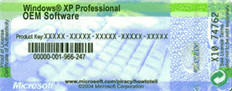
Just so we don't confuse him COA= Certificate of Authenticity = Product Key
 

Attachments

  • windows-xp-product-key-sticker.png
    windows-xp-product-key-sticker.png
    18.2 KB · Views: 176

My Computer My Computer

Computer Manufacturer/Model Number
Custom Build
OS
Windows 7 Professional 64 Bit Service Pack 1
CPU
Intel i7-2600K OC to 3.8Ghz
Motherboard
Asus TUF Sabertooth P67
Memory
Corsair Vengence 16GB (X4 4GB)
Graphics Card(s)
X2 EVGA GTX570 SLI
Sound Card
Creative Soundblaster X-FI TI
Monitor(s) Displays
Dual HP 2311 LED Displays
Screen Resolution
1920X1080 single / 3840X1080 desktop
Hard Drives
Crucial Force 3 SSD 120GB 6Gb/s ( OS Drive )
WD Caviar Black 2 TB 6 Gb/s (Data drive)
PSU
Kingwin Mach 1 1000w Modular 80+ Bronze
Case
AZZA solano 1000
Cooling
Zalmen 700 LED CPU, X2 240mm case fans , X3 120mm case fans
Keyboard
Razer Black Widow Mechanical
Mouse
Razer Mamba
Internet Speed
26.7 mb/s Down / 7.39 Up
I agree with Gromit, on the basis that I have done the very same with 3 machines - 2 laptops, one with Win7/64, (my own) one with Vista Home Basic. And a PC with Win7/64. Each time, I used the same Windows disc as the original, in the case of the Win7 machines, it was a full retail copy and the same disc for each. The Vista Home Basic was an OEM copy. I used the original Product Key from each machine.

A tip: if you need activation and online does not work, use the Microsoft phone service.

The Win7 laptop was my HP Pavilion DV7. I backed it up, reinstalled via the full retail disc and used the lappy's Product Key. This removed all the HP Krap and unnecessary partitions and allowed me to set my own. THIS DOES NOT AFFECT THE WARRANTY, no matter what anyone else says - the warranty covers the hardware, not the software. That information is from a HP technician, btw.
 

My Computer My Computer

Computer type
PC/Desktop
Computer Manufacturer/Model Number
bertison
OS
Windows 7/64 HPremium.
CPU
AMD FX-6300.
Motherboard
Asus M5A78L-M LE/USB3.
Memory
Corsair (2x4) GB DDR3 CMXGX3M2A1337CL9.
Graphics Card(s)
NVidia/Gigabyte GT730 (2GB) GDDR5.
Sound Card
Onboard.
Monitor(s) Displays
Iiyama PLE2407HDS.
Screen Resolution
1920 x 1280
Hard Drives
Desktop: 1TB. WD10EZEX-00BN5A0.
Zyxel nsa310 NAS: 2TB Seagate Barracuda 7200.14.
Cache Drive: Sandisk SDSSDRC032G.
Laptop Lenovo B50/80 128 GB SSD.
PSU
Corsair 750M.
Case
Coolermaster N300.
Cooling
FRONT: (2X) 140mm. TOP: (1x) 120mm. REAR: (1x) 120mm.
Keyboard
Logitech K290
Mouse
Trust Optical Wired
Internet Speed
15 Mb Down, 0.55 Up.
Antivirus
Kaspersky Total Security 2017, Hitman Pro.
Browser
Firefox.
Other Info
NETWORK:
Sky "Q box" and router.
Desktop & NAS - 30 Metres Cat6 Ethernet wired, via TP-Link 4-port switch.
Lenovo B50/80 Laptop, 2x Wileyfox phones, Lenovo TAB3-8 tablet - all wireless.
Grandchildren, their parents and friends as bandwidth 'parasites' at various times!
Back
Top