Hi all 
i use a laptop that has Ethernet and WiFi cards.
usually i use WiFi only as default internet source , but when i connect the Ethernet cable-> the WiFi network doesn't stop or shut down automatically.
-in such situation does really 2 network act parallel?
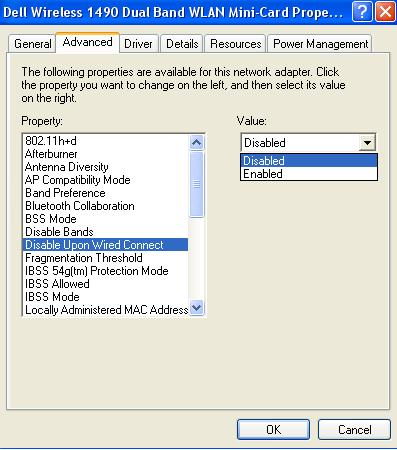
-is there a way to "tell" windows that when Ethernet network is on , WiFi network adopter will close it self?
(i don't want to Disabling/enabling in device manager every time)
Thanx!
edit:
i tried this but didn't work ...
"You can change the order, in which Windows connects to different network adapters, to do this go to the Network Connections window, there
i use a laptop that has Ethernet and WiFi cards.
usually i use WiFi only as default internet source , but when i connect the Ethernet cable-> the WiFi network doesn't stop or shut down automatically.
-in such situation does really 2 network act parallel?
-is there a way to "tell" windows that when Ethernet network is on , WiFi network adopter will close it self?
(i don't want to Disabling/enabling in device manager every time)
Thanx!
edit:
i tried this but didn't work ...
"You can change the order, in which Windows connects to different network adapters, to do this go to the Network Connections window, there
- press Alt
- select Advanced > Advanced connections
- open the Adapters and Bindings Tab
Last edited:
My Computer
At a glance
98SE/XP/windows7 32bit/ win10
- Computer type
- PC/Desktop
- OS
- 98SE/XP/windows7 32bit/ win10