- Local time
- 4:54 AM
- Messages
- 394
Dear Community,
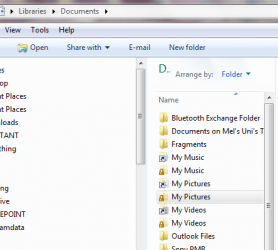
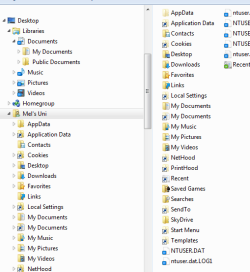
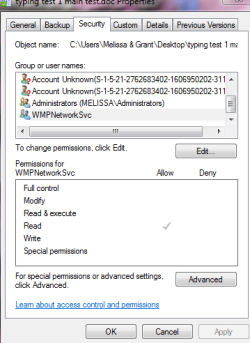
I went onto to Google thinking that I would be able to avoid embarassment by going on here and ask why that I have WMPNetworkSvc has access to some of my documents.
I know that I am a silly sausage. I even have been ditched on MS Communities for my supposed 'filddling".
I just wish to finish this back up and know what the default of the above is as I was told to do a workaround for my back up on Microsoft Communities and disable it.
In my experience, the backup fails with the 0x80070002 error because of two things:
1) The built-in administrator account is disabled (it is disabled by default in Win7)
2) The Windows Media Player Network Sharing Service is enabled
2) Disable the Windows Media Player Network Sharing Service , this also can be done several ways. The two most common ways are:
Windows 7 Backup Error 0x80070002 - Microsoft Community
Thank you
I went onto to Google thinking that I would be able to avoid embarassment by going on here and ask why that I have WMPNetworkSvc has access to some of my documents.
I know that I am a silly sausage. I even have been ditched on MS Communities for my supposed 'filddling".
I just wish to finish this back up and know what the default of the above is as I was told to do a workaround for my back up on Microsoft Communities and disable it.
In my experience, the backup fails with the 0x80070002 error because of two things:
1) The built-in administrator account is disabled (it is disabled by default in Win7)
2) The Windows Media Player Network Sharing Service is enabled
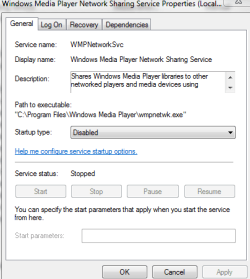
2) Disable the Windows Media Player Network Sharing Service , this also can be done several ways. The two most common ways are:
- msconfig
- click the Start Menu
- type msconfig in the "search programs and files" entry box (or from Run dialog box)
- select the Services tab at the top of the window
- un-check the Windows Media Player Network Sharing Service
- click Apply
- click OK (you may see some warnings or notifications, click OK)
- restart the computer
- services.msc
- click the Start Menu
- type services.msc in the "search programs and files" entry box (or from Run dialog box)
- select the Windows Media Player Network Sharing Service fro the list at the right
- right-click it and select properties
- set Startup type to disabled
- click Apply
- click OK
- restart the computer
Windows 7 Backup Error 0x80070002 - Microsoft Community
Thank you
Attachments
My Computer
At a glance
Windows 7 Home Premium 64bitWindows 7 Service Pack 1 x86 NTFS4 GB
- Computer type
- Laptop
- Computer Manufacturer/Model Number
- Sony VAIO / E Series VPCEB46FG
- OS
- Windows 7 Home Premium 64bit
- CPU
- Windows 7 Service Pack 1 x86 NTFS
- Motherboard
- AMD E-350 Processor
- Memory
- 4 GB
- Hard Drives
- 500GB
- Other Info
- 1.6GHz