littlecampdavid
New member
- Local time
- 4:45 AM
- Messages
- 4
I had an old self-build running XP, and wanted to upgrade the system. I bought new mobo, CPU, PSU, graphics card, SSD drive and Windows 7. My plan was to run Windows and all programs on the new SSD drive, and keep the old one for storage.
I installed Win7 on (as I thought) the new SSD drive (Kingston V-series 64GB) with the old drive (Maxtor SATA 6y080m0 80GB) still connected. However, when I came to reformat the old drive, Windows wouldn't let me. I soon realised that the "system" part of Win7 had been installed on the old drive. So (after many different ideas of changing the drive to inactive, reinstalling Win7 with different settings, etc) I reinstalled Win7 with the old drive completely disconnected. It worked fine. I then plugged in the old drive and reformatted it in Windows. It is now completely clean. I shut down my computer and rebooted with the two drives connected.
It won't boot.
Win7 is entirely installed on two partitions of the new SSD drive. That drive is assigned as the first boot drive in the BIOS. The old Maxtor drive is not active, and is completely clean (I've just reformatted it). Windows boots fine when the old drive is disconnected. But when I connect the old drive, Windows doesn't even start booting.
Can anyone help?
I installed Win7 on (as I thought) the new SSD drive (Kingston V-series 64GB) with the old drive (Maxtor SATA 6y080m0 80GB) still connected. However, when I came to reformat the old drive, Windows wouldn't let me. I soon realised that the "system" part of Win7 had been installed on the old drive. So (after many different ideas of changing the drive to inactive, reinstalling Win7 with different settings, etc) I reinstalled Win7 with the old drive completely disconnected. It worked fine. I then plugged in the old drive and reformatted it in Windows. It is now completely clean. I shut down my computer and rebooted with the two drives connected.
It won't boot.
Win7 is entirely installed on two partitions of the new SSD drive. That drive is assigned as the first boot drive in the BIOS. The old Maxtor drive is not active, and is completely clean (I've just reformatted it). Windows boots fine when the old drive is disconnected. But when I connect the old drive, Windows doesn't even start booting.
Can anyone help?
My Computer
- Computer Manufacturer/Model Number
- self-assembled
- OS
- Windows 7
- CPU
- Intel i5
- Motherboard
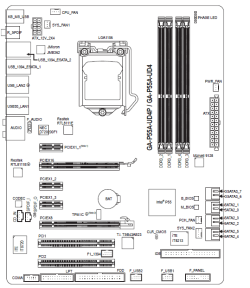
- Gigabyte GA-P55A-UD4P
- Memory
- 4GB
- Hard Drives
- 64GB SSD
80GB