texasnightowl
New member
- Local time
- 1:40 PM
- Messages
- 9
To be honest, I started out investigating the wrong thing. This all started because I would have errors in Chrome. The Aww, Snap or It's Dead Jim errors, etc. Or Chrome would just crash and I would relaunch and restore. I did normal Chrome things like check the shockwave and flash files, disable extensions, and finally created a new user profile. But I still got application exception errors after that.
Then I saw it.
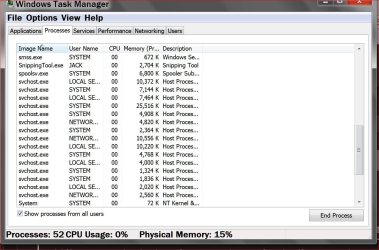
I had Task Manager open and saw one of the svchost instances jump from a normal 22,988 K to 995,688 K!!! And then saw it go higher! And at the bottom of task manager, my Physical Memory was at 86% instead of it's normal 30-40%.
So first I looked at which services were associated with that svchost process. The services were: BITS, Browser, IKEEXT, iphlpsvc, LanmanServer, ProfSvc, Schedule, SENS, ShellHWDetection, Themes, Winmmt, & wuauserv.
Of those, the only one I knew exactly what it was associated with was wuauserv. So I stopped that service. As *SOON* as I stopped it, the memory for svchost dropped back down to normal.
So I left wuaserv stopped and set startup to Manual.
About 15 or 20 minutes later, something started it back up and memory exploded to the same levels again. So I stopped it and again, memory usage dropped back down. This time I set wuauserv startup to Disabled.
So, I guess what I am looking for is suggestions on what to troubleshoot or clear or cleanup so that I can start wuauserv without the excessive memory usage causing exception errors and causing Chrome to crash.
My system is a homebuilt system running Win 7 Home Premium x64. 8gb ram. Plextor 256gb ssd. Asus P8Z68-V board. i5-2500k cpu.
Then I saw it.
I had Task Manager open and saw one of the svchost instances jump from a normal 22,988 K to 995,688 K!!! And then saw it go higher! And at the bottom of task manager, my Physical Memory was at 86% instead of it's normal 30-40%.
So first I looked at which services were associated with that svchost process. The services were: BITS, Browser, IKEEXT, iphlpsvc, LanmanServer, ProfSvc, Schedule, SENS, ShellHWDetection, Themes, Winmmt, & wuauserv.
Of those, the only one I knew exactly what it was associated with was wuauserv. So I stopped that service. As *SOON* as I stopped it, the memory for svchost dropped back down to normal.
So I left wuaserv stopped and set startup to Manual.
About 15 or 20 minutes later, something started it back up and memory exploded to the same levels again. So I stopped it and again, memory usage dropped back down. This time I set wuauserv startup to Disabled.
So, I guess what I am looking for is suggestions on what to troubleshoot or clear or cleanup so that I can start wuauserv without the excessive memory usage causing exception errors and causing Chrome to crash.
My system is a homebuilt system running Win 7 Home Premium x64. 8gb ram. Plextor 256gb ssd. Asus P8Z68-V board. i5-2500k cpu.
My Computer
- Computer type
- PC/Desktop
- Computer Manufacturer/Model Number
- custom build, late 2011
- OS
- Microsoft Windows 7 Home Premium 64-bit Service Pack 1
- CPU
- Intel(R) Core(TM) i5-2500K CPU @ 3.30GHz
- Motherboard
- ASUSTeK Computer INC. P8Z68-V
- Memory
- 8.00 GB
- Graphics Card(s)
- Intel(R) HD Graphics 3000
- Sound Card
- (1) Realtek High Definition Audio (2) Intel(R) Display Aud
- Hard Drives
- (1) PLEXTOR PX-256M5Pro (2) WDC WD5000AAKS-00A7B0
- Antivirus
- ESET NOD32
- Browser
- Chrome