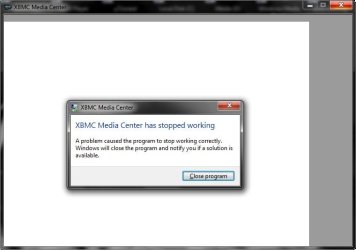
XBMC not working...

sergiogarcia9

︻┳テ=一
Guru
Local time
11:05 AM
Messages
4,755
Hi...
Ive just downloaded XBMC, installed it and every time i open it, it says "xbmc has stopped working". Ive tried to run it as admin. and under xp and vista compatibility.
Anyone had the same problem? Do anyone know how to fix this?

- Sergio
 
I have the same problem, no solution though. I'm on Build 7100.
 

My Computer

OS
Windows 7 Build 7100
Hey Guys,

You should be able to run XBMC using a trick with Task Scheduler to run applications as true xp-compatibility mode using my Tutorial here: Bypass UAC - Vista Forums

Its usually for People who want to bypass UAC for individual applications without disabling UAC but It works good for excluding applications from UAC, Plus Task Scheduler runs them with true XP compatibility-mode without an app-shim at runtime ;)

Steven
 
Here's a screenshot of what happens when i open it via the task Scheduler shortcut:
 

Attachments

  • ERROR.jpg
    ERROR.jpg
    23 KB · Views: 819
Try updating your video drivers. Mine is working now.
 

My Computer

OS
Windows 7 Build 7100
Just installed XBMC 9.04 on my Windows 7 build 7100.

Installed it with 'portable mode' selected and it runs OK.

gr.
rob
 

My Computer

OS
Windows 7 build 7100
Back
Top