
Unrealmaster287
Banned
- Local time
- 11:31 AM
- Messages
- 94
Hey,
Im having trouble with yammm
It takes so long for it to fetch the metadata for a single movie ( i have 210)
It usually takes about 45 mins for one movie.
I have added it to firewall exception and added it to my kaspersky safe trusted apps
I even tried disabling my av all together
I have Kaspersky internet security 2012
I am running on a 1 GB/s Fiber connection
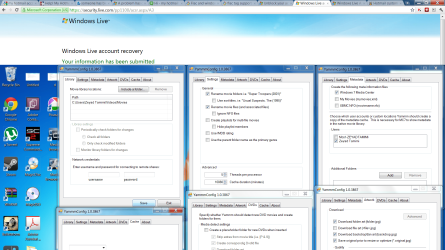
My setting are in the attachment
And am i supposed to keep the config running or not for it to work
Im having trouble with yammm
It takes so long for it to fetch the metadata for a single movie ( i have 210)
It usually takes about 45 mins for one movie.
I have added it to firewall exception and added it to my kaspersky safe trusted apps
I even tried disabling my av all together
I have Kaspersky internet security 2012
I am running on a 1 GB/s Fiber connection
My setting are in the attachment
And am i supposed to keep the config running or not for it to work
Attachments
My Computer
- Computer Manufacturer/Model Number
- Dell Studio XPS 16
- OS
- Windows 7 Ultimate x64
- CPU
- Intel(R) Core(TM)2 Duo CPU T9600 @ 2.80 GHz 6MB cache
- Memory
- 6 GB DDR3
- Graphics Card(s)
- ATI Mobility Radeon HD 4670
- Monitor(s) Displays
- 1
- Screen Resolution
- 1920x1080
- Cooling
- NZXT Cryo LX
- Mouse
- Logitech G9X
- Internet Speed
- 512 Kbps

