
einzee
New member
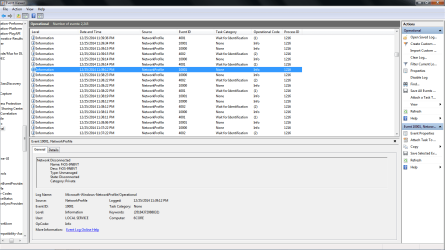
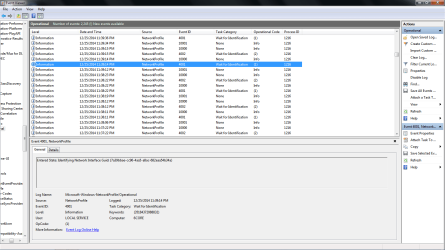
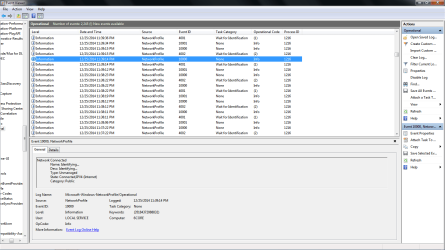
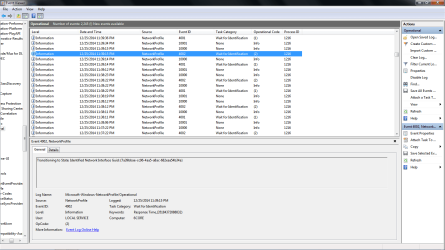
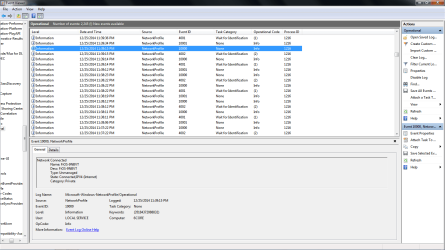
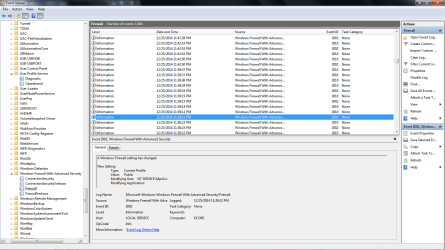
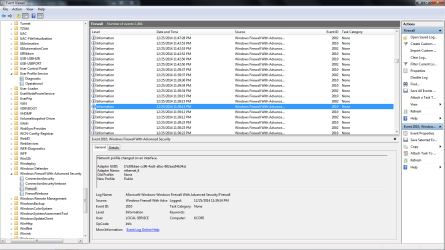
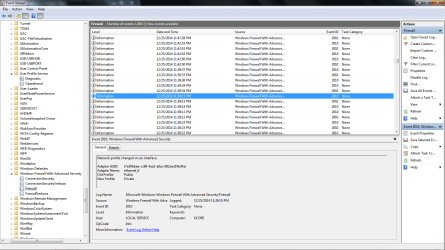
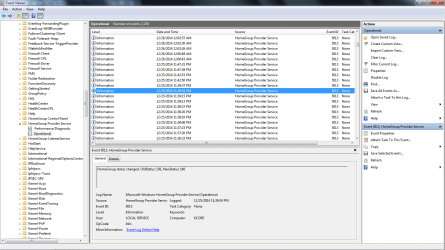
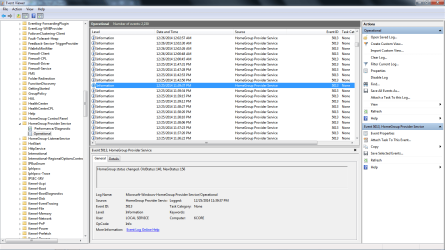
I get the "Not connected to a network" message quite frequently while on the internet. It mostly shows up when I am going from site to site or page to page. The error seems to correct itself in a couple of seconds and my internet session resumes. I am unsure what it is that I might have done to have caused this problem. Moments ago I got one of those errors and I noted the time and then went searching in the event viewer logs to see if I could find out what is happening. Much to my surprise, I was able to find the events. I was told that the logs may be very useful in diagnosis. According to the logs this event happens at least 1 time per minute. They show where I am connected to my network and then they show disconnected. I'm only disconnected for about 3 seconds and then I am reconnected to my network.
My machine is wired and there is one other machine that is wired. The other machine does not have this problem.
Verizon Fios. Router is a Verizon G-1100. No antivirus. Windows Firewall
Microsoft Windows [Version 6.1.7601]
Copyright (c) 2009 Microsoft Corporation. All rights reserved.
C:\Users\Einzee>ipconfig/all
Windows IP Configuration
Host Name . . . . . . . . . . . . : 6CORE
Primary Dns Suffix . . . . . . . :
Node Type . . . . . . . . . . . . : Hybrid
IP Routing Enabled. . . . . . . . : No
WINS Proxy Enabled. . . . . . . . : No
DNS Suffix Search List. . . . . . : fios-router.home
Ethernet adapter Local Area Connection:
Connection-specific DNS Suffix . : fios-router.home
Description . . . . . . . . . . . : Realtek PCIe FE Family Controller
Physical Address. . . . . . . . . : 64-31-50-27-05-AC
DHCP Enabled. . . . . . . . . . . : Yes
Autoconfiguration Enabled . . . . : Yes
Link-local IPv6 Address . . . . . : (Preferred)
IPv4 Address. . . . . . . . . . . : 192.168.1.158(Preferred)
Subnet Mask . . . . . . . . . . . : 255.255.255.0
Lease Obtained. . . . . . . . . . : Thursday, December 25, 2014 11:19:34 PM
Lease Expires . . . . . . . . . . : Saturday, December 27, 2014 1:35:33 AM
Default Gateway . . . . . . . . . : 192.168.1.1
DHCP Server . . . . . . . . . . . : 192.168.1.1
DHCPv6 IAID . . . . . . . . . . . :
DHCPv6 Client DUID. . . . . . . . : 00-01-00-01-18-78-76-6B-64-31-50-27-05-AC
DNS Servers . . . . . . . . . . . : 192.168.1.1
NetBIOS over Tcpip. . . . . . . . : Enabled
Tunnel adapter Teredo Tunneling Pseudo-Interface:
Connection-specific DNS Suffix . :
Description . . . . . . . . . . . : Teredo Tunneling Pseudo-Interface
Physical Address. . . . . . . . . : 00-00-00-00-00-00-00-E0
DHCP Enabled. . . . . . . . . . . : No
Autoconfiguration Enabled . . . . : Yes
IPv6 Address. . . . . . . . . . . (Prefe
rred)
Link-local IPv6 Address . . . . . : fe80::c9b:2561:52c3:cb07%13(Preferred)
Default Gateway . . . . . . . . . : ::
NetBIOS over Tcpip. . . . . . . . : Disabled
Tunnel adapter isatap.fios-router.home:
Media State . . . . . . . . . . . : Media disconnected
Connection-specific DNS Suffix . : fios-router.home
Description . . . . . . . . . . . : Microsoft ISATAP Adapter #2
Physical Address. . . . . . . . . : 00-00-00-00-00-00-00-E0
DHCP Enabled. . . . . . . . . . . : No
Autoconfiguration Enabled . . . . : Yes
C:\Users\Einzee>
Im hopeful that you may be able to help me resolve this issue. It is driving me nuts and is affecting my online gaming.
Thank you.
My machine is wired and there is one other machine that is wired. The other machine does not have this problem.
Verizon Fios. Router is a Verizon G-1100. No antivirus. Windows Firewall
Microsoft Windows [Version 6.1.7601]
Copyright (c) 2009 Microsoft Corporation. All rights reserved.
C:\Users\Einzee>ipconfig/all
Windows IP Configuration
Host Name . . . . . . . . . . . . : 6CORE
Primary Dns Suffix . . . . . . . :
Node Type . . . . . . . . . . . . : Hybrid
IP Routing Enabled. . . . . . . . : No
WINS Proxy Enabled. . . . . . . . : No
DNS Suffix Search List. . . . . . : fios-router.home
Ethernet adapter Local Area Connection:
Connection-specific DNS Suffix . : fios-router.home
Description . . . . . . . . . . . : Realtek PCIe FE Family Controller
Physical Address. . . . . . . . . : 64-31-50-27-05-AC
DHCP Enabled. . . . . . . . . . . : Yes
Autoconfiguration Enabled . . . . : Yes
Link-local IPv6 Address . . . . . : (Preferred)
IPv4 Address. . . . . . . . . . . : 192.168.1.158(Preferred)
Subnet Mask . . . . . . . . . . . : 255.255.255.0
Lease Obtained. . . . . . . . . . : Thursday, December 25, 2014 11:19:34 PM
Lease Expires . . . . . . . . . . : Saturday, December 27, 2014 1:35:33 AM
Default Gateway . . . . . . . . . : 192.168.1.1
DHCP Server . . . . . . . . . . . : 192.168.1.1
DHCPv6 IAID . . . . . . . . . . . :
DHCPv6 Client DUID. . . . . . . . : 00-01-00-01-18-78-76-6B-64-31-50-27-05-AC
DNS Servers . . . . . . . . . . . : 192.168.1.1
NetBIOS over Tcpip. . . . . . . . : Enabled
Tunnel adapter Teredo Tunneling Pseudo-Interface:
Connection-specific DNS Suffix . :
Description . . . . . . . . . . . : Teredo Tunneling Pseudo-Interface
Physical Address. . . . . . . . . : 00-00-00-00-00-00-00-E0
DHCP Enabled. . . . . . . . . . . : No
Autoconfiguration Enabled . . . . : Yes
IPv6 Address. . . . . . . . . . . (Prefe
rred)
Link-local IPv6 Address . . . . . : fe80::c9b:2561:52c3:cb07%13(Preferred)
Default Gateway . . . . . . . . . : ::
NetBIOS over Tcpip. . . . . . . . : Disabled
Tunnel adapter isatap.fios-router.home:
Media State . . . . . . . . . . . : Media disconnected
Connection-specific DNS Suffix . : fios-router.home
Description . . . . . . . . . . . : Microsoft ISATAP Adapter #2
Physical Address. . . . . . . . . : 00-00-00-00-00-00-00-E0
DHCP Enabled. . . . . . . . . . . : No
Autoconfiguration Enabled . . . . : Yes
C:\Users\Einzee>
Im hopeful that you may be able to help me resolve this issue. It is driving me nuts and is affecting my online gaming.
Thank you.
Last edited:
My Computer
- Computer type
- PC/Desktop
- Computer Manufacturer/Model Number
- HP Pavilion Elite HPE / 410f
- OS
- Win 7 Home Premium x64
- CPU
- AMD Phenom II X6 1045T 2.70GHz
- Motherboard
- ALVORIX RS880 uATX
- Memory
- 8.00 GB
- Graphics Card(s)
- ATI Radeon R7-240-XFX 2GB
- Sound Card
- Onboard... Realtek
- Monitor(s) Displays
- LG IPS LED 27MP35 / HP S2031
- Screen Resolution
- 1920X1080 /1600 X 900
- Hard Drives
- ST310003 33AS SATA 1TB
ST310005 28AS SATA 1TB
- Keyboard
- Gyration wireless
- Mouse
- Gyration wireless a.k.a. Air Mouse
- Internet Speed
- 58.31 Mbps / 58.82 Mbps
- Antivirus
- N/A
- Browser
- IE 11.0.9600.17501



 The problem appears to be Verizon's G-1100 router. I truly believe this because when I put everything together it just makes sense.