I'm new to any tech support site, so please forgive me if this has been addressed already. I've spent quite a while looking for this problem before starting this thread. Several months ago soon after a Flash update I started having videos either go straight to the wsod or play for a short time then get it. It happens after I've been watching videos for a while, and I usually have more than one window open, something i always have done. I've read it's to protect my computer from crashing, that flash is needing more resources than my computer has. I close my browser, reopen then it plays, or I switch to another window and it plays, but sometimes it won't at all. A reboot brings it back again. I'm confused about the 'protecting' my computer because I'm not doing anything different, and never had my computer crash while watching videos before. It happens in IE and Firefox too. I'm happy to give you any information you need to help me. Thank you so much and happy Thanksgiving.
Flash version: 15.0.0.239
Flash version: 15.0.0.239
Last edited:
My Computer
At a glance
Windows 7 Home Premium 64bitIntel Core i7 9207168mb DDR3GeForce GTX-260
- Computer type
- PC/Desktop
- Computer Manufacturer/Model Number
- HP
- OS
- Windows 7 Home Premium 64bit
- CPU
- Intel Core i7 920
- Motherboard
- Pegatron Truckee X58
- Memory
- 7168mb DDR3
- Graphics Card(s)
- GeForce GTX-260
- Hard Drives
- Seagate
- Antivirus
- Avast
- Browser
- IE 11


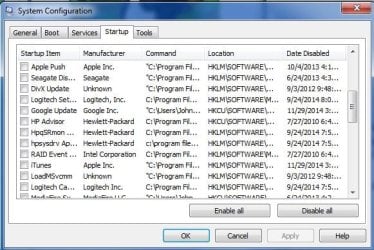
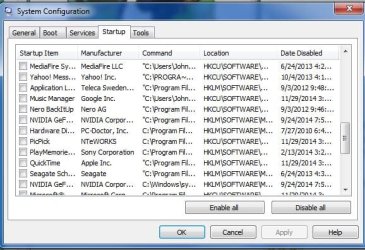
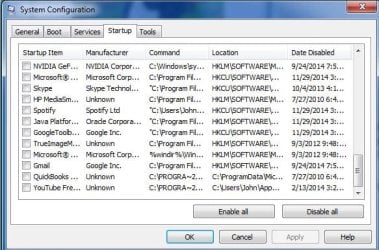
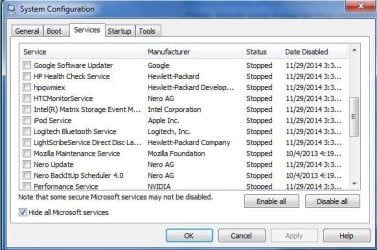
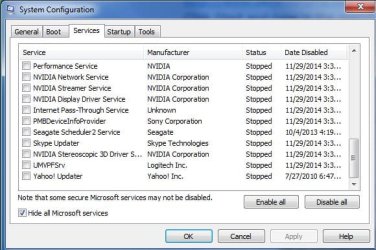
 Here are the screen shots you asked for. I also want to say I'm sorry for the loss of your friends.