
Hide or Show File Names of Shortcuts and Folders in Windows 7 and Windows 8
Information
This will show you how to hide the text label (file name) default desktop icons, shortcut icons, and folder icons in Windows 7 and Windows 8.
EXAMPLE: Hide or Show Test of Desktop Icons, Shortcut, and Folder icons Text


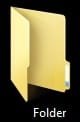


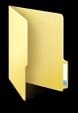
OPTION ONE
To Hide Text Label of Desktop Icons
1. Open Character Map, scroll down and select a blank character in the grid, click on the Select button, and click on the Copy button. (see screenshot below)
NOTE: If you like, you can also select a blank character from a different font as well.

2. Right click or press and hold on a folder, shortcut, or desktop icon that you want to hide the text of, click on Rename, right click inside the rename box, click/tap on Paste, and press Enter. (see screenshots below)
NOTE: If you get a message that a another icon already has the same name, then just repeat step 1 to select a different blank character and do step 2 again.


3. The text of the desktop icon will now be hidden. (see screenshot below)
4. Repeat the steps above for any other icon on the desktop that you would like to hide the text of.
5. When finished, you can close Character Map.
OPTION TWO
To Show Text Label of Desktop Icons Again
1. Right click or press and hold on a folder, shortcut, or desktop that you want to have a text label (name) again, click/tap on Rename, type in a name that you want for the icon, and press Enter. (see screenshots below)
2. The desktop icon now has text again. (see screenshot below)
3. Repeat the steps above for any other icon on the desktop that you would like have a text label again.
That's it,
Shawn
Related Tutorials
- How to "Hide file names" of Files in Picture and Video Folders in Windows 7 and Windows 8
- How to Add or Remove a Default Desktop Icon in Windows 7
- How to Change or Restore Default Windows 7 Desktop Icons
- How to Easily Change the Windows Desktop Icons Size
- How to Hide or Show Desktop Icons in Windows 7 and Windows 8
- How to Turn Drop Shadows On or Off for Desktop Icons
- How to Hide a Folder or Shortcut Icon in Vista and Windows 7
- How to Hide or Unhide a File or Folder in Vista, Windows 7, and Windows 8
Last edited:


