
How to Install a Driver in Device Manager
Information
Note
NOTE: for this example, I am using Windows XP Drivers.
You can use Vista, Windows 7 drivers, or (Windows 8 drivers on Windows 8)
You can use Vista, Windows 7 drivers, or (Windows 8 drivers on Windows 8)
PART ONE
Using Windows XP drivers
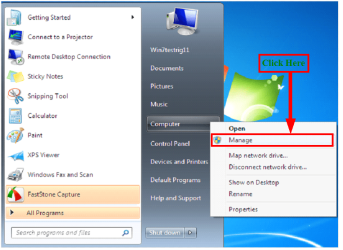 1) Click on Manage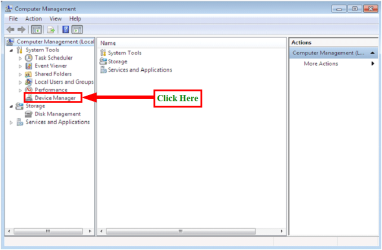
2) Click on Device Manager
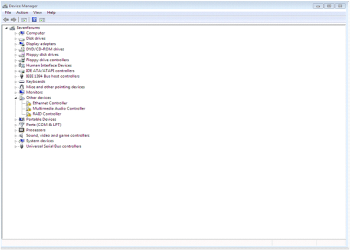
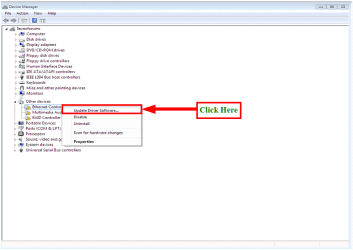
3) Click on Update Driver Software
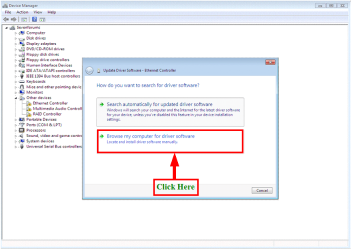
4) Click on Browse my computer for drivers software

5) Click on Browse
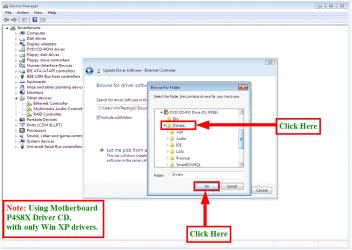
6) Click on Drivers & OK
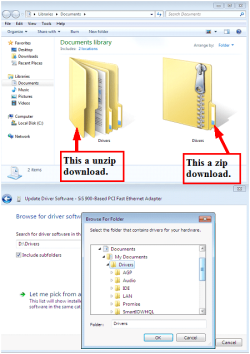
7) From download, make sure you unzip the dowloaded file first.
NOTE: You can download 7zip from here: Download
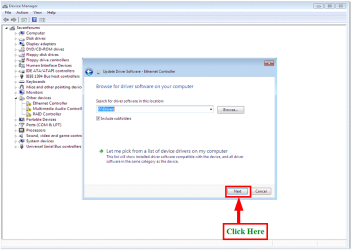
8) Click on next
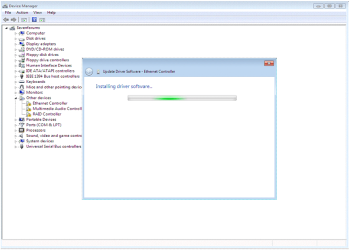
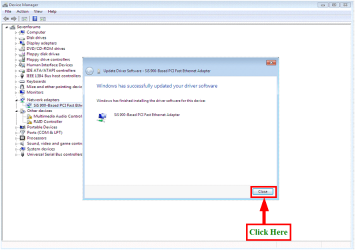
9) Click on Close.
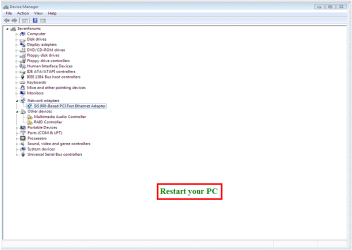
10) Restart your PC
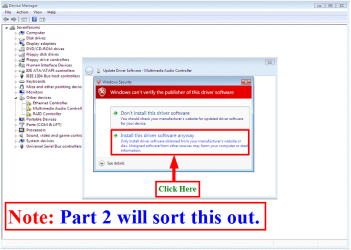
PART TWO
Updating the Windows XP drivers to Windows 7
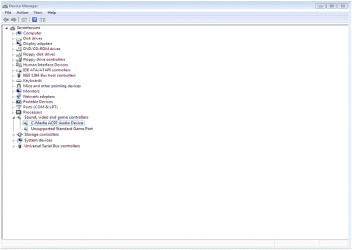
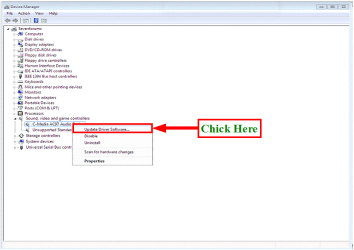
1) Click on Update Driver Software
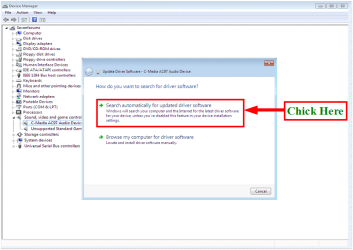
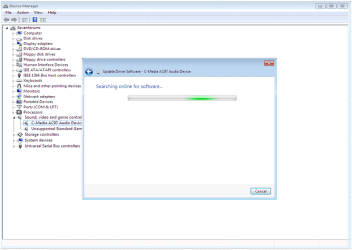
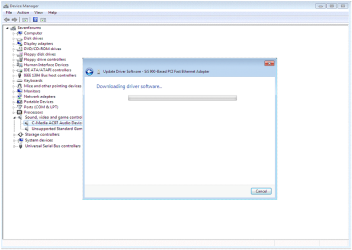
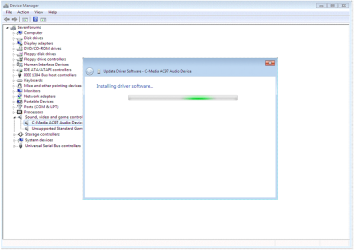
2) Click on Search automatically for update driver software

3) Click on Close.
4) Restart your PC
Related Tutorials
- http://www.sevenforums.com/tutorials/53667-device-manager-shortcut-create.html
- http://www.sevenforums.com/tutorials/96442-device-manager-finding-unknown-devices.html
- http://www.sevenforums.com/tutorials/77614-device-manager-hidden-devices.html
- http://www.sevenforums.com/tutorials/73420-hardware-identification.html
- http://www.sevenforums.com/tutorials/15856-device-manager-access-during-windows-7-installation.html
- http://www.sevenforums.com/tutorials/2803-device-installation-settings.html
- http://www.sevenforums.com/tutorials/2791-devices-printers-device-stage.html
- http://www.sevenforums.com/tutorials/82137-drivers-turn-off-automatic-driver-installation.html
- http://www.sevenforums.com/tutorials/69111-devices-printers-troubleshoot-shortcut-create.html
- http://www.sevenforums.com/tutorials/68235-devices-printers-shortcut-create.html
- http://www.sevenforums.com/tutorials/49350-driver-selection-your-hardware-devices.html
- Device Manager - Roll Back Driver - Vista Forums
- How to Install a Driver in Add Hardware Wizard
- How to Install a Driver in Add Printer Wizard
- How to Uninstall a Device and Device Driver in Vista and Windows 7
- How to Roll Back a Device Driver in Device Manager
Last edited by a moderator:


