Strange that there isn't more interest or participation in this thread. I would think there would be more users affected.
So, just an update, including some new observations from others around the interweb. And there is also mention of anomalies in Win10 (but it's not clear if this is really related to the Win7 story).
Doesn't seem like there is an accepted answer yet. NOTE: one of the quoted posts below "blames" a very recent Microsoft update to Framework 4.8 (
KB4503575) but I don't have that update installed on either of my Win7 systems and I still have the problem. Just shows how widespread this issue is, and that it seems to perhaps be not just one cause but maybe an interaction of many things.
(1) From a recent post in the
thread on BleepingComputer:
while bitdefender may be affected, it's most certainly NOT caused by it. I'm in a domain environment, no bit defender at all (sophos), annnndddddd it's hitting windows 10 1903 machines as well. It's doing something very weird with the user security as well: sysinternals proc mon wouldn't run at all-says you have to be a member of the admin group (I'm not only admin on machine, but in the domain as well!!), sysinternals procexp was acting like it was run as limited user (with access denied on some paths). 1102w printers acting up. Profx Engagement and office 365 having issues/crashes. what a shit show. I've seen UAC settings, I've seen adobe get blamed. does anyone have the definite answer yet?
(2) From recent posts in the
thread on Answers.Microsoft Community:
(a) In "msconfig" I disabled all adobe programs on the "Startup" tab & "Services" tab then rebooted by logging off first then using the button at bottom right of the login screen to restart the PC.
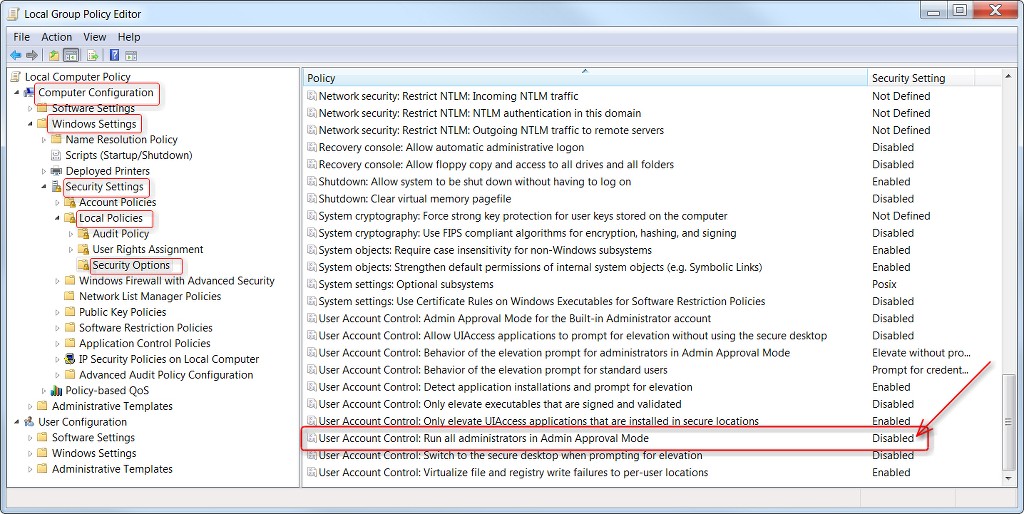
All the issues then went away. You can try turning them back on one by one to see which program/service is causing the problem. Changing the UAC or enabling LUA just caused other problems for me. Hope this helps someone.
(b)Yes, this worked for me. It seems like Adobe services are the culprit. I deliberately don't update my Windows7 machine (rarely used, legacy apps, small hard drive, I switch it on once a blue moon) and my last Microsoft update is 2016. I don't use Bit Defender as my anti-virus.
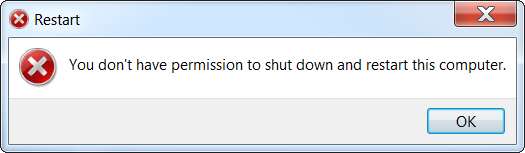
Not only was shutdown a problem, but Search didn't work properly and Windows Explorer was malfunctioning when I tried to upload files to web. The folders would appear, but I couldn't drill down to file level.
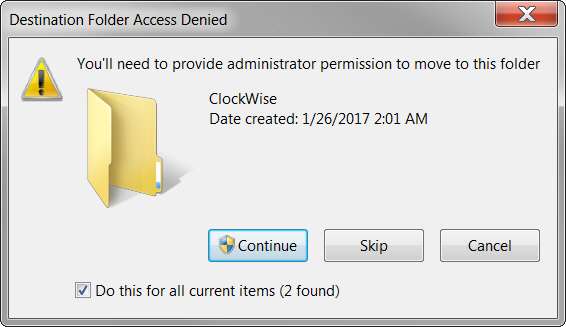
I did try the UAC workaround, but then you have to click an extra permissions window to move files etc so I turned UAC off again.
(c)This is not a bug. This was sent out by Microsoft on 01/15/2020.
Microsoft announced End Of Life (EOL) for Windows 7 on 01/14/2020. "Coincidentally" they sent out a Framework update on 01/15/2020.
There is a command embedded into the update that would cause the server to malfunction, so as to have people upgrade to Windows 10.
after about 3 hours of troubleshooting, i figured out that the update was the problem.please double check your recently installed updates.
KB4503575 - Microsoft 4.8 Framework (installed 01/15/20) - i UNINSTALLED
also uninstalled 2/3 security updates from that same day just to be safe (in case they became corrupt when i uninstalled the Framework update). there is one that doesn't give you the option to uninstall.
once all were off my computer, i was able to restart and shut down normally.
there is also another fix that is going around that involves manual commands using GPUPDATE, but it did not work for me ( i tried that first)