Viewing options in my folders

jlwins333

New member
Local time
9:21 AM
Messages
2
How do I make one folder default to one particular view, but not have that apply to all folders? In my old computer, I could change the 'my pictures' folder to always be thumbnails. Now, if I do that, the setting goes to every folder in 'my documents' which is annoying. I want my other files to be lists and my pictures to be icons. I can't seem to figure it out.

Thank you.
 

My Computer My Computer

Computer Manufacturer/Model Number
HP Dv7
OS
Windows 7

My Computer My Computer

Computer Manufacturer/Model Number
OEM - Me
OS
Windows 7 Home Premium x64
CPU
AMD Phenom II X6 1600T
Motherboard
GigaByte GZ-990FXA-UD3
Memory
16GB PC3-10700 (1342MHz)
Graphics Card(s)
ATI Radeon 5770 HD (x2) CrossFire
Sound Card
On-board RealTek chipset
Monitor(s) Displays
3x Hanns-G 1920x1080 Monitors
Screen Resolution
3x Hanns-G 1920x1080 Monitors
Hard Drives
Intel 25-V SSD 40GB: 218 MB/s AT: 0.1ms
Intel X-25M SSD 80GB: 230MB/s AT: 0.1ms
Seagate 750GB: 133 MB/s AT: 13ms (perpendicular storage)
Buffalo HD-PCTU3 1TB External drive
PSU
OCZ Stealth X Stream 750W
Case
Cheap (unknown)
Cooling
Stock
Keyboard
HP USB
Mouse
LogiTech USB
Internet Speed
1.5 Mbps - Slow - At the tail-end of a rural network
Other Info
Printer: Epson Stylus C-84
Scanner: HP 3500C Flatbed
DVD-RW: Plextor
DVD-ROM: Unknown
WEI: 7.4
That tool didn't seem to work. There are a lot of settings in the tool, but none seemed to do anything for me. I did install it, then reboot, but still my folders all take on the same characteristics. Hopefully I can find something. It is more of an annoyance than anything.
Thanks for your help.
 

My Computer My Computer

Computer Manufacturer/Model Number
HP Dv7
OS
Windows 7
How do I make one folder default to one particular view, but not have that apply to all folders? In my old computer, I could change the 'my pictures' folder to always be thumbnails. Now, if I do that, the setting goes to every folder in 'my documents' which is annoying. I want my other files to be lists and my pictures to be icons. I can't seem to figure it out.

Thank you.

Have you looked at the customize tab with a choice for “optimize this folder for”? I have had some success with changing this around arbitrarily.

Folder views have been a problem with Windows forever and it continues.

There is also a registry hack that is supposed to reset folder views to defaults.
 

My Computer My Computer

Computer type
PC/Desktop
Computer Manufacturer/Model Number
Ignatz Special; 4 speed manual gearbox; factory air conditioning; one of one
OS
Windows 7 Home Premium SP1, 64-bit
CPU
Intel Skylake i5-6600K, not overclocked
Motherboard
AsRock Z170M Extreme 4, micro ATX
Memory
8 GB HyperX DDR4-2666 (2 x 4 GB)
Graphics Card(s)
none; graphics are integrated on CPU
Sound Card
onboard: Realtek ALC1150; external: USB Behringer UF0-202
Monitor(s) Displays
Dell S2340M 23 inch IPS
Screen Resolution
1600 x 900
Hard Drives
System: Crucial MX100 series SSD, 128 GB;
Data: Samsung Spinpoint 103SJ, 1 TB;
Backup: WD Caviar Green WD30EZRX-00D8PB0, 3 TB
PSU
Rosewill SilentNight 500 watt fanless, semi-modular
Case
Antec Solo II
Cooling
Noctua NH-U12S; Noctua F12 intake, Noctua S12A exhaust
Keyboard
Microsoft 200 6JH-00001 USB
Mouse
Dell or Microsoft optical wired; USB
Antivirus
Microsoft Security Essentials and Malwarebytes Premium
Browser
Pale Moon
Other Info
All fans PWM; speeds at idle: CPU circa 500 rpm; intake circa 600 rpm; exhaust circa 600 rpm; CPU temps 27 idle and 47 C load in a warm room (27 C/81 F) when running Intel Extreme Tuning Utility stress test.
In order for ShellfolderFix to "take hold", you need to open a window, change it's settings, then close it.

The next time you open that window, all its settings should be as you left them.
FYI: this utility also saves Icon layouts and work-spaces for you if you like- very handy.

If it doesn't work for you, then I'm sorry; I've been using it for a year and it has served me well.
 

My Computer My Computer

Computer Manufacturer/Model Number
OEM - Me
OS
Windows 7 Home Premium x64
CPU
AMD Phenom II X6 1600T
Motherboard
GigaByte GZ-990FXA-UD3
Memory
16GB PC3-10700 (1342MHz)
Graphics Card(s)
ATI Radeon 5770 HD (x2) CrossFire
Sound Card
On-board RealTek chipset
Monitor(s) Displays
3x Hanns-G 1920x1080 Monitors
Screen Resolution
3x Hanns-G 1920x1080 Monitors
Hard Drives
Intel 25-V SSD 40GB: 218 MB/s AT: 0.1ms
Intel X-25M SSD 80GB: 230MB/s AT: 0.1ms
Seagate 750GB: 133 MB/s AT: 13ms (perpendicular storage)
Buffalo HD-PCTU3 1TB External drive
PSU
OCZ Stealth X Stream 750W
Case
Cheap (unknown)
Cooling
Stock
Keyboard
HP USB
Mouse
LogiTech USB
Internet Speed
1.5 Mbps - Slow - At the tail-end of a rural network
Other Info
Printer: Epson Stylus C-84
Scanner: HP 3500C Flatbed
DVD-RW: Plextor
DVD-ROM: Unknown
WEI: 7.4
How do I make one folder default to one particular view, but not have that apply to all folders? In my old computer, I could change the 'my pictures' folder to always be thumbnails. Now, if I do that, the setting goes to every folder in 'my documents' which is annoying. I want my other files to be lists and my pictures to be icons. I can't seem to figure it out.

Thank you.

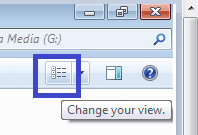
Open the folder you want to change and apply:

Capture1.PNG or

Capture2.PNG
 
Last edited:

My Computer My Computer

Computer type
PC/Desktop
Computer Manufacturer/Model Number
Custom Build
OS
Windows 7 Home Premium 64 bit
CPU
Intel Core i7-4790
Motherboard
GA-Z87X-D3H
Memory
G.SKILL 8GB (2 x 4GB) DDR3 F3-10666CL9D-8GBNT
Graphics Card(s)
AMD Radeon R7 250
Sound Card
Realtek ALC892
Monitor(s) Displays
Samsung UN32EH5000, Dell 1703FPT
Screen Resolution
1920 x 1080, 1280 x 1024
Hard Drives
WD5003AZEX
WD10EZEX
Samsung HD103SJ
Samsung 128 GB 840 PRO
PSU
SeaSonic M12II SS-500GM
Case
Fractal Design Define R4
Cooling
Zalman CNPS9900ALED
Keyboard
Logitech K800
Mouse
Logitech M705
Internet Speed
16 Mbps
Antivirus
Avast
Browser
Firefox
Other Info
Bose Companion 2 Multimedia Speakers
Back
Top