It is a new unit Toshiba L670
Yes I still have my old HP on line infact.
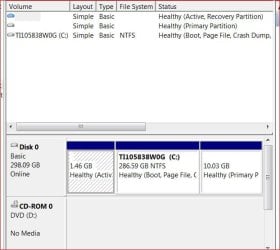
Out box this has 3 primary Capacity Used Unused
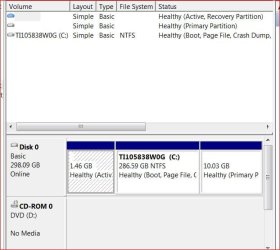
System NTFS 1.46 GB 190.96MB 1.28.GB
CT1105838 NTFS 286.59 38.05 GB 248.54
Recovery NTFS 10.03GB 9.44GB 610.95MB
To restate my needs, I want an extended with 3 logical for 3 different linux OS
OK, thanks for the info.
First off, how do you stay so fit when you work around such wonderful food all the time?
Back to the business at hand. I too have been down this road of trying to add Linux to a laptop pre-installed with Windows - same initial partitioning. I found two areas that I didn't like:
1) Adding Linux second mean using GRUB as the boot loader, which is ok but know what you're getting into (sounds like you already know)
2) You can only create one more partition with the current scheme - thus adding more than one version of Linux could be a challenge - may need different formats (say Reiser4 and ext3) to differentiate the installations but the \boot sectors may be a problem (I'm not sure)
I would make life a LOT easier (and safer) by installing each Linux distro to a bootable flash drive - one flash drive per distro. 16GB flash drives are fairly inexpensive and almost all distros have utilities to make bootable flash drive installations.
Then I would use Windows to shrink your Windows C: drive to yield a 50GB free space. Format as NTFS and use that for storage and common use between all OSes. Or format as ext3 and use it as a linux storage partition.
NOTE: If you ever have to use the Toshiba factory "restore" function, EVERYTHING on your laptop will be reset as you fisrt purchased it - new partition will be gone.
Like I said, been here and done that. Make it simple and keep it simple: boot Linux from a flash drive.
Regards,
GEWB