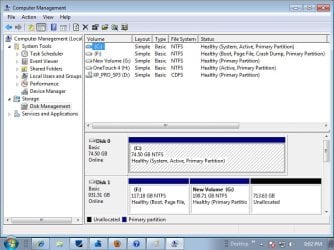
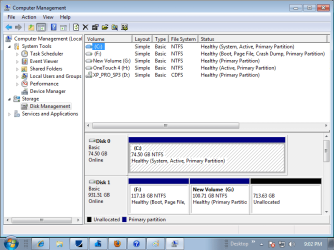
I tried to use a tutorial from your Windows 7 help and support, titled "Windows 7- Dual Boot Installation with Windows 7 and XP", without success. This is a Dell Optiplex GX280 with a possibly failing Seagate drive with Xp Pro on it, so I bought a Western Digital 1TB and a Dell Windows 7 Pro OEM DVD. I did the "7" install first as was recommended by Microsoft but first partitioned (3) the new WD HDD and installed 7 PRO, then read the tutorial, so I unpartitioned the rest of the drive and proceded to "shrink" the remaining to provide a 100 GB partition and followed the tutorial from there. It was supposed to give me the list of partitions on re-boot to choose from and then press F8 to install to that partition, having the install disk in the drive. It instead provides a dual boot option between the two operating systems which are on two separate drives. It offers Windows 7 Pro or the "older OS" but no option to choose the shrunk drive. Do I need to disconnect the old drive to get this tutorial to work?
My Computer
At a glance
Win 7 PRO / Win XP PRO / 32 bitPentium 4 3.4 Ghz Dual Core3 GB
- Computer Manufacturer/Model Number
- Dell Optiplex GX280
- OS
- Win 7 PRO / Win XP PRO / 32 bit
- CPU
- Pentium 4 3.4 Ghz Dual Core
- Memory
- 3 GB
- Sound Card
- SoundMax
- Monitor(s) Displays
- IBM Flat Panel
- Hard Drives
- Seagate ST - Internal 80 GB
Western Digital WD10EALX - Internal 1TB
Maxtor One Touch 4 Plus - External 500GB
- Case
- Mini-Tower
- Cooling
- forced air fans, or maybe 12 nephews with a lot of wind!
- Keyboard
- Logitech 600 series multi-media
- Mouse
- Logitech MX 310 optical
- Internet Speed
- Qwest DSL 1.5 GB, Finally, now have 1.5GB for $9.95
- Other Info
- Dell Inspiron 5100 2.8 Gxz. with a wireless card when I really need some speed and can locate an open network.