My Computer
At a glance
windows 7 64bit
- OS
- windows 7 64bit


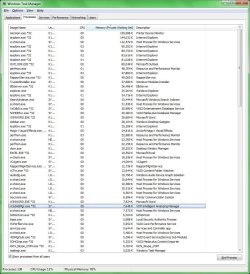
Does this look excessive? I am using a Sony Vaio and there are 142 processes which seem too high. The Physical Memory is 78% or higher typically. Could anyone advise?

 . Thanks again.
HI Punkster/Zig thanks for the reply. Much appreciated!
Malware found a couple of Adware
xvidsetup(1).exe (Adware.Hotbar) -> No action taken.
xvidsetup.exe (Adware.Hotbar) -> No action taken.
HKEY_LOCAL_MACHINE\SOFTWARE\Microsoft\Internet Explorer\Low Rights\ElevationPolicy\{A078F691-9C07-4AF2-BF43-35E79EECF8B7} (Adware.Softomate) -> No action taken.
The Lexmark Wifi printer has normalised that did look odd. lxecmon.exe The printer was off anyway so that was v strange.
Aside from that its back to the old wmpnetwk.exe that was the initial cause of large mem usage. Its difficult to get rid of it and SKype.exe at start up doesn't help either. These I had gotten rid off from start up but they have since bounced back of their own accord today.
The laptop by the way is probably top heavy with Sony Media products as part of initial set up of windows installation. Yes so original bloatware + Sony additionals. which take all processes now to 127. however 15 are svchost.
ZigZag - you mentioned IE; I had three instances and probably 10 tabs, alot i know but that should be normal, thought that was the point of tabbed browsers?
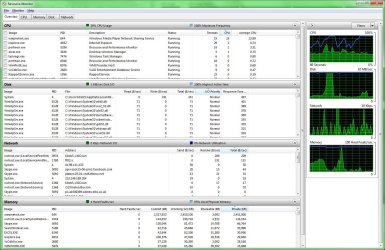
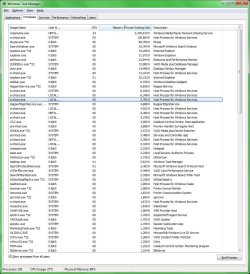
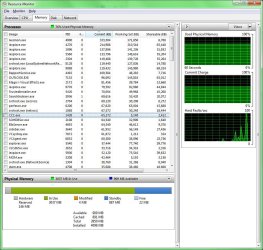
Have attached new Resource Montitor and WTM. It's actually quite laughable the system can be so badly configured.
Noted. I was just saying that his usage pattern may be exceeding his resources.
I have seen users who need 8 gigs just for their day to day work. There is no way 8 instances of IE plus his printer software is going to be easy on h is cpu, ram, power, or heat.


NOTE: Obviously you won't be able to share media with you xbox 360 etc if you do any of this or try TVersity (which I believe is much better).
1. In Windows Media Player turn off media sharing
in the library tab right click on it > click "media sharing" unclick the media sharing tab and click ok
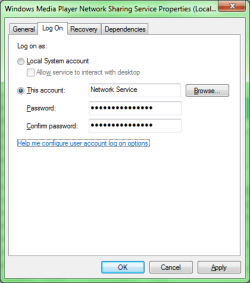
2. Turn off the "WMPnetwk.exe" service
Under the "RUN" command in the start meni type "services.msc" scroll down to "Windows media player network sharing" double click and under startup type set to disabled
 it'd be just the same hehe...
 ), so i don't think that a single tiny process should be eating almost 2.5GBs of RAM :shock: